
Chip-Tools
Preparing FEM and BDC units (software above version 85) with M95256 EEPROM reading
BMW
Interface New
Keys / Immo
Advanced
⏱ 60-90 min
10 steps
The preparation procedure for FEM and BDC units with software version above 85, needed when the job cannot be done directly over OBDII. With this updated version the FEM/BDC memory only has to be read once, which saves a lot of time. When it is finished, all the functions in the "EWS Functions" menu are unlocked.


⚠ WarningThe supply voltage must never drop below 13.6V: an external power supply connected to the car is mandatory, particularly at the data upload/programming step into the unit. Before removing the EEPROM you must unplug the AVDI from the OBDII socket and disconnect both the car battery and the external power supply.
Procedure
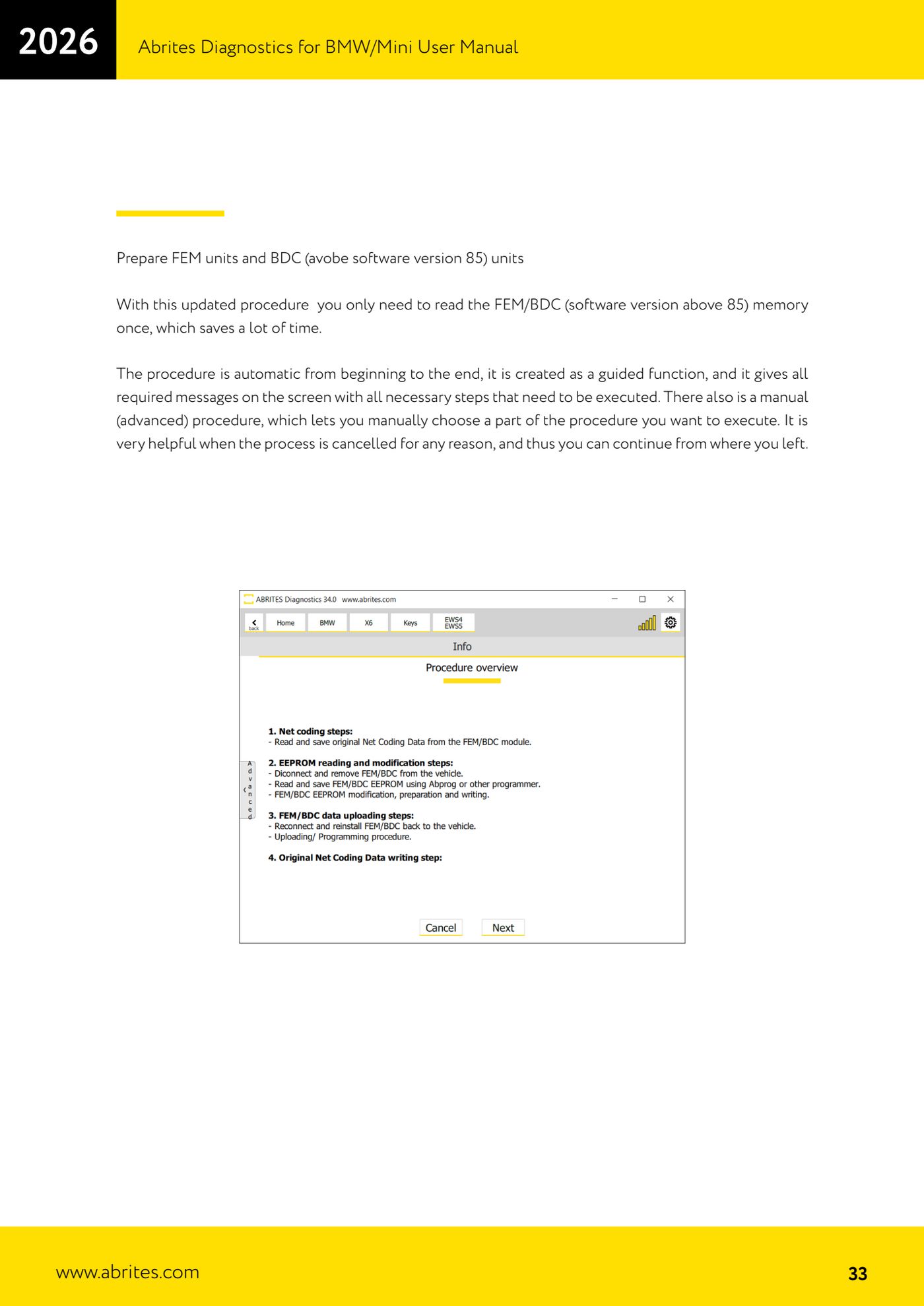
- Start the wizard: it is automatic from start to finish and displays every message with the steps to be carried out on screen. There is also a manual (advanced) procedure that lets you choose which part to run, extremely useful if the process gets interrupted and you want to pick up where you left off.
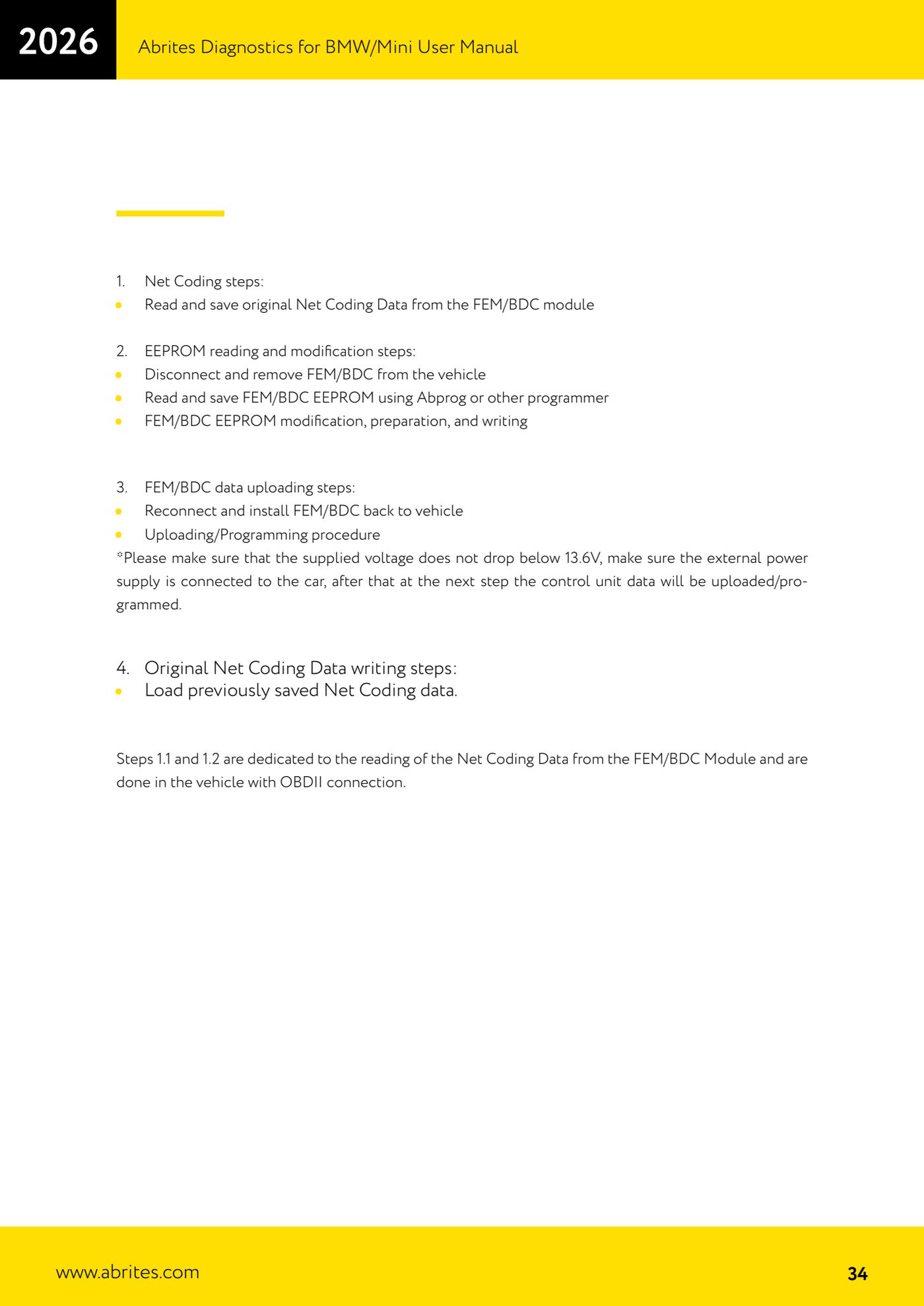
- STAGE 1 - NET CODING (in the car, connected over OBDII): read and save the original Net Coding data from the FEM/BDC module to a file. These are steps 1.1 and 1.2 of the procedure.
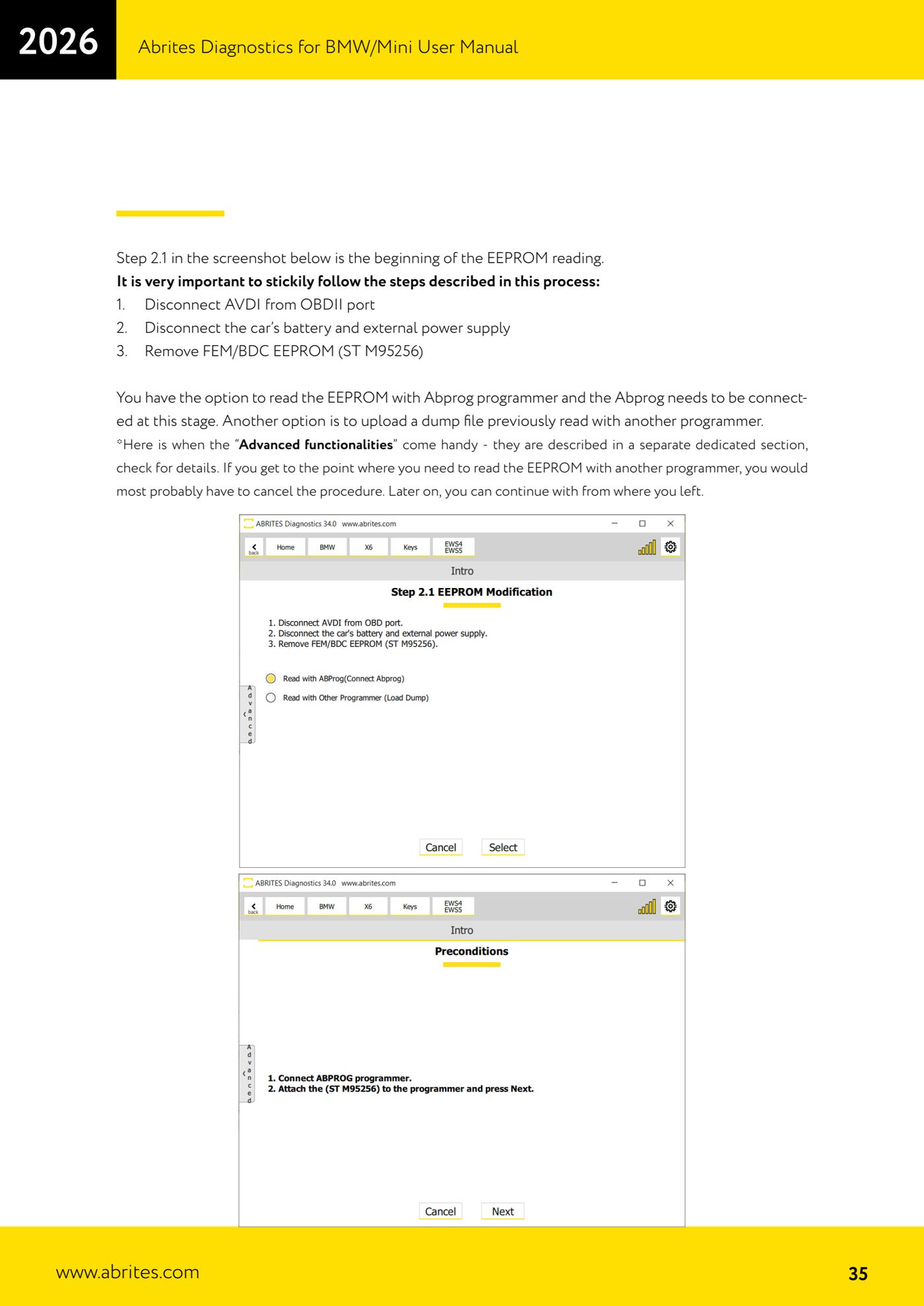
- STAGE 2 - EEPROM READING. At step 2.1 follow this sequence strictly: unplug the AVDI from the OBDII socket, disconnect the car battery and the external power supply, then remove the FEM/BDC from the vehicle.
- Open the unit up and locate the ST M95256 EEPROM on the board; PIN 1 of the EEPROM is marked on the PCB.
- Read and save the EEPROM with the ABPROG programmer (at this stage the ABPROG has to be connected) or load a dump read earlier with another programmer. If you have to read with another programmer you will most likely have to cancel the procedure and pick it up later from where you left off, using the "Advanced functionalities".
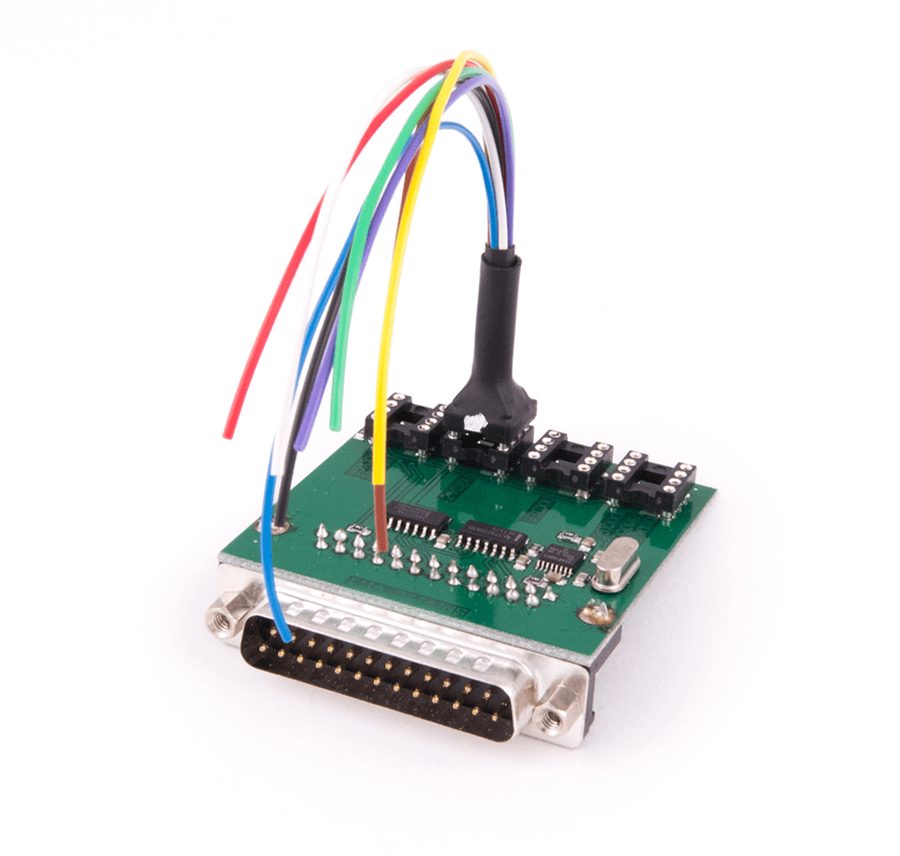
- As an alternative to the clip you can use the ZN057 adapter, soldering the adapter's wires straight onto the PCB and the EEPROM chip: it makes reading and writing easier. For BDCs with software above version 85, refer to the PCB connection diagram given in the manual.
- Let the software carry out the modification, preparation and writing of the FEM/BDC EEPROM.
- STAGE 3 - DATA UPLOAD: refit the FEM/BDC to the vehicle and reconnect everything. Check that the external power supply is on and that the voltage is not dropping below 13.6V, then let the unit's data upload/programming procedure run.
- STAGE 4 - NET CODING RESTORE: load the original Net Coding data saved in Stage 1 and write it into the unit.
- Working note: if more keys need adding in the future, the software will not have to reflash the FEM and the procedure will be a few steps shorter. If, on the other hand, you reflash or update the unit, you will have to repeat the whole procedure.
Reference screenshots
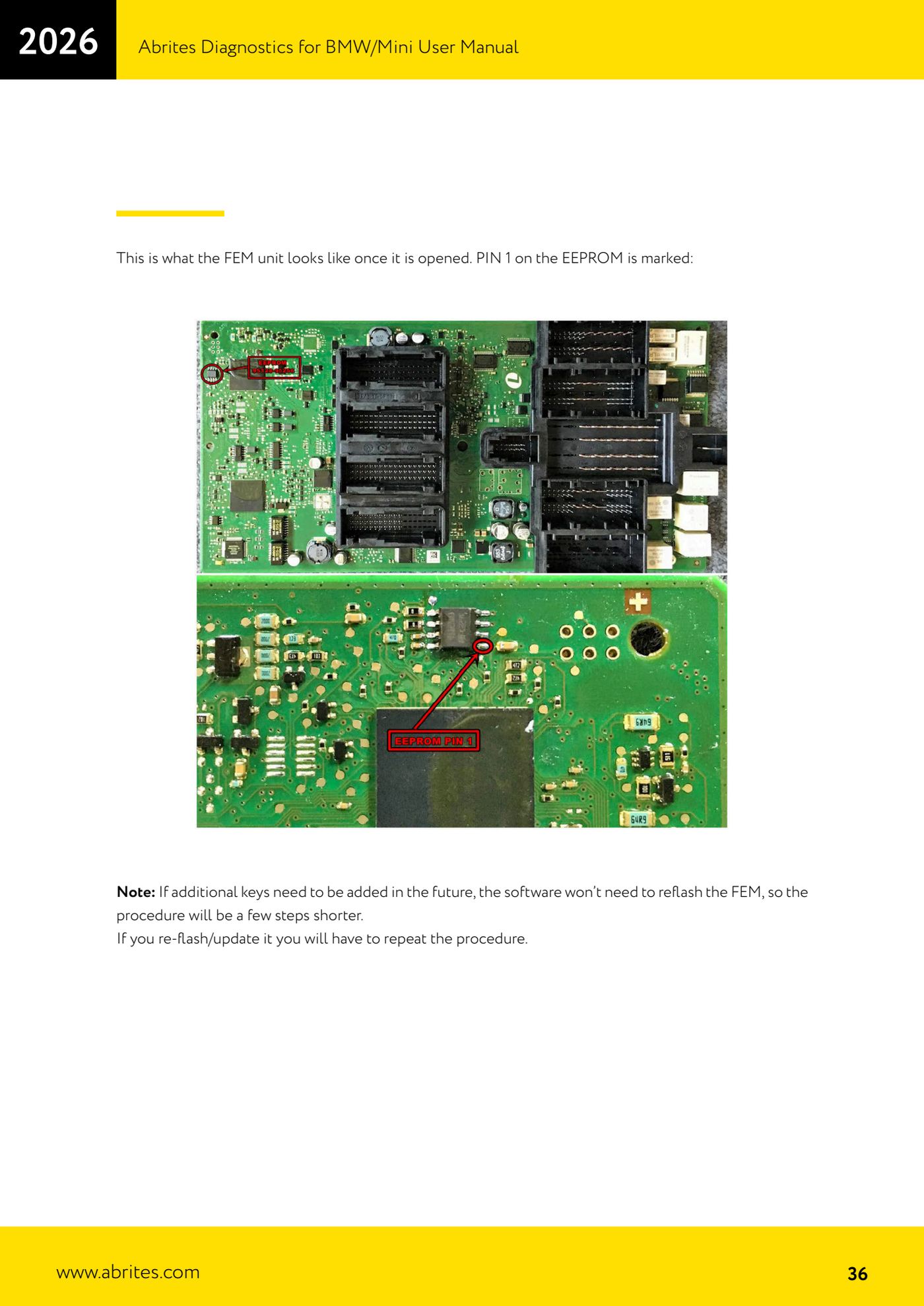
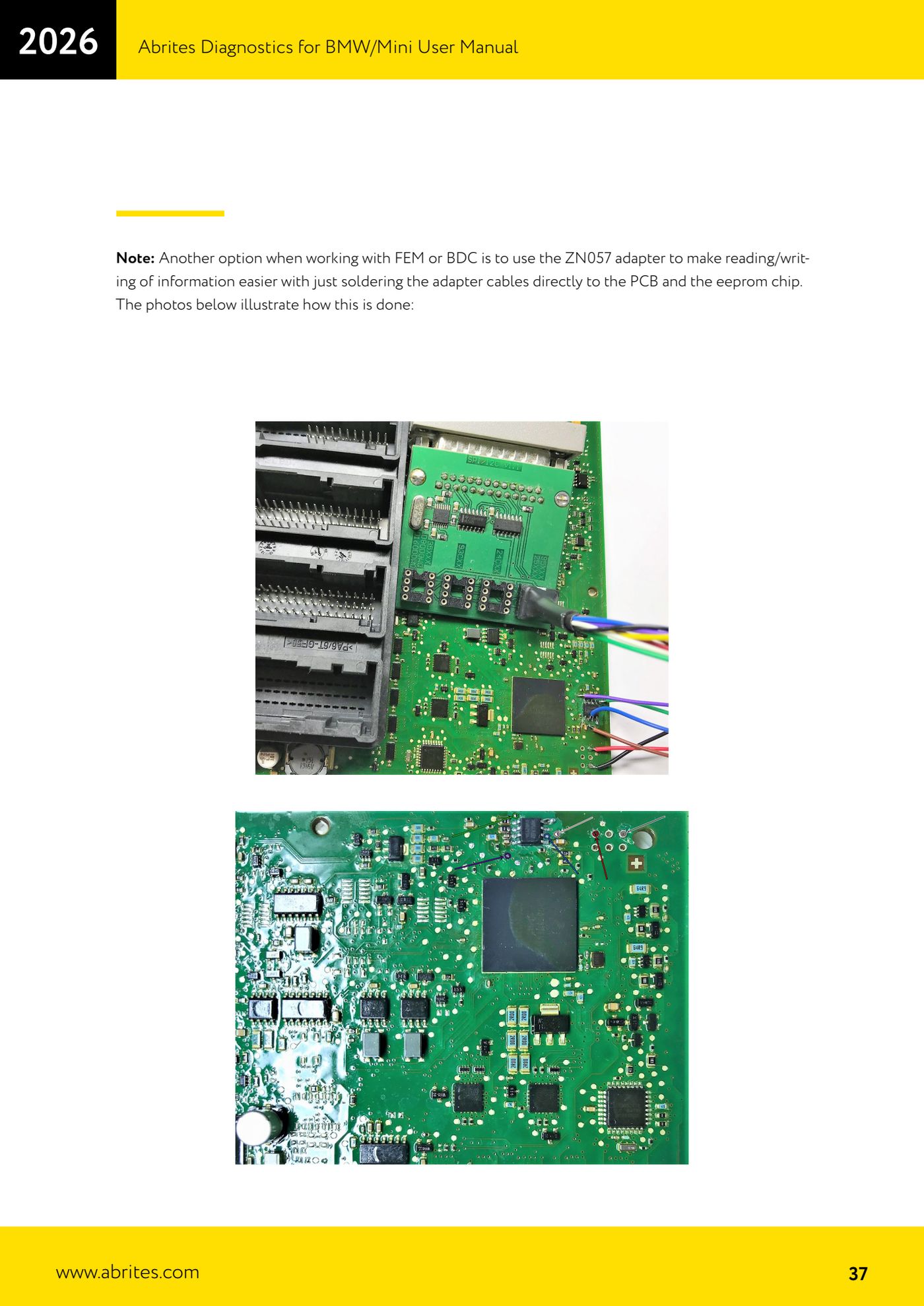
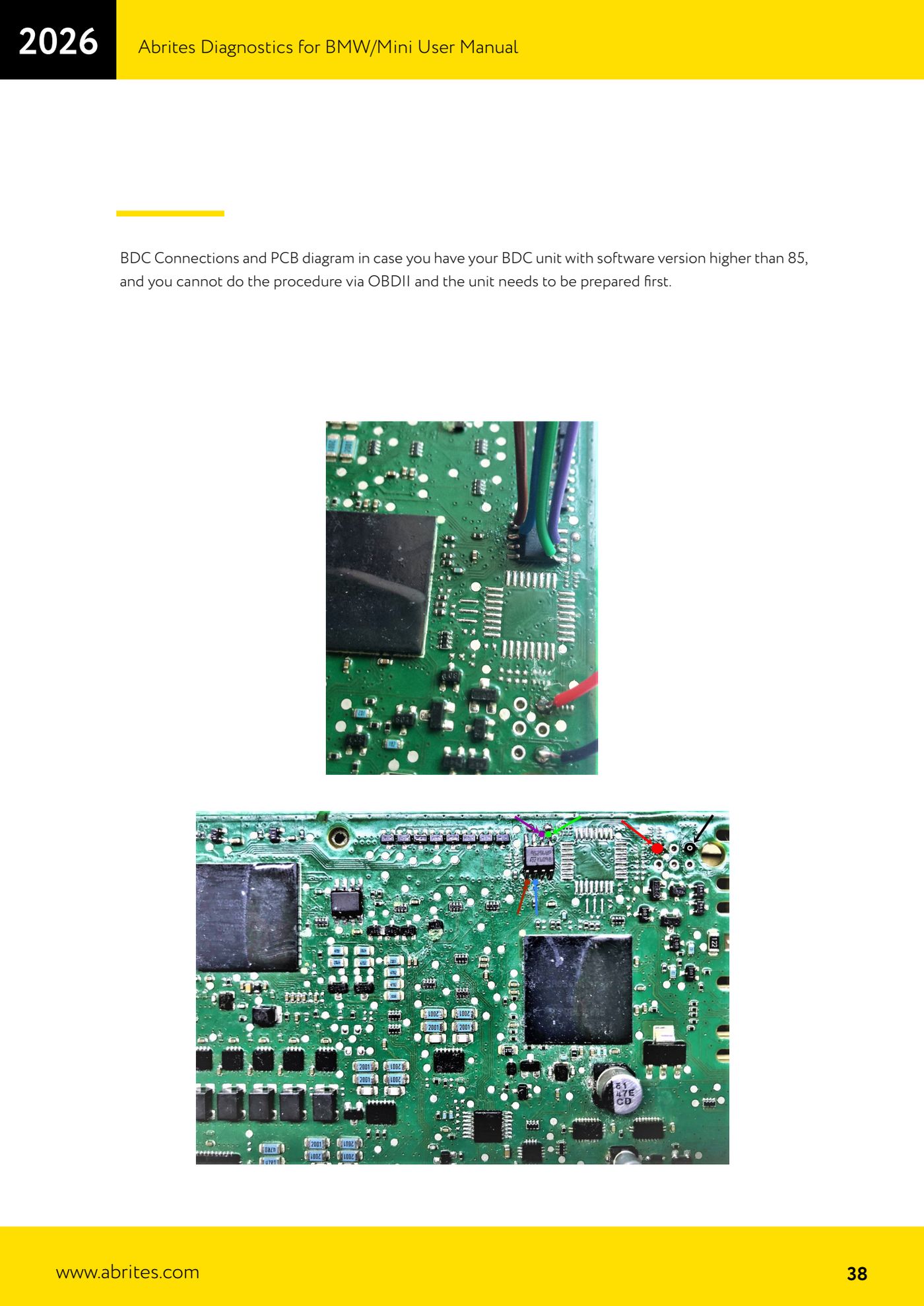
Source: Manuale BMW/Mini, seconda parte, "Prepare FEM units and BDC units" (p.33-38) · ⏱ estimated time 60-90 min
← All Abrites guides Hardware catalogue
More guides BMW
- Module scan and fault code (DTC) clearing on BMW/Mini E series and F series
- Reading real-time parameters ("Live values") with graphing and file comparison
- Actuator tests with simultaneous reading of measured values
- Reading and writing the VIN in control units ("Program IDs")
- Central coding and Vehicle Order: adding or removing options and retrofits
- Programming (flashing) control unit firmware with free choice of version
- MD/MG engine control unit replacement on BMW G series (DME Exchange with DFlash)
- CAS1/CAS2/CAS3/CAS3+ key programming (BMW E series) via OBDII
- FEM/BDC key programming (BMW F series) with EWS Manager
- FEM/BDC key programming over OBDII (BMW F series) - all keys lost and spare key
- Connections for F series BDC: ENET cable CB015 or OBDII CB100/CB106
- EWS Functions menu on a prepared FEM/BDC: keys, mileage reset, backup and virginize