
Chip-Tools
FEM/BDC key programming (BMW F series) with EWS Manager
BMW
Interface New
Keys / Immo
Advanced
⏱ 60-90 min
10 steps
Key programming on BMW F series vehicles with FEM and BDC modules, handled by the EWS Manager. In most cases the job is done over OBDII; on FEM units and on BDCs with software version above 85 the module first has to be unlocked away from the diagnostic socket.
Required licences
- AMS
Hardware / cables
 AVDI
AVDI PROTAG programmer
 ABPROG
- alimentatore esterno
⚠ WarningIt is critically important to power the vehicle at 13.6 V or more with an external power supply: without it the procedures will not run to completion. Preparing FEM units and BDCs with software above version 85 canNOT be done over OBDII: an ABPROG or a third-party programmer is required.
Procedure
- Check that your AMS is active and connect the PROTAG programmer to the PC.
- Connect the vehicle to an external power supply holding at least 13.6 V, then plug the AVDI into the OBDII socket and start the BMW Online software.
- Establish which unit you are working with: BDCs up to software version 85 are programmed directly over OBDII; FEMs and BDCs above version 85 have to be unlocked first, which calls for an ABPROG or a third-party programmer.
- Go into the "Keys And Start Synchronization Menu" and open the "EWS Manager", the tool dedicated to FEM/BDC/CAS4.
- Select "Program Key" to start key learning.
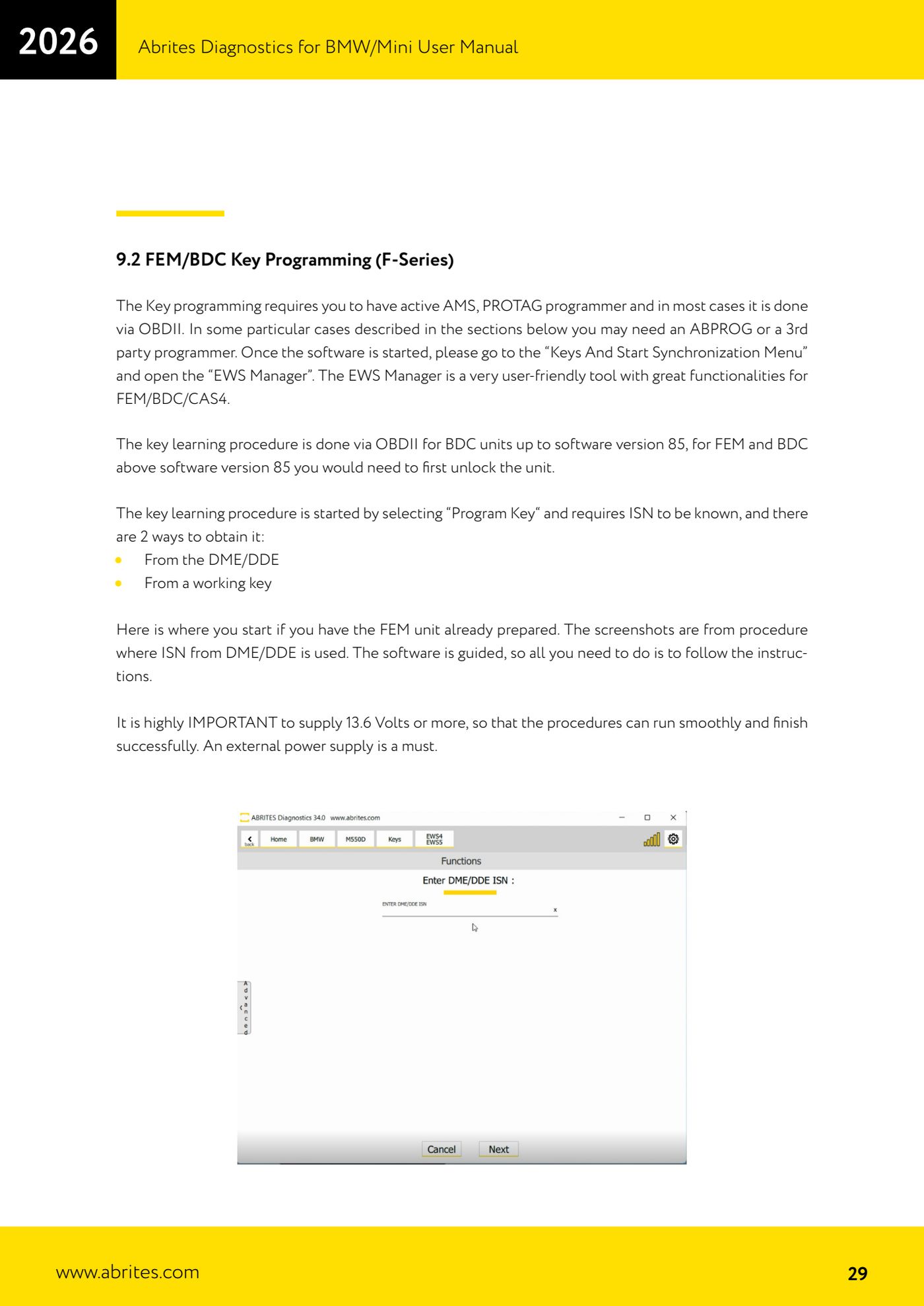
- Provide the ISN, which is mandatory. You can get it in two ways: by reading it from the DME/DDE or by taking it from a working key.
- Follow the wizard's on-screen messages without skipping any step, keeping an eye on the supply voltage throughout.
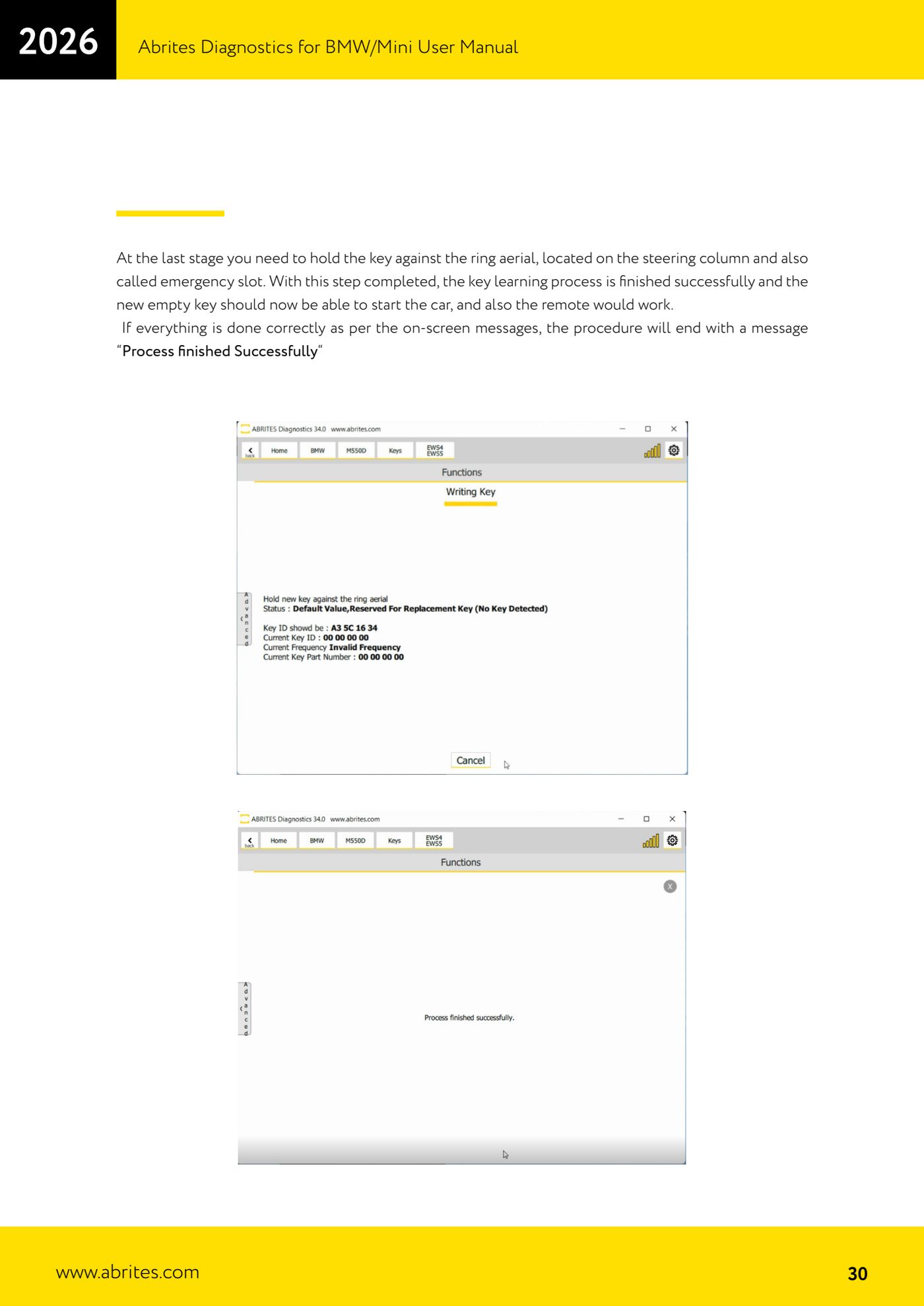
- At the last step, hold the key against the ring aerial on the steering column, also known as the emergency slot.
- The procedure ends with the message "Process finished Successfully": the virgin key must now start the car and the remote must work.
- Test unlocking, locking and starting with the new key, then run a "Scan" and clear the faults generated during learning.
Reference screenshots
Source: Manuale BMW/Mini, prima parte, cap. 9.2 (p.29-30) · ⏱ estimated time 60-90 min
← All Abrites guides Hardware catalogue
More guides BMW
- Module scan and fault code (DTC) clearing on BMW/Mini E series and F series
- Reading real-time parameters ("Live values") with graphing and file comparison
- Actuator tests with simultaneous reading of measured values
- Reading and writing the VIN in control units ("Program IDs")
- Central coding and Vehicle Order: adding or removing options and retrofits
- Programming (flashing) control unit firmware with free choice of version
- MD/MG engine control unit replacement on BMW G series (DME Exchange with DFlash)
- CAS1/CAS2/CAS3/CAS3+ key programming (BMW E series) via OBDII
- FEM/BDC key programming over OBDII (BMW F series) - all keys lost and spare key
- Connections for F series BDC: ENET cable CB015 or OBDII CB100/CB106
- Preparing FEM and BDC units (software above version 85) with M95256 EEPROM reading
- EWS Functions menu on a prepared FEM/BDC: keys, mileage reset, backup and virginize