
Chip-Tools
Actuator tests with simultaneous reading of measured values
BMW
Interface New
Diagnostics
Basic
⏱ 10-20 min
6 steps
The actuator test drives a component directly (solenoid valve, relay, motor, fan) to check whether it responds. It is used both to pin down a fault and as a compulsory step in some service and modification procedures.
Required licences
- —
Hardware / cables
 AVDI
AVDI- PC Windows
⚠ WarningOnce the actuator test has started, let it run to the end: do not close the window while the test is running.
Procedure
- Run the "Scan" and open the control unit that drives the actuator you want to test.
- Select the actuator test function and pick the actuator to be driven from the list.
- If you also want to see the values measured by the sensors linked to that actuator or that module, press the dedicated button that puts real-time data reading alongside the test (a feature exclusive to generation 2 of the BMW/Mini software).
- Start the test and watch the component's response on the vehicle and, at the same time, how the measured values behave.
- Wait for the test to finish on its own before closing the window.
- Compare the actuator's reaction with the expected one: no reaction at all, or values that do not move, point to the component, its wiring or the driver stage in the control unit.
Reference screenshots
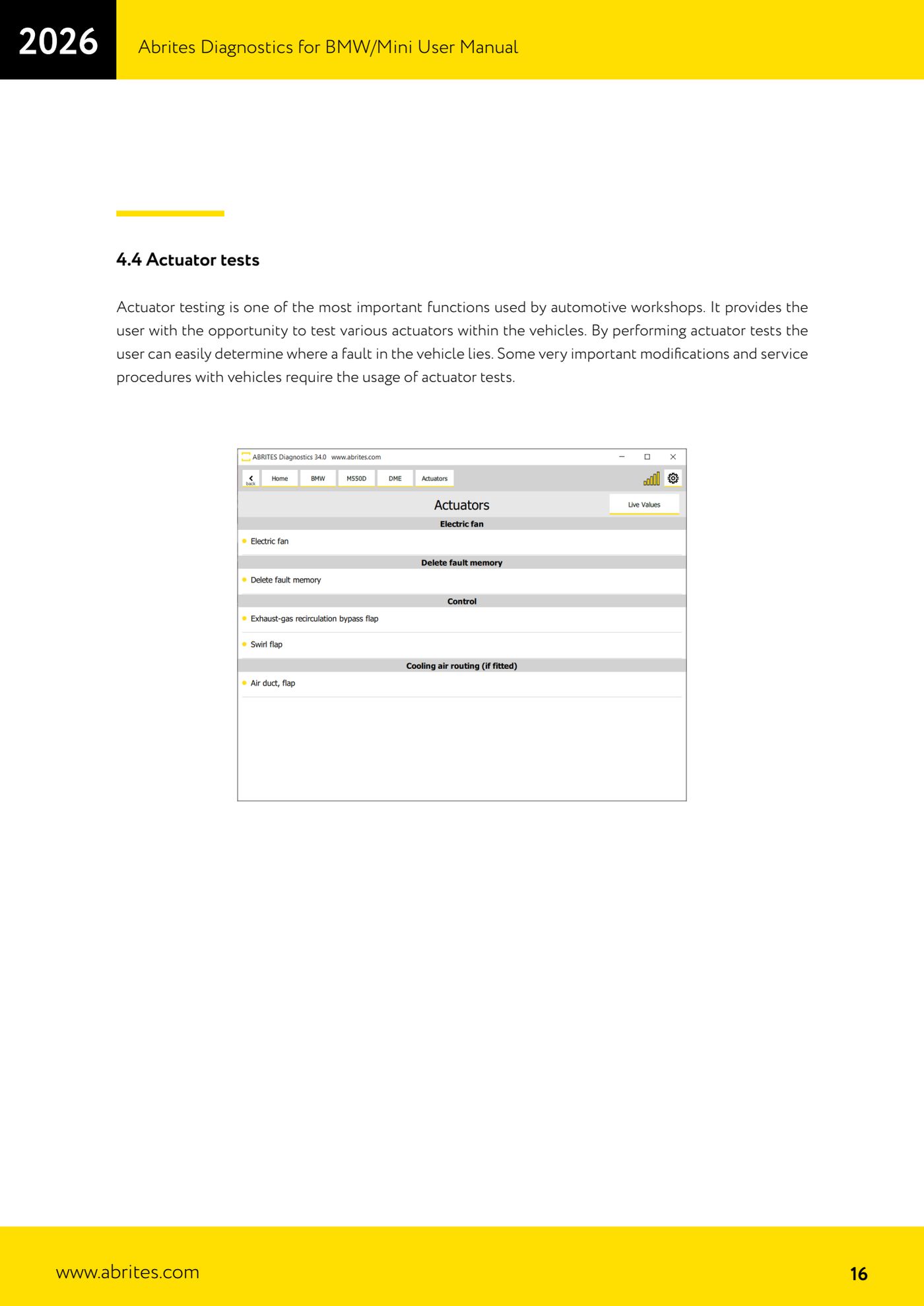
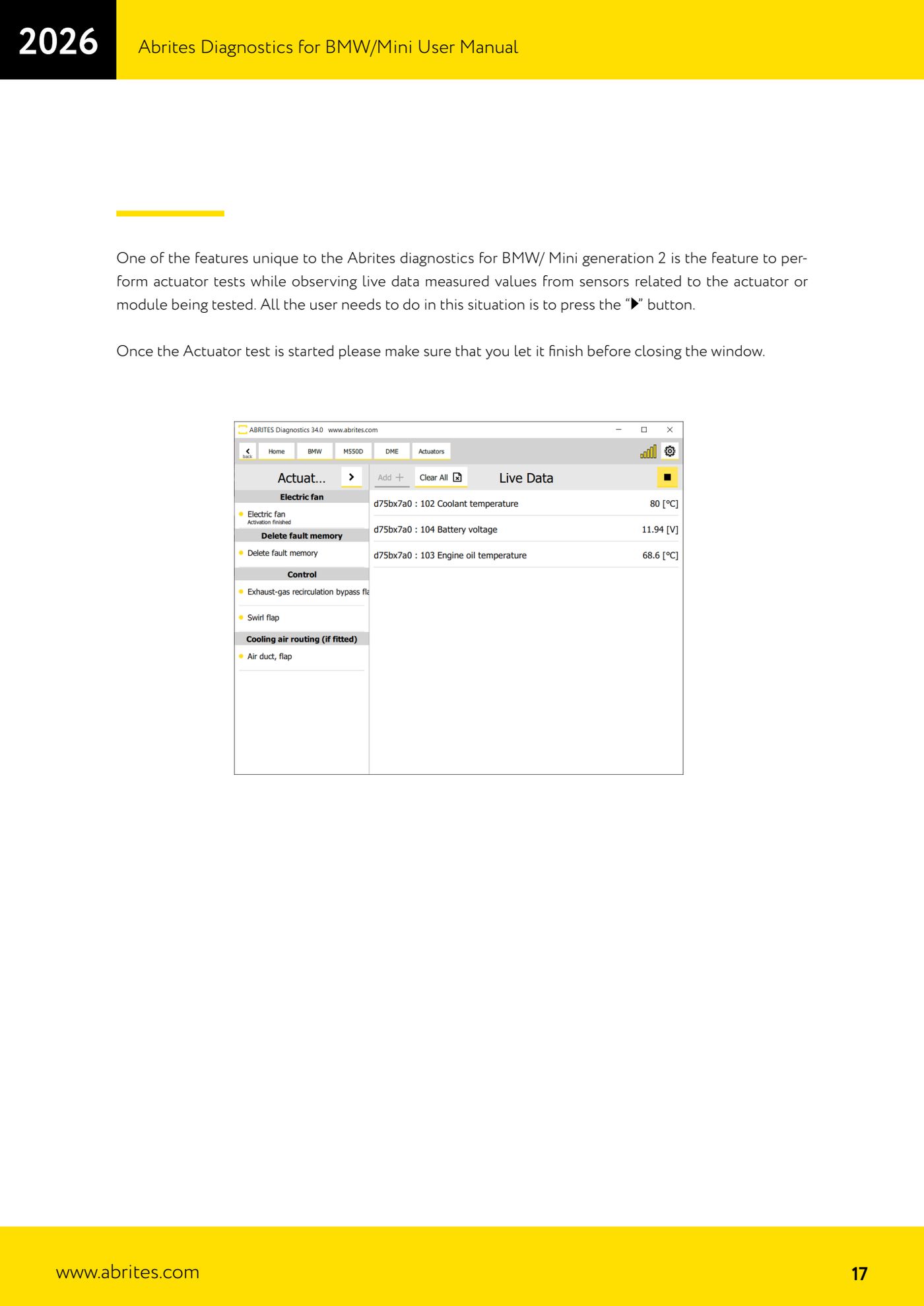
Source: Manuale BMW/Mini, prima parte, cap. 4.4 (p.16-17) · ⏱ estimated time 10-20 min
← All Abrites guides Hardware catalogue
More guides BMW
- Module scan and fault code (DTC) clearing on BMW/Mini E series and F series
- Reading real-time parameters ("Live values") with graphing and file comparison
- Reading and writing the VIN in control units ("Program IDs")
- Central coding and Vehicle Order: adding or removing options and retrofits
- Programming (flashing) control unit firmware with free choice of version
- MD/MG engine control unit replacement on BMW G series (DME Exchange with DFlash)
- CAS1/CAS2/CAS3/CAS3+ key programming (BMW E series) via OBDII
- FEM/BDC key programming (BMW F series) with EWS Manager
- FEM/BDC key programming over OBDII (BMW F series) - all keys lost and spare key
- Connections for F series BDC: ENET cable CB015 or OBDII CB100/CB106
- Preparing FEM and BDC units (software above version 85) with M95256 EEPROM reading
- EWS Functions menu on a prepared FEM/BDC: keys, mileage reset, backup and virginize