
Chip-Tools
FEM/BDC key programming over OBDII (BMW F series) - all keys lost and spare key
BMW
Interface New
Keys / Immo
Advanced
⏱ 30-60 min
14 steps
Key programming on BMW F series vehicles with a FEM/BDC module, carried out over OBDII. It applies to BDC units with software version below 85 and to FEM/BDC units (above 85) that have already been prepared/unlocked. It covers both the all keys lost case and adding a spare key.


⚠ WarningReading the ISN from the DME/DDE almost always requires programming: it is mandatory to connect an external power supply to the vehicle before starting. Always save the EWS data with "Save EWS DATA" so that you have a backup before you touch anything.
Procedure
- Connect the AVDI to the vehicle: the ignition comes on automatically, that is how Abrites Diagnostics for BMW Online works. Check that the external power supply is connected to the battery.
- ALL KEYS LOST CASE - Go into the "Keys" menu.
- Select "ISN codes" to read the ISN from the DME/DDE: it is the data you cannot do without to carry on with all keys lost programming. The operation may require programming of the engine control unit.
- Copy the extracted ISN into a notepad on the computer, then go into "EWS Manager". Here you will find the entries: "Program keys", "Clear mileage", "Save EWS DATA", "Restore EWS DATA", "Erase Key", "Virginize".
- Before writing anything, use "Save EWS DATA" to save a backup of the EWS data to a file.
- Choose "Program key", enter the ISN from the DME/DDE and carry on.
- Choose a free (empty) position to program the new key into.
- Put the new virgin key in the PROTAG and wait for it to be written.
- Once the write is complete, hold the key on the slot marked with the key symbol and two arrows on the steering column (BMW calls it the "Ring Aerial"). The key is programmed and starts the vehicle.
- SPARE KEY CASE (working key available) - Go into "EWS Manager" and choose "Program key".
- Select the working key option ("working key"): the ISN is far easier to get from the key than from the DME/DDE.
- Put the working key in the PROTAG to obtain the ISN.
- Choose the position to program the new key into and put the new key on the PROTAG.
- Once the write is done, hold the key against the "Ring Aerial" on the column: the key is ready to start the car.
Reference screenshots
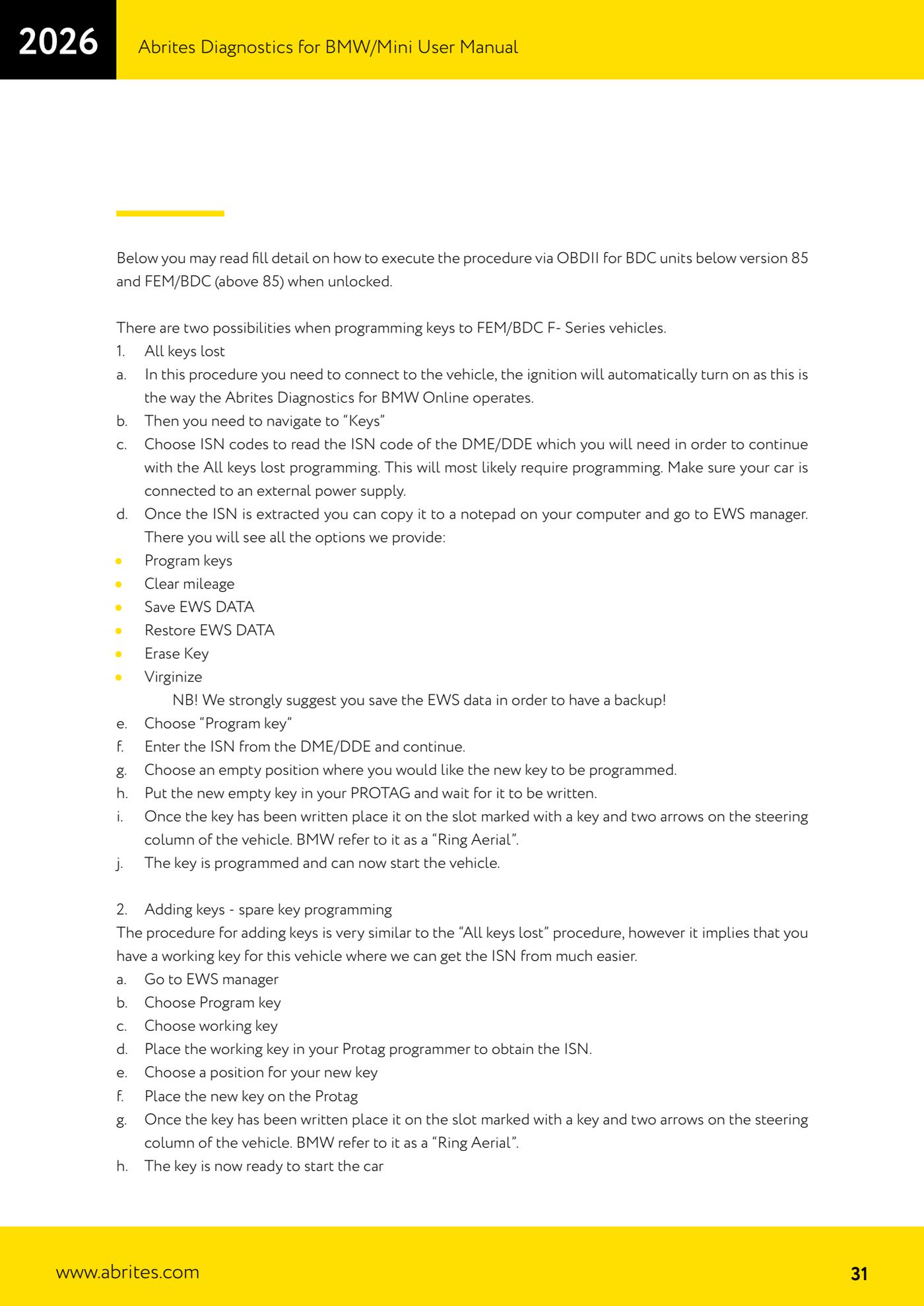
Source: Manuale BMW/Mini, seconda parte, programmazione chiavi FEM/BDC via OBDII (p.31) · ⏱ estimated time 30-60 min
← All Abrites guides Hardware catalogue
More guides BMW
- Module scan and fault code (DTC) clearing on BMW/Mini E series and F series
- Reading real-time parameters ("Live values") with graphing and file comparison
- Actuator tests with simultaneous reading of measured values
- Reading and writing the VIN in control units ("Program IDs")
- Central coding and Vehicle Order: adding or removing options and retrofits
- Programming (flashing) control unit firmware with free choice of version
- MD/MG engine control unit replacement on BMW G series (DME Exchange with DFlash)
- CAS1/CAS2/CAS3/CAS3+ key programming (BMW E series) via OBDII
- FEM/BDC key programming (BMW F series) with EWS Manager
- Connections for F series BDC: ENET cable CB015 or OBDII CB100/CB106
- Preparing FEM and BDC units (software above version 85) with M95256 EEPROM reading
- EWS Functions menu on a prepared FEM/BDC: keys, mileage reset, backup and virginize