
Chip-Tools
Central coding and Vehicle Order: adding or removing options and retrofits
BMW
Interface New
Coding / Adaptations
Medium
⏱ 30-60 min
9 steps
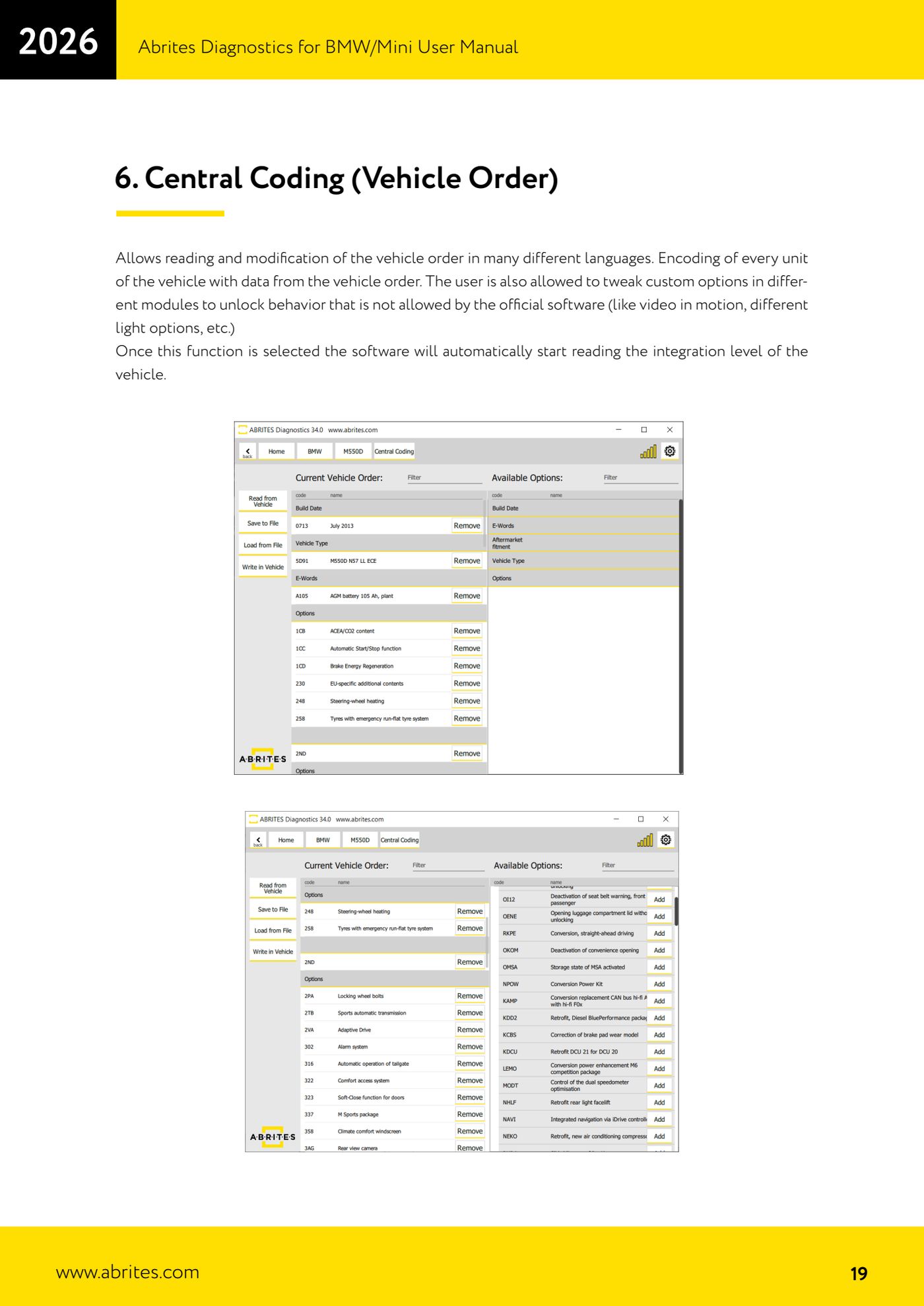
Central coding reads and edits the vehicle's Vehicle Order and recodes every control unit with the order data. It is used for retrofits (fitting modules and options the car did not leave the factory with) and to enable behaviour the official software will not allow, such as video in motion or different lighting configurations.
Required licences
- —
Hardware / cables
 AVDI
AVDI- PC Windows
- alimentatore esterno
⚠ WarningBefore applying any change to the vehicle, always save the current order with "Save to File": it is the only way back if the coding does not give the result you wanted. Keep the vehicle on external power for the whole procedure.
Procedure
- Connect the AVDI to the vehicle, which is on external power, and start the BMW/Mini Online software.
- Select the "Central Coding (Vehicle Order)" function: the software automatically starts reading the vehicle's integration level.
- Once the read has finished, all the central coding details are displayed.
- Save the current configuration straight away with the "Save to File" button on the side of the screen: that is your safety backup.
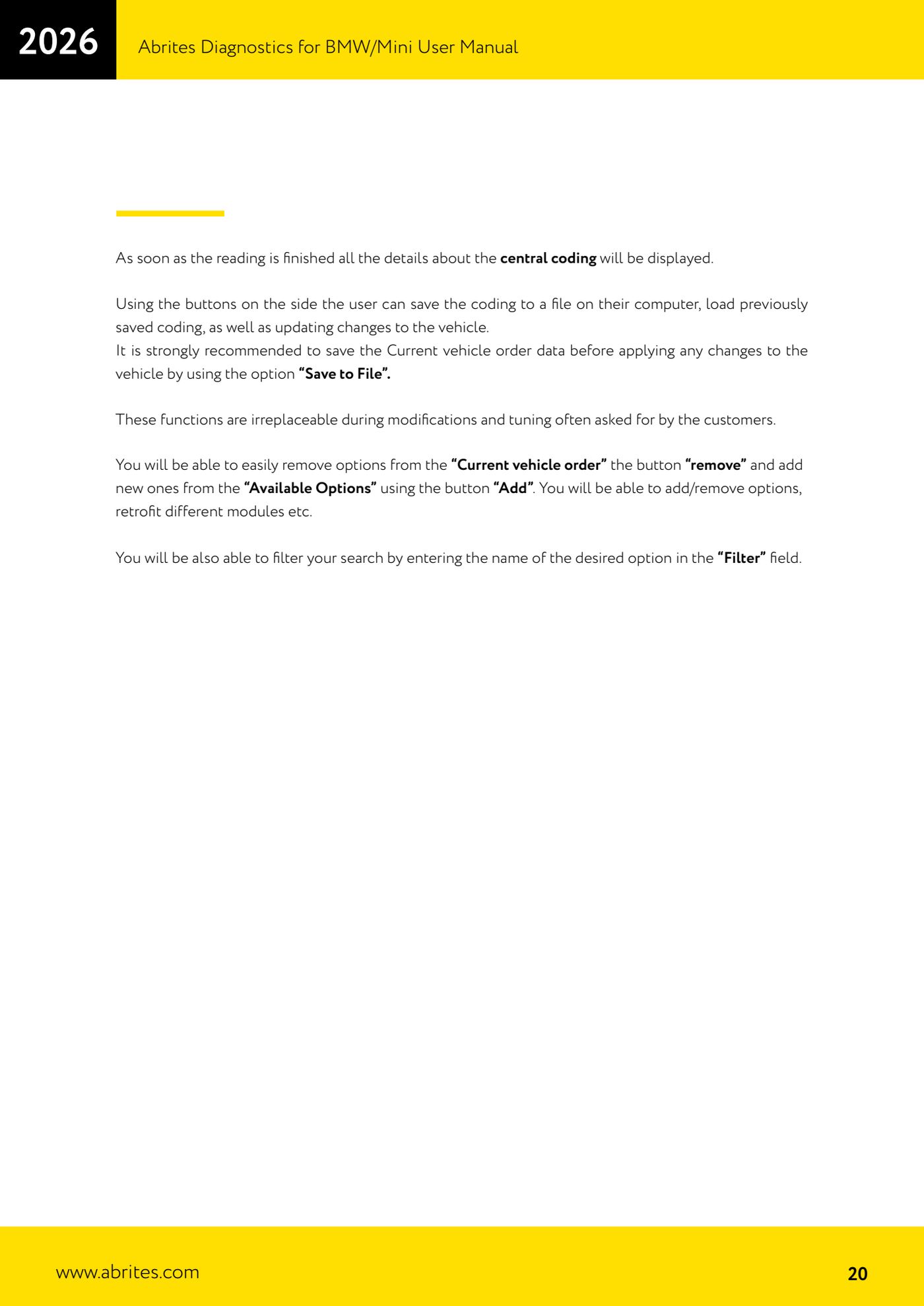
- In the "Current vehicle order" pane select the entries to be deleted and press "remove".
- In the "Available Options" pane look for the options to be added; use the "Filter" field, typing in the name of the option you want, to find it quickly, then press "Add".
- Once the vehicle order reflects the configuration you want, apply the changes to the vehicle with the update button: the control units are recoded with the data from the new Vehicle Order.
- If the result is not what you expected, load the previously saved order ("Load") and apply it to the vehicle again.
- Run a final "Scan" and clear the faults created during the recoding.
Reference screenshots
Source: Manuale BMW/Mini, prima parte, cap. 6 (p.19-20) · ⏱ estimated time 30-60 min
← All Abrites guides Hardware catalogue
More guides BMW
- Module scan and fault code (DTC) clearing on BMW/Mini E series and F series
- Reading real-time parameters ("Live values") with graphing and file comparison
- Actuator tests with simultaneous reading of measured values
- Reading and writing the VIN in control units ("Program IDs")
- Programming (flashing) control unit firmware with free choice of version
- MD/MG engine control unit replacement on BMW G series (DME Exchange with DFlash)
- CAS1/CAS2/CAS3/CAS3+ key programming (BMW E series) via OBDII
- FEM/BDC key programming (BMW F series) with EWS Manager
- FEM/BDC key programming over OBDII (BMW F series) - all keys lost and spare key
- Connections for F series BDC: ENET cable CB015 or OBDII CB100/CB106
- Preparing FEM and BDC units (software above version 85) with M95256 EEPROM reading
- EWS Functions menu on a prepared FEM/BDC: keys, mileage reset, backup and virginize