
Chip-Tools
Module scan and fault code (DTC) clearing on BMW/Mini E series and F series
BMW
Interface New
Diagnostics
Basic
⏱ 10-20 min
8 steps
The first job on any BMW or Mini: find out which control units are fitted on board and how many faults each of them has, then clear the stored fault codes. It is the starting point for any other work (coding, programming, keys).
Required licences
- —
Hardware / cables
 AVDI
AVDI- PC Windows 7 o superiore
- alimentatore esterno
⚠ WarningThe BMW/Mini Online software runs on the Abrites server: a stable Internet connection is needed for the whole session. Always hook the vehicle up to an external power supply before you start, to avoid voltage drops during the job. Some fault codes will not clear until the fault itself has been put right (for example a component that needs replacing); others point to special procedures in the software.
Procedure
- Chock the vehicle's wheels and connect the vehicle to an external power source, so that the voltage does not drop during the session.
- Connect the AVDI to the vehicle's OBDII socket and to the Windows PC (Windows 7 or later), with an active Internet connection.
- Start "ABRITES Diagnostics for BMW/Mini Online" (you can tell it by the Internet connectivity symbol on the icon).
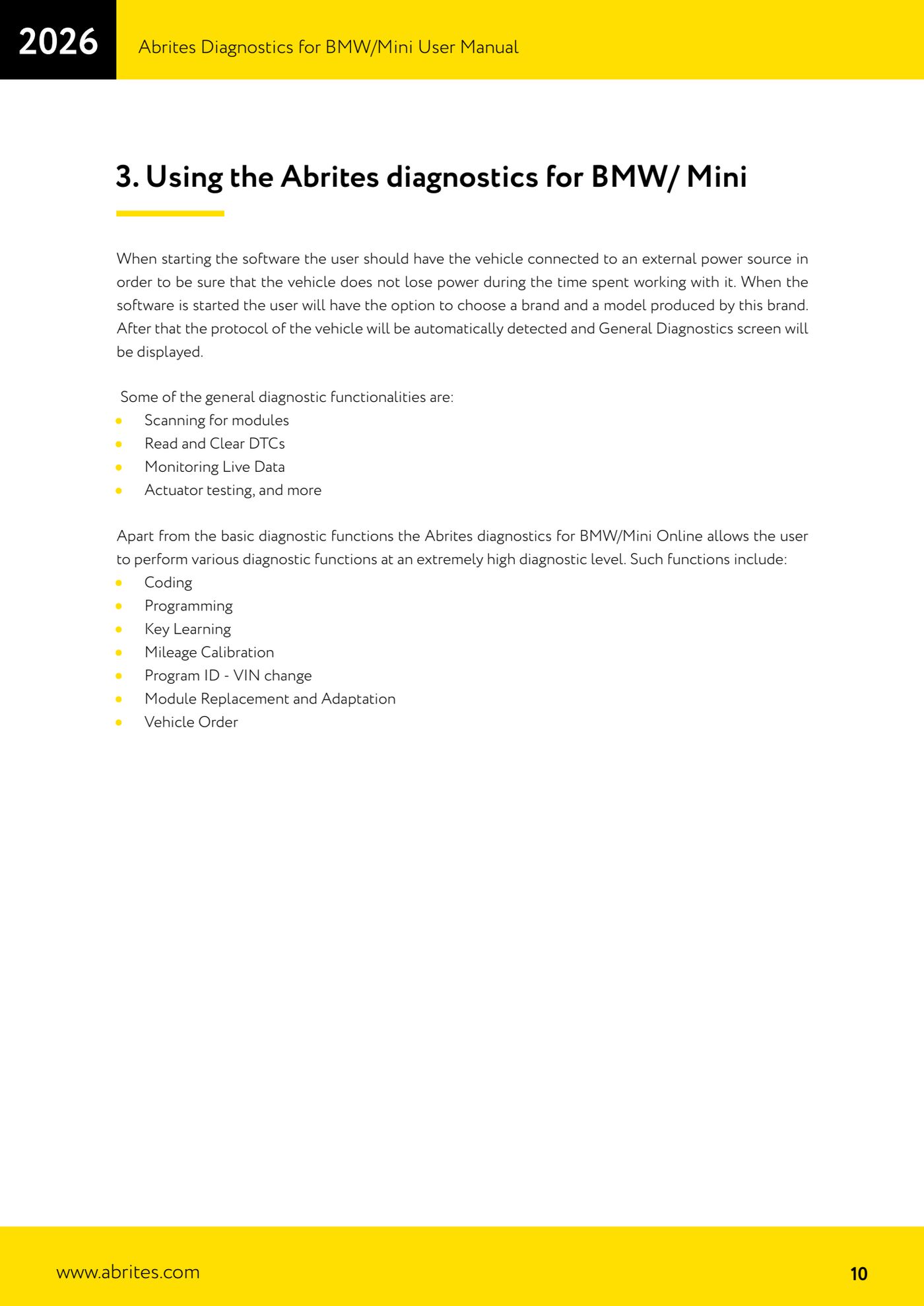
- Select the make and then the model: the software detects the vehicle protocol automatically and opens the "General Diagnostics" screen.
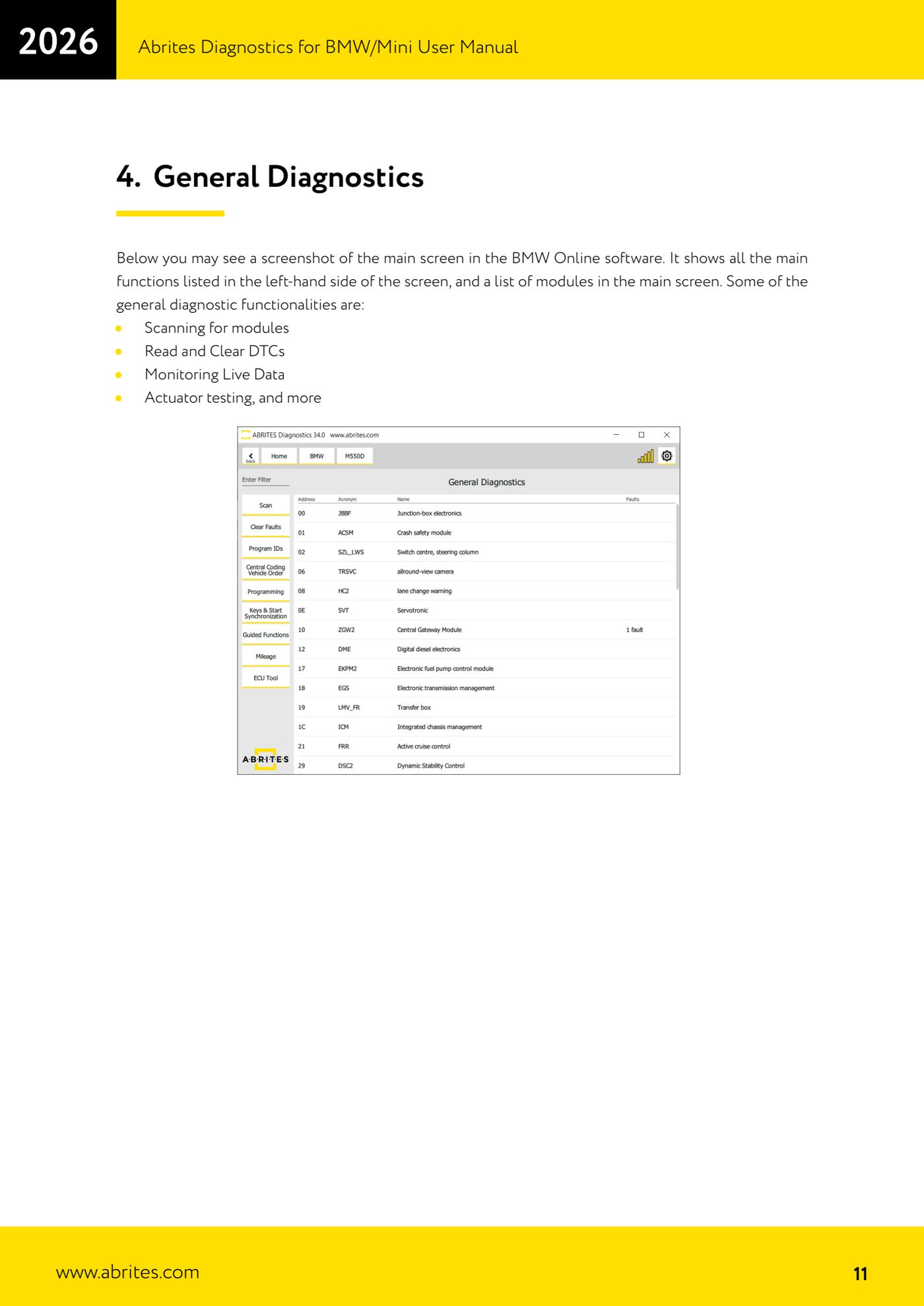
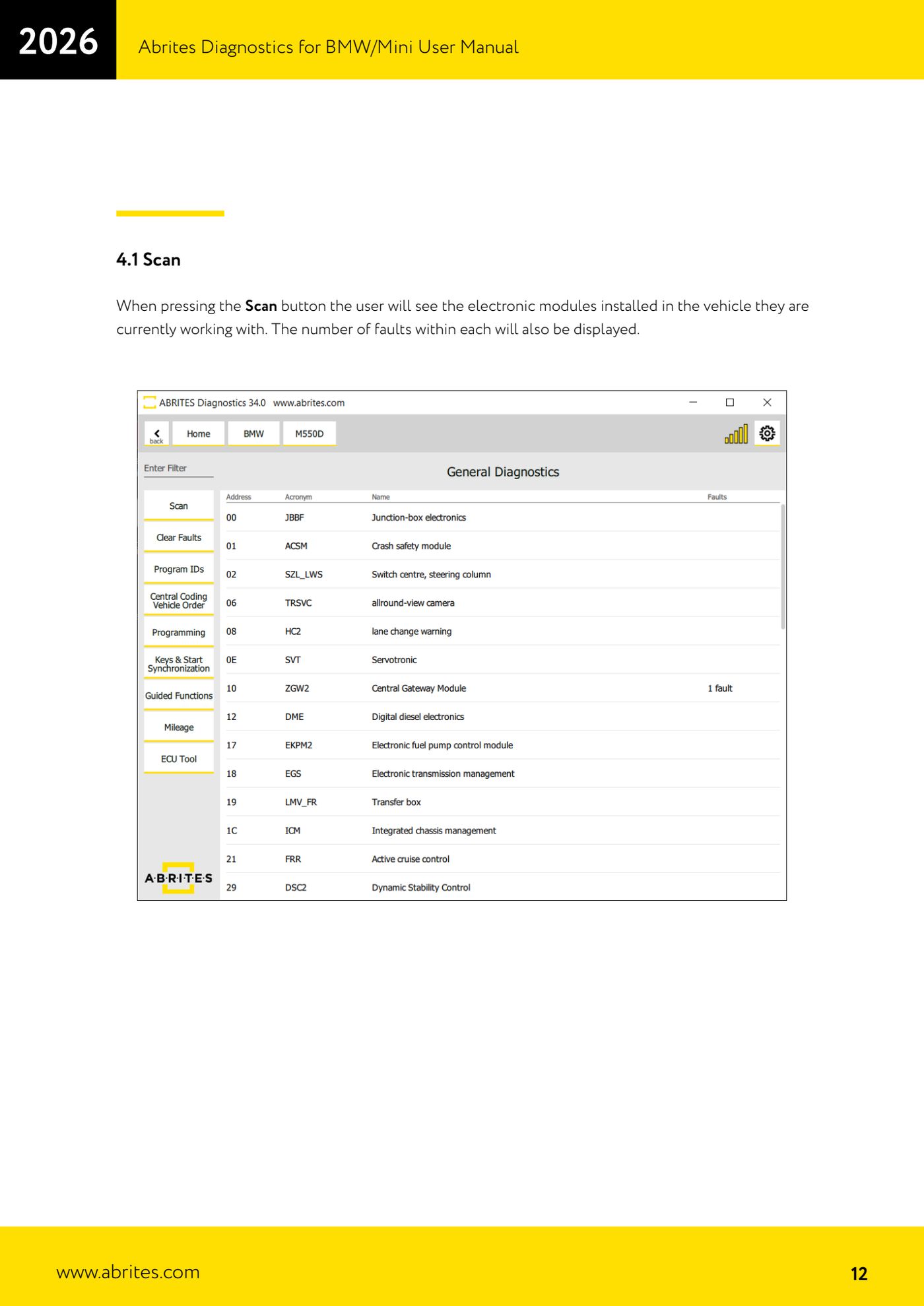
- Press "Scan": all the electronic control units on the vehicle are listed, with the number of stored faults in each one alongside.
- Open an individual control unit from the list to read its fault codes in detail.
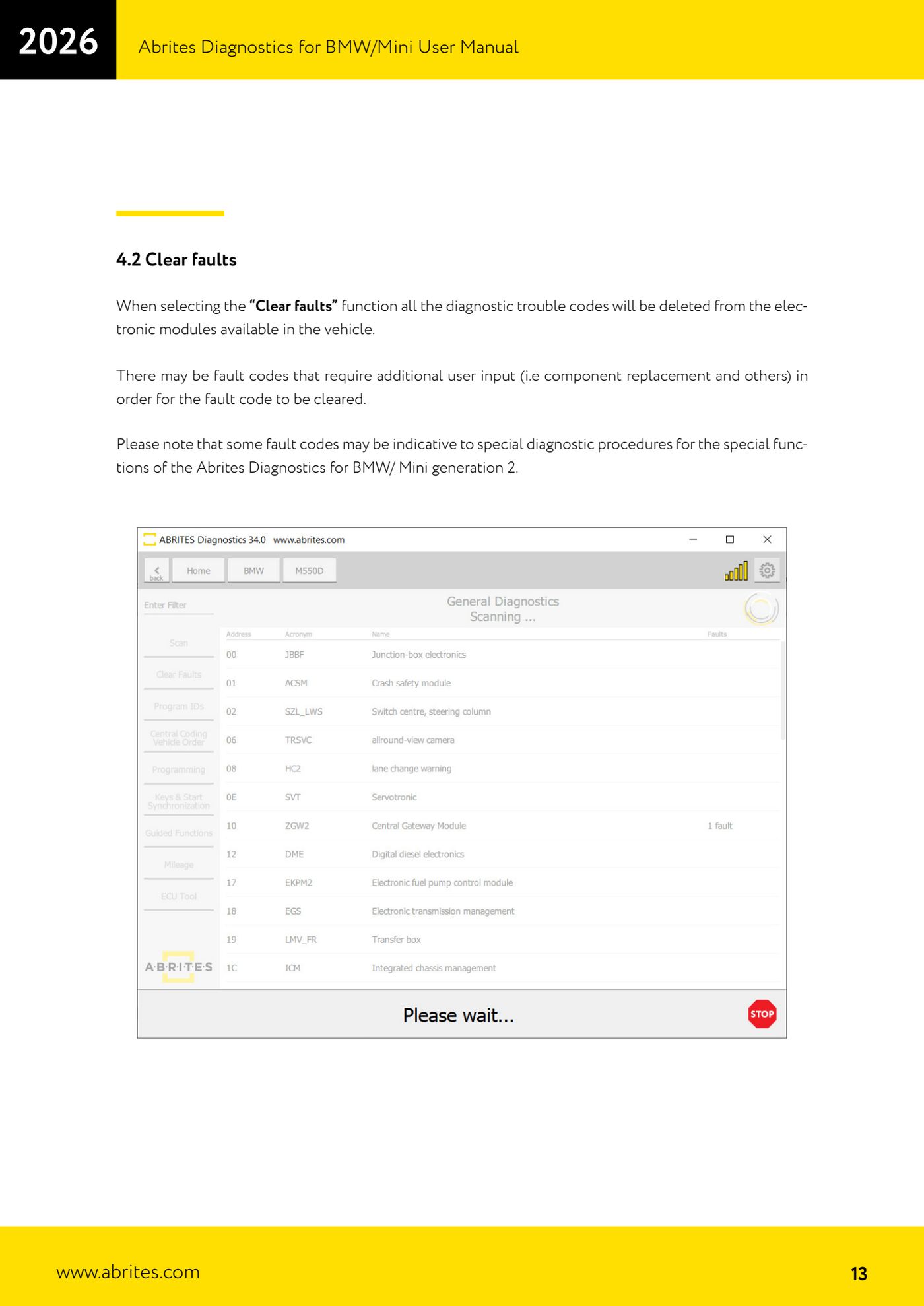
- Once you have noted the codes down, select "Clear faults": the fault codes are cleared from all the control units on the vehicle.
- Run the "Scan" again to see which faults have come back: the ones that return point to a fault still present or a component that needs replacing.
Reference screenshots
Source: Manuale BMW/Mini, prima parte, cap. 3 e 4.1-4.2 (p.10-13) · ⏱ estimated time 10-20 min
← All Abrites guides Hardware catalogue
More guides BMW
- Reading real-time parameters ("Live values") with graphing and file comparison
- Actuator tests with simultaneous reading of measured values
- Reading and writing the VIN in control units ("Program IDs")
- Central coding and Vehicle Order: adding or removing options and retrofits
- Programming (flashing) control unit firmware with free choice of version
- MD/MG engine control unit replacement on BMW G series (DME Exchange with DFlash)
- CAS1/CAS2/CAS3/CAS3+ key programming (BMW E series) via OBDII
- FEM/BDC key programming (BMW F series) with EWS Manager
- FEM/BDC key programming over OBDII (BMW F series) - all keys lost and spare key
- Connections for F series BDC: ENET cable CB015 or OBDII CB100/CB106
- Preparing FEM and BDC units (software above version 85) with M95256 EEPROM reading
- EWS Functions menu on a prepared FEM/BDC: keys, mileage reset, backup and virginize