
Chip-Tools
VDO NEC 2009+: entering service mode and working on mileage, EEPROM, immo and keys
VAG
Interface Classic
Odometer
Advanced
⏱ varies
9 steps
A dedicated function for VDO clusters with an NEC microcontroller, typically fitted to VW/Seat/Skoda/Audi built after 2009. It is used to read and correct the mileage, make keys, swap components and adapt identification and configuration. On these clusters nothing can be done until you get into service mode.

⚠ WarningOn clusters with a colour TFT and other recent models with no working key you have to enter service mode and carry out every change before leaving the menu: to get back into service mode you would have to modify the EEPROM with the programmer all over again. On these clusters it is also normal for the display to stay dark at times while service mode is active. Note: data writing can sometimes fail, which is why all written data is saved in the "Dumps" subfolder.
Procedure
- Check your licences: the key function requires the key programming licence, the mileage function requires a separate licence.
- Recommended: pull the cluster out of the car and work on it on the bench. If you prefer to work in the car, switch the ABS module off while you work on the cluster.
- If you work in the car and the ABS coding is lost, you can recalculate it with the "Coding Calculator" special function (short coding only). If the ABS has long coding, save it before entering service mode: Diagnostics menu > ABS > Coding > save the coding string to a text file.
- Enter service mode in one of three ways. First: if the car has a working key, put it in the ignition and press "Enter service mode".
- Second way (all keys lost): use the VN006 special function with a rewritable ID48 Megamost, entirely over OBDII.
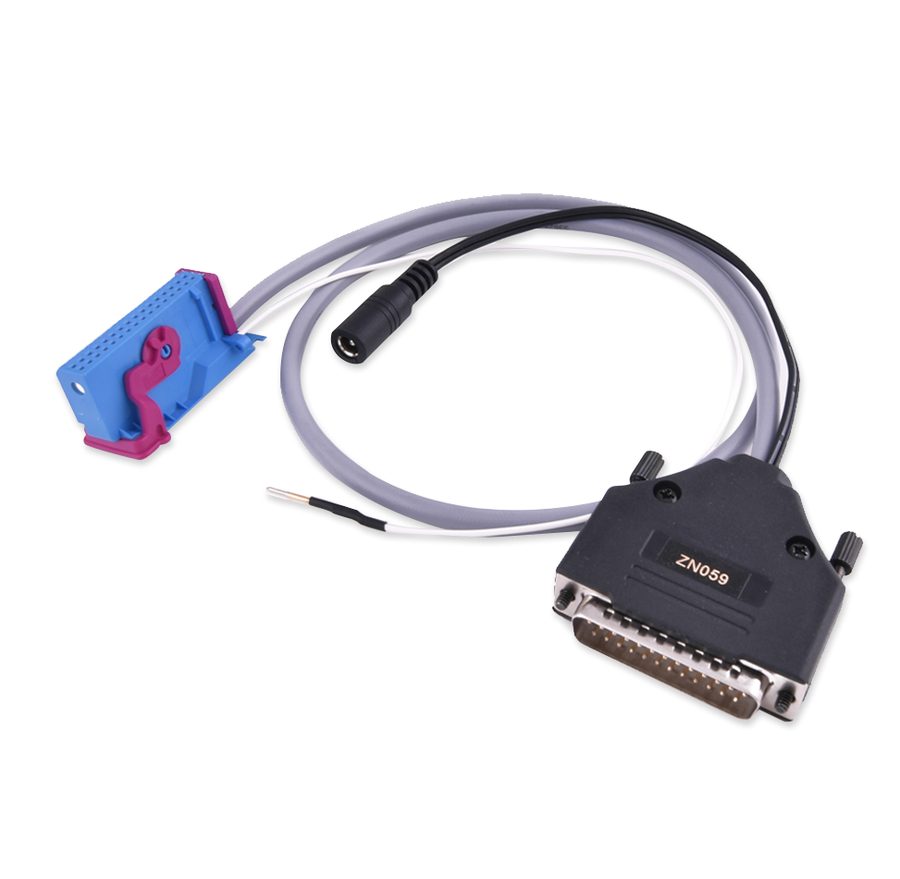
- Third way: read the EEPROM (24C32 or 24C64) with a programmer or with the ZN059 cable, load it into the software when prompted, let the software modify it and write the resulting file back into the cluster's EEPROM with the programmer.
- Once in service mode, save the S-Key (secret key), generated automatically when the software modifies the loaded EEPROM: it is a binary file that lets you get back into service mode without re-reading and re-writing the EEPROM, and you can pass it to a colleague so they can work on the same device from another PC.
- With service mode active you can: read/write the whole EEPROM, read the whole flash, read and recalibrate the mileage, read/write the immobiliser data and program a key to the car.
- Complete every operation you need and only then leave the menu.
Reference screenshots
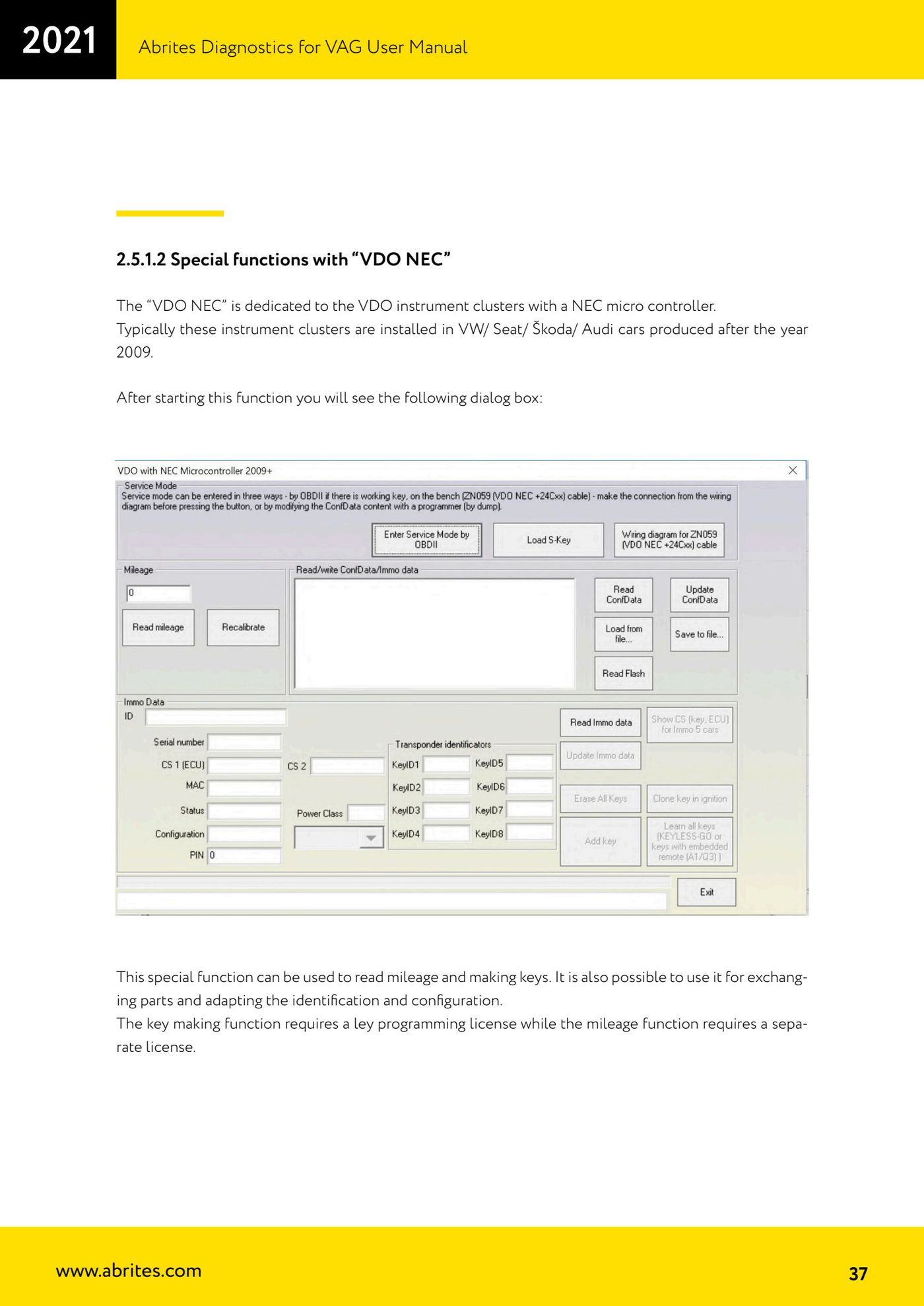
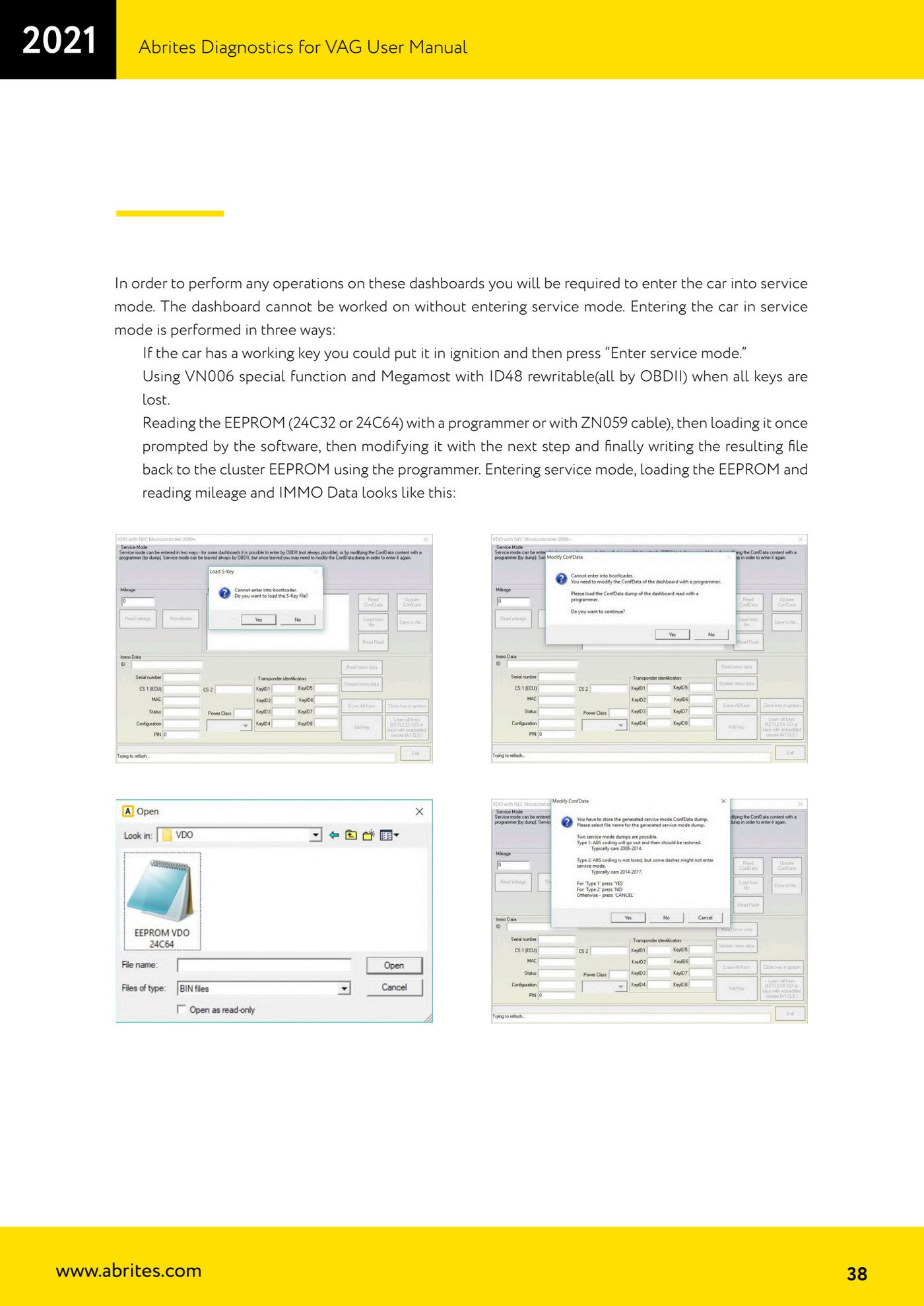
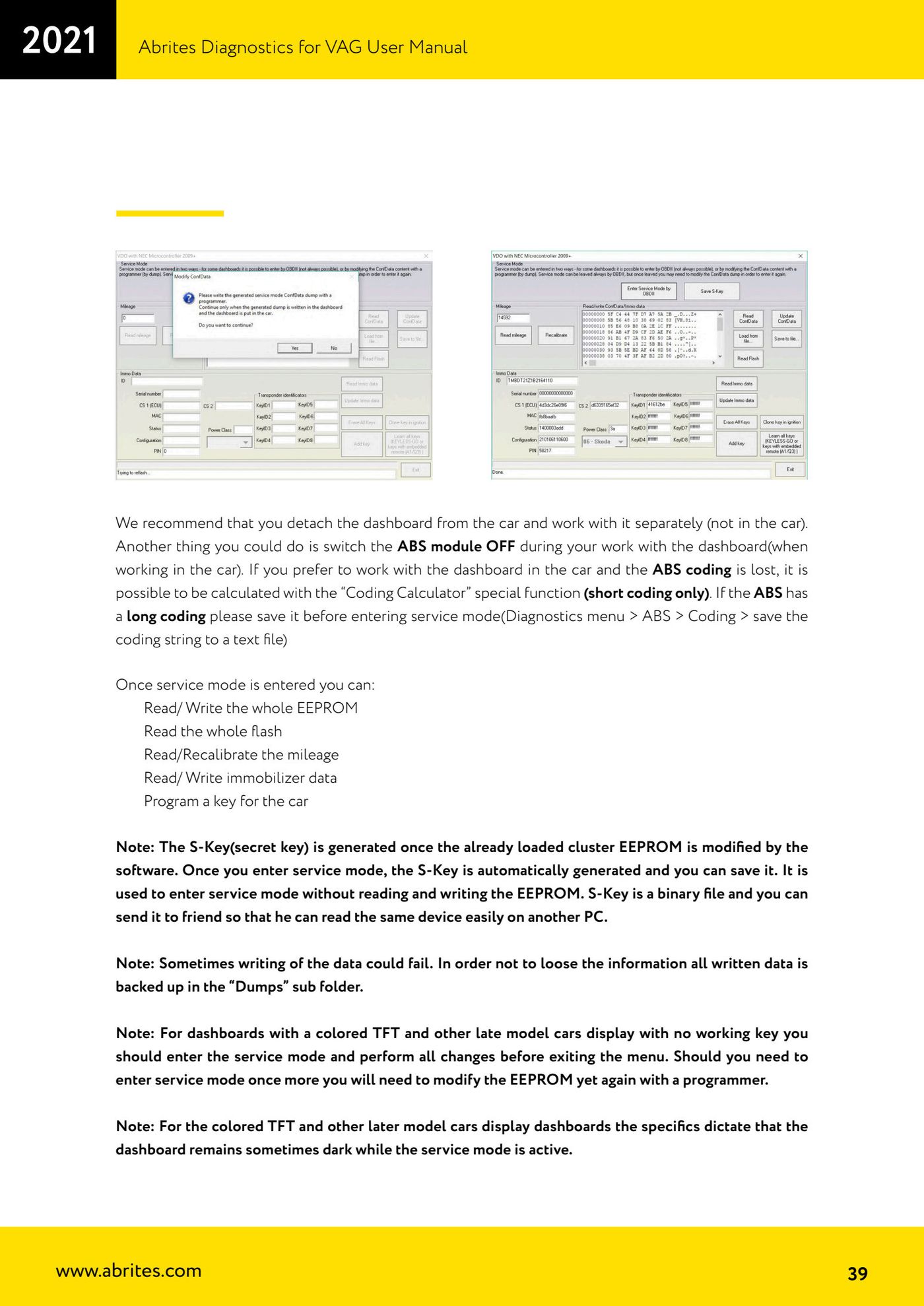
Source: Manuale VAG (Offline), cap. 2.5.1.2 (p.37-39) · ⏱ estimated time varies
← All Abrites guides Hardware catalogue
More guides VAG
- General diagnostics and fault code (DTC) read/clear
- Basic settings — factory reset (throttle body, steering, clutch)
- Adaptations — customer-requested changes
- Long coding — enabling hidden features
- MMI Functions — enable/disable infotainment features
- Wireless CarPlay / Android Auto
- Video in motion
- BCM2 unlock with the ZN080 set (solder-free)
- Reading CS on bench (PCR2.1, Simos 8.x/1x.xx, DCM6.2, TCU AL551/DL501/DQxxx)
- DSG mileage recalibration
- Service Intervals
- ECU programming with .frf files