
Chip-Tools
BDC2 spare key on the bench with ZN095 and ZN051 DS Box (BMW G series and F series BDC2)
BMW
Interface New
Keys / Immo
Advanced
⏱ 60-90 min
16 steps
Programming a spare key on BMW G series and F series vehicles with a BDC2 module. Reading the module has to be done on the bench with the ZN095 cable and the ZN051 DS Box; once this preparation is done, subsequent keys can be programmed over OBDII.
Required licences
- —
Hardware / cables

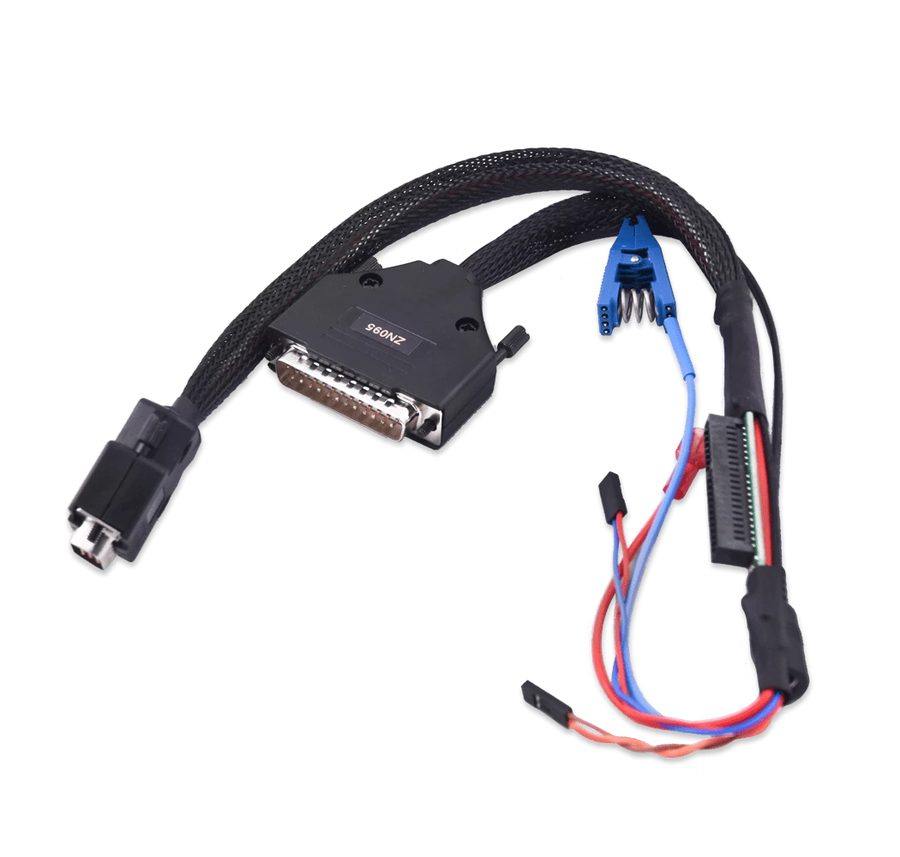



⚠ WarningThe bench procedure is mandatory before any OBD operation. The ZN051 DS Box must be hardware revision 2.4. During the procedure never disconnect the power supply and never unplug any device.
Procedure
- Disconnect the vehicle battery and carefully remove the BDC2 module.
- Take the plastic covers off to expose the module's PCB.
- Connect the ZN095 cable to the BDC2 module keeping exactly to these connections: EEPROM clip on the chip, making sure of contact with pin 2 of the EEPROM.
- Red/blue wire -> PIN 46 / PIN 45 of CON8.
- Orange wire -> PIN 36 of CON7.
- Brown wire -> PIN 35 of CON7.
- ZN095 main connector -> comb connector on the edge of the BDC2 PCB.
- With all the connections in place, connect the ZN095 cable to the ZN051 (DS Box), checking that it is HW revision 2.4.
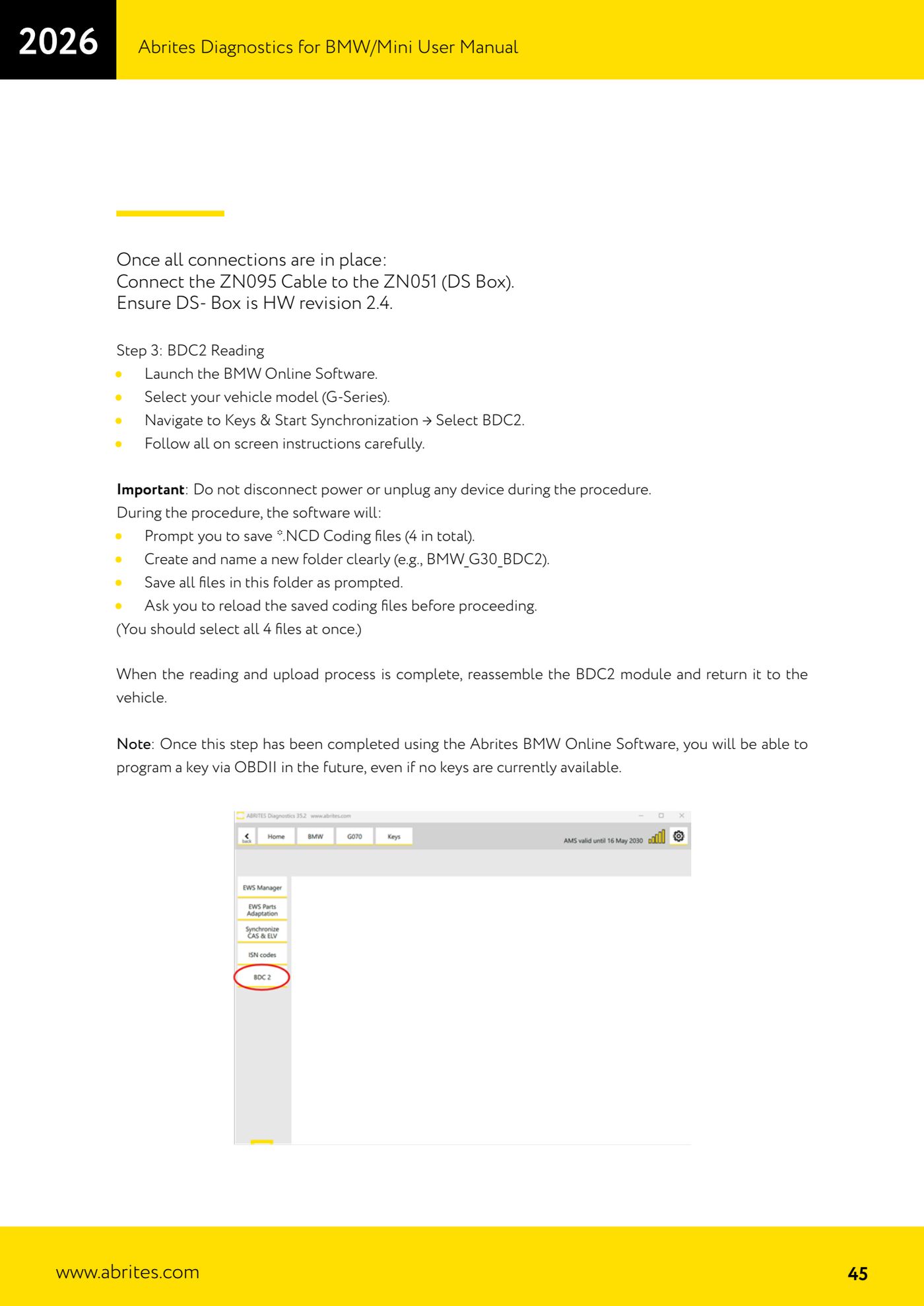
- Start the BMW Online software, select the vehicle model (G series), then go to "Keys & Start Synchronization" and select "BDC2". Follow all the on-screen instructions carefully.
- During the procedure the software asks you to save the *.NCD coding files: there are 4 in total. Create a new folder with a clear name (for example BMW_G30_BDC2) and save all the requested files there.
- When the software asks for them, load the saved coding files back in, selecting all 4 together.
- Once the read and upload are complete, reassemble the BDC2 module and refit it to the vehicle. From this point on you will be able to program a key over OBDII in the future too, even with no keys available.
- With the BDC2 refitted, go on to program the key over OBD: use the software to check the new key's compatibility. Both original and aftermarket keys are supported; used original keys can be reused after being reset with the ABPROG.
- Program the key into a free/available slot.
- To finish, hold the new key against the ring aerial (emergency slot) on the steering column and press the Start/Stop button for about 30 seconds to activate the key.
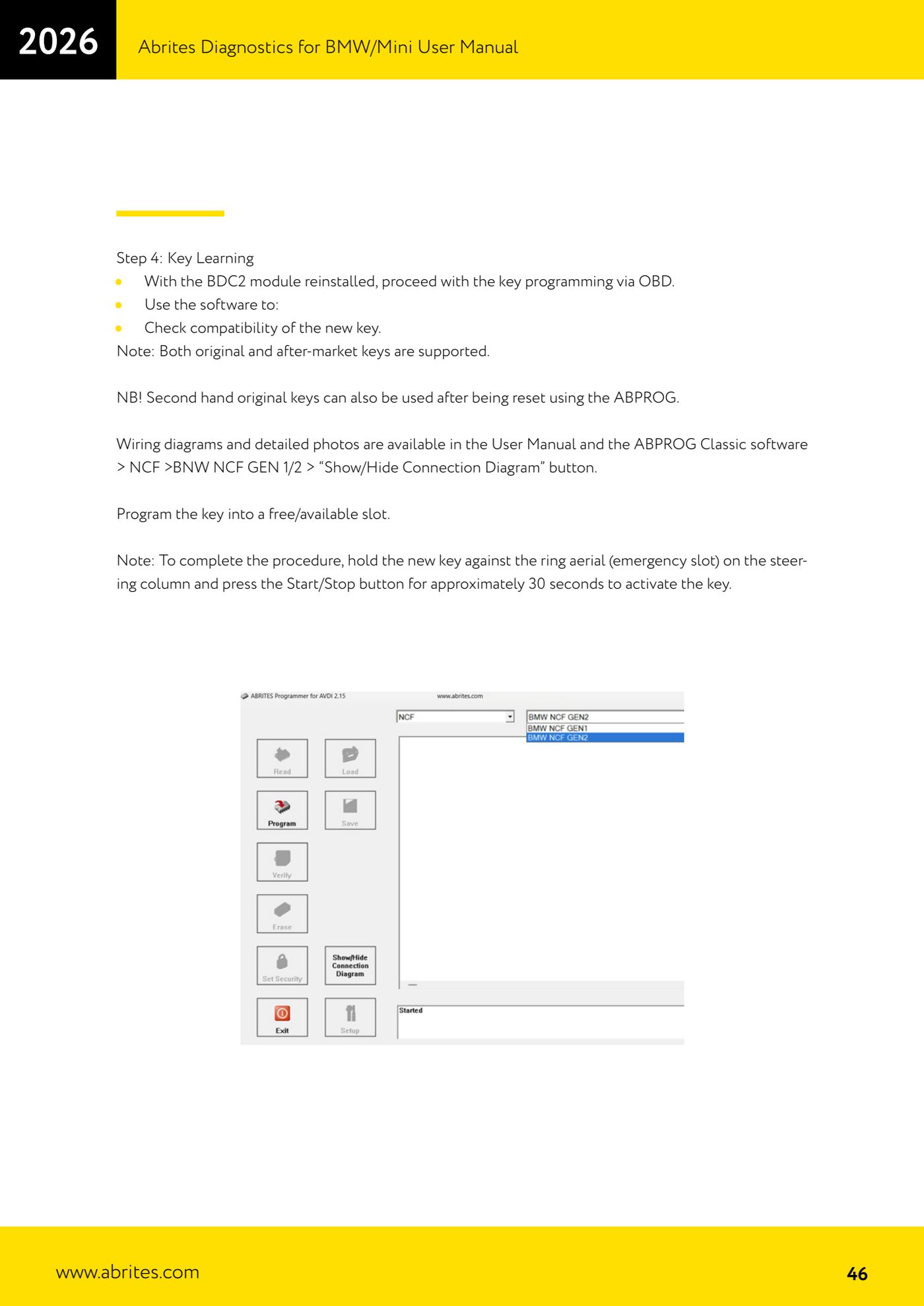
- For wiring diagrams and detailed photos refer to the manual and to the ABPROG Classic software > NCF > BMW NCF GEN 1/2 > "Show/Hide Connection Diagram" button.
Reference screenshots
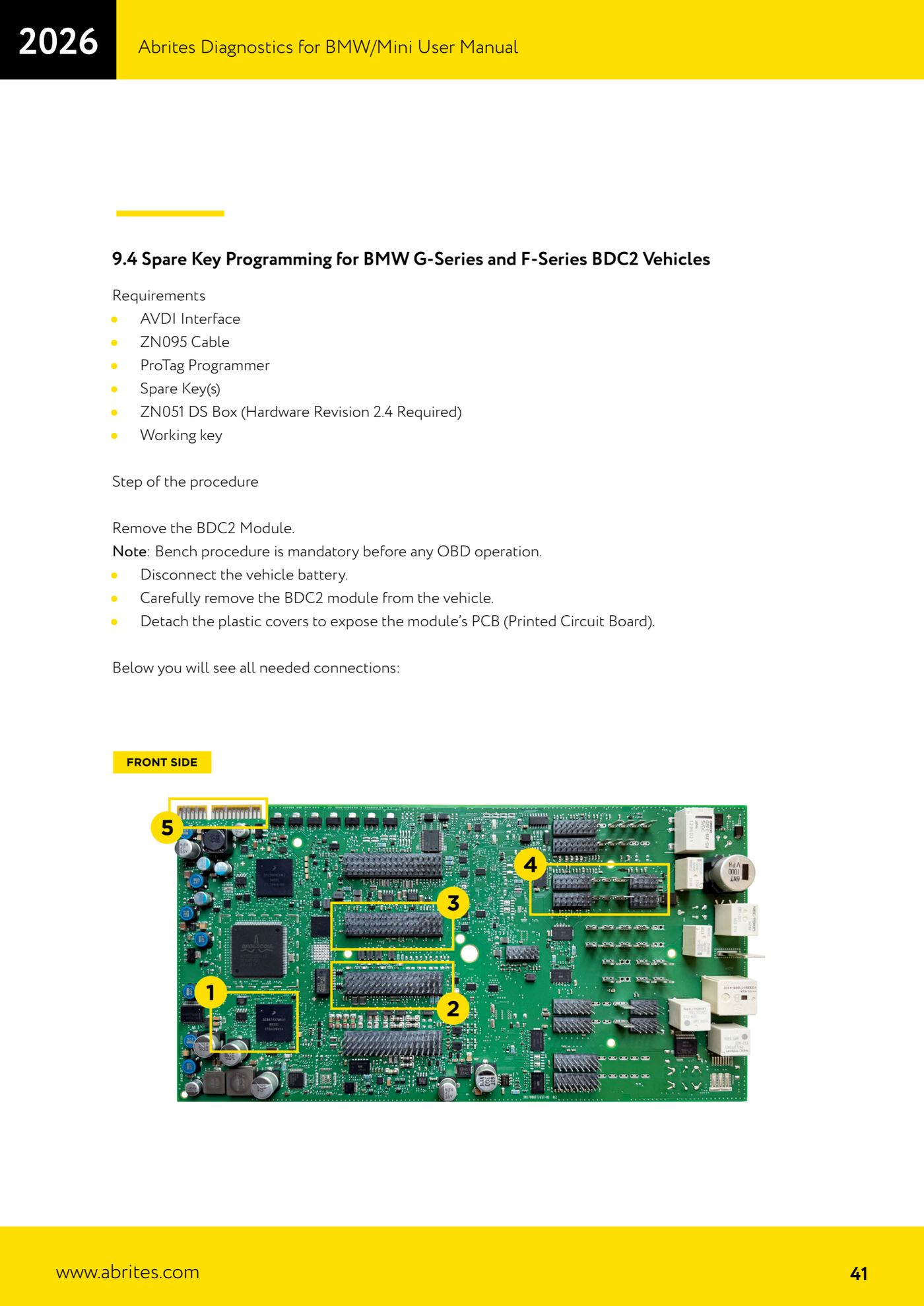
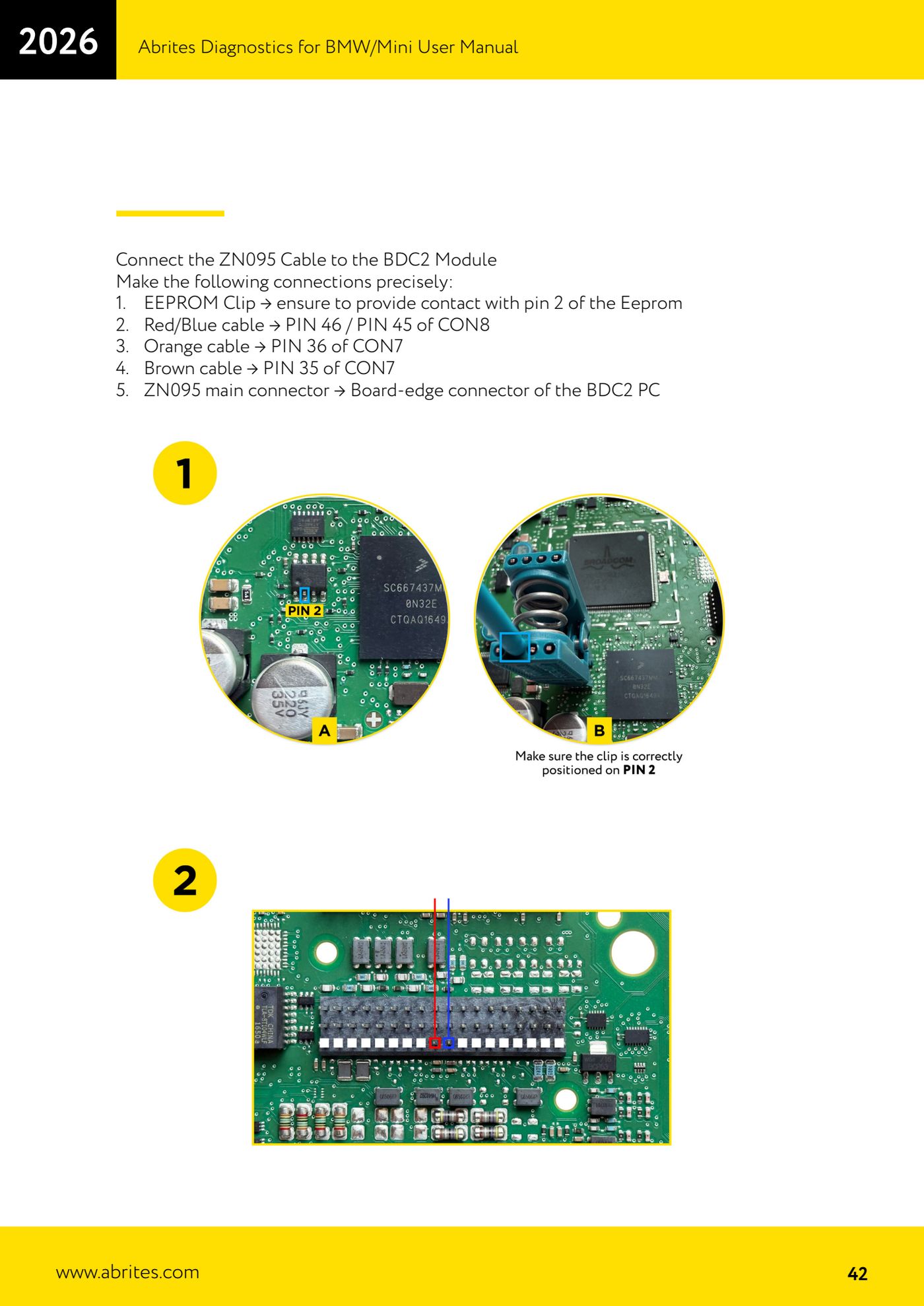
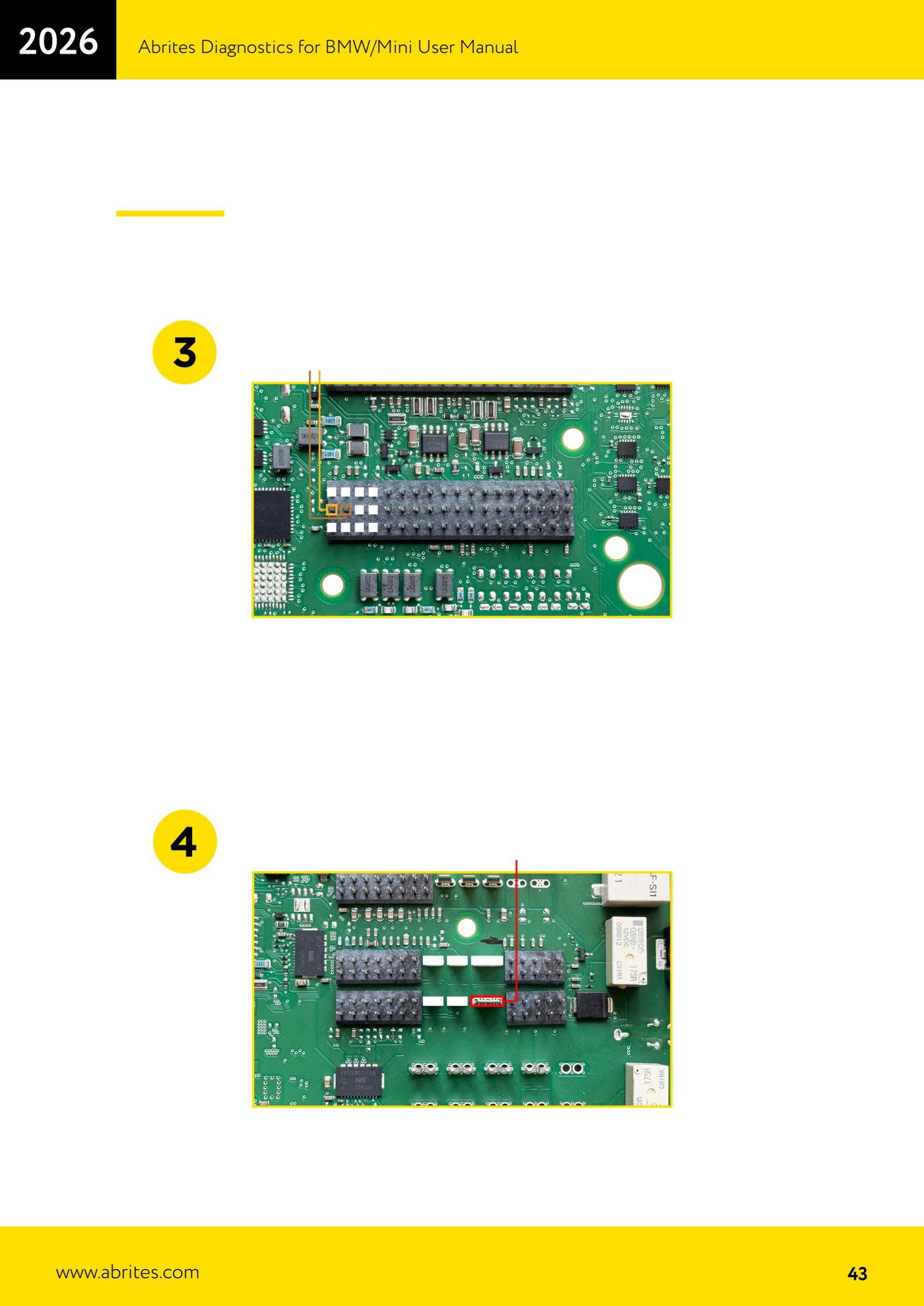
Source: Manuale BMW/Mini, seconda parte, cap. 9.4 "Spare Key Programming for BMW G-Series and F-Series BDC2 Vehicles" (p.41-46) · ⏱ estimated time 60-90 min
← All Abrites guides Hardware catalogue
More guides BMW
- Module scan and fault code (DTC) clearing on BMW/Mini E series and F series
- Reading real-time parameters ("Live values") with graphing and file comparison
- Actuator tests with simultaneous reading of measured values
- Reading and writing the VIN in control units ("Program IDs")
- Central coding and Vehicle Order: adding or removing options and retrofits
- Programming (flashing) control unit firmware with free choice of version
- MD/MG engine control unit replacement on BMW G series (DME Exchange with DFlash)
- CAS1/CAS2/CAS3/CAS3+ key programming (BMW E series) via OBDII
- FEM/BDC key programming (BMW F series) with EWS Manager
- FEM/BDC key programming over OBDII (BMW F series) - all keys lost and spare key
- Connections for F series BDC: ENET cable CB015 or OBDII CB100/CB106
- Preparing FEM and BDC units (software above version 85) with M95256 EEPROM reading