
Chip-Tools
Bench connection of the Volvo CEM: blue and black socket pinout
Volvo
Interface Classic
Hardware / Connections
Advanced
⏱ 30-60 min plus the unlock time
8 steps
If you do not want the car tied up for hours during the immobiliser unlock, you can remove the CEM and work on it on the bench. The CEM sits above the front passenger's feet. After the bench unlock, refitting it to the car and picking up with the same computer means key programming takes no more than two minutes.
Required licences
- —
Hardware / cables

⚠ WarningUse crocodile clips for the connections to the module, do not solder. The unlock stays tied to the computer that performed it: you must resume the procedure in the car with the same PC, otherwise you start over from scratch.
Procedure
- Remove the CEM from the car: it is located above the front passenger's feet.
- Identify the module version from the printed part number, because the blue socket pinout changes: 6G9T-14A073-xx and 7G9T-14A073-xx for 2007 to 2010 models; AG9T-14A073-xx, BG9T-14A073-xx and CG9T-14A073-xx for 2010-on models.
- For 2007-2010 models (6G9T / 7G9T) wire the blue socket like this: pin 1 = GND to OBD pins 4 and 5 (black wire), pin 47 = CANH to OBD pin 14 (red wire), pin 48 = CANL to OBD pin 6 (blue wire).
- For 2010-on models (AG9T / BG9T / CG9T) wire the blue socket like this: pin 1 = GND to OBD pins 4 and 5 (black wire), pin 6 = CANH to OBD pin 14 (red wire), pin 7 = CANL to OBD pin 6 (blue wire).
- On both families the power supply is taken from the black socket: POWER SUPPLY to OBD pin 16 (yellow wire).
- Secure the contacts with the clips and check there are no shorts between the wires before applying power.
- Connect the AVDI to the bench setup, start the software and run the CEM unlock as in the Key Learning procedure.
- Once the unlock is finished, disconnect the bench setup, refit the CEM to the vehicle and restart the key programming procedure with the same computer: the unit is already prepared and the keys are programmed in a couple of minutes.
Reference screenshots
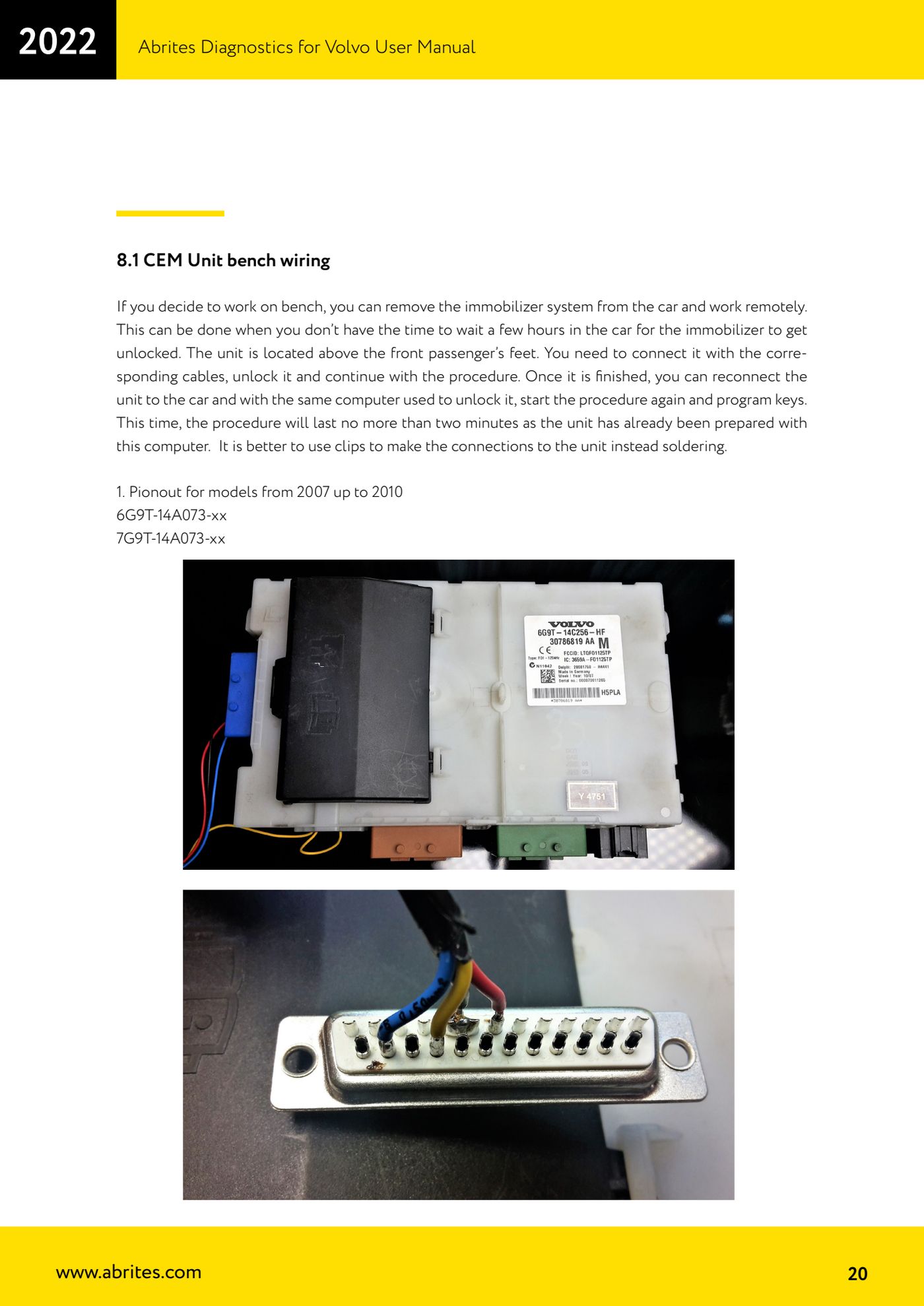
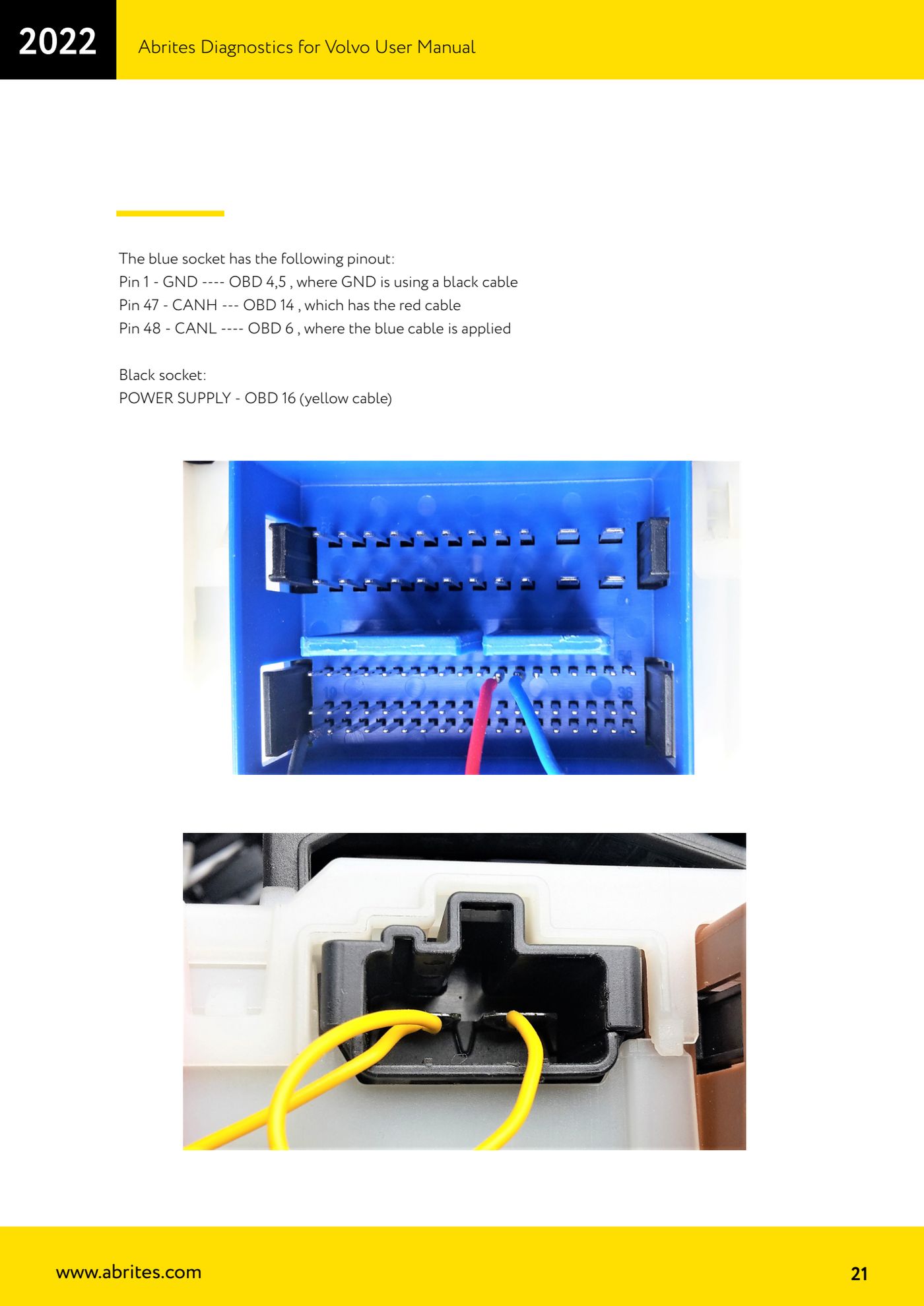
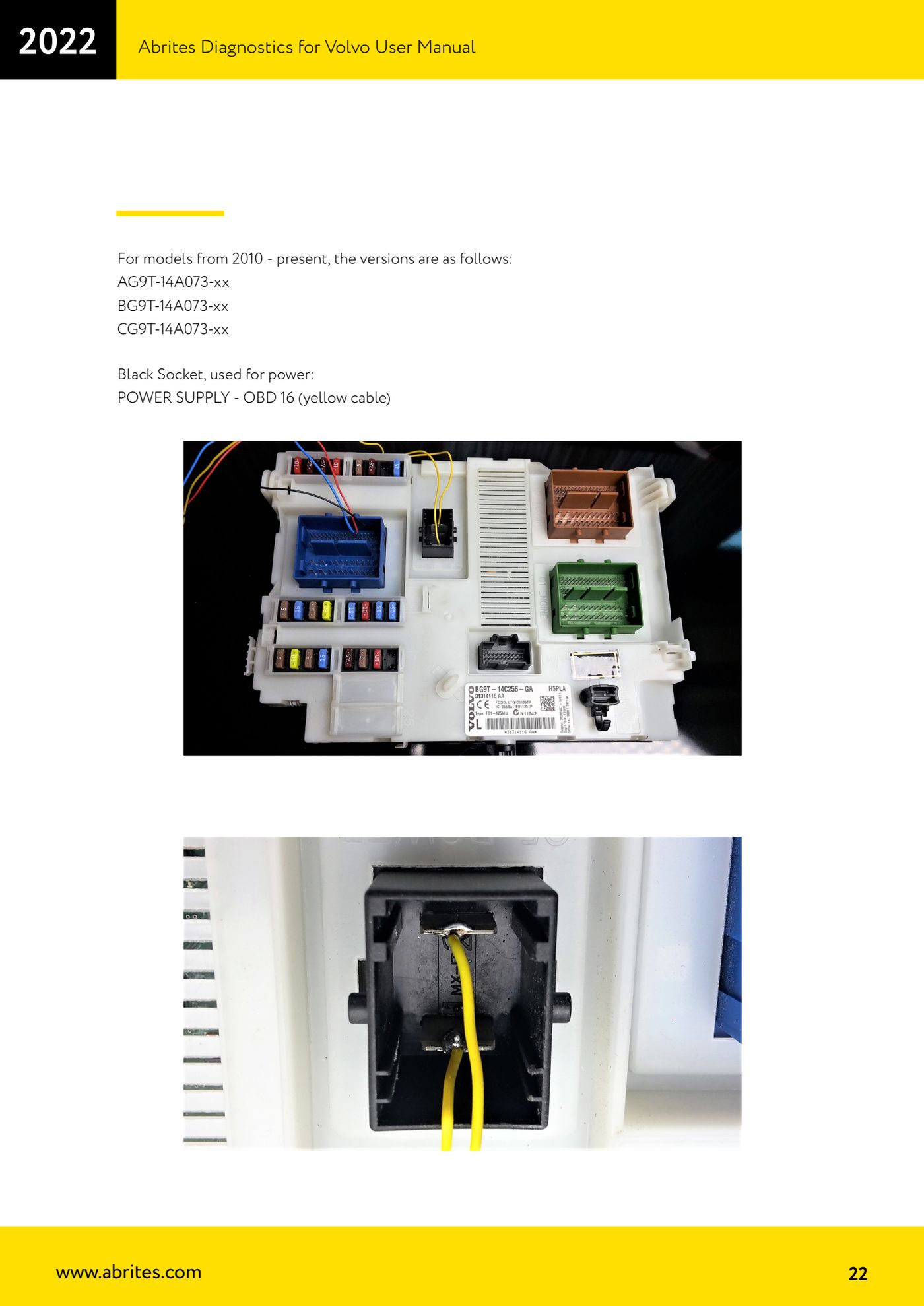
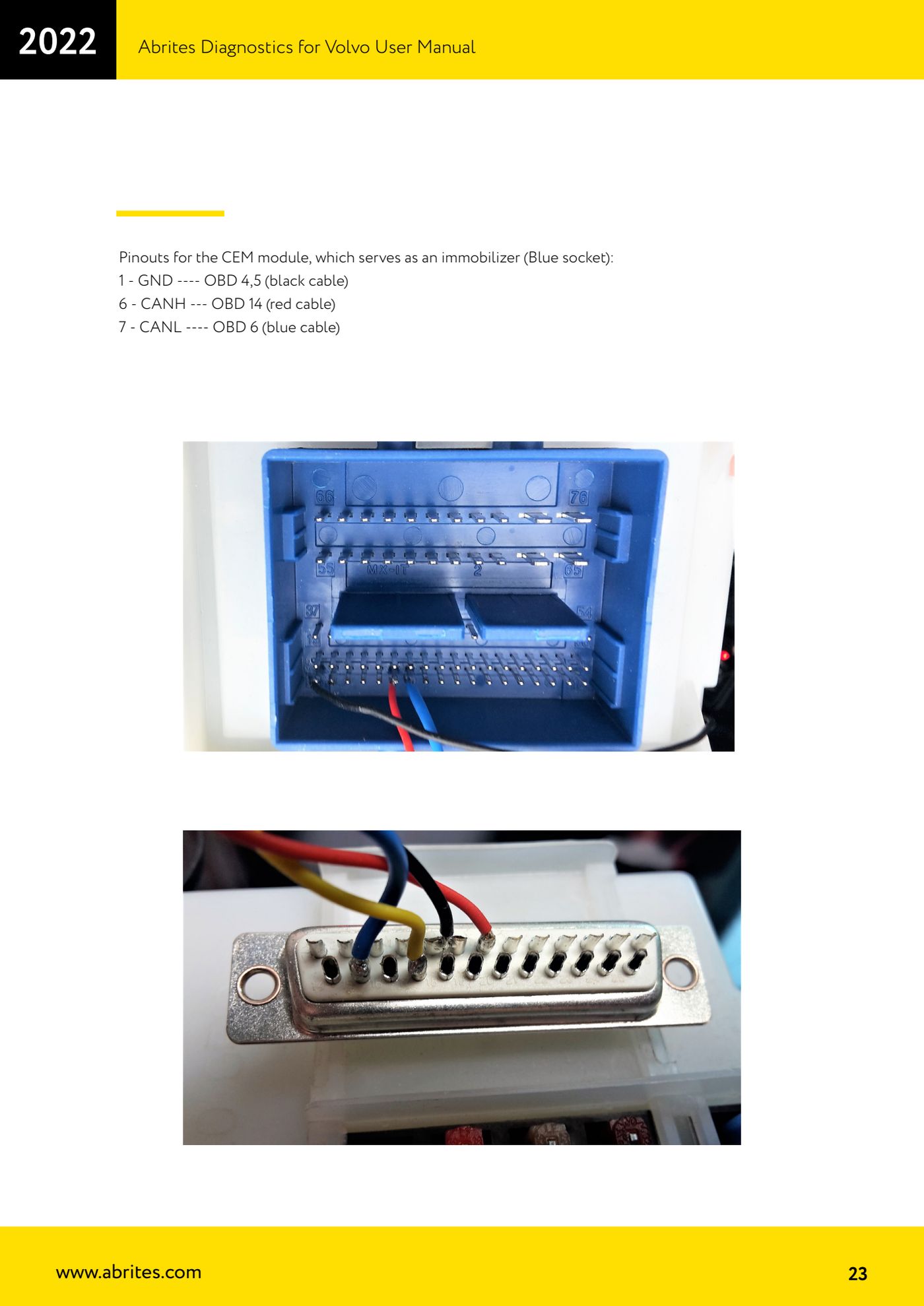
Source: Manuale Volvo, cap. 8.1 (p.20-23) · ⏱ estimated time 30-60 min plus the unlock time
← All Abrites guides Hardware catalogue
More guides Volvo
- Full module scan and DTC reading/clearing on Volvo with AVDI
- Live Data monitoring (real values) on Volvo modules
- Volvo Service Functions: service history and actuator tests
- Volvo Cluster Calibration: aligning the mileage after module replacement
- Volvo NVData: reading, saving and writing module configuration data
- Volvo Flash function: reading and writing the ECU flash file
- Programming Volvo HITAG2 keys with CEM unlock (Key Learning)
- Volvo Module Initialization: initialising a second-hand PATS module
- Extracting the Volvo PIN from CEM, KVM, PCM and ABS dumps
- Volvo Car Config: editing configuration parameters and enabling options
- Reading the Volvo airbag ECU memory and clearing crash data
- Forced DPF regeneration on Volvo diesels with AVDI