
Chip-Tools
Extracting the Volvo PIN from CEM, KVM, PCM and ABS dumps
Volvo
Interface Classic
Keys / Immo
Advanced
⏱ 15-30 min
7 steps
The "PIN" special function lets you load a Program Flash, Data Flash or EEPROM file into the software to extract the vehicle PIN. It works on older-generation Volvos and handles the CEM, KVM, PCM and ABS modules.
Required licences
- —
Hardware / cables

⚠ WarningThe PIN is extracted from a dump that has already been read: always keep the original file read from the module and work on a copy, without overwriting the source dump.
Procedure
- Read the file you need from the module (Program Flash, Data Flash or EEPROM) with the method suited to that ECU and save it to the PC.
- Start Abrites Diagnostics for Volvo and open the special functions menu.
- Select "PIN" with a double-click.
- Choose the type of module the dump came from: CEM, KVM, PCM or ABS.
- Load the matching file (Program Flash, Data Flash or EEPROM) into the software.
- Start the extraction and note the PIN the software returns.
- If the file is not accepted, check that the module is among those supported and that the vehicle is of a compatible generation: the function is intended for older Volvo models.
Reference screenshots
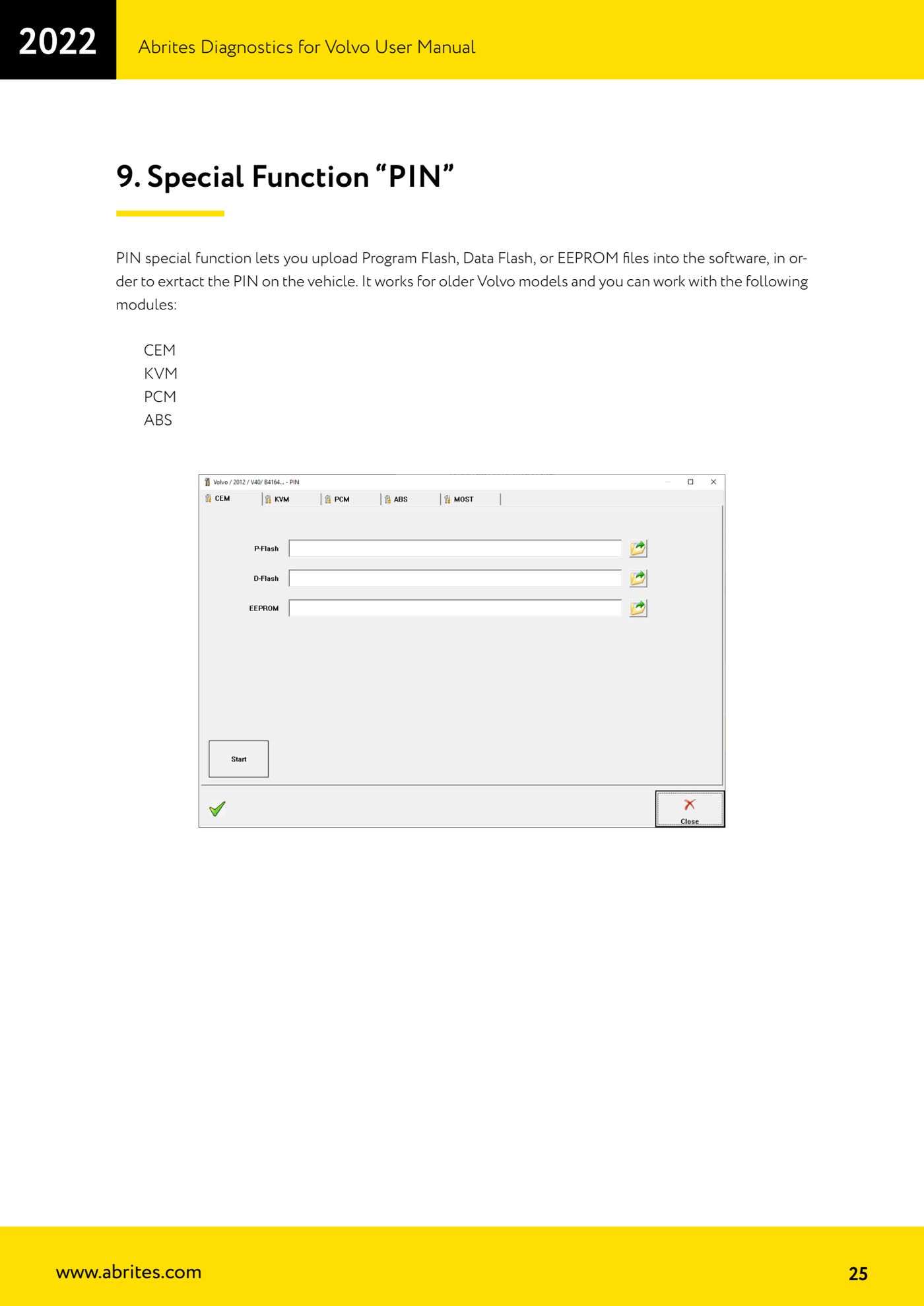
Source: Manuale Volvo, cap. 9 (p.25) · ⏱ estimated time 15-30 min
← All Abrites guides Hardware catalogue
More guides Volvo
- Full module scan and DTC reading/clearing on Volvo with AVDI
- Live Data monitoring (real values) on Volvo modules
- Volvo Service Functions: service history and actuator tests
- Volvo Cluster Calibration: aligning the mileage after module replacement
- Volvo NVData: reading, saving and writing module configuration data
- Volvo Flash function: reading and writing the ECU flash file
- Programming Volvo HITAG2 keys with CEM unlock (Key Learning)
- Bench connection of the Volvo CEM: blue and black socket pinout
- Volvo Module Initialization: initialising a second-hand PATS module
- Volvo Car Config: editing configuration parameters and enabling options
- Reading the Volvo airbag ECU memory and clearing crash data
- Forced DPF regeneration on Volvo diesels with AVDI