
Chip-Tools
Advanced diagnostics with MODI: single-module access, DTCs, live values and actuator tests
Strumenti
Interface Classic
Diagnostics
Medium
⏱ 30-60 min
10 steps
Advanced mode, on top of the full scan, lets you connect to an individual electronic module and drive actuators to check components — the electric fuel pump, for instance. This is the part of the job reserved for people who know vehicle electronics.
Required licences
- —
Hardware / cables
⚠ WarningBefore any significant electrical work, disconnect the vehicle battery to avoid shocks or short circuits. When working with actuators and moving parts keep a safe distance and make sure nobody is near the vehicle. The work area must be free of combustible materials, sparks and naked flames. Some actuators have their own activation rules and conditions and may not run.
Procedure
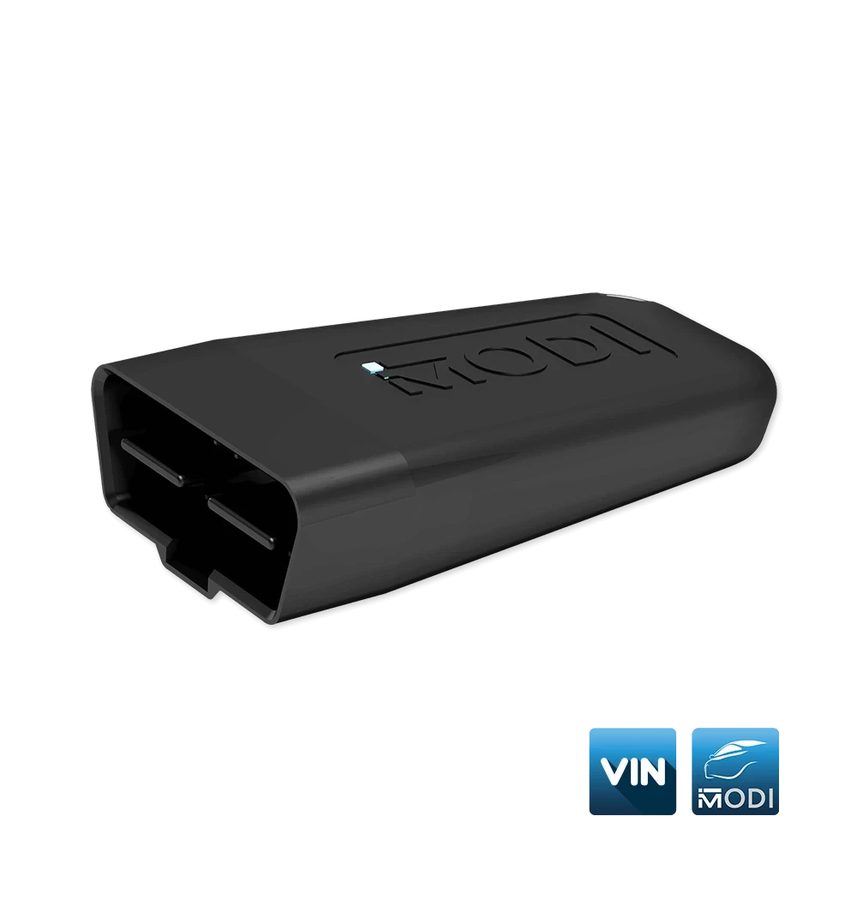
- Plug the MODI into the OBDII port, pair it over Bluetooth and select the vehicle make: from this point on MODI talks to the phone over Bluetooth using the vehicle's OBD port.
- Select "Advanced Diagnostics": the interface starts the diagnostic session and shows the number of fault codes in the system and the module status.
- To clear all faults press "Clear all", at the bottom of the phone screen. Alternatively go into the individual module and clear there only.
- Select the module you want to work on: the additional diagnostic functions available for that module appear.
- "Trouble codes" option: read the DTCs held in the selected module, pull up extra information on the code, or clear them.
- "Live values" option: monitor sensor data in real time, in list or graph view, with the option to save the readings to file.
- "Actuators" option: press the button to open the list of available components, then select the actuator you want to drive (the example given is the electric fuel pump) and start the test.
- Physically check the component's response during activation, keeping clear of moving parts.
- If the module also shows a coding option, it supports coding lists: see the dedicated Fast Coding procedure.
- Note: the availability of actuators and coding lists depends on the make, model and configuration of the vehicle. Compatibility can be checked in the Brands section at modiobd.com.
Reference screenshots
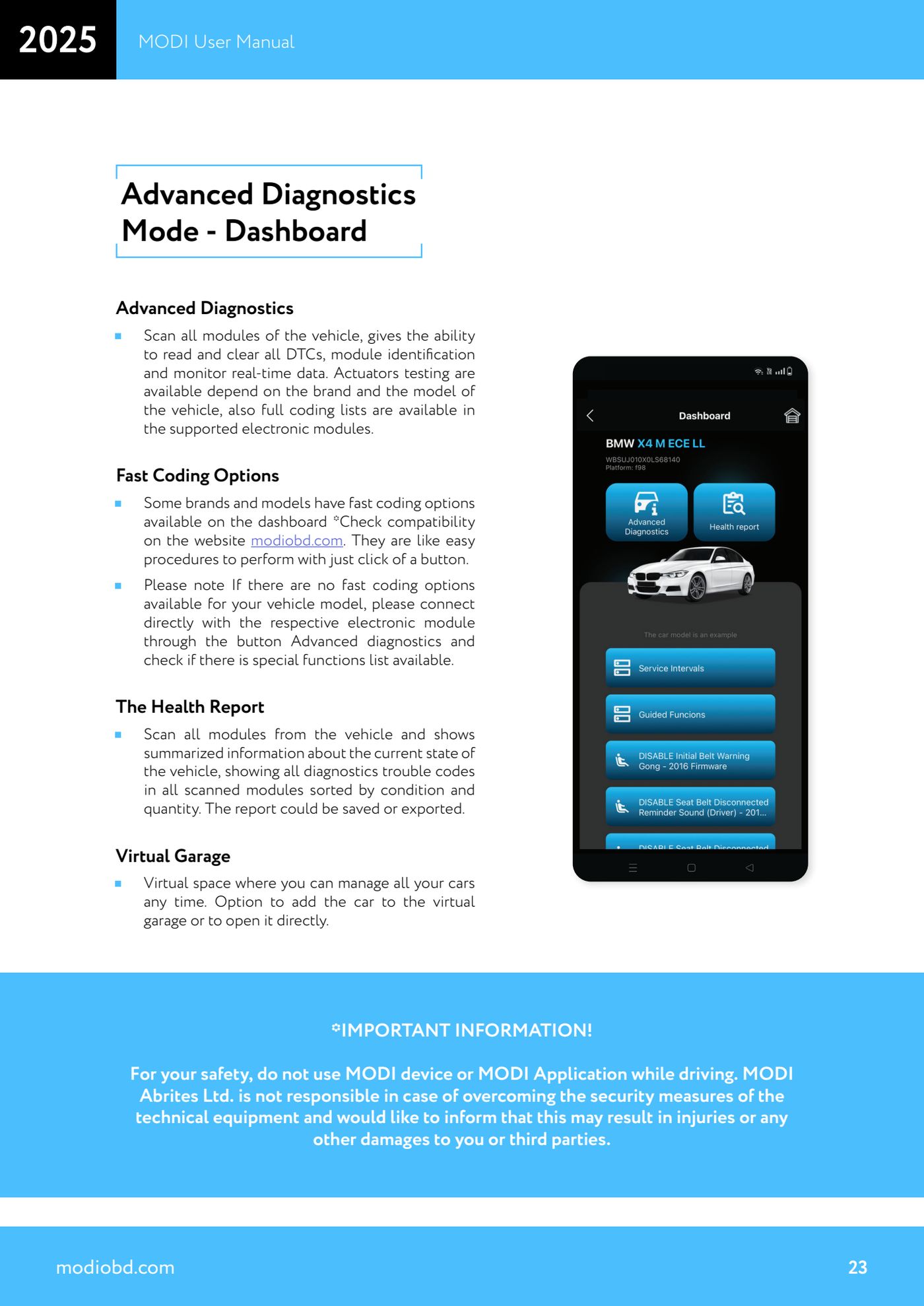
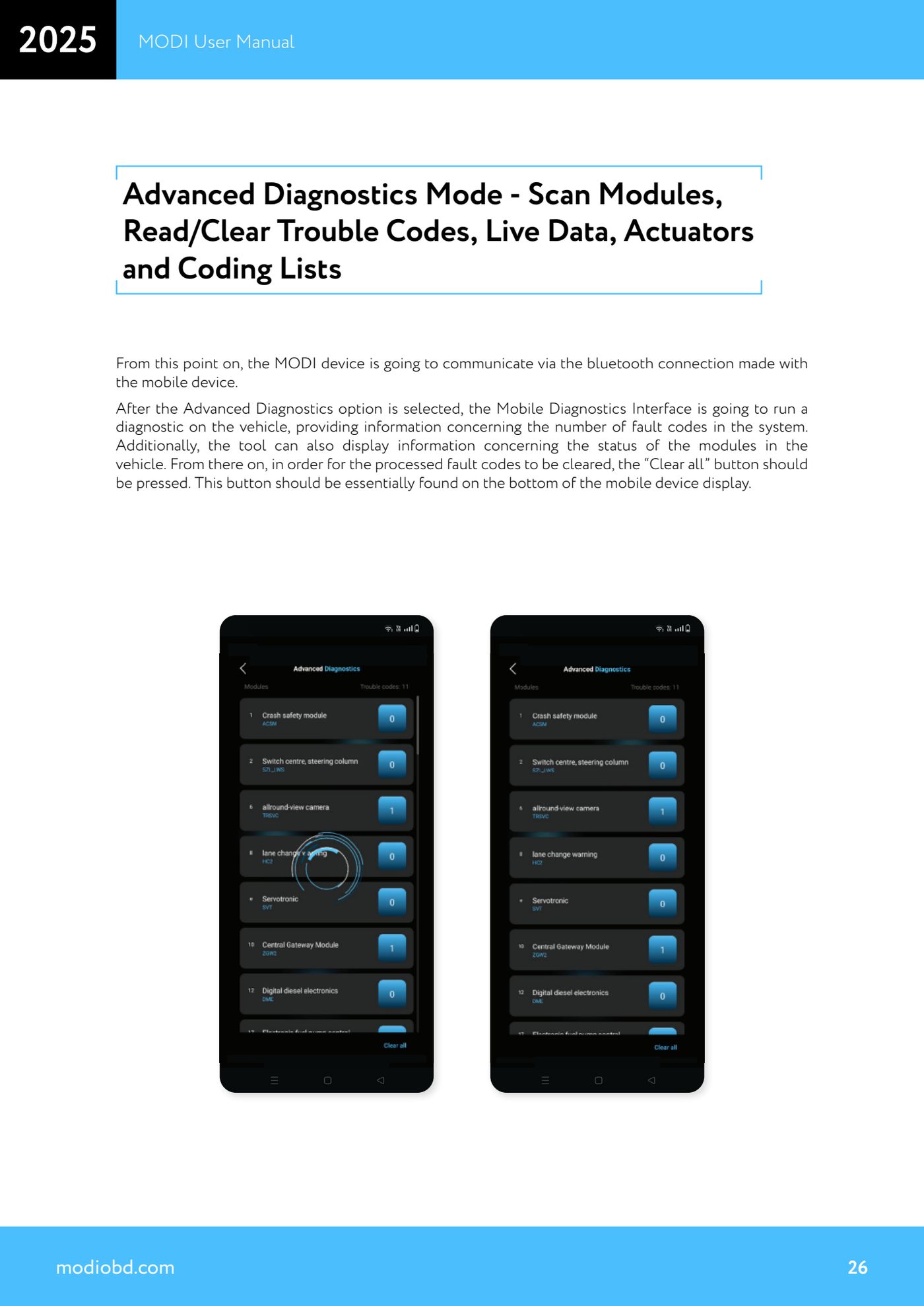
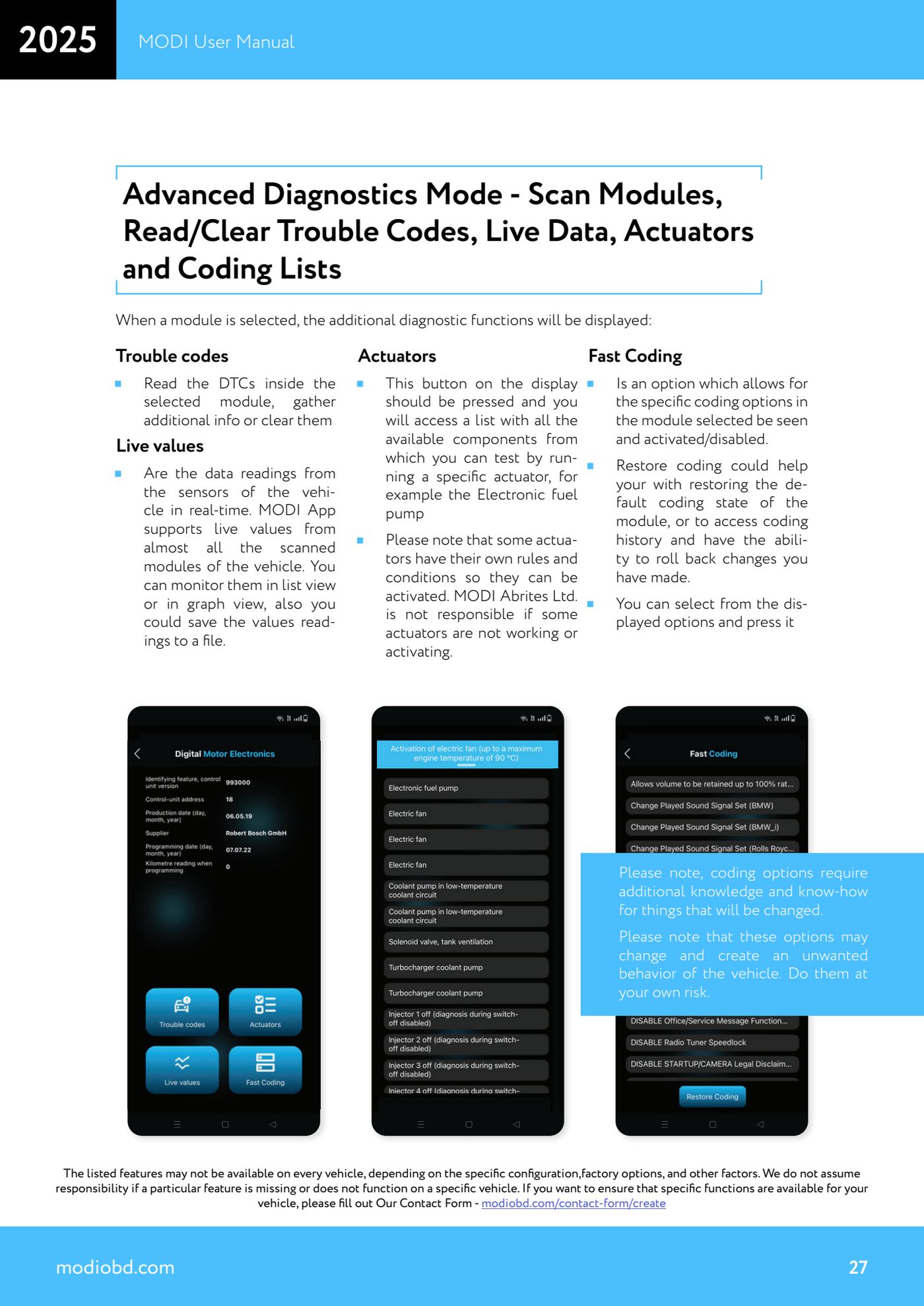
Source: Manuale MODI, "Advanced Diagnostics Mode - Scan Modules, Read/Clear Trouble Codes, Live Data, Actuators and Coding Lists" (p.23, 26-27) · ⏱ estimated time 30-60 min
← All Abrites guides Hardware catalogue
More guides Strumenti
- ABPROG ZN030: what's in the set, hooking it up to the AVDI and starting the Classic software
- Reading and writing SPI, I2C and Microwire EEPROMs with ABPROG and the ZN031/ZN035 adapter
- Erasing and reprogramming M35080VP / M35080V6 incremental EEPROMs with ABPROG
- Wiring an SPI EEPROM straight to the ABPROG DB25 without the ZN031 adapter
- Mercedes-Benz IR keys: reading the SSID, erasing and programming the NEC with ZN032 / ZN033
- Renewing used keys (HITAG/PCF) with the ZN046 adapter and ABPROG
- Solder points on key PCBs for the ZN046 and list of keys supported for renewal
- Reading the EWS3 dump on BMW E46/E39/E53 and others with the ZN055 adapter
- Reading the EEPROM on BMW F-Series FEM/BDC without desoldering, using the ZN057 extension
- Reading and writing NEC V850ES MCUs with the ZN078 adapter and ABPROG
- ABPROG DB25 pinout: building your own ZN046, ZN058, ZN078 and ZN086 adapters
- Reading the immobiliser from a Renault X95 BCM (and Audi BCM) with ABPROG and direct wiring