
Chip-Tools
ABPROG ZN030: what's in the set, hooking it up to the AVDI and starting the Classic software
Strumenti
Interface Classic
Hardware / Connections
Basic
⏱ 10 min
7 steps
The ZN030 ABPROG is the AVDI's bench programming set: it reads, writes and erases SPI, Microwire and I2C memories, FEM/BDC memories without desoldering them, Bosch EDC16 ECUs (MPC), the NEC chips in Mercedes-Benz IR keys, NEC V850 on various modules, EWS masks and HITAG 2 key renewal. This guide covers what's in the case, how it connects and how to open the software.


⚠ WarningThe PC needs at least Windows 7 SP1 with 512 MB of RAM and a USB port able to supply 100 mA at 5V +/- 5%: out-of-spec USB power can make reads and writes fail.
Procedure
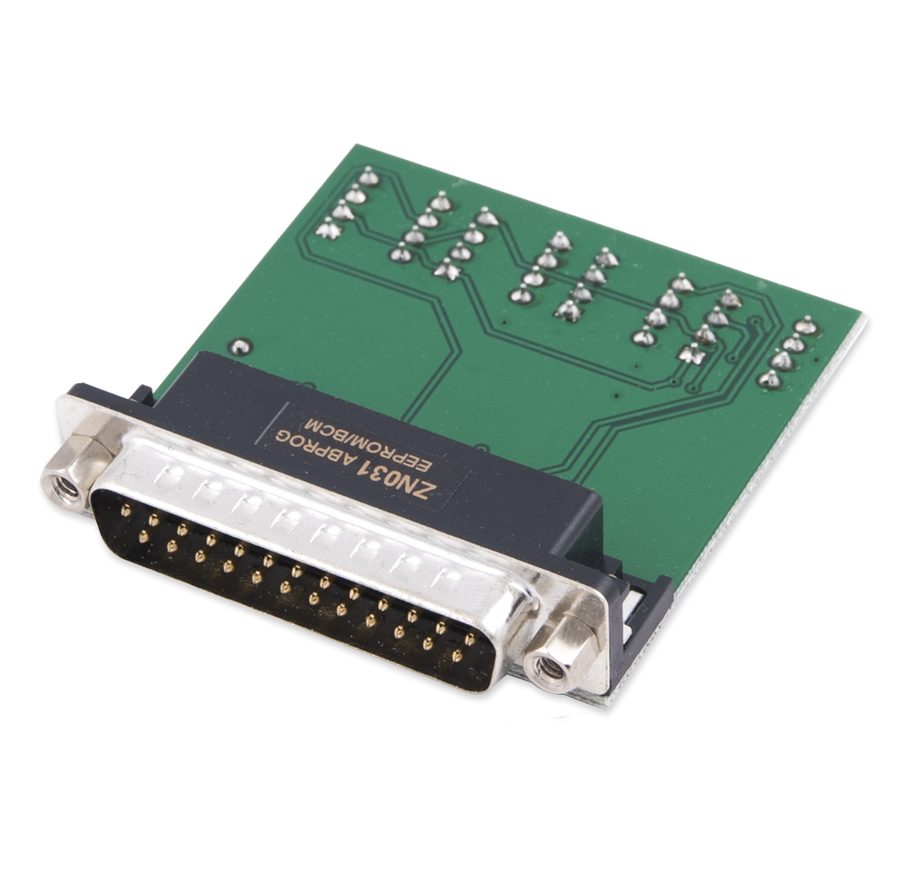
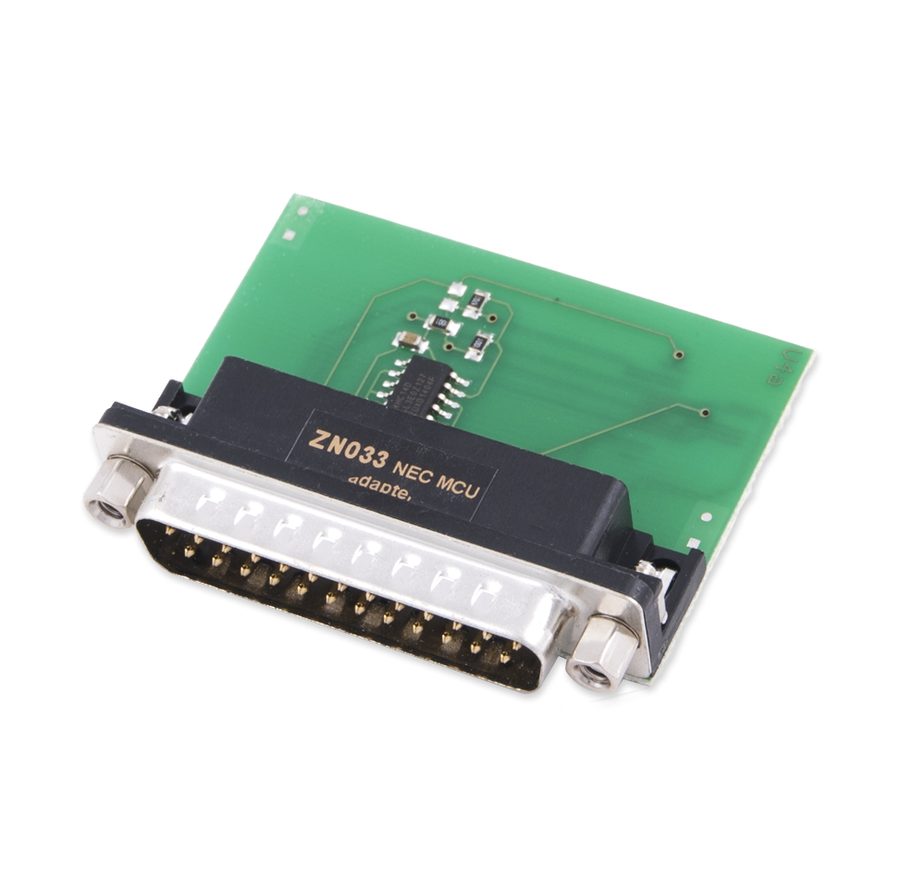
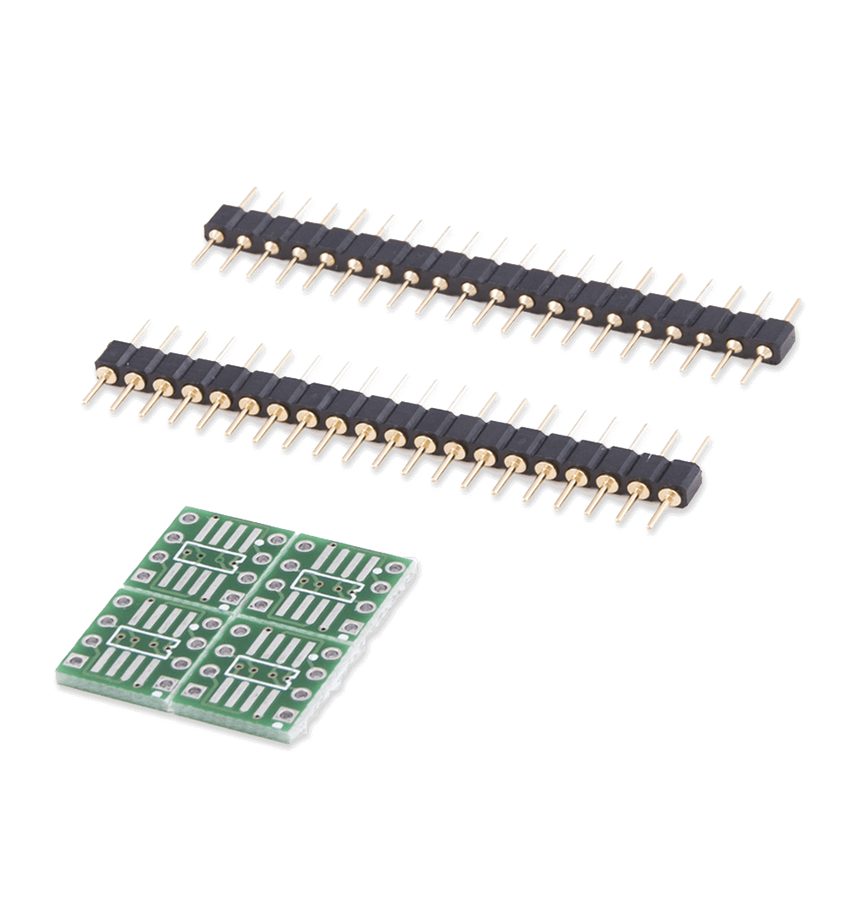
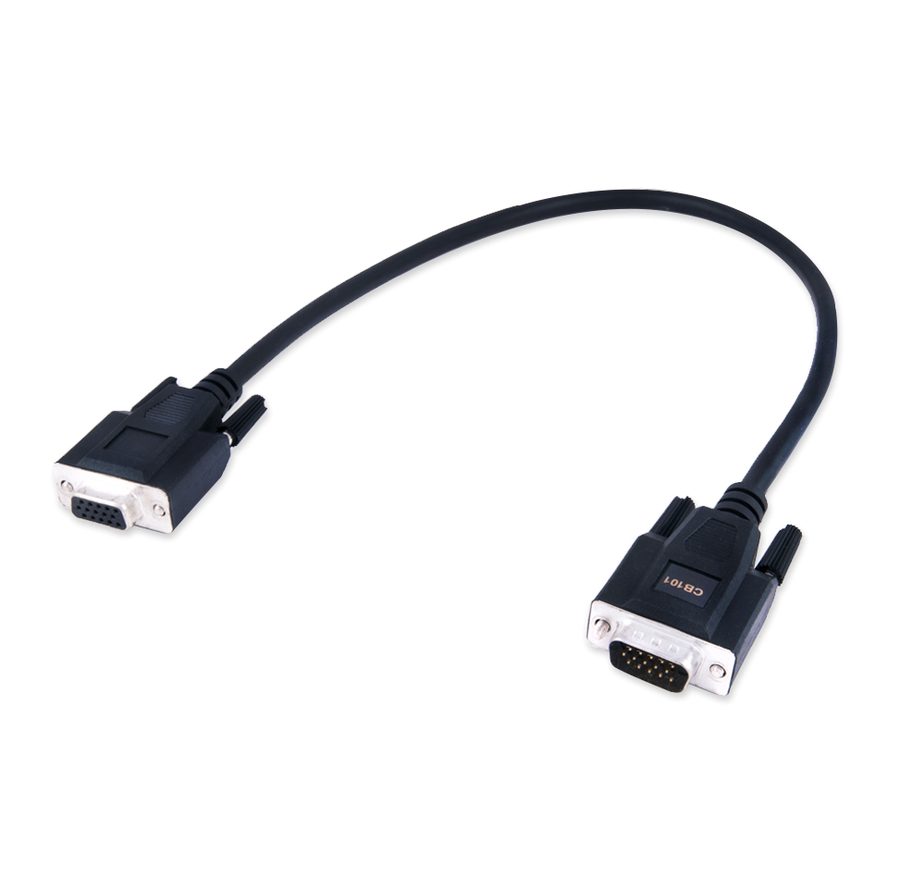
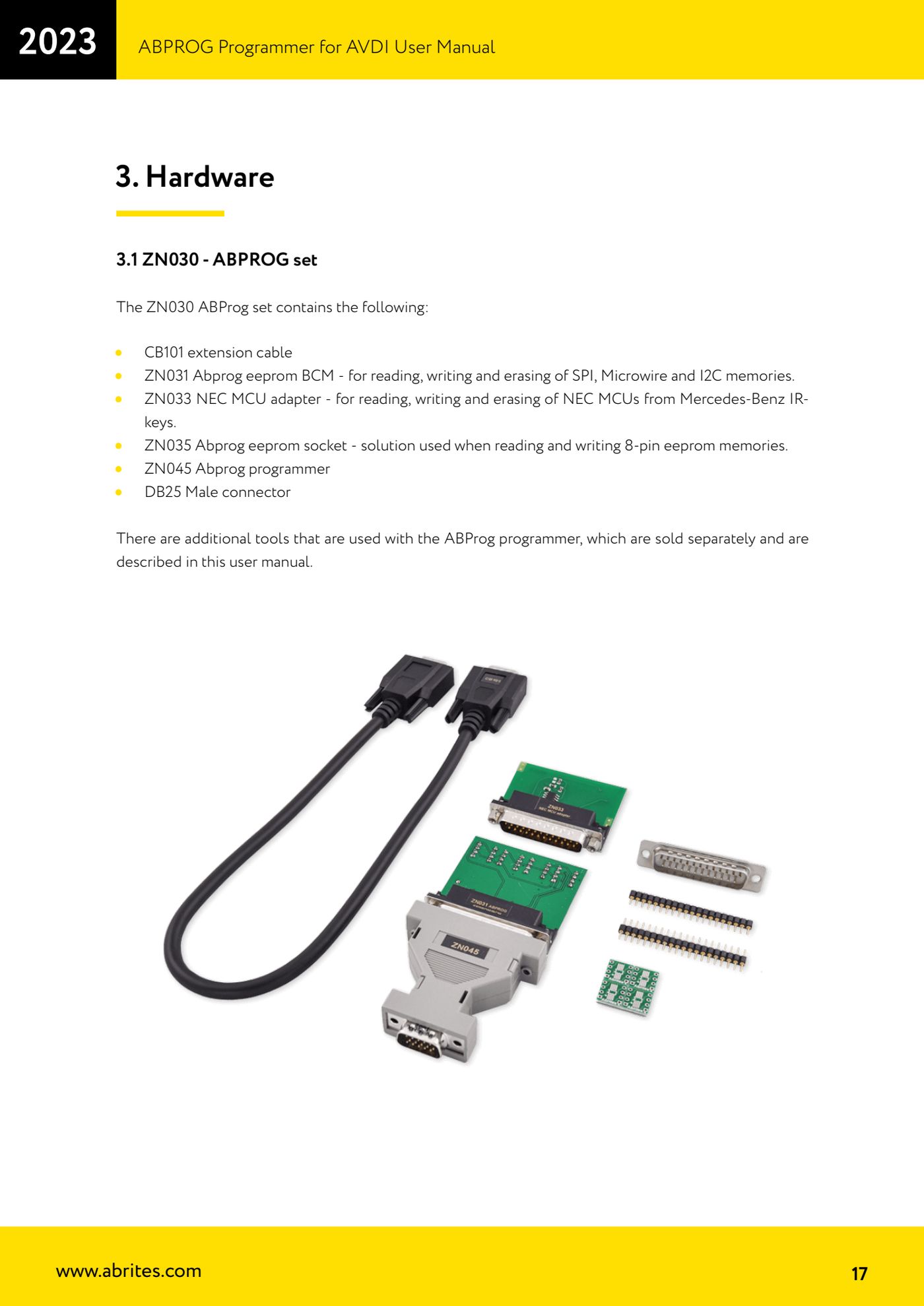
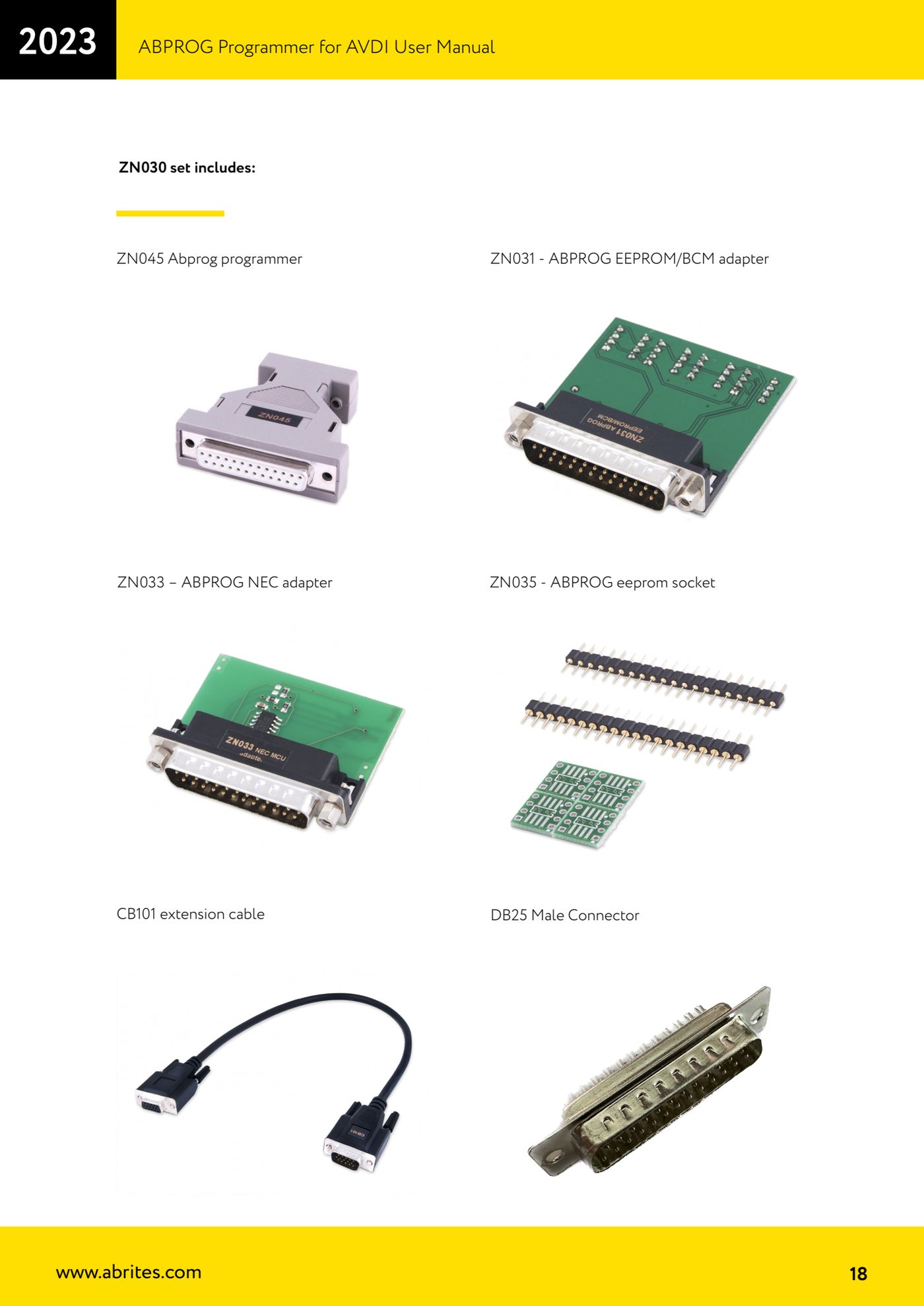
- Check the contents of the ZN030 set: ZN045 programmer, ZN031 ABPROG EEPROM/BCM adapter (SPI, Microwire, I2C), ZN033 NEC MCU adapter (Mercedes-Benz IR keys), ZN035 ABPROG eeprom socket (8-pin memories), CB101 extension cable and male DB25 connector.
- Plug the adapter you need (ZN031, ZN033, ZN035 or an additional adapter) into the female DB-25 connector on the ZN045 programmer.
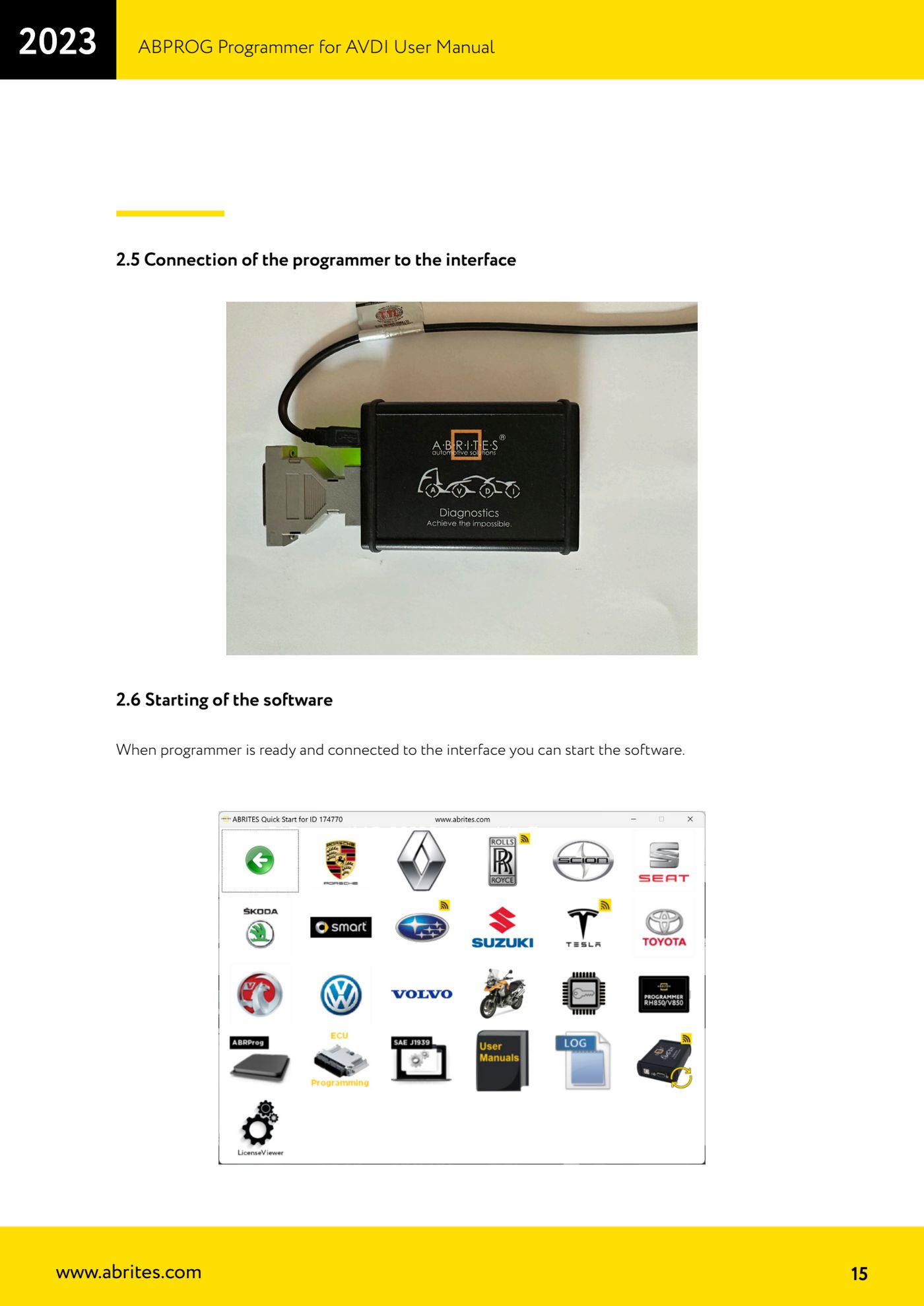
- Plug the male DB-15 end of the ZN045 into the female DB-15 connector on the AVDI. If you need more room to work on the bench, use the CB101 extension between ABPROG and interface.
- Connect the AVDI to the PC by USB and wait for the interface's USB drivers to be recognised.
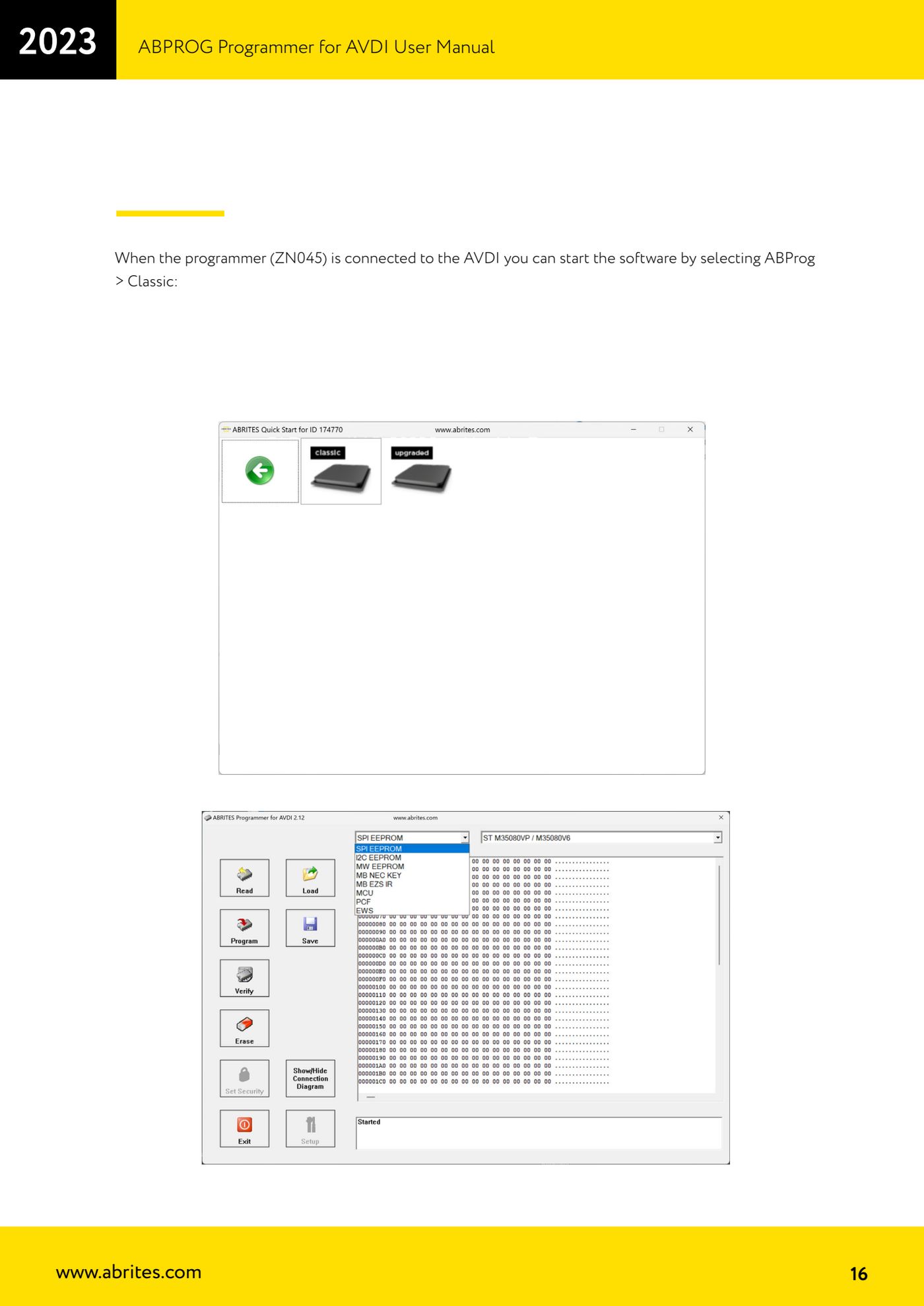
- With the ZN045 programmer already connected to the AVDI, start the software by selecting "ABProg" > "Classic".
- On the main screen pick the memory or device type you need to work on from the drop-down menu ("EEPROM", "PCF", "MB NEC KEY", "MCU", "EWS") and go ahead with read, write or erase.
- Bear in mind there are two versions of the ABProg software, Classic and Upgraded: many new and upcoming functions are only in the Upgraded version.
Reference screenshots
Source: Manuale ABPROG (programmatore), cap. 1, 2.2, 2.5-2.6 e 3.1 (p.7-8, 15-18) · ⏱ estimated time 10 min
← All Abrites guides Hardware catalogue
More guides Strumenti
- Reading and writing SPI, I2C and Microwire EEPROMs with ABPROG and the ZN031/ZN035 adapter
- Erasing and reprogramming M35080VP / M35080V6 incremental EEPROMs with ABPROG
- Wiring an SPI EEPROM straight to the ABPROG DB25 without the ZN031 adapter
- Mercedes-Benz IR keys: reading the SSID, erasing and programming the NEC with ZN032 / ZN033
- Renewing used keys (HITAG/PCF) with the ZN046 adapter and ABPROG
- Solder points on key PCBs for the ZN046 and list of keys supported for renewal
- Reading the EWS3 dump on BMW E46/E39/E53 and others with the ZN055 adapter
- Reading the EEPROM on BMW F-Series FEM/BDC without desoldering, using the ZN057 extension
- Reading and writing NEC V850ES MCUs with the ZN078 adapter and ABPROG
- ABPROG DB25 pinout: building your own ZN046, ZN058, ZN078 and ZN086 adapters
- Reading the immobiliser from a Renault X95 BCM (and Audi BCM) with ABPROG and direct wiring
- Mercedes: reading hashes from the EZS over infrared and reading the password from version 57 NECs