
Chip-Tools
Reading live data (Data Display) and ECU identification on FCA vehicles
Fiat/FCA
Interface Classic
Diagnostics
Basic
⏱ 10-30 min
7 steps
"Data Display" shows the values read from the vehicle's sensors in real time and is the obvious next step when the fault code alone is not enough to explain a problem. "ECU Identification" completes the picture with diagnostic variants, versions, spare part numbers, software part numbers and module serial numbers.
Required licences
- —
Hardware / cables

Procedure
- Connect the AVDI to the OBDII socket and turn the ignition to ON; if you need engine data with the engine running, start the vehicle in a ventilated area with the wheels chocked.
- Start the FCA software and select the vehicle, then enter the control unit you want to look at.
- Open "Data Display": the software lists the available parameters with the sensor values updated in real time.
- Select the parameters relevant to the job (sensors, BUS inputs, LIN data, BUS outputs) and watch the values while you exercise the suspect system; where available use the line graph view to see the trend over time rather than just the instantaneous value.
- Compare the readings against the expected values to pin down the sensor or circuit that is out of spec.
- For identification data open "ECU Identification": read the diagnostic variant, version, module part number (needed to find the correct replacement), software part number and serial number.
- Note down or save the identification data before ordering a spare part or before any reprogramming work: you need it to check that the replacement module is compatible.
Reference screenshots
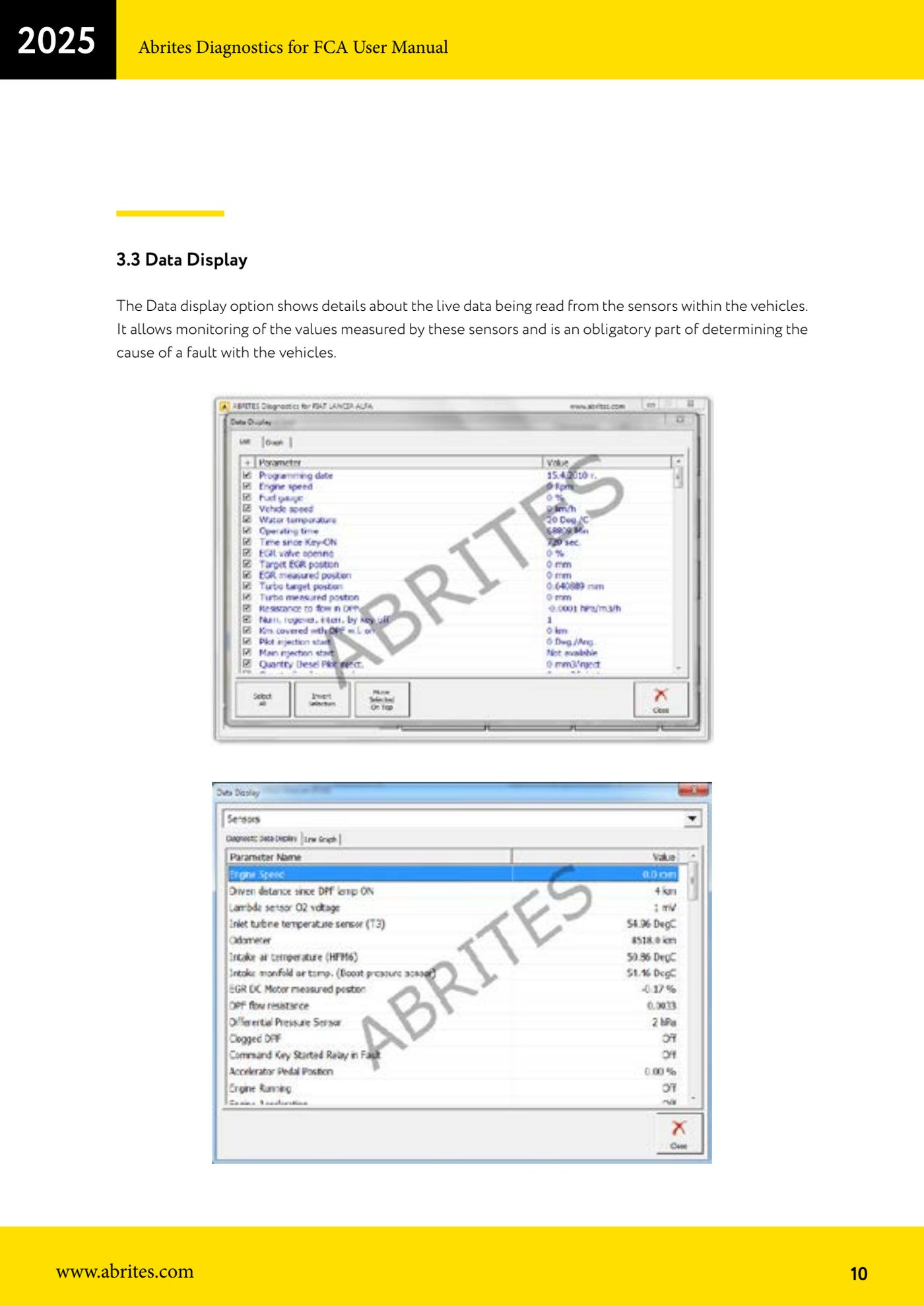
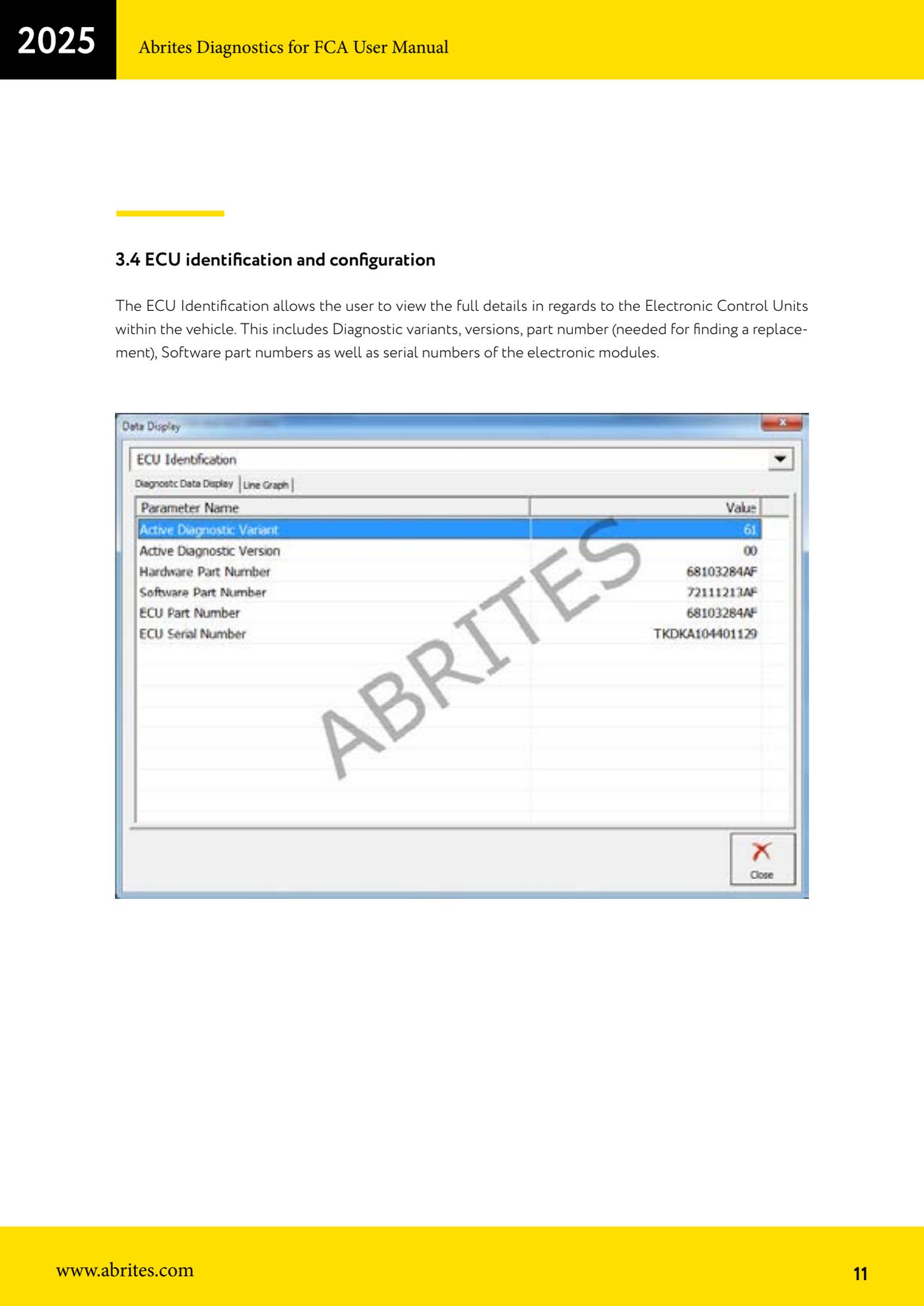
Source: Manuale FCA Fiat/Alfa Romeo/Lancia (interfaccia classica), cap. 3.3-3.4 (p.10-11) · ⏱ estimated time 10-30 min
← All Abrites guides Hardware catalogue
More guides Fiat/FCA
- Vehicle scan, module identification and reading/clearing DTC (Fiat, Alfa Romeo, Lancia, FCA)
- Actuator tests on FCA control units (engine, BCM and other modules)
- BCM, RFH and Key Manager: reading the PIN, Component Protection data and Transponder Maker
- Key programming via OBD on FCA vehicles (with PIN from the RFH and Security Gateway bypass)
- Key programming on FCA keyless models from 2020 onwards in All Keys Lost (CB017 set + ZN051)
- Key programming on Fiat Ducato, Fiat 500L and Iveco Daily 2020+ (PIN from the BCM EEPROM with ABProg and ZN057)
- FCA instrument cluster calibration via OBDII ("Cluster Calibration" and "Cluster Calibration 2")
- ECU Flash Manager: reading and writing flash memory on Marelli and Bosch ECUs (IAW, MJD 6JF, ME7 boot mode)
- ECU Configuration Manager: reading/writing configuration and VIRGIN reset (EDC15, MJD 6JF/8F2, Marelli IAW, ME7)
- Proxi Alignment: BCM configuration and module alignment on FCA vehicles (bench work included)
- Module scan and DTC read/clear with FCA Online (Fiat, Alfa Romeo, Jeep, Lancia)
- Reading real-time parameters (Live Values) on FCA modules