
Chip-Tools
Actuator tests on FCA control units (engine, BCM and other modules)
Fiat/FCA
Interface Classic
Diagnostics
Basic
⏱ 10-30 min
8 steps
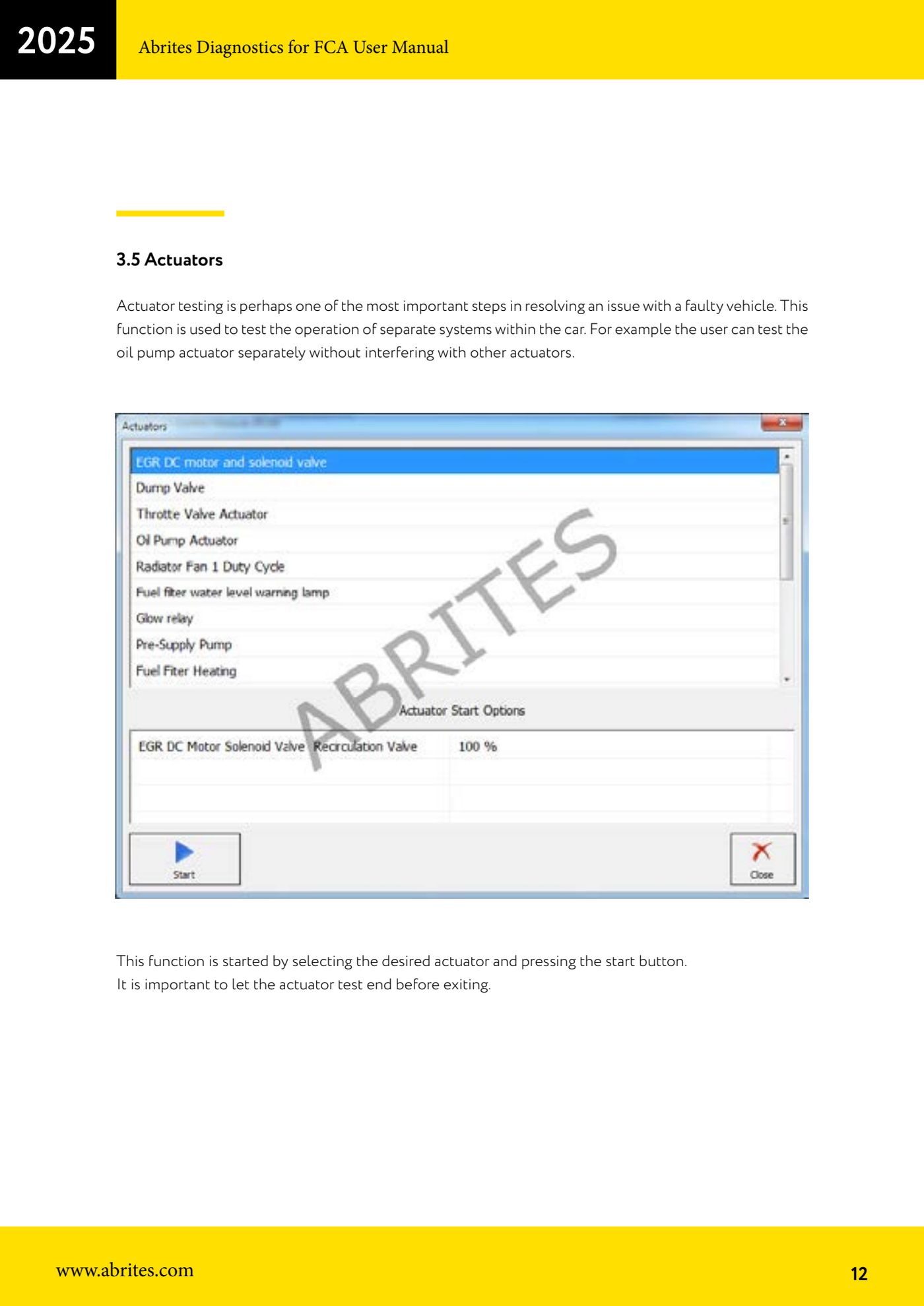
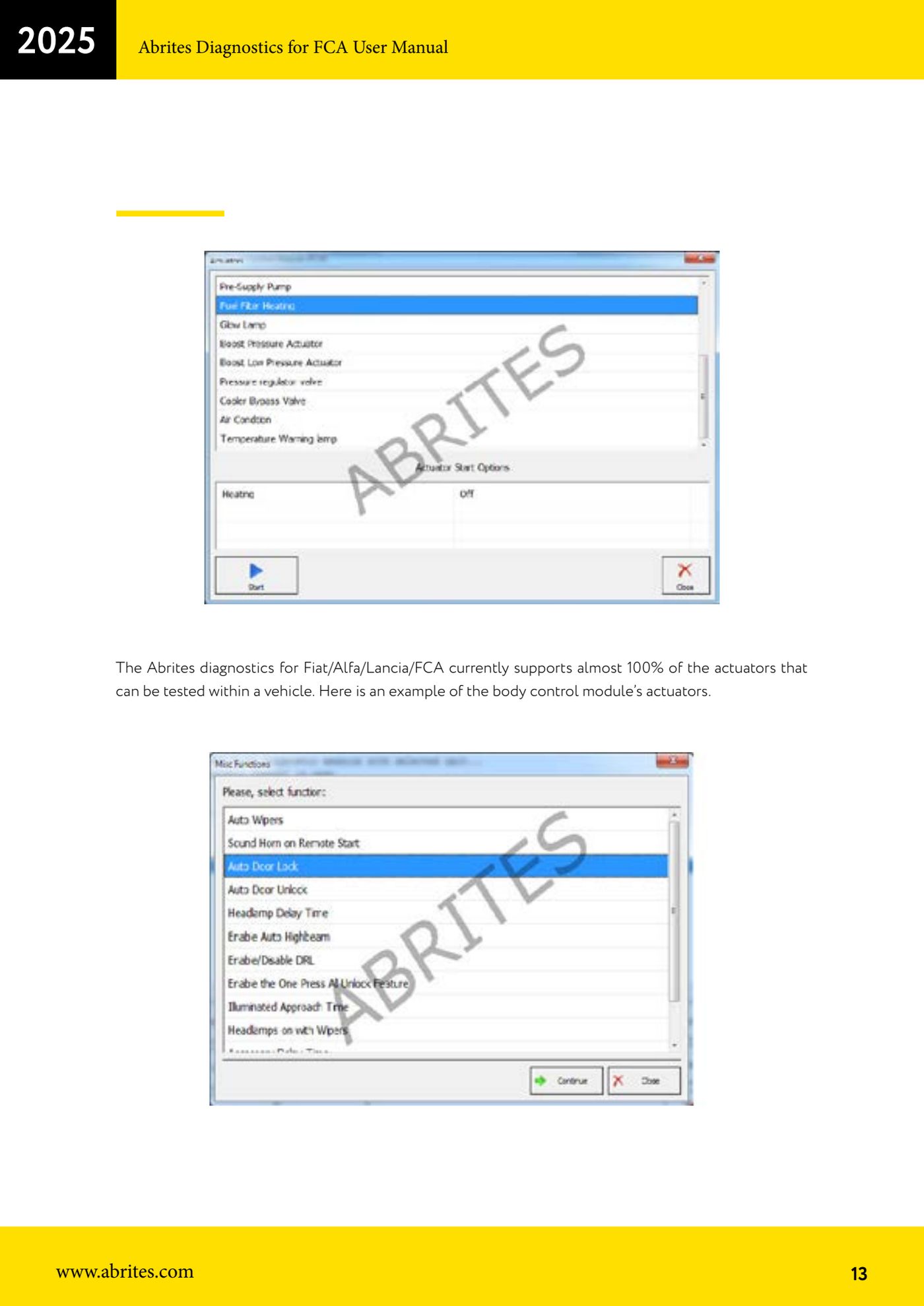
The actuator test drives the components of a system individually so you can tell whether the fault is electrical or mechanical. It lets you, for example, run the oil pump actuator on its own without interfering with the other actuators. The software covers virtually every testable actuator on FCA vehicles, including those on the body computer.
Required licences
- —
Hardware / cables

⚠ WarningAlways let the actuator test finish before leaving the function: interrupting a test in progress leaves the component in an undefined state.
Procedure
- Connect the AVDI to the OBDII socket, chock the vehicle's wheels and turn the ignition to ON.
- Start the FCA software, select the vehicle and enter the control unit that drives the component you want to test (for example the engine ECU, or the body control module for body actuators).
- Open the unit's actuator function ("Actuators"): the list of drivable actuators appears.
- Select the actuator you want to test from the list.
- Press the start button ("Start") to run the test.
- Check the component's response on the vehicle (noise, movement, relay click, warning light) while the test is running.
- Wait for the test to finish before leaving the function or selecting another actuator.
- If the component does not respond to the command, the fault is in the component or its wiring; if it responds correctly, move your search to the sensors or the control logic.
Reference screenshots
Source: Manuale FCA Fiat/Alfa Romeo/Lancia (interfaccia classica), cap. 3.5 (p.12-13) · ⏱ estimated time 10-30 min
← All Abrites guides Hardware catalogue
More guides Fiat/FCA
- Vehicle scan, module identification and reading/clearing DTC (Fiat, Alfa Romeo, Lancia, FCA)
- Reading live data (Data Display) and ECU identification on FCA vehicles
- BCM, RFH and Key Manager: reading the PIN, Component Protection data and Transponder Maker
- Key programming via OBD on FCA vehicles (with PIN from the RFH and Security Gateway bypass)
- Key programming on FCA keyless models from 2020 onwards in All Keys Lost (CB017 set + ZN051)
- Key programming on Fiat Ducato, Fiat 500L and Iveco Daily 2020+ (PIN from the BCM EEPROM with ABProg and ZN057)
- FCA instrument cluster calibration via OBDII ("Cluster Calibration" and "Cluster Calibration 2")
- ECU Flash Manager: reading and writing flash memory on Marelli and Bosch ECUs (IAW, MJD 6JF, ME7 boot mode)
- ECU Configuration Manager: reading/writing configuration and VIRGIN reset (EDC15, MJD 6JF/8F2, Marelli IAW, ME7)
- Proxi Alignment: BCM configuration and module alignment on FCA vehicles (bench work included)
- Module scan and DTC read/clear with FCA Online (Fiat, Alfa Romeo, Jeep, Lancia)
- Reading real-time parameters (Live Values) on FCA modules