
Chip-Tools
BCM, RFH and Key Manager: reading the PIN, Component Protection data and Transponder Maker
Fiat/FCA
Interface Classic
Keys / Immo
Medium
⏱ 20-45 min
8 steps
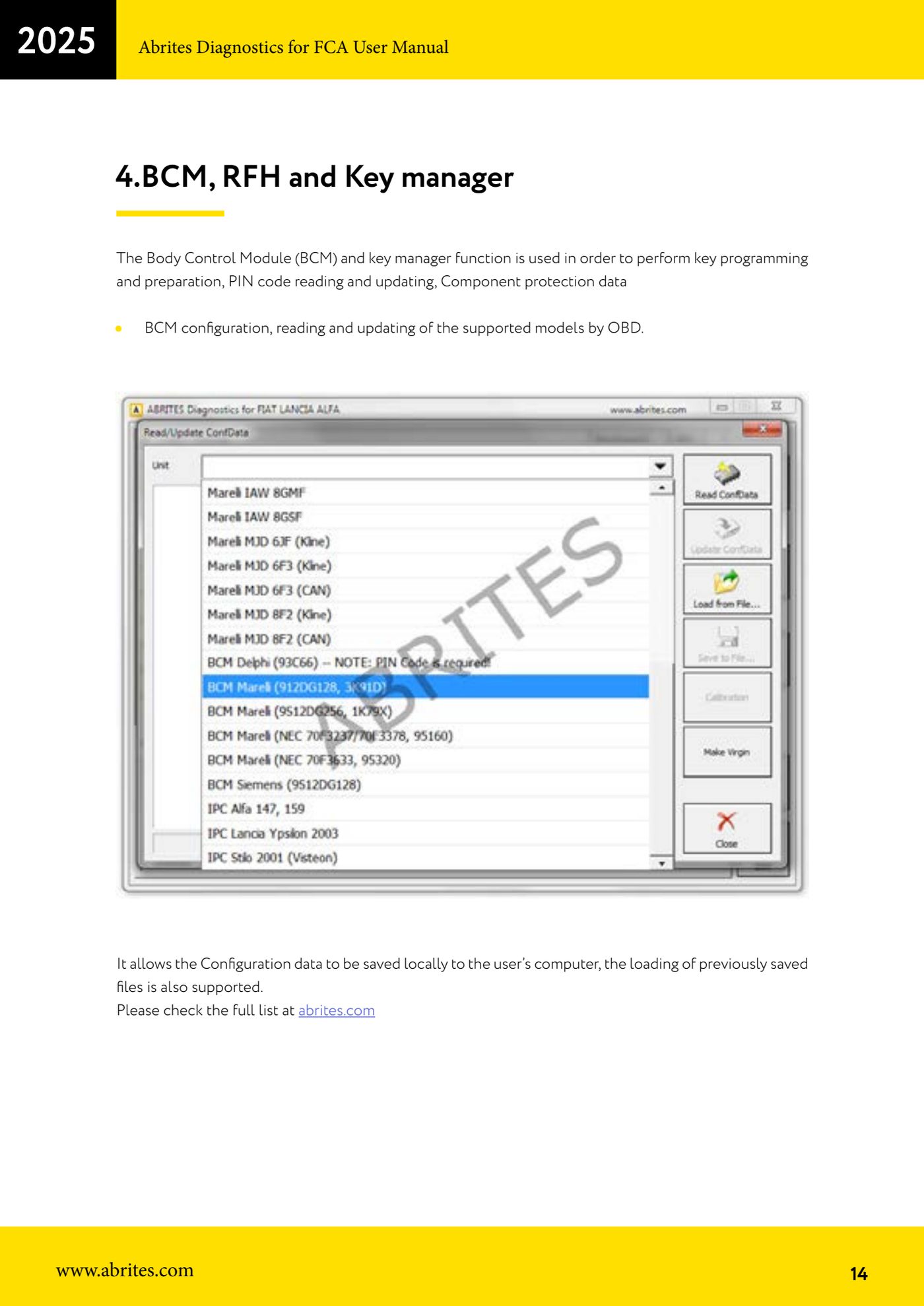
The BCM/RFH/Key Manager function is the starting point for all FCA key and immobiliser work: it reads and updates the PIN code, handles Component Protection data, reads and updates the BCM configuration via OBD and, through the "Transponder Maker", prepares a transponder from the immobiliser dump.
Required licences
- —
Hardware / cables

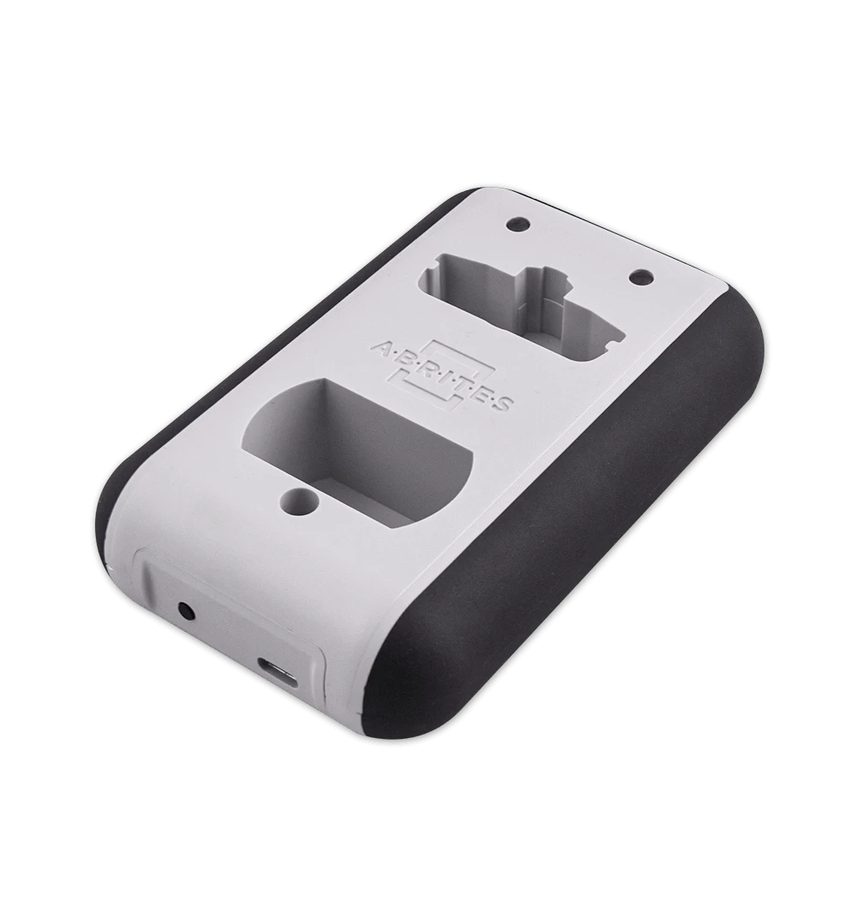
⚠ WarningBefore changing any data, save the original configuration to file: the function allows local saving and reloading of saved files, and it is your only way back if the update goes wrong.
Procedure
- Connect the AVDI to the OBDII socket, turn the ignition to ON and check that the vehicle voltage is stable.
- Start the FCA software, select the vehicle and open the BCM/RFH and Key Manager function.
- Check on abrites.com that the model you are working on is in the list of vehicles supported for reading/updating via OBD.
- Read the BCM configuration and save it to file on the PC straight away: that is the backup to reload if anything goes wrong.
- Run the PIN code read. If the vehicle is a later model with an RFH module and Gateway, the read will not go through via OBD: you have to connect to the internal CAN (see the Key Learning procedure for the connections).
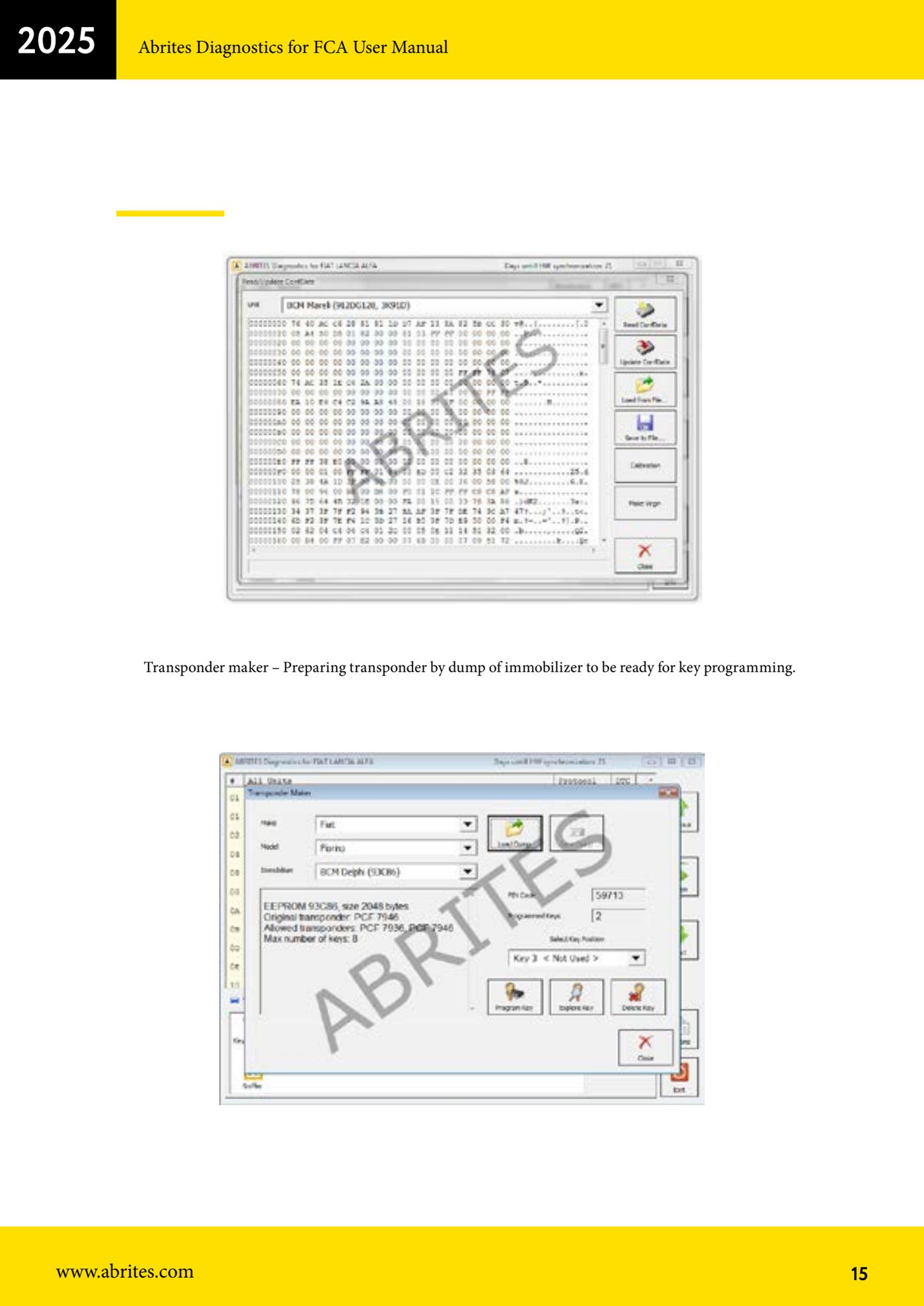
- If you need to prepare a key starting from the immobiliser dump, open "Special Functions" > "Transponder Maker" and load the file read from the immobiliser memory.
- With the Transponder Maker, prepare the transponder (for example ID46 7936 or 7946) using the PROTAG ZN002 or ZN003 programmer.
- At the end, if you have changed the BCM configuration, write the updated data and read it back to confirm it was accepted; if something does not add up, reload the backup file saved at step 4.
Reference screenshots
Source: Manuale FCA Fiat/Alfa Romeo/Lancia (interfaccia classica), cap. 4 (p.14-15) · ⏱ estimated time 20-45 min
← All Abrites guides Hardware catalogue
More guides Fiat/FCA
- Vehicle scan, module identification and reading/clearing DTC (Fiat, Alfa Romeo, Lancia, FCA)
- Reading live data (Data Display) and ECU identification on FCA vehicles
- Actuator tests on FCA control units (engine, BCM and other modules)
- Key programming via OBD on FCA vehicles (with PIN from the RFH and Security Gateway bypass)
- Key programming on FCA keyless models from 2020 onwards in All Keys Lost (CB017 set + ZN051)
- Key programming on Fiat Ducato, Fiat 500L and Iveco Daily 2020+ (PIN from the BCM EEPROM with ABProg and ZN057)
- FCA instrument cluster calibration via OBDII ("Cluster Calibration" and "Cluster Calibration 2")
- ECU Flash Manager: reading and writing flash memory on Marelli and Bosch ECUs (IAW, MJD 6JF, ME7 boot mode)
- ECU Configuration Manager: reading/writing configuration and VIRGIN reset (EDC15, MJD 6JF/8F2, Marelli IAW, ME7)
- Proxi Alignment: BCM configuration and module alignment on FCA vehicles (bench work included)
- Module scan and DTC read/clear with FCA Online (Fiat, Alfa Romeo, Jeep, Lancia)
- Reading real-time parameters (Live Values) on FCA modules