
Chip-Tools
Reading the ISN from the DME/DDE, CAS and EGS and checking synchronisation status
BMW
Interface New
Keys / Immo
Advanced
⏱ 30-90 min
10 steps
The ISN is the individual serial number that ties the modules to one specific car and prevents units from other vehicles being reused. You need it for key programming in all keys lost cases and for replacing/adapting used DME/DDE and EGS units.


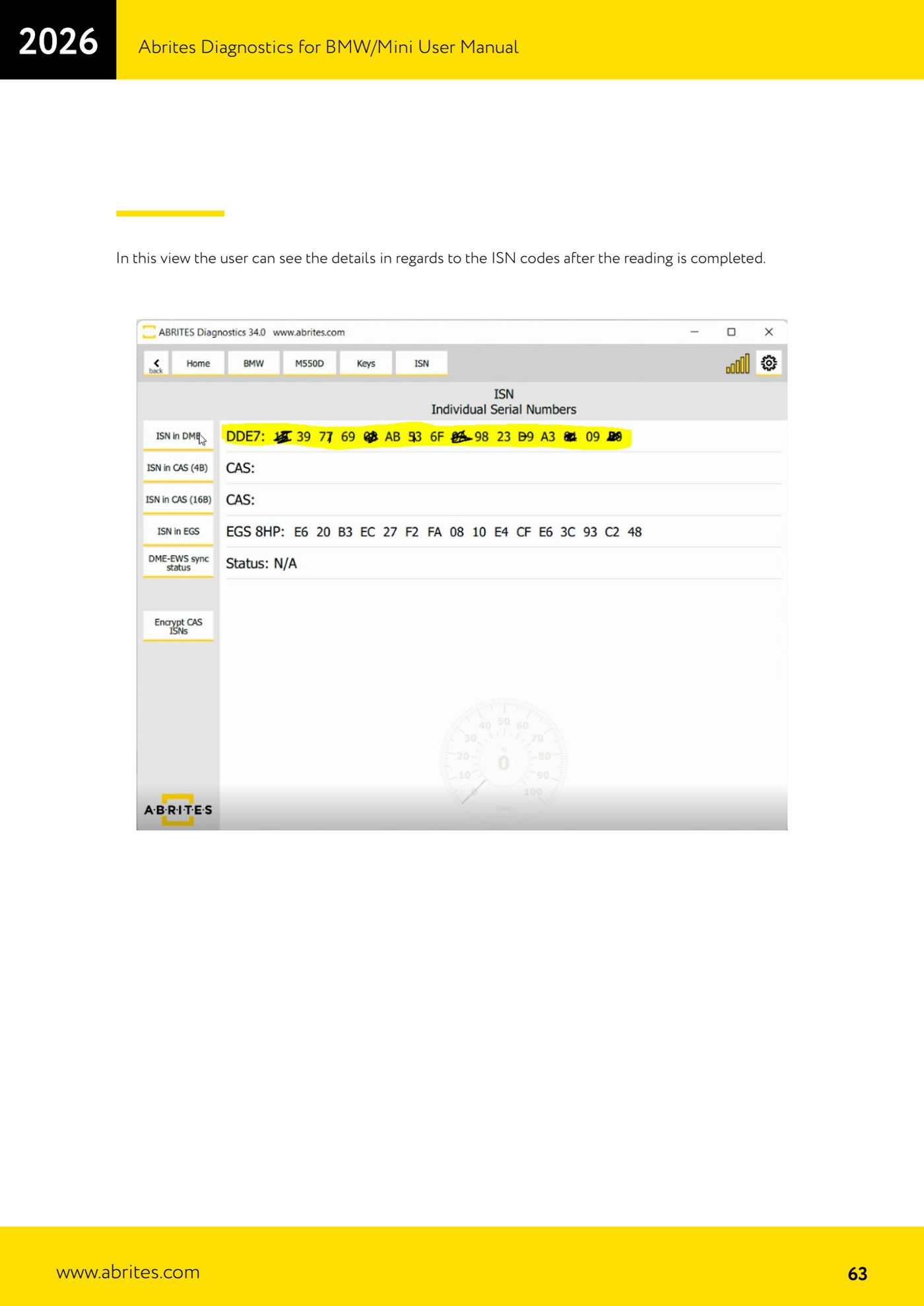
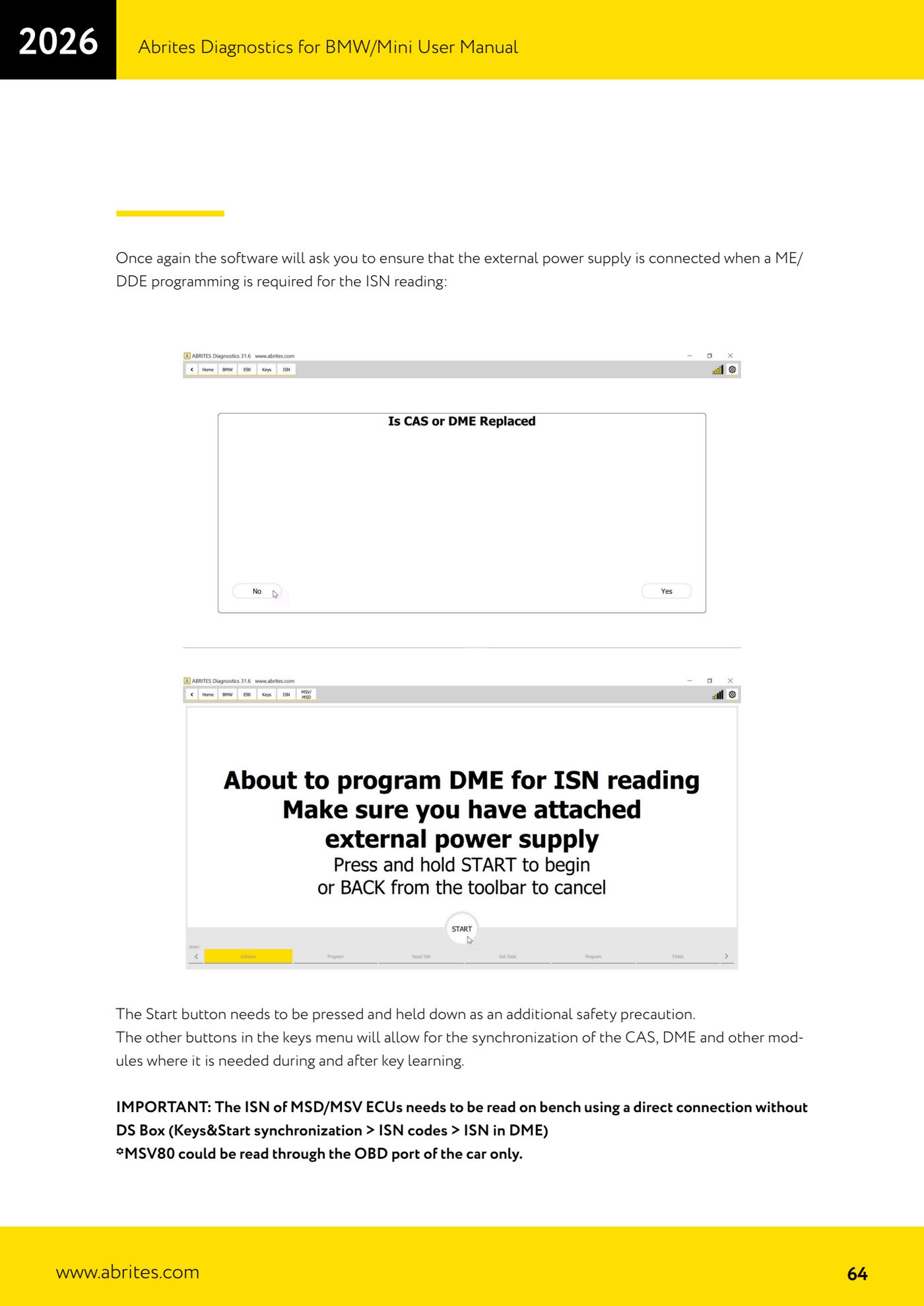
⚠ WarningThe ISN of MSD/MSV units must be read on the bench with a direct connection, without the DS Box ("Keys & Start synchronization" > "ISN codes" > "ISN in DME"); the exception is the MSV80, which can only be read through the car's OBD socket. When reading the ISN requires programming of the DME/DDE the software warns you to connect the external power supply: the "Start" button has to be pressed and held down as an extra safety precaution. MSV80/MSD80 units need the flash to be pre-processed to recover the data.
Procedure
- Connect the AVDI and open the path "Keys and start synchronization" > "ISN codes".
- For the ISN from the DME: choose "ISN in DME". Both diesel and petrol E series DME units and petrol F series DME units are supported.
- If the read requires programming of the DME/DDE, connect the external power supply as prompted by the software, then press and HOLD the "Start" button.
- For the ISN from the CAS: use the dedicated function. Both the short 4-byte ISN (used by older engines and by some automatic gearboxes) and the 16-byte ISN used for authentication with newer engines are supported.
- On later CAS3 versions the ISNs are held encrypted in EEPROM and decrypted before authentication with the DME: the generation 2 BMW software lets you encrypt the ISN for these CAS3 units.
- For the ISN from the EGS: reading it allows a used EGS to be replaced and adapted from one vehicle to another.
- Use "Synchronization status" for a quick view of the synchronisation state between DME and CAS: it is the fastest way to diagnose no-start problems.
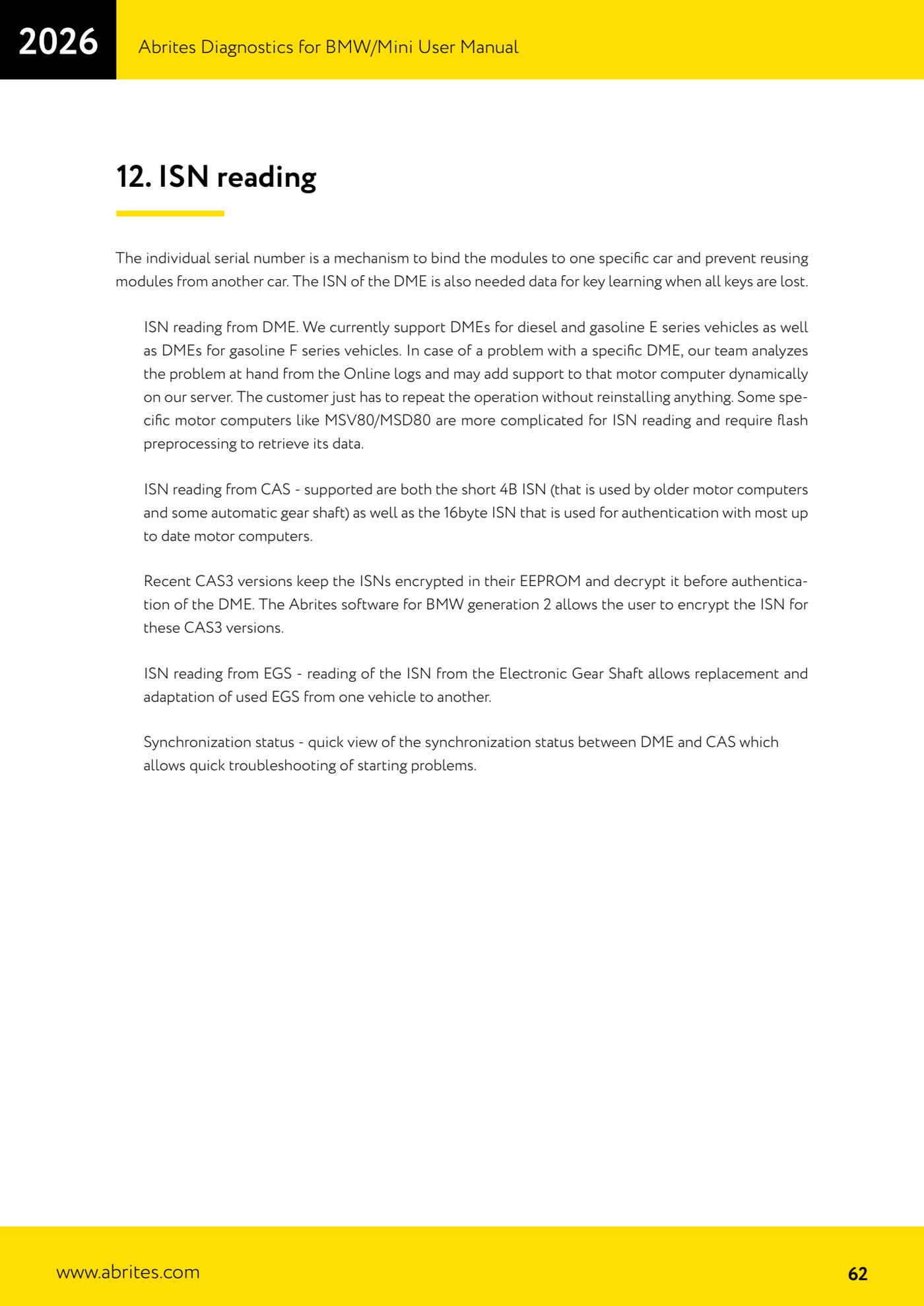
- Once the read is complete the screen shows all the details of the ISNs that were read.
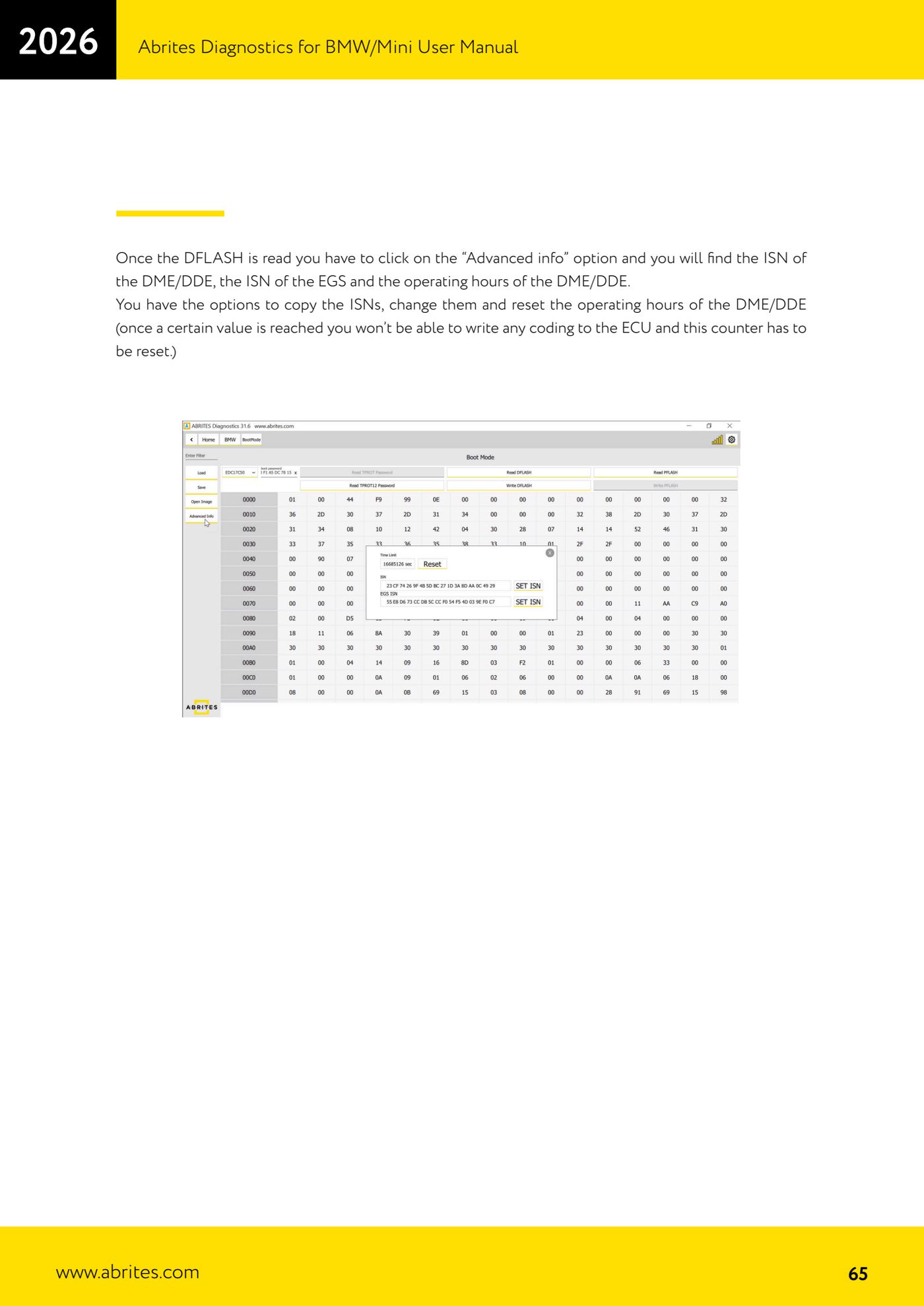
- If you read the DME/DDE DFLASH, press "Advanced info": there you will find the DME/DDE ISN, the EGS ISN and the DME/DDE running hours. From here you can copy the ISNs, edit them and reset the running hours (past a certain value it is no longer possible to write coding into the unit and the counter has to be reset).
- If you run into trouble with a specific DME, repeat the operation: support is analysed from the Online logs and can be added dynamically on the server, with nothing to reinstall.
Reference screenshots
Source: Manuale BMW/Mini, terza parte, cap. 12 (p.62-65) · ⏱ estimated time 30-90 min
← All Abrites guides Hardware catalogue
More guides BMW
- Module scan and fault code (DTC) clearing on BMW/Mini E series and F series
- Reading real-time parameters ("Live values") with graphing and file comparison
- Actuator tests with simultaneous reading of measured values
- Reading and writing the VIN in control units ("Program IDs")
- Central coding and Vehicle Order: adding or removing options and retrofits
- Programming (flashing) control unit firmware with free choice of version
- MD/MG engine control unit replacement on BMW G series (DME Exchange with DFlash)
- CAS1/CAS2/CAS3/CAS3+ key programming (BMW E series) via OBDII
- FEM/BDC key programming (BMW F series) with EWS Manager
- FEM/BDC key programming over OBDII (BMW F series) - all keys lost and spare key
- Connections for F series BDC: ENET cable CB015 or OBDII CB100/CB106
- Preparing FEM and BDC units (software above version 85) with M95256 EEPROM reading