
Chip-Tools
Immo V adaptation of the immobilizer (Dashboard / BCM2)
VAG
Interface New
Keys / Immo
Advanced
⏱ 30–60 min
8 steps
Adapts a replacement immobilizer module (MQB cluster or BCM2). On top of the CS you also need the Component Protection (CP) of both original and replacement, plus the car's power class.
Required licences
- Licenza VAG (Immo V)
Hardware / cables
 AVDI
AVDI PROTAG con chiave funzionante
- Cavo OBDII
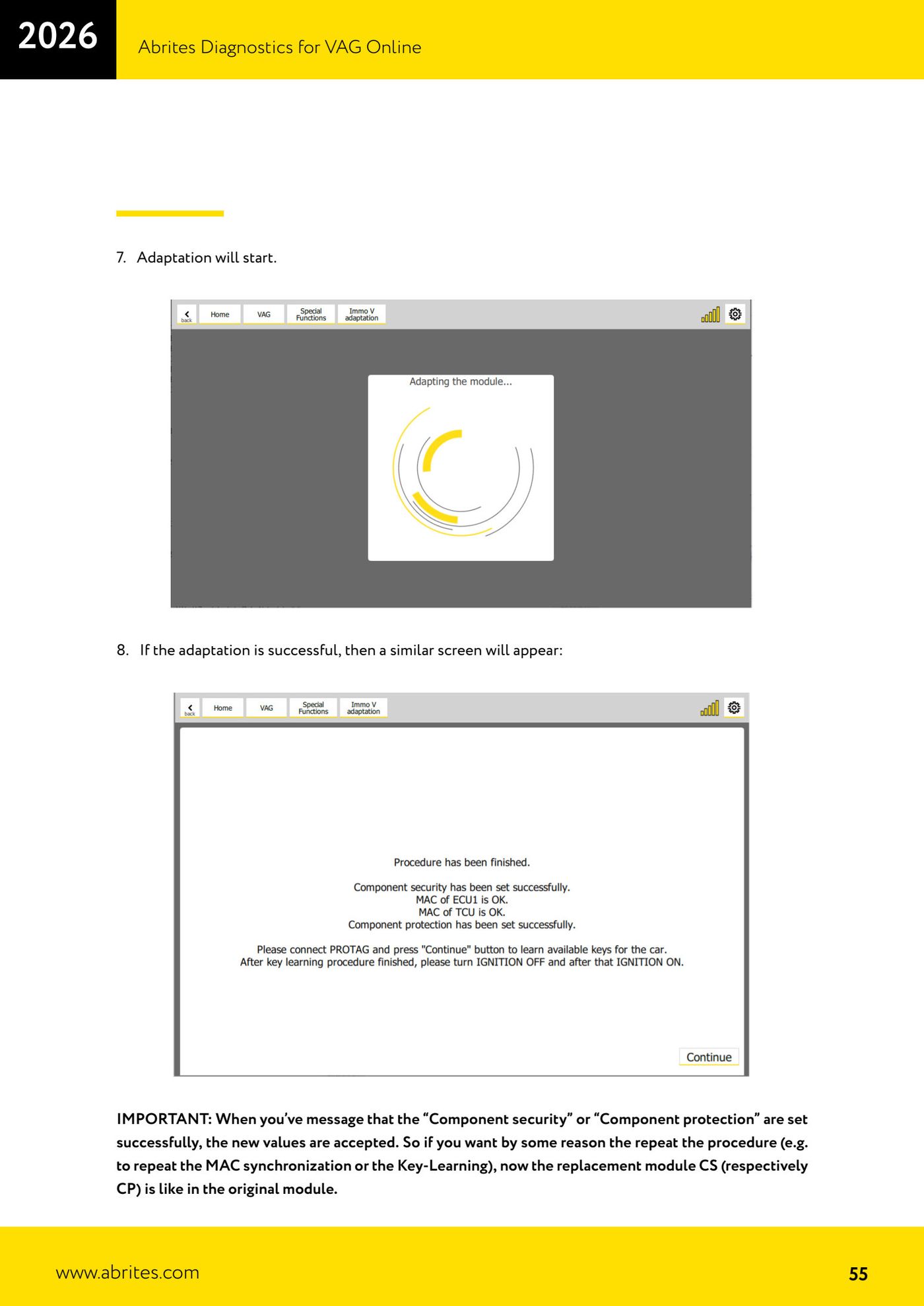
⚠ WarningOnce you see the message that CS or CP has been set successfully, the new values are accepted: if you repeat the procedure, the replacement's CS/CP is now the same as the original's. Synchronise ALL modules fitted to the car (ECU1, TCU on automatics, ELV on keyless, ECU2/ECUs on some high-performance and electric models), otherwise that module will not work.
Procedure
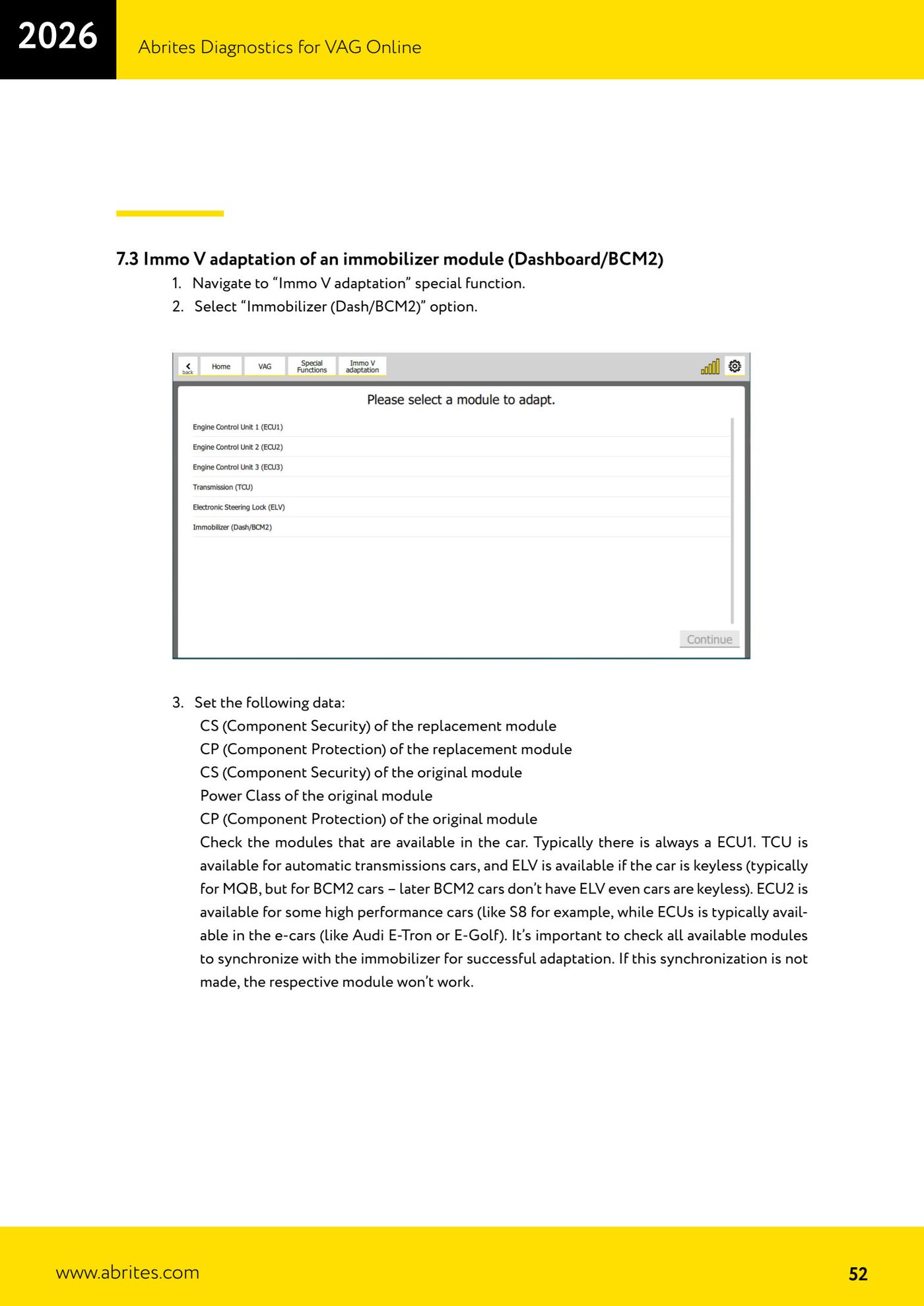
- Go to "Immo V adaptation" and select the "Immobilizer (Dash/BCM2)" option.
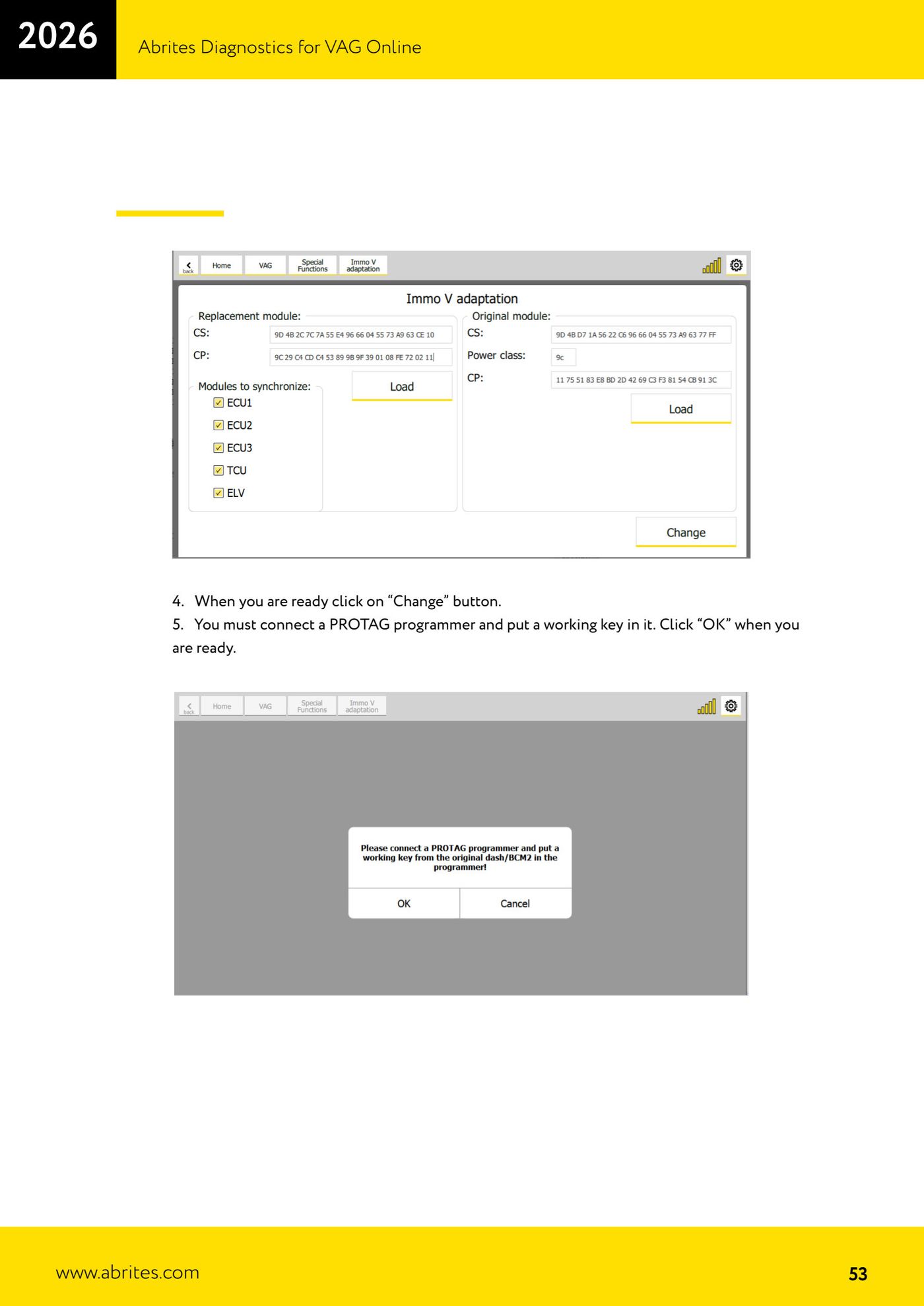
- Enter: CS and CP of the replacement, CS/CP and power class of the original, and tick the modules fitted to the car that need synchronising.
- Click "Change".
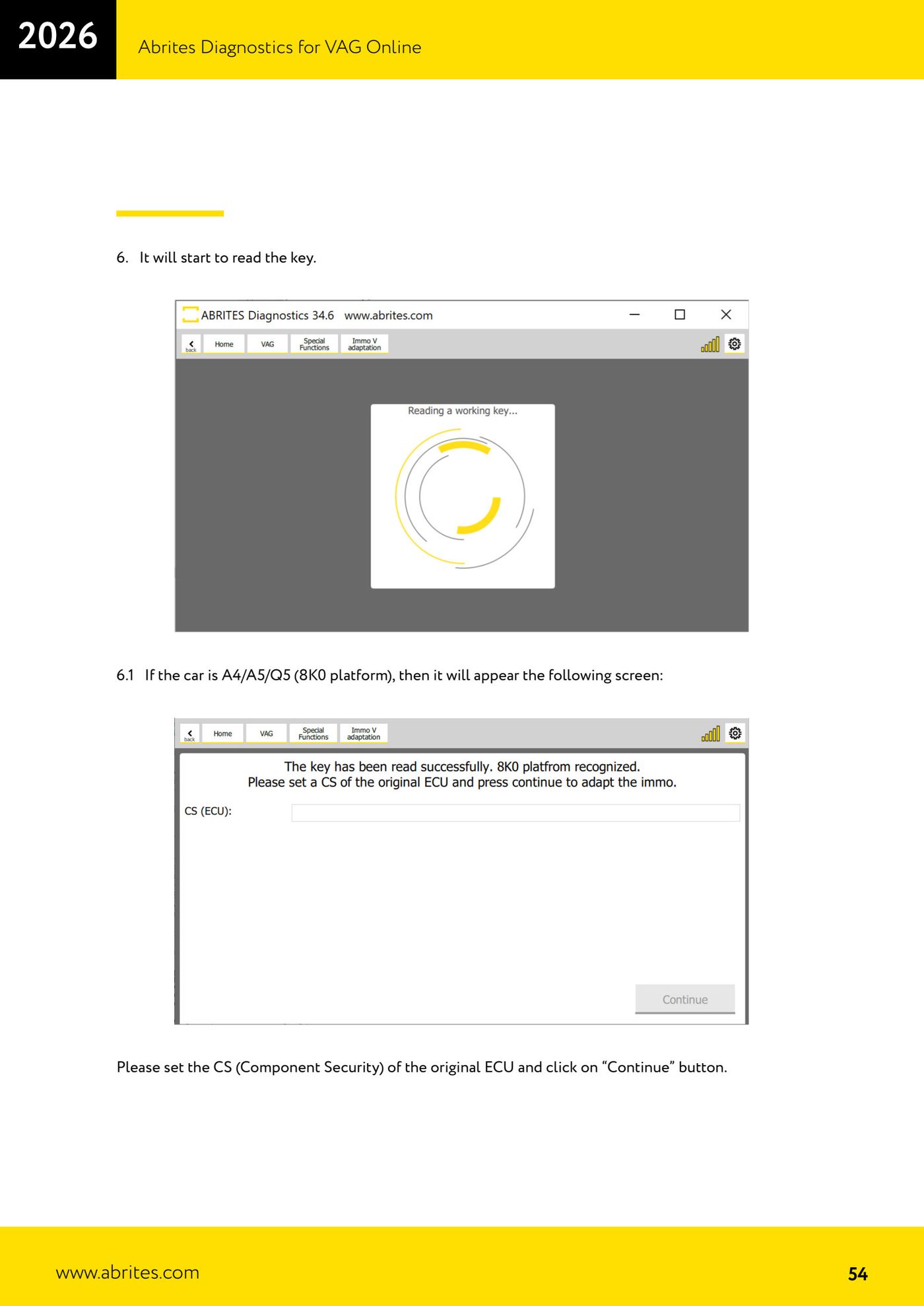
- Connect the PROTAG with a working key and click "OK". The software reads the key.
- On A4/A5/Q5 (8K0): enter the CS of the original ECU and click "Continue".
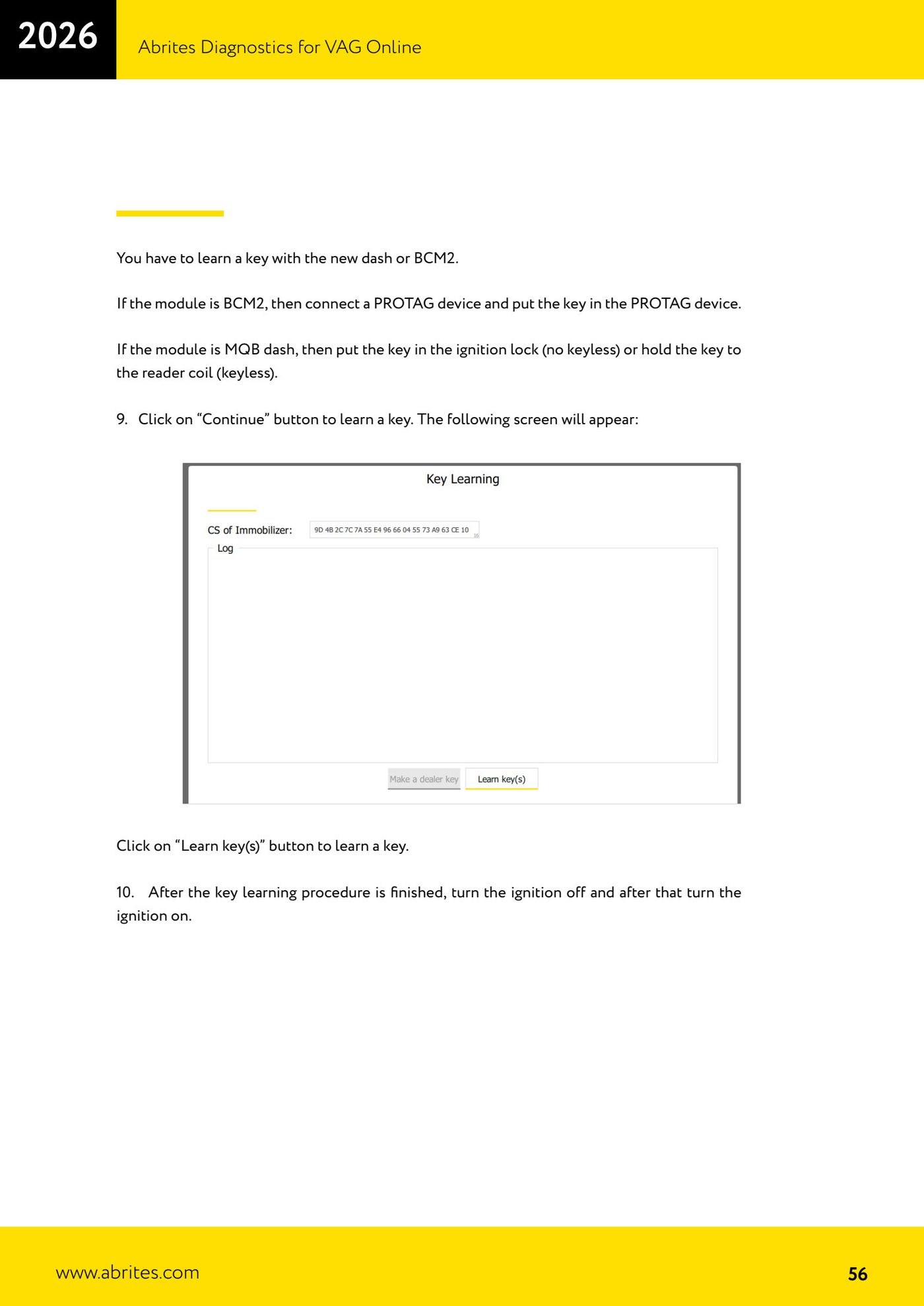
- The adaptation runs; once it confirms, click "Continue" and then "Learn key(s)" to learn the key (BCM2 → key in the PROTAG; MQB cluster → key in the ignition barrel or on the coil if keyless).
- When key programming is finished, switch the ignition OFF and then ON.
- Troubleshooting: "Failed to set component protection" → wrong original CP. "Failed to set component security" → wrong replacement CS. MACs not synchronised → wrong original ECU CS, or modules asleep (wake them up and repeat).
Reference screenshots
Source: Manuale VAG Online, cap. 7.3 (p.52–60) · ⏱ estimated time 30–60 min
← All Abrites guides Hardware catalogue
More guides VAG
- General diagnostics and fault code (DTC) read/clear
- Basic settings — factory reset (throttle body, steering, clutch)
- Adaptations — customer-requested changes
- Long coding — enabling hidden features
- MMI Functions — enable/disable infotainment features
- Wireless CarPlay / Android Auto
- Video in motion
- BCM2 unlock with the ZN080 set (solder-free)
- Reading CS on bench (PCR2.1, Simos 8.x/1x.xx, DCM6.2, TCU AL551/DL501/DQxxx)
- DSG mileage recalibration
- Service Intervals
- ECU programming with .frf files