
Chip-Tools
Reading Ford 2021+, Nissan, Fiat and Renault BCM/HFM with the ZN085 for key programming (AKL)
Strumenti
Interface Classic
Keys / Immo
Advanced
⏱ varies
9 steps
The ZN085 reads the BCM and HFM modules of Ford (2021 onwards, with RH850 MCU), Nissan, Fiat and Renault. The read is uploaded to the Abrites servers and the key programming is then finished off in the brand-specific software.
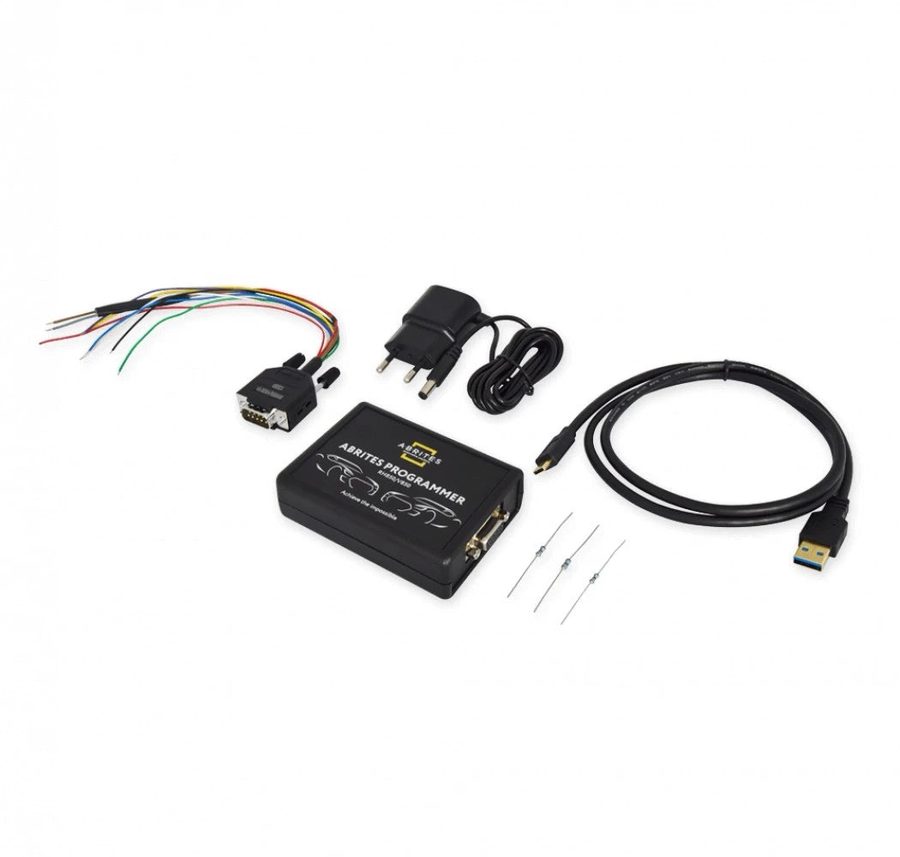


⚠ WarningReading these MCUs is a very demanding operation and carries risk to the unit: in some cases the read may not complete at all. In that situation it is a security matter, so stop and contact Abrites support. Always save a backup before making any changes.
Procedure
- Identify the module you're working on (Ford BCM 2021+ with RH850 MCU, Nissan HFM/BCM, Fiat BCM or Renault HFM/BCM) and check it with "Check by Part Number".
- Make sure you have the right licence for the job: FR011 for All Keys Lost on Ford with RH850 BCM, NN010 for Nissan HFM/BCM, RR026 for Renault HFM/BCM, FN024 for FCA key programming from an RH850 dump.
- Strip out the module, open the programmer software, select the MCU type and then the unit from the list (the manual's example uses a Renault HFM).
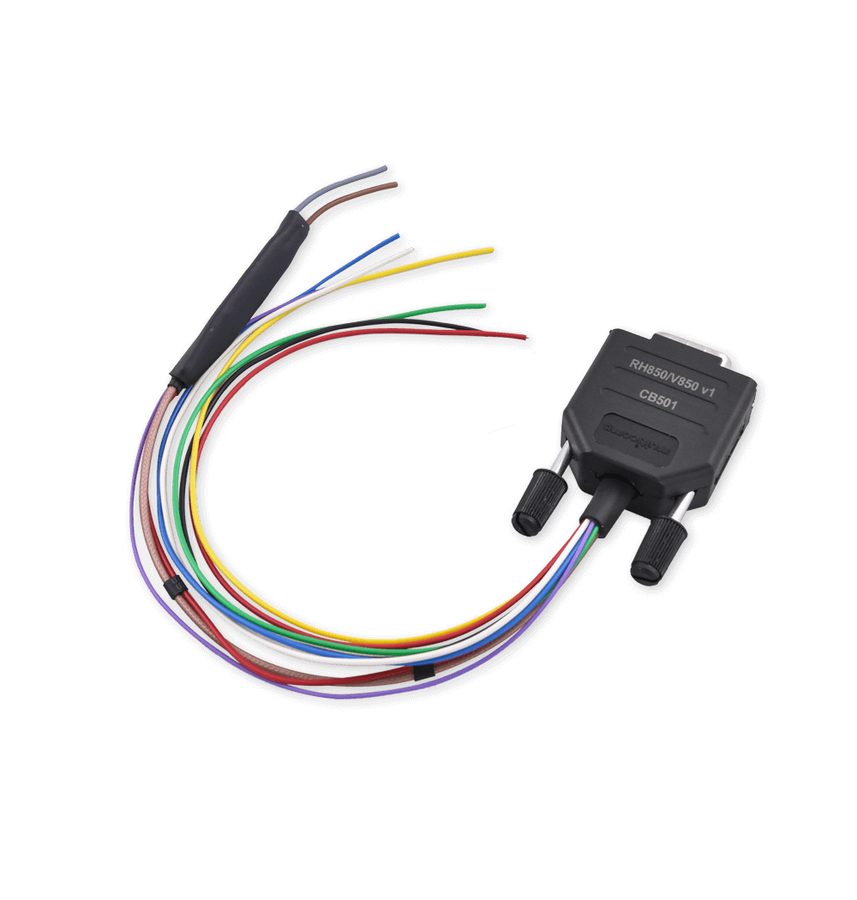
- Press "Wiring" for the connection diagram and solder the CB501 cable to the points shown on the PCB, desoldering the capacitors first where required.
- Check the connections with a multimeter, particularly the absence of any short to ground at the grey wire point.
- Press "Read MCU" and wait for the read to complete: the data is uploaded to the Abrites servers.
- Save the backup file of the read.
- Open the corresponding brand software and finish the key programming from there: Ford Offline for Ford, Nissan Online for Nissan, Fiat Online for Fiat, Renault Online for Renault.
- Remove the CB501 wires, resolder the capacitors without shorting them and refit the module to the vehicle.
Reference screenshots
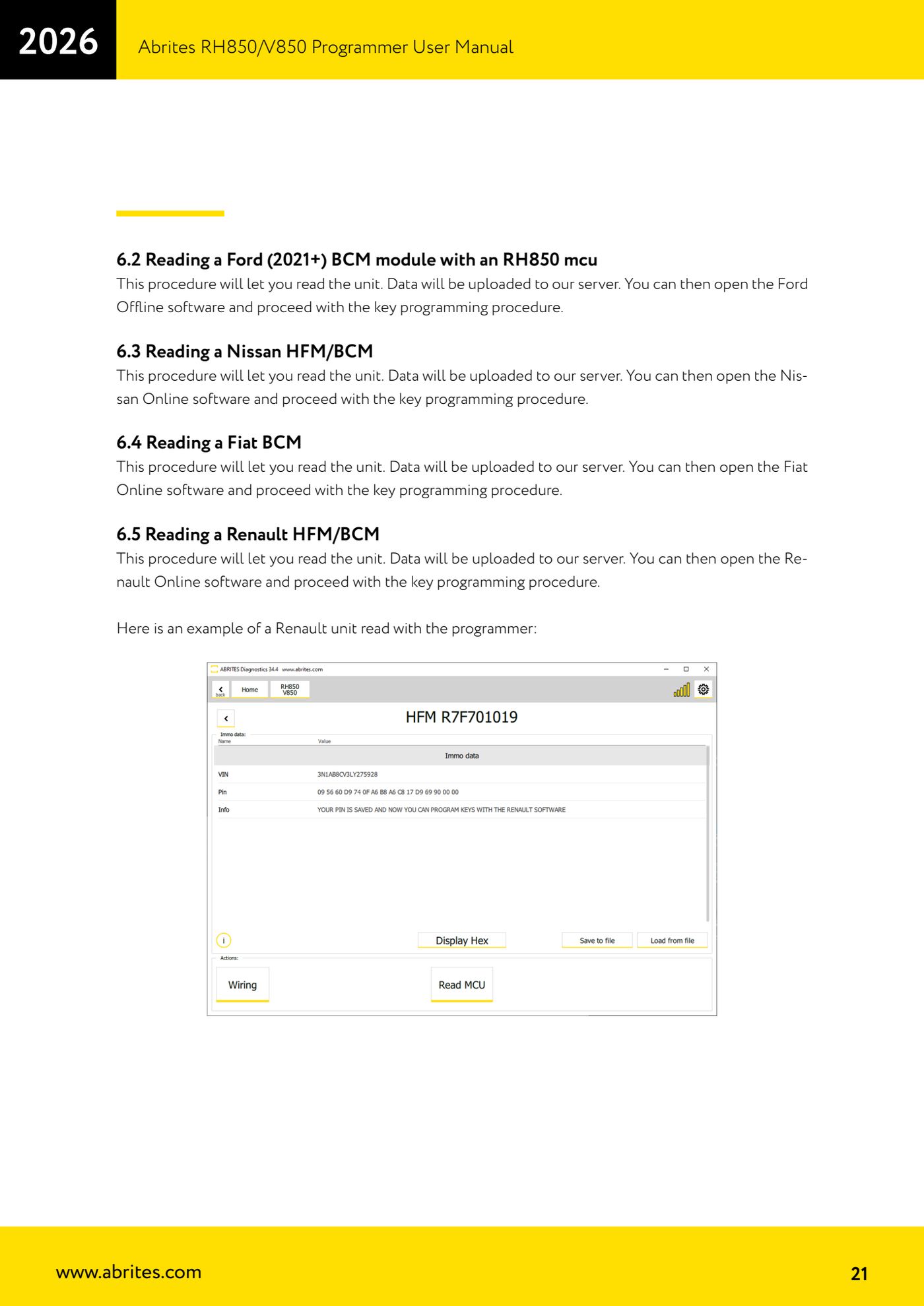
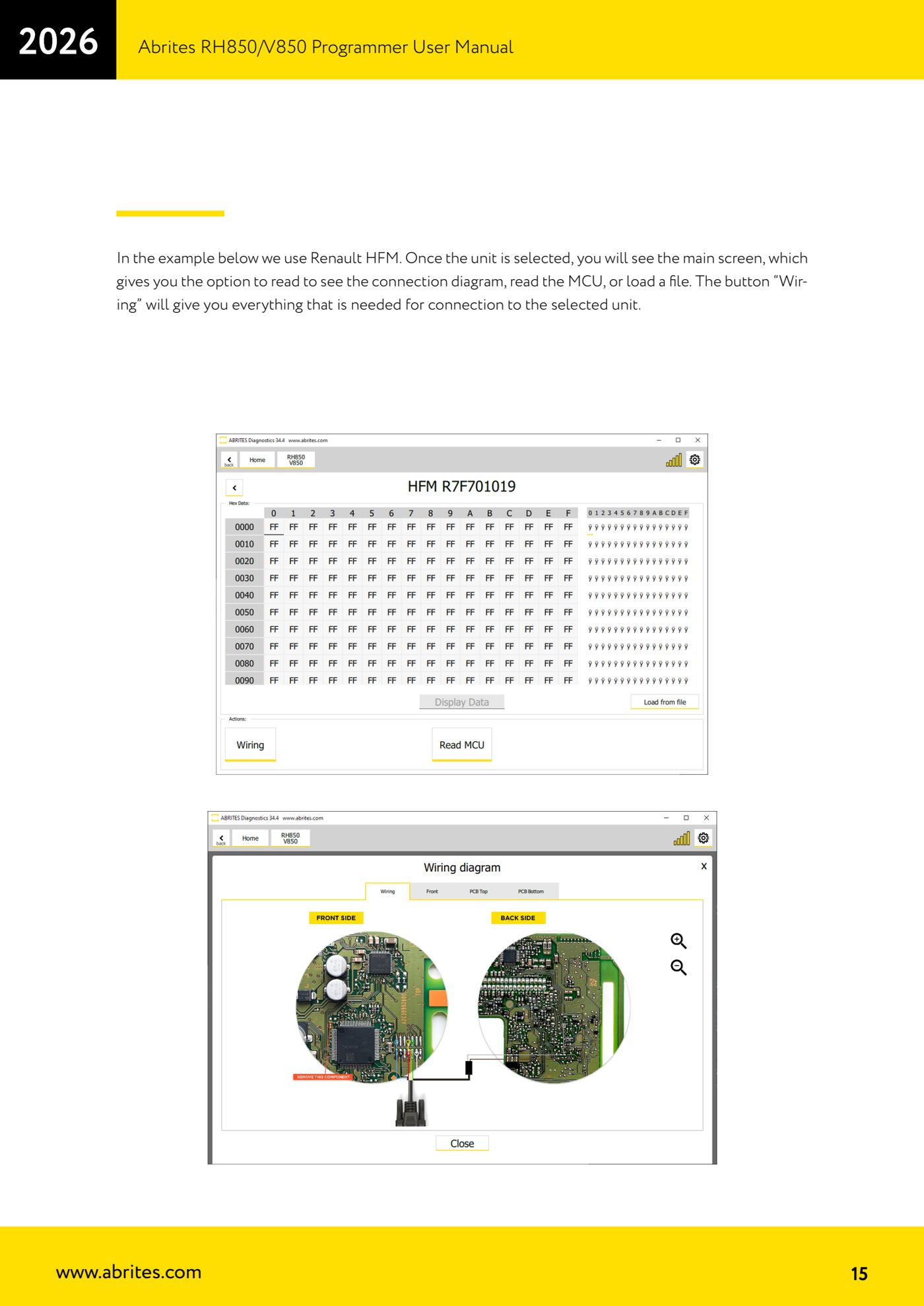
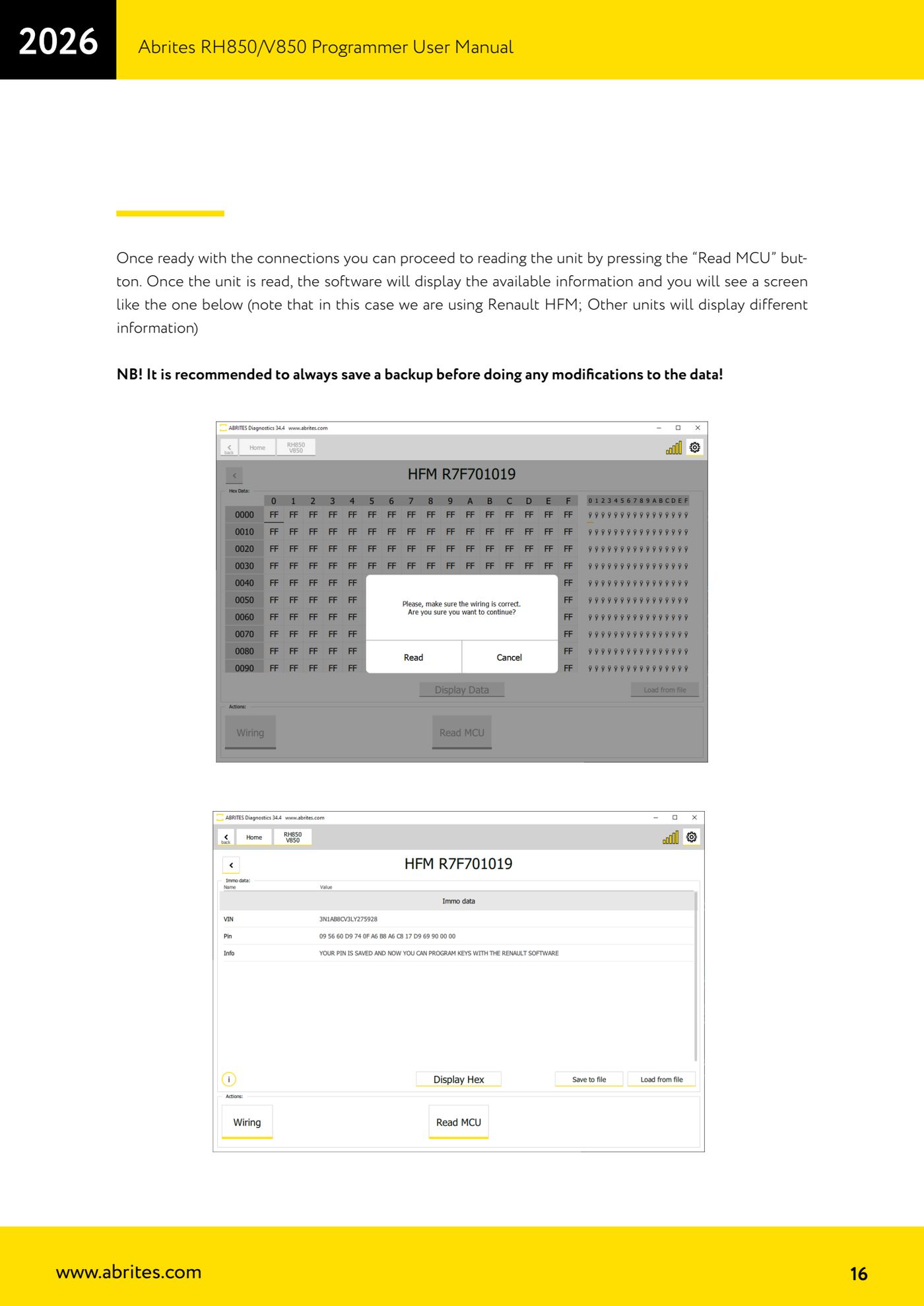
Source: Manuale Programmatore RH850/V850, cap. 6.2-6.5 (p.21) · ⏱ estimated time varies
← All Abrites guides Hardware catalogue
More guides Strumenti
- ABPROG ZN030: what's in the set, hooking it up to the AVDI and starting the Classic software
- Reading and writing SPI, I2C and Microwire EEPROMs with ABPROG and the ZN031/ZN035 adapter
- Erasing and reprogramming M35080VP / M35080V6 incremental EEPROMs with ABPROG
- Wiring an SPI EEPROM straight to the ABPROG DB25 without the ZN031 adapter
- Mercedes-Benz IR keys: reading the SSID, erasing and programming the NEC with ZN032 / ZN033
- Renewing used keys (HITAG/PCF) with the ZN046 adapter and ABPROG
- Solder points on key PCBs for the ZN046 and list of keys supported for renewal
- Reading the EWS3 dump on BMW E46/E39/E53 and others with the ZN055 adapter
- Reading the EEPROM on BMW F-Series FEM/BDC without desoldering, using the ZN057 extension
- Reading and writing NEC V850ES MCUs with the ZN078 adapter and ABPROG
- ABPROG DB25 pinout: building your own ZN046, ZN058, ZN078 and ZN086 adapters
- Reading the immobiliser from a Renault X95 BCM (and Audi BCM) with ABPROG and direct wiring