
Chip-Tools
Reading and programming Bosch EDC16xx / MED9.xx ECUs over BDM with the ZN073
Strumenti
Interface Classic
Flashing / Programming
Advanced
⏱ 60-90 min
15 steps
The ZN073 reads and programs the memory of Bosch EDC16xx and MED9.xx ECUs over BDM. It's always bench work, with the ECU out of the car and fed from an external power supply.
Required licences
- —
Hardware / cables
 AVDI
AVDI ZN045 programmatore ABPROG
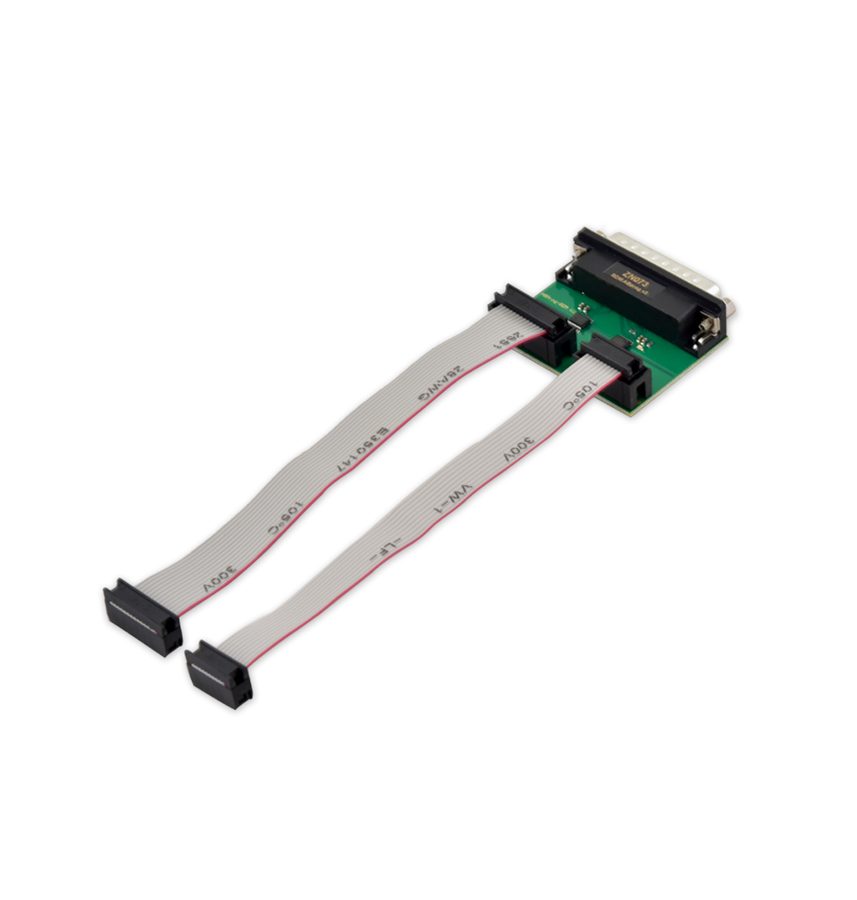 ZN073 BDM ECU Programmer
- alimentatore 12/24V
 ZN051
ZN051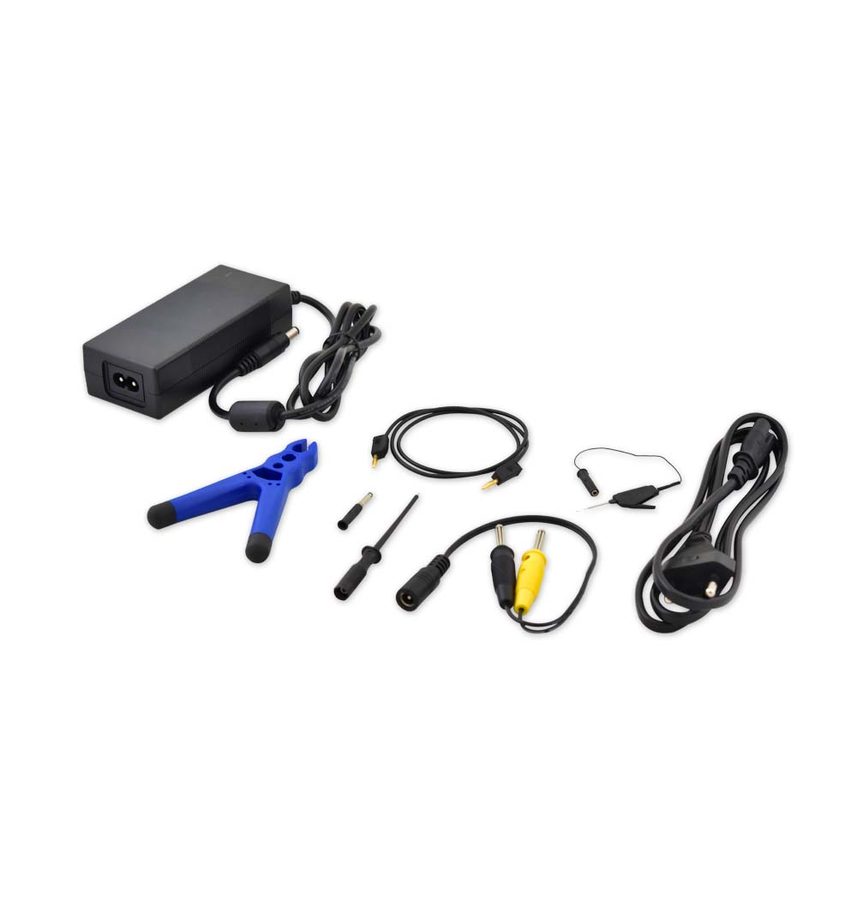 ZN074
ZN074- saldatore
- header PCB doppia fila passo 1.27 mm
- cavo flat (ribbon)
⚠ WarningFollow the power-up and power-down sequence given to the letter: not doing so can lead to unwanted consequences, at best a bricked ECU. Miswiring the flat cable can permanently damage the adapter and/or the ECU. Do not write anything into the first 8 bytes of the MPC processor's shadow rows unless you are absolutely certain of what you are doing: they hold the censoring information and tampering with them can lock the processor with no way back.
Procedure
- Get your kit ready: 12/24V power supply, soldering iron and a double-row PCB header with 1.27 mm pitch.
- Make sure both the AVDI and the ECU are switched off.
- Remove the ECU from the vehicle and open it on the bench.
- Solder the 14-pin header onto the board's BDM test points, following the example picture.
- Connect the BDM adapter to the ECU with the flat cable. Careful: wrong wiring can permanently damage both adapter and ECU.
- Connect the ZN073 BDM adapter to the ABPROG ZN045.
- Connect the ABPROG ZN045 to the AVDI, then the AVDI to the PC.
- Switch the AVDI on and check that the orange LED on the BDM adapter is lit.
- Power the ECU: it must go straight into Debug mode. Power is fed from an external 12V source to the B+ and GND pins of the ECU connector, for example with the ZN051 or ZN074. Check that the green LED on the BDM adapter is lit.
- Start the Abrites programming software.
- Select the ECU memory you're after from the menu. For the MPCs the options are MPC555/556 Flash, MPC555/556 CMF A/B Shadow Rows, MPC533/534/564 CMF Flash and Shadow Row, MPC535/536/565/566 CMF Flash and CMF A/B Shadow Rows, MPC5XX external Flash (58BW016XX, AMDXX, Intel28XX, Micron, Numonyx, Spansion 29CXX, ST) and MPC5XX external EEPROM (ST 95640, 95320, 95160, 95080).
- Choose the operation you want (read / erase / program). If you want to program the ECU, the selected memory has to be erased first.
- When the job is done, close the user application.
- Switch the ECU off.
- Switch the AVDI off and only then unplug the BDM adapter from the ECU.
Reference screenshots
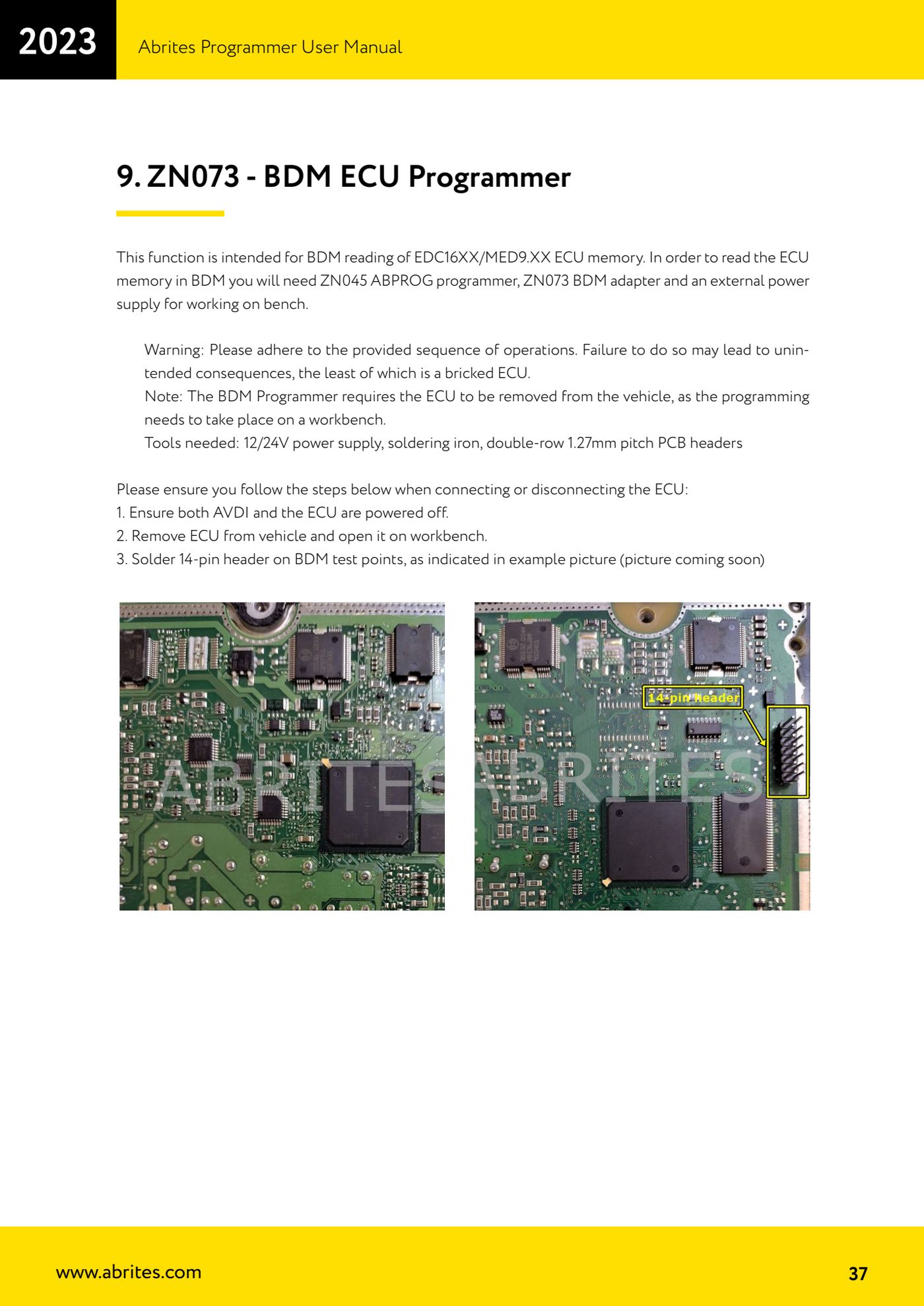
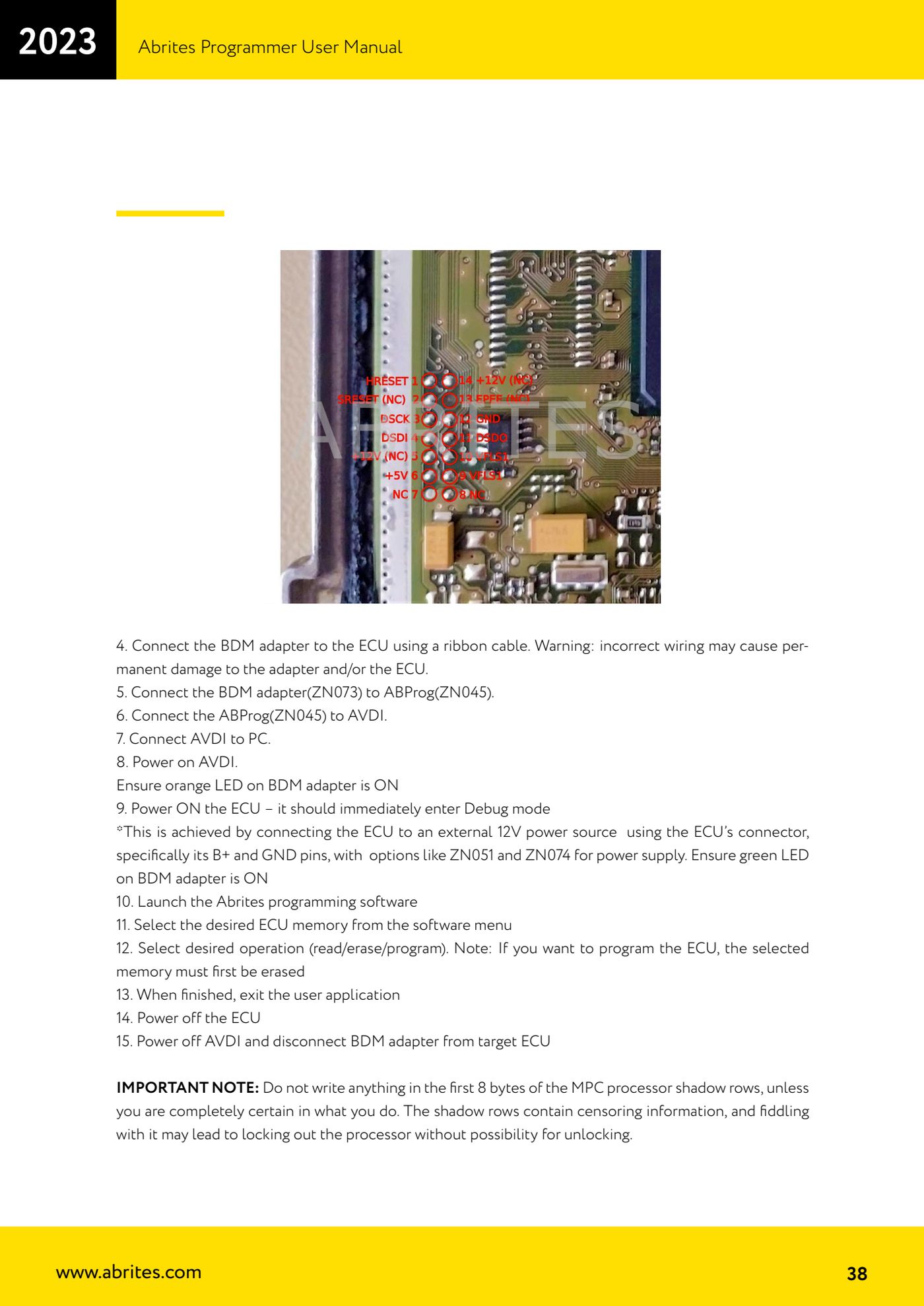
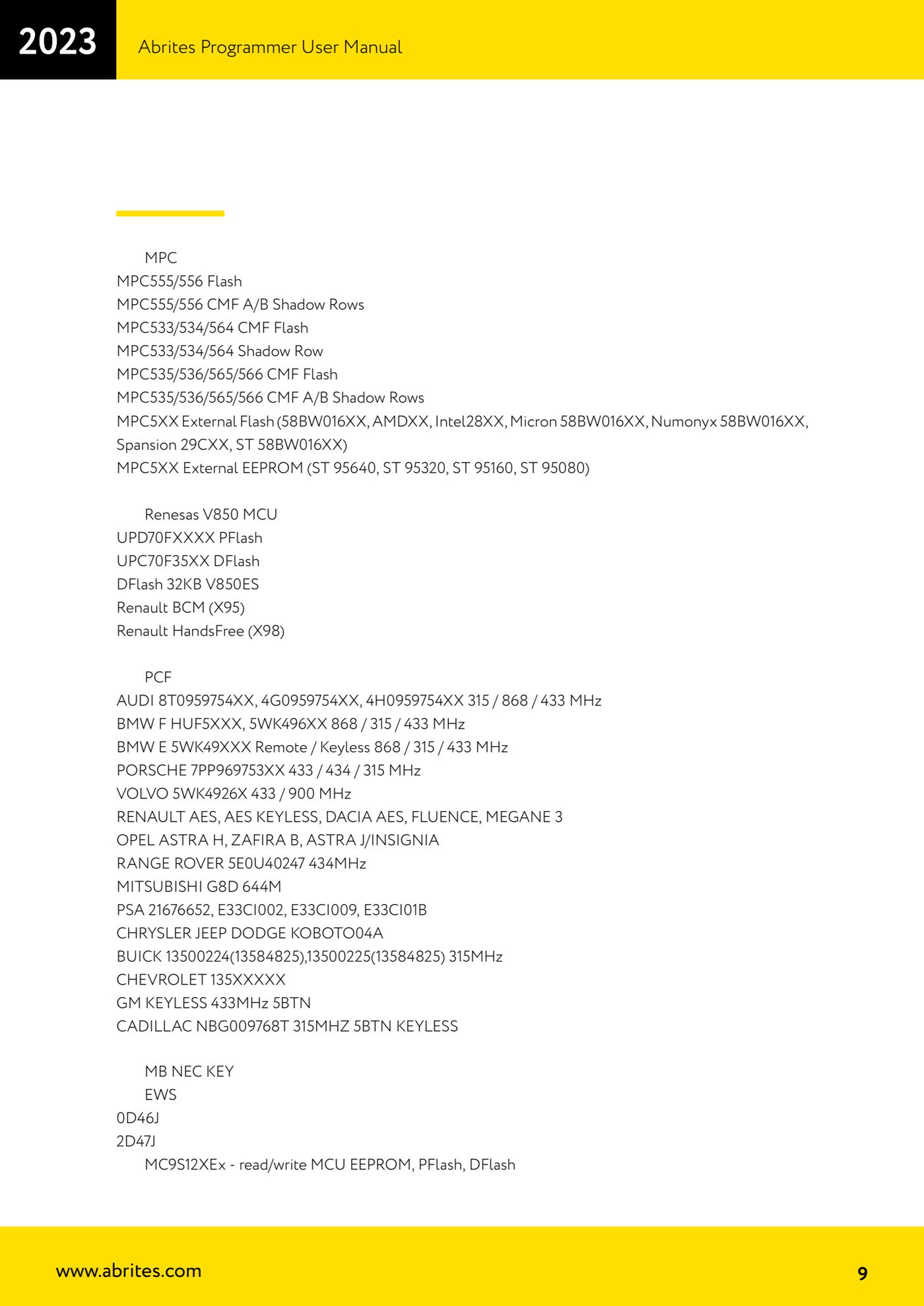
Source: Manuale Abrites Programmer, cap. 9 - ZN073 BDM ECU Programmer (p.37-38) · ⏱ estimated time 60-90 min
← All Abrites guides Hardware catalogue
More guides Strumenti
- ABPROG ZN030: what's in the set, hooking it up to the AVDI and starting the Classic software
- Reading and writing SPI, I2C and Microwire EEPROMs with ABPROG and the ZN031/ZN035 adapter
- Erasing and reprogramming M35080VP / M35080V6 incremental EEPROMs with ABPROG
- Wiring an SPI EEPROM straight to the ABPROG DB25 without the ZN031 adapter
- Mercedes-Benz IR keys: reading the SSID, erasing and programming the NEC with ZN032 / ZN033
- Renewing used keys (HITAG/PCF) with the ZN046 adapter and ABPROG
- Solder points on key PCBs for the ZN046 and list of keys supported for renewal
- Reading the EWS3 dump on BMW E46/E39/E53 and others with the ZN055 adapter
- Reading the EEPROM on BMW F-Series FEM/BDC without desoldering, using the ZN057 extension
- Reading and writing NEC V850ES MCUs with the ZN078 adapter and ABPROG
- ABPROG DB25 pinout: building your own ZN046, ZN058, ZN078 and ZN086 adapters
- Reading the immobiliser from a Renault X95 BCM (and Audi BCM) with ABPROG and direct wiring