
Chip-Tools
PROTAG (ZN002): installing the Tag Key Tool software and USB drivers, and connecting to the AVDI
Strumenti
Interface Classic
Hardware / Connections
Basic
⏱ 15-20 min
10 steps
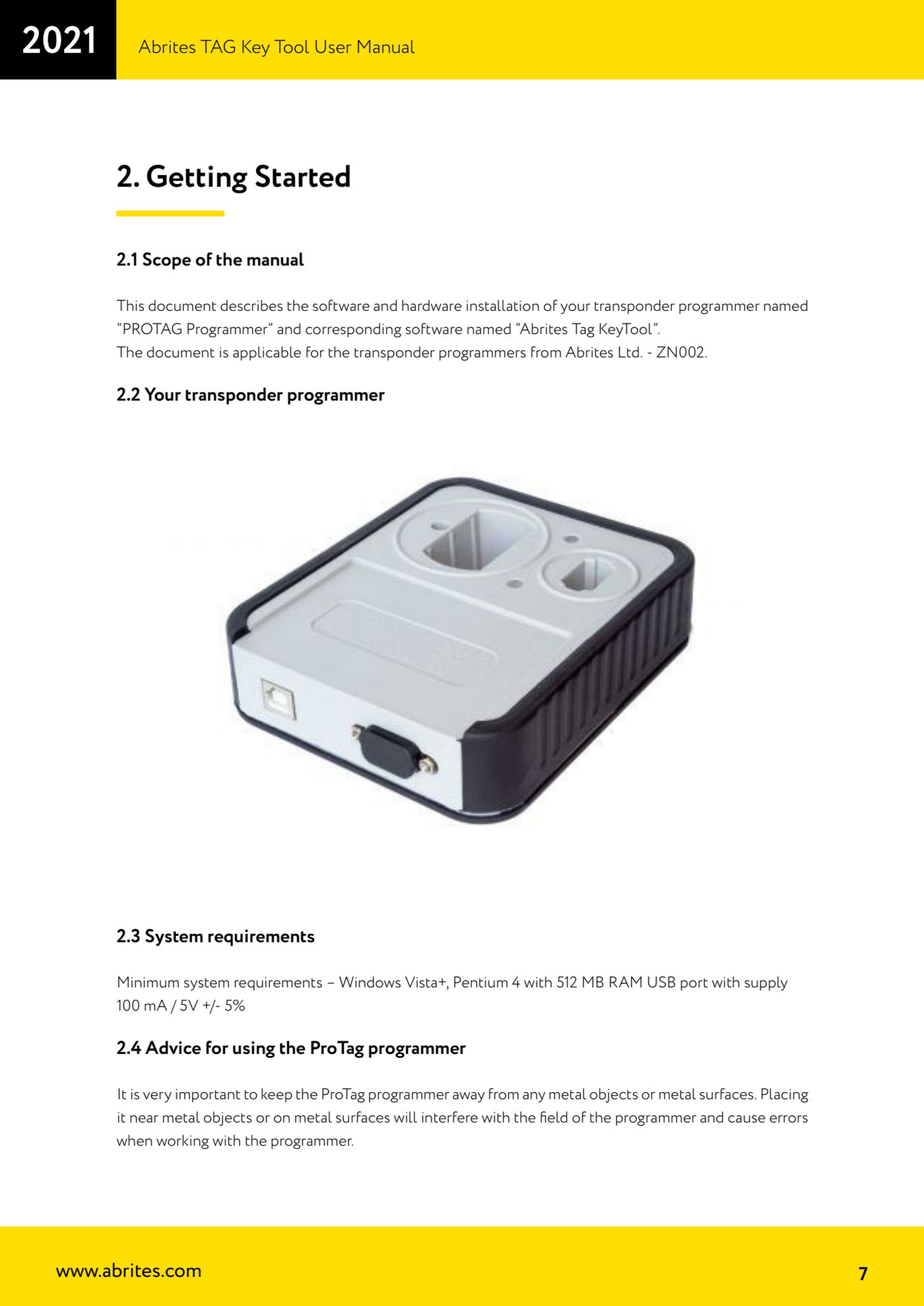
PROTAG is the Abrites transponder programmer that works together with the AVDI interface and the Abrites Tag Key Tool software, turning a Windows PC into a key programming station. This procedure covers software installation, USB drivers, the physical connection and the positioning precautions for the programmer.
Required licences
- —
Hardware / cables
 AVDI
AVDI PROTAG (ZN002)
- cavo USB
- PC Windows
⚠ WarningKeep the PROTAG away from metal objects and surfaces: resting it on metal or near metal disturbs the programmer's field and causes read/write errors. The USB port must supply 100 mA at 5V +/- 5%.
Procedure
- Check that the AVDI interface is already set up and fully working on the PC: the Tag Key Tool works through the AVDI.
- Check the minimum PC requirements: Windows Vista or later, Pentium 4 with 512 MB of RAM and a USB port capable of supplying 100 mA / 5V +/- 5%.
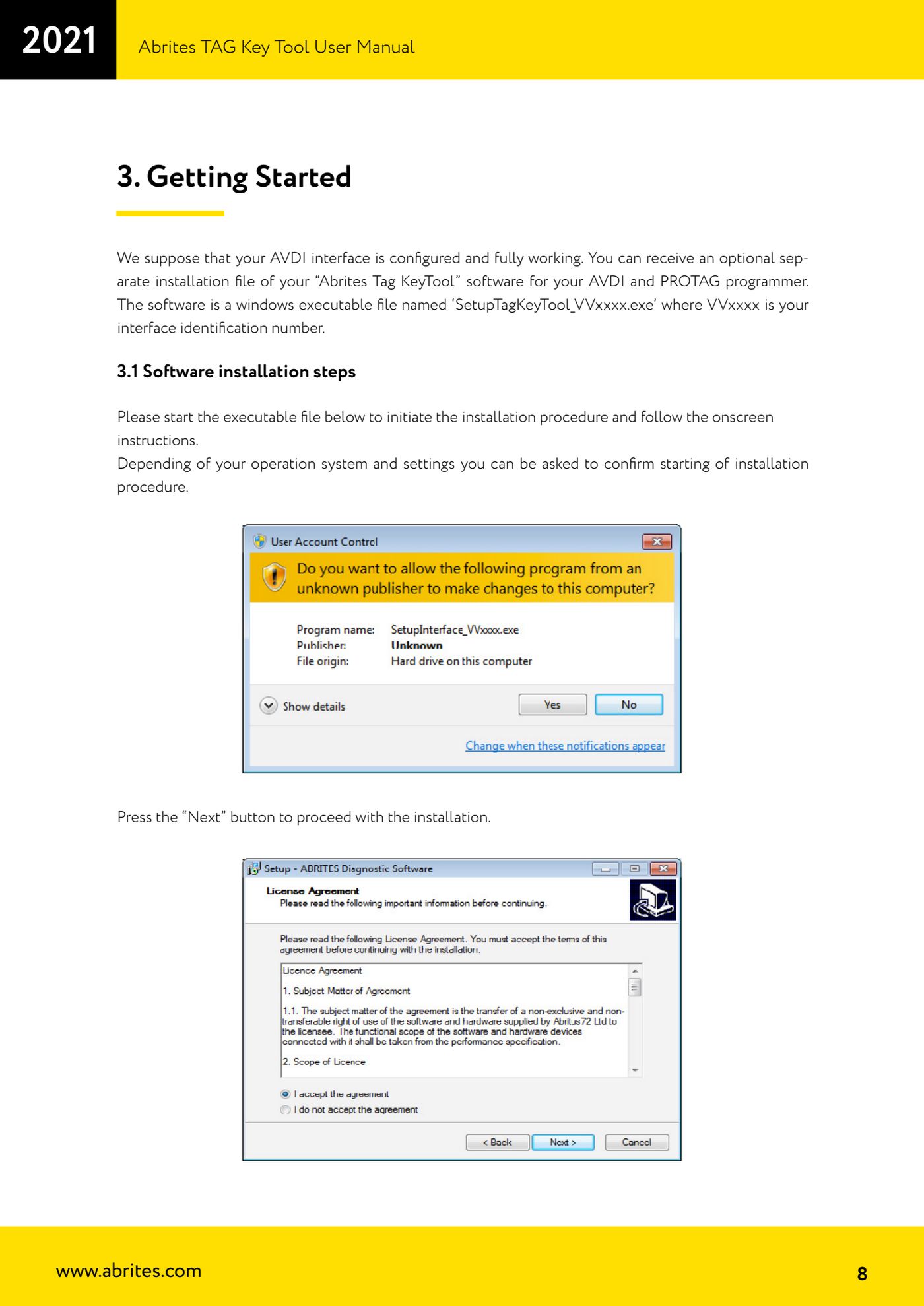
- Run the installation file you received, named "SetupTagKeyTool_VVxxxx.exe", where VVxxxx is your interface's identification number. Depending on the operating system you may be asked to confirm before the installation starts.
- Press "Next" to continue, read the licence agreement and select "I accept the agreement" if you accept it; then press "Next" again. If you do not accept, press "Cancel" and the installation stops.
- Carry on with "Next" through the following screens. If you do not want desktop icons, untick the icon creation box, then press "Next".
- Press "Install" and wait for the installation to complete.
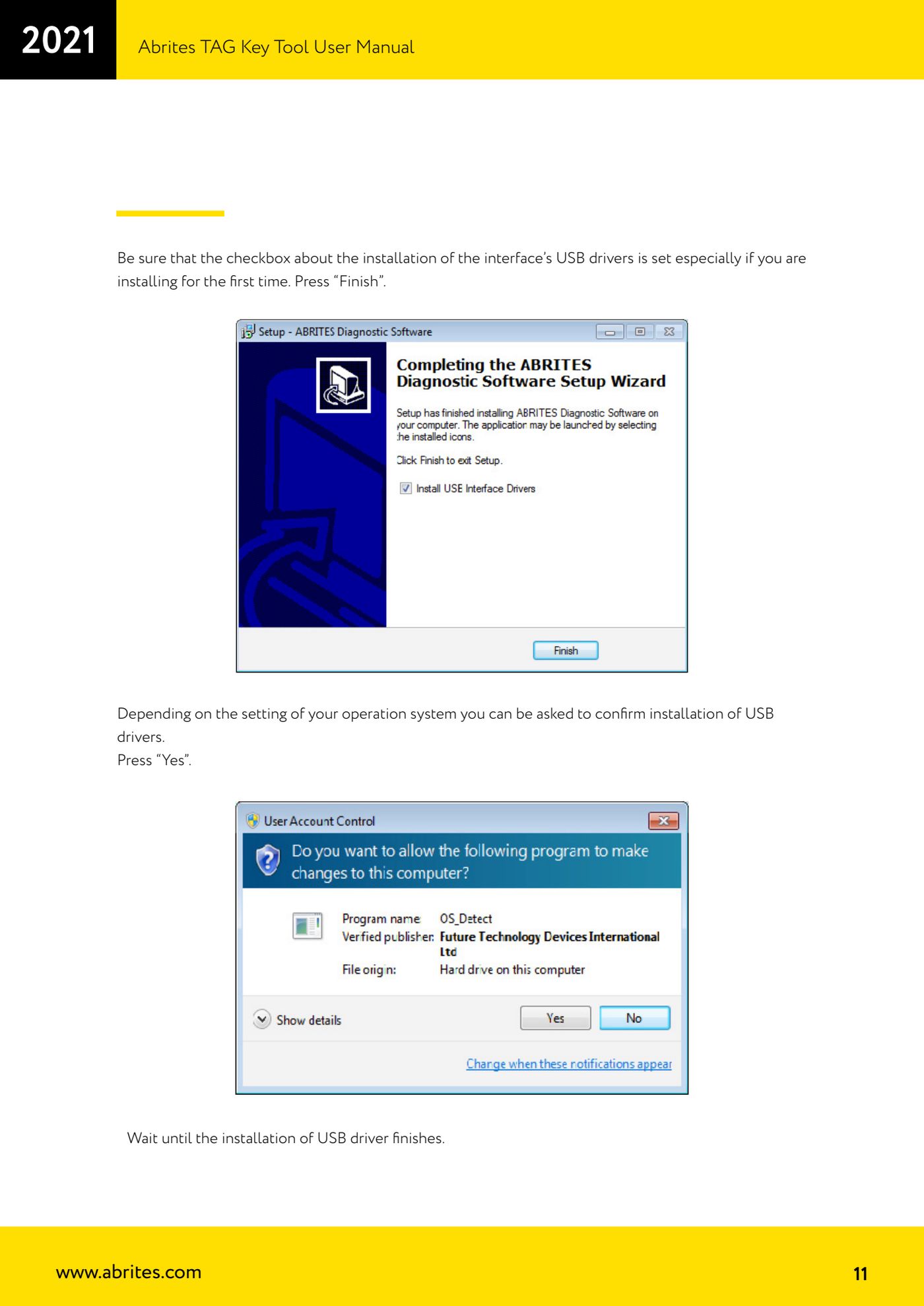
- Before closing, make sure the box for installing the interface's USB drivers is ticked (essential if this is a first installation), then press "Finish".
- If the operating system asks for confirmation to install the USB drivers, press "Yes" and wait for the driver installation to finish.
- With the AVDI ready to work, connect the PROTAG programmer to the PC through one of the available USB ports.
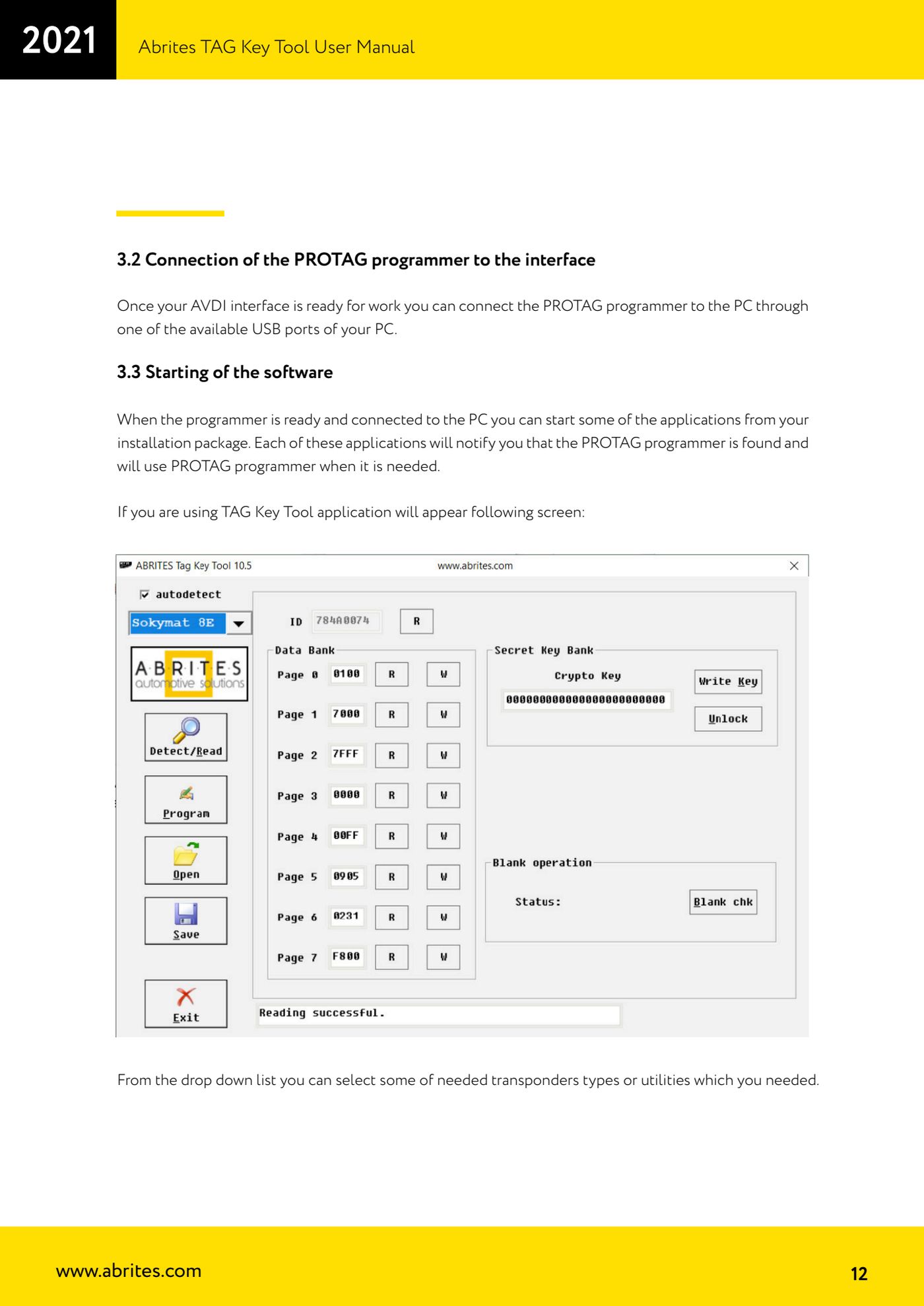
- Place the PROTAG on a non-metallic surface, away from metal objects, then start one of the applications in the package: the software will report that the PROTAG has been detected and will use it when needed.
Reference screenshots
Source: Manuale Tag Key Tool, cap. 2 e 3 (p.7-12) · ⏱ estimated time 15-20 min
← All Abrites guides Hardware catalogue
More guides Strumenti
- ABPROG ZN030: what's in the set, hooking it up to the AVDI and starting the Classic software
- Reading and writing SPI, I2C and Microwire EEPROMs with ABPROG and the ZN031/ZN035 adapter
- Erasing and reprogramming M35080VP / M35080V6 incremental EEPROMs with ABPROG
- Wiring an SPI EEPROM straight to the ABPROG DB25 without the ZN031 adapter
- Mercedes-Benz IR keys: reading the SSID, erasing and programming the NEC with ZN032 / ZN033
- Renewing used keys (HITAG/PCF) with the ZN046 adapter and ABPROG
- Solder points on key PCBs for the ZN046 and list of keys supported for renewal
- Reading the EWS3 dump on BMW E46/E39/E53 and others with the ZN055 adapter
- Reading the EEPROM on BMW F-Series FEM/BDC without desoldering, using the ZN057 extension
- Reading and writing NEC V850ES MCUs with the ZN078 adapter and ABPROG
- ABPROG DB25 pinout: building your own ZN046, ZN058, ZN078 and ZN086 adapters
- Reading the immobiliser from a Renault X95 BCM (and Audi BCM) with ABPROG and direct wiring