
Chip-Tools
Connecting the ABPROG ZN045 to the AVDI and starting the "ABProg Upgraded" software
Strumenti
Interface Classic
Hardware / Connections
Basic
⏱ 10 min
8 steps
Before any memory read or write you have to get the PC - AVDI - ZN045 - adapter chain in line. This guide covers what's in the ZN030 set, how the programmer connects to the interface and how to open the "ABProg > Upgraded" section of the Abrites software.
Required licences
- —
Hardware / cables


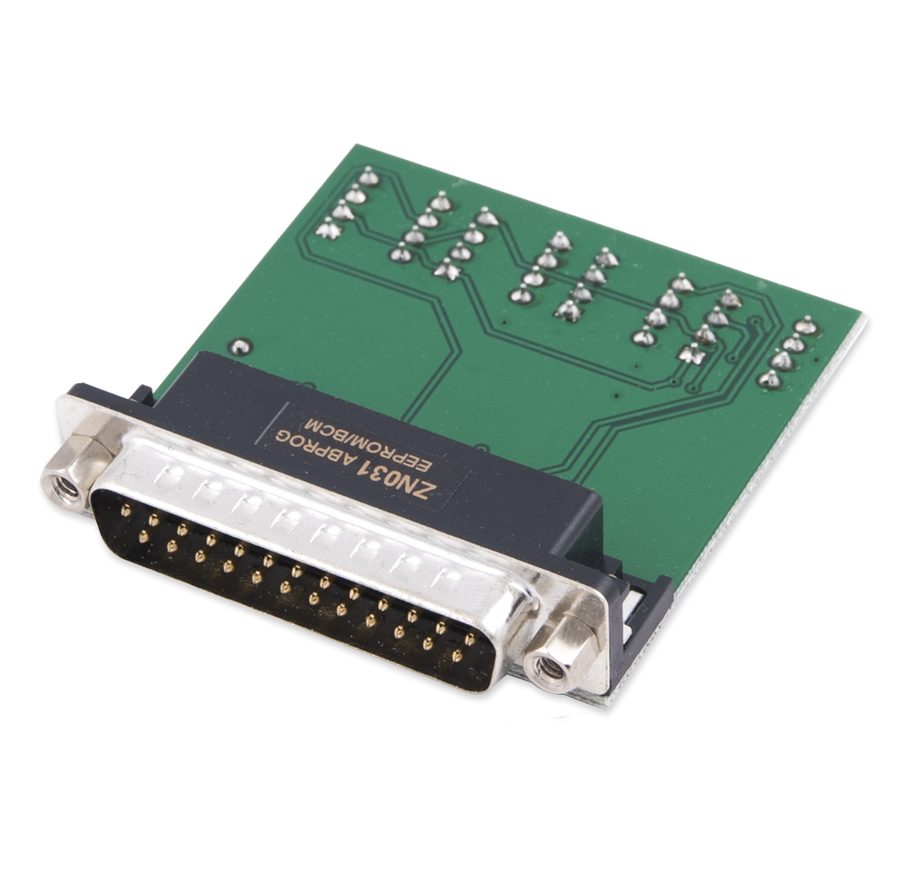
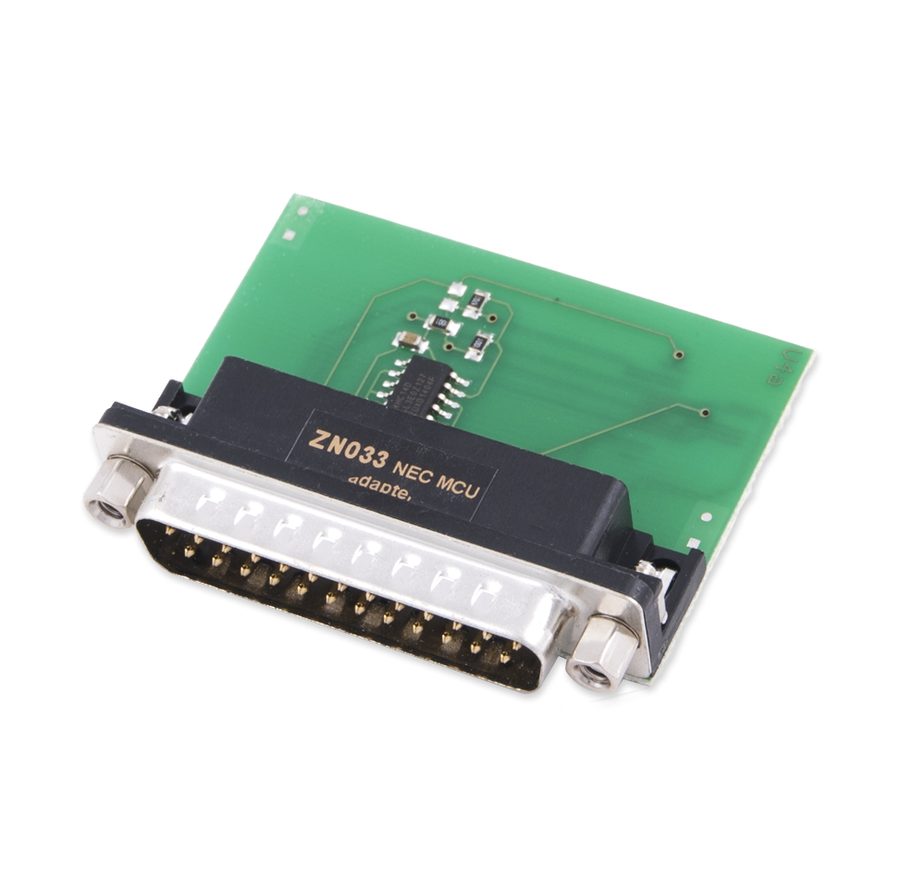
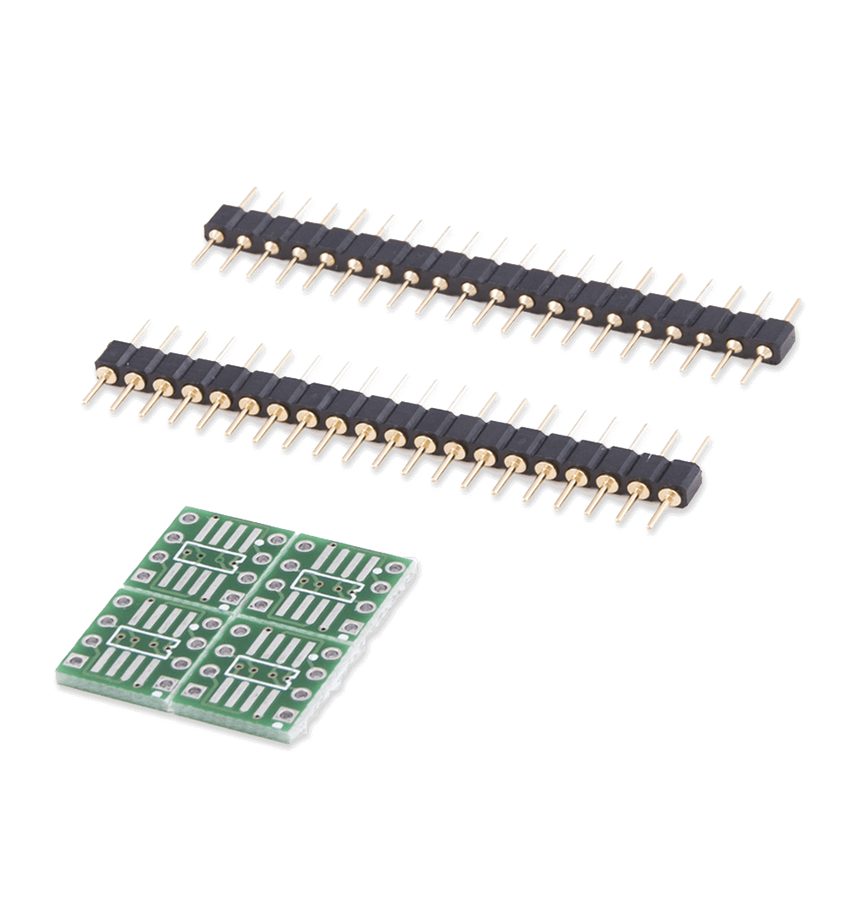
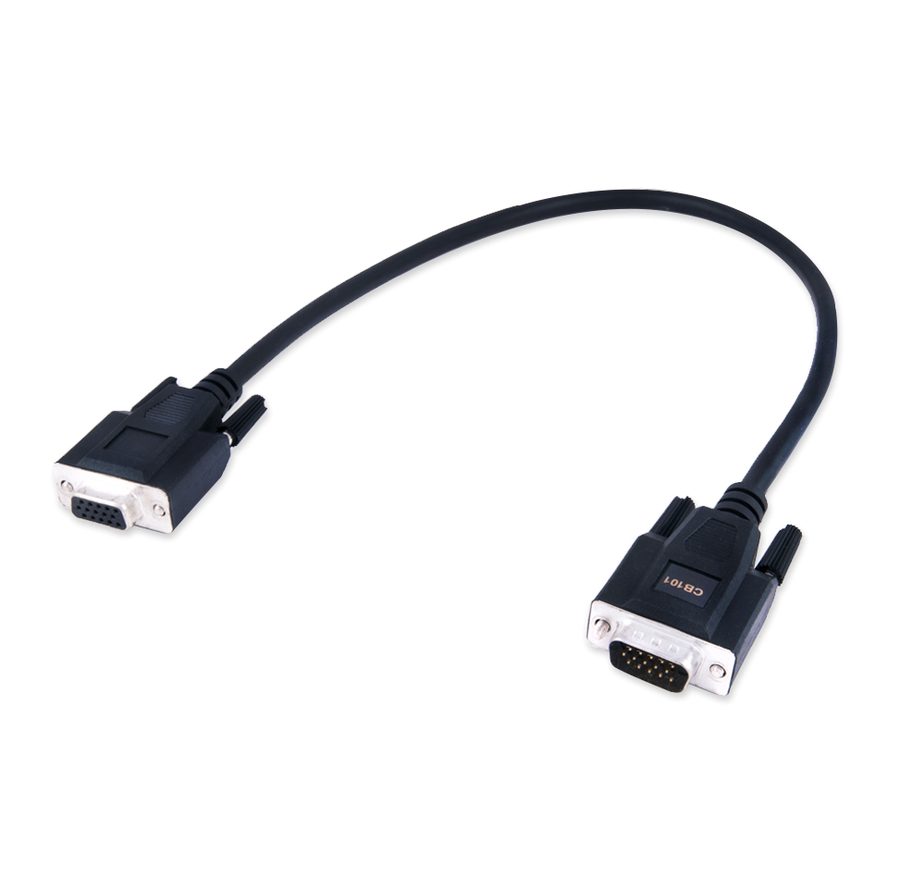
⚠ WarningThe PC's USB port must supply 100 mA at 5V +/- 5%: with unpowered USB hubs or weak ports the programmer may not be recognised. On first installation leave the interface USB driver installation box ticked, otherwise the software won't see the AVDI.
Procedure
- Check the minimum PC requirements: Windows 7 SP1 with at least 512 MB of RAM and a USB port able to supply 100 mA / 5V +/- 5%.
- Install the Abrites software by running the executable and following the screens: "Next", accept the licence with "I accept the agreement", "Next", choose the folder and desktop icons, then "Install".
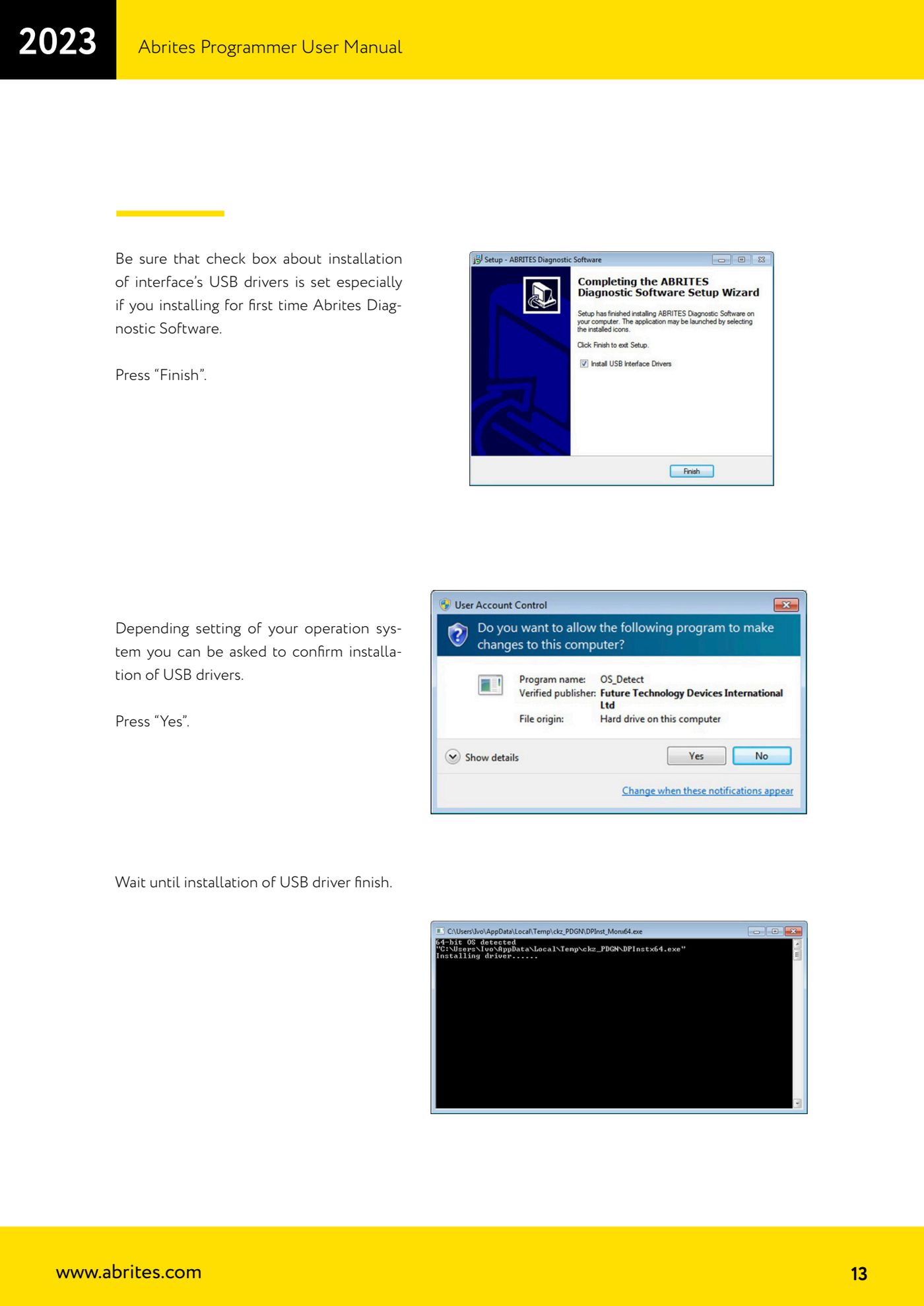
- Before pressing "Finish" make sure the interface USB driver installation box is ticked (mandatory the first time you install the Abrites Diagnostic Software). If the system asks for confirmation, answer "Yes" and wait for the driver installation to finish.
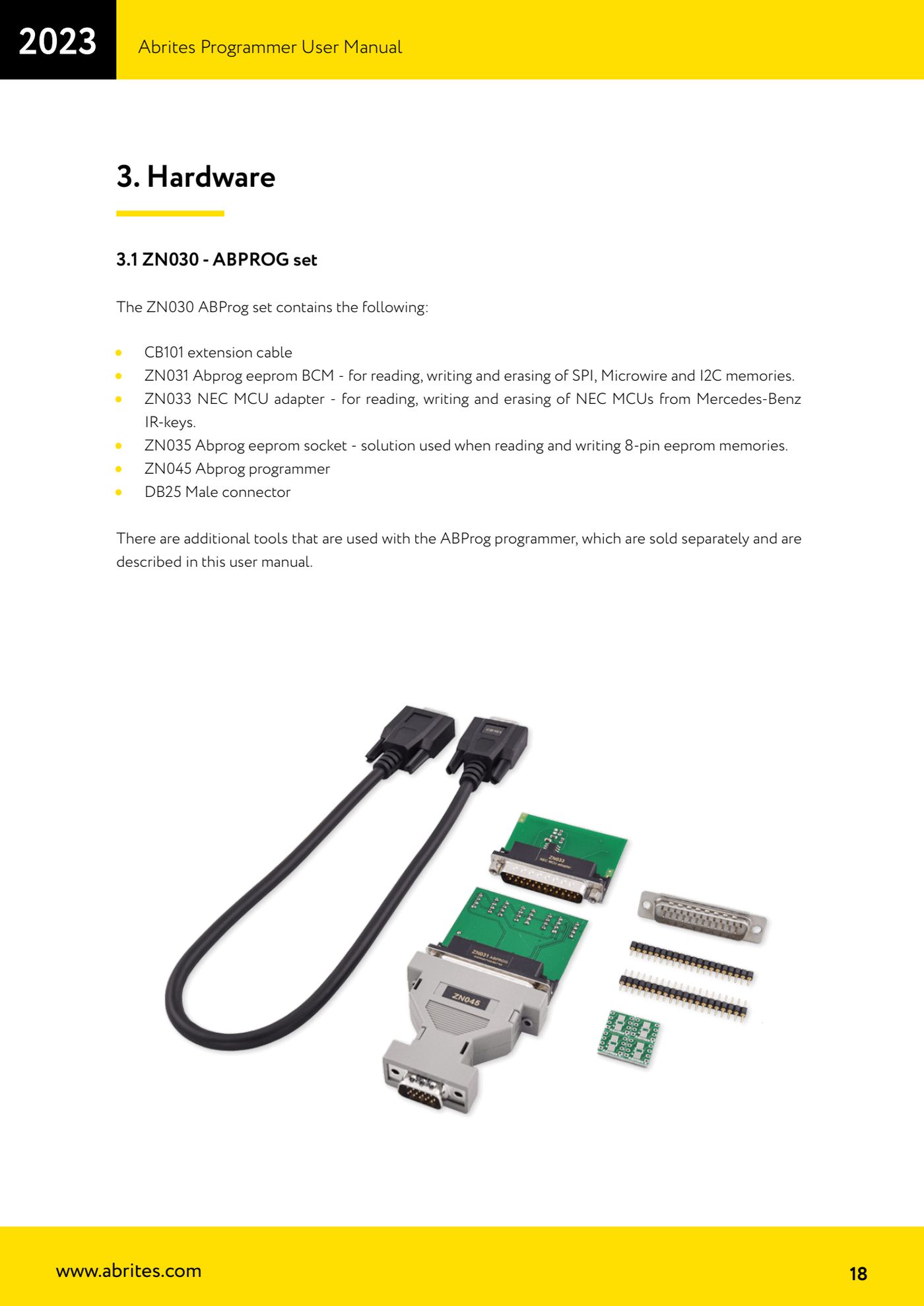
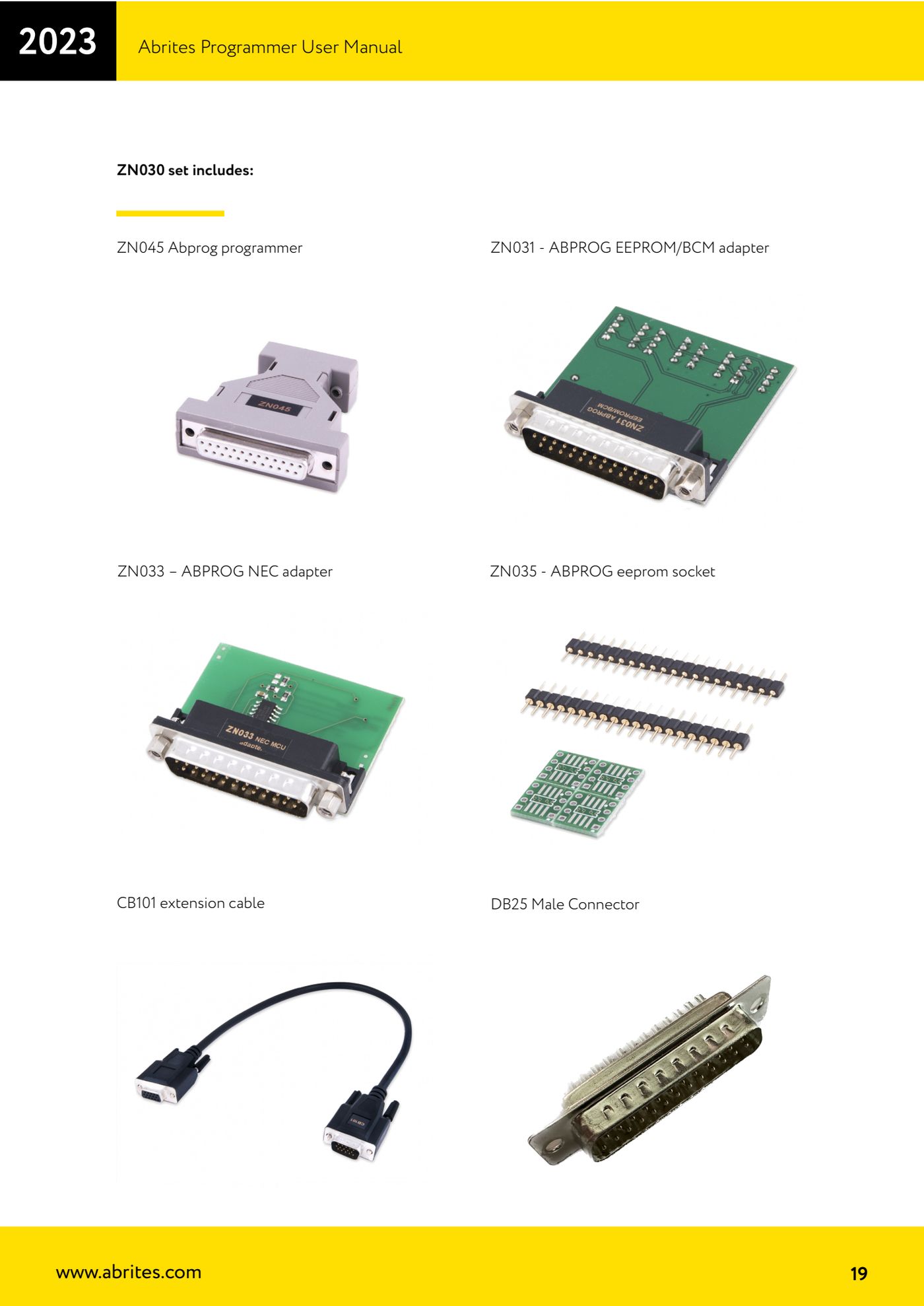
- Take the ZN030 set and identify the parts: ZN045 (ABPROG programmer), ZN031 (EEPROM/BCM adapter for SPI, Microwire and I2C), ZN033 (NEC MCU adapter for Mercedes-Benz IR keys), ZN035 (socket for 8-pin EEPROMs), CB101 (extension cable) and the male DB25 connector.
- Plug the adapter you need into the female DB25 connector on the ZN045 programmer (ZN031, ZN033, ZN035, or one of the optional adapters ZN046, ZN055, ZN057, ZN058, ZN073, ZN078, ZN086).
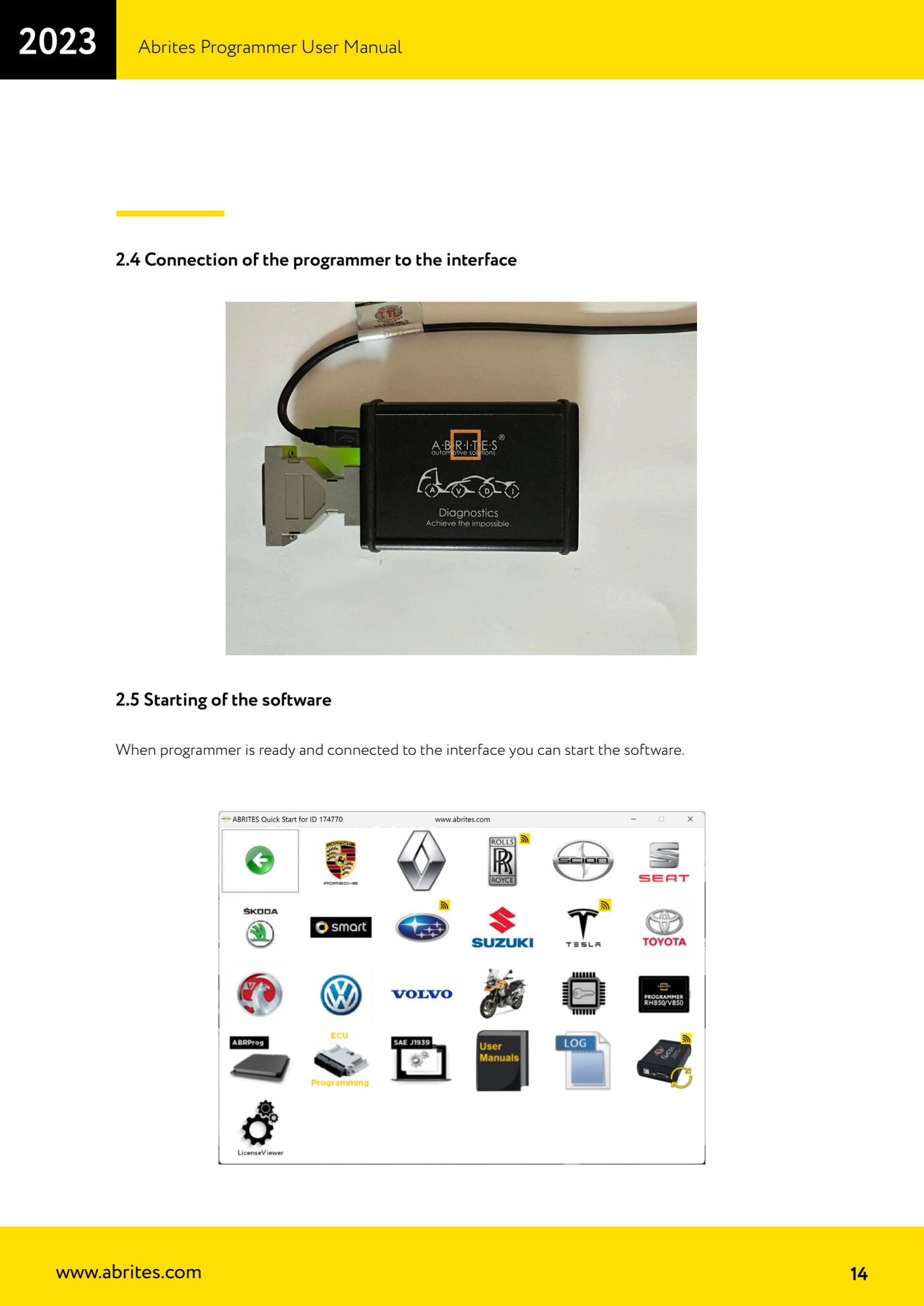
- Connect the male DB15 end of the ZN045 to the female DB15 connector on the AVDI, then connect the AVDI to the PC with the USB cable.
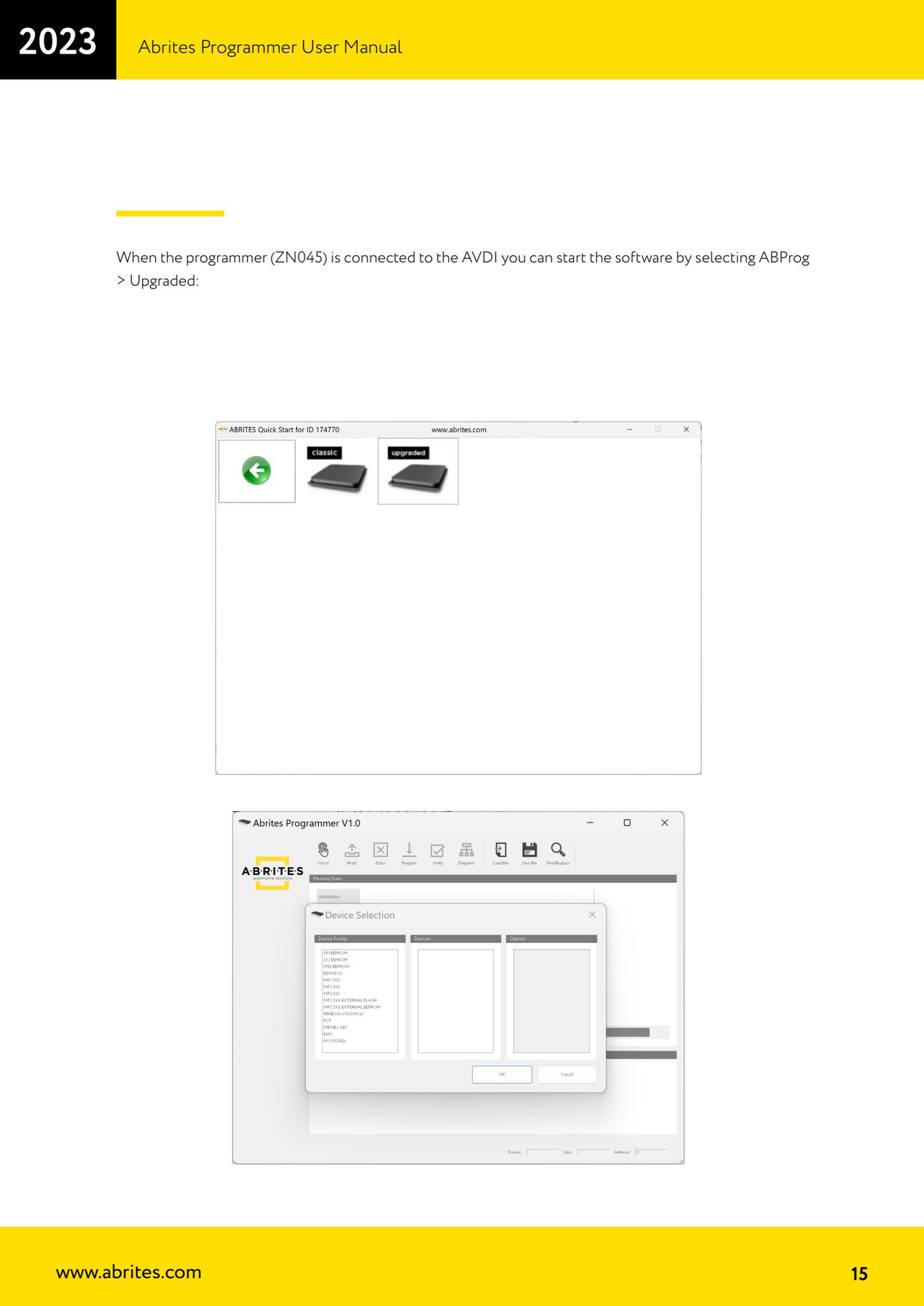
- Start the Abrites software and open the menu entry "ABProg" > "Upgraded": the programmer's main screen opens. If the ZN045 isn't connected to the AVDI the software won't start properly, so always connect the hardware first.
- Use the CB101 extension when you're working on the bench and the distance between AVDI and module won't let you plug the adapter in directly.
Reference screenshots
Source: Manuale Abrites Programmer, cap. 2.3-2.5 e 3.1 (p.10-19) · ⏱ estimated time 10 min
← All Abrites guides Hardware catalogue
More guides Strumenti
- ABPROG ZN030: what's in the set, hooking it up to the AVDI and starting the Classic software
- Reading and writing SPI, I2C and Microwire EEPROMs with ABPROG and the ZN031/ZN035 adapter
- Erasing and reprogramming M35080VP / M35080V6 incremental EEPROMs with ABPROG
- Wiring an SPI EEPROM straight to the ABPROG DB25 without the ZN031 adapter
- Mercedes-Benz IR keys: reading the SSID, erasing and programming the NEC with ZN032 / ZN033
- Renewing used keys (HITAG/PCF) with the ZN046 adapter and ABPROG
- Solder points on key PCBs for the ZN046 and list of keys supported for renewal
- Reading the EWS3 dump on BMW E46/E39/E53 and others with the ZN055 adapter
- Reading the EEPROM on BMW F-Series FEM/BDC without desoldering, using the ZN057 extension
- Reading and writing NEC V850ES MCUs with the ZN078 adapter and ABPROG
- ABPROG DB25 pinout: building your own ZN046, ZN058, ZN078 and ZN086 adapters
- Reading the immobiliser from a Renault X95 BCM (and Audi BCM) with ABPROG and direct wiring