
Chip-Tools
Cloning modules with MC9S12 xExxx (Mercedes FBS4 DSM and ISM) with the ZN086 adapter
Strumenti
Interface Classic
Flashing / Programming
Advanced
⏱ 30-60 min
10 steps
With the ZN086 you read PFlash, DFlash and EEPROM from MC9S12 xExxx-series processors (if unlocked), save them and write them into another module: that's the route to cloning a donor module onto a new or used one and adapting it to the car. The MC9S12 is found on many modules, for example the DSM and ISM in Mercedes-Benz FBS4 vehicles.
Required licences
- —
Hardware / cables
 AVDI
AVDI ZN045 programmatore ABPROG
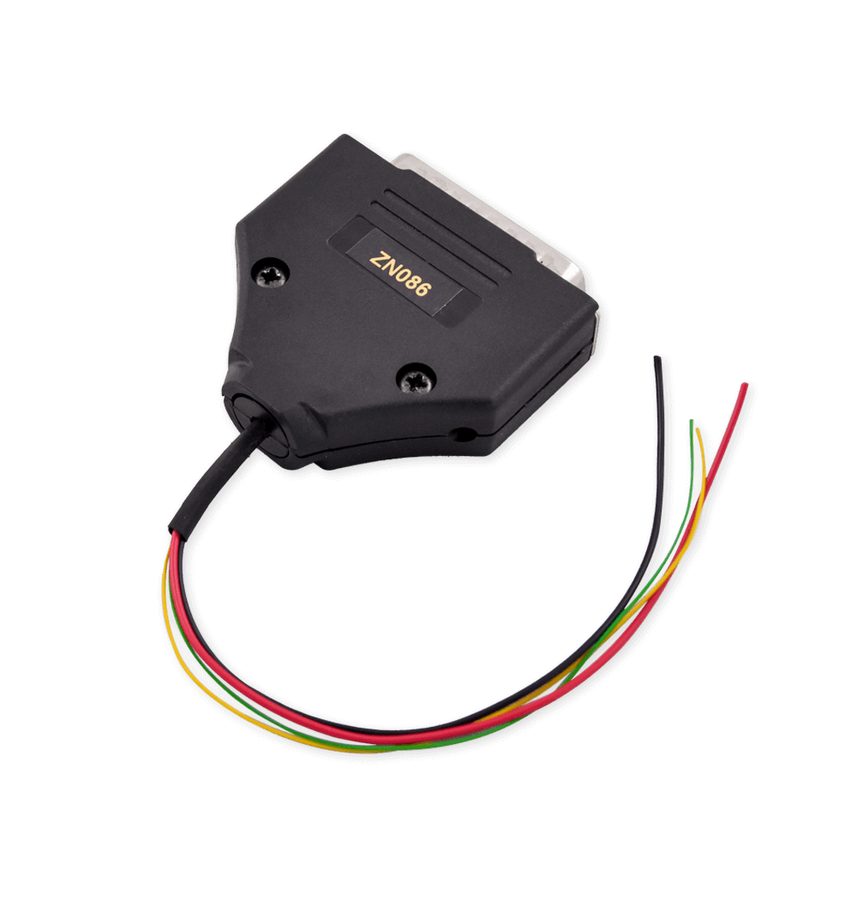 ZN086 MC9S12 adapter
- stazione saldante
- DB25 Male connector
⚠ WarningThe pin to lift is the RST (reset) pin and it changes from processor to processor: you have to find the datasheet for that specific processor and confirm which one it is, because there are many variants. Lifting the wrong pin will damage the board.
Procedure
- Open the module and identify the MC9S12 xExxx-series processor on the board.
- Find the datasheet for that exact processor and locate the RST (reset) pin: that's the leg that has to be lifted off the pad.
- Lift the RST pin and solder the ZN086 to four points on the board, one of which is the lifted pin itself. Adapter colour reference: GND black wire (PIN 14 of the DB25), +5V red wire (PIN 21), RST yellow wire (PIN 11), BKGD green wire (PIN 19).
- Connect the ZN086 to the ABPROG ZN045, the ZN045 to the AVDI and the AVDI to the laptop.
- Start the software: you can use either the "Upgraded" or the "Classic" version.
- From the main screen press "Select" and look for the MC9S12XEx entries for reading and writing the MCU's EEPROM, PFlash and DFlash.
- Read the donor module's PFlash and EEPROM first and save them to the PC with "Save".
- Prepare the replacement module's board the same way (RST pin lifted and ZN086 soldered to the four points).
- Load the saved files with "Load" and program them into the replacement module's board.
- Refit the cloned module to the car: the job takes only a few minutes and lets you adapt the replacement module to the vehicle.
Reference screenshots
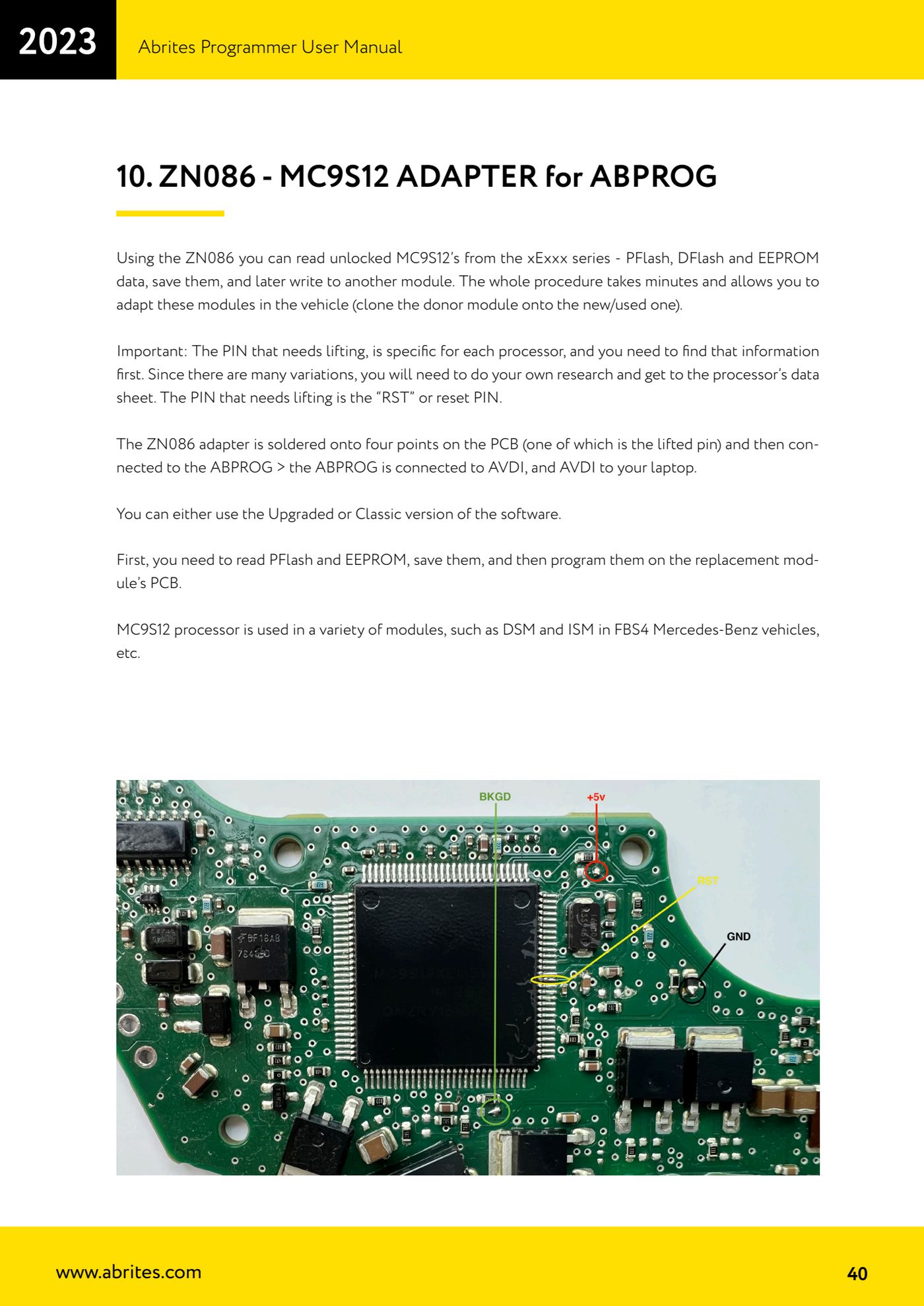
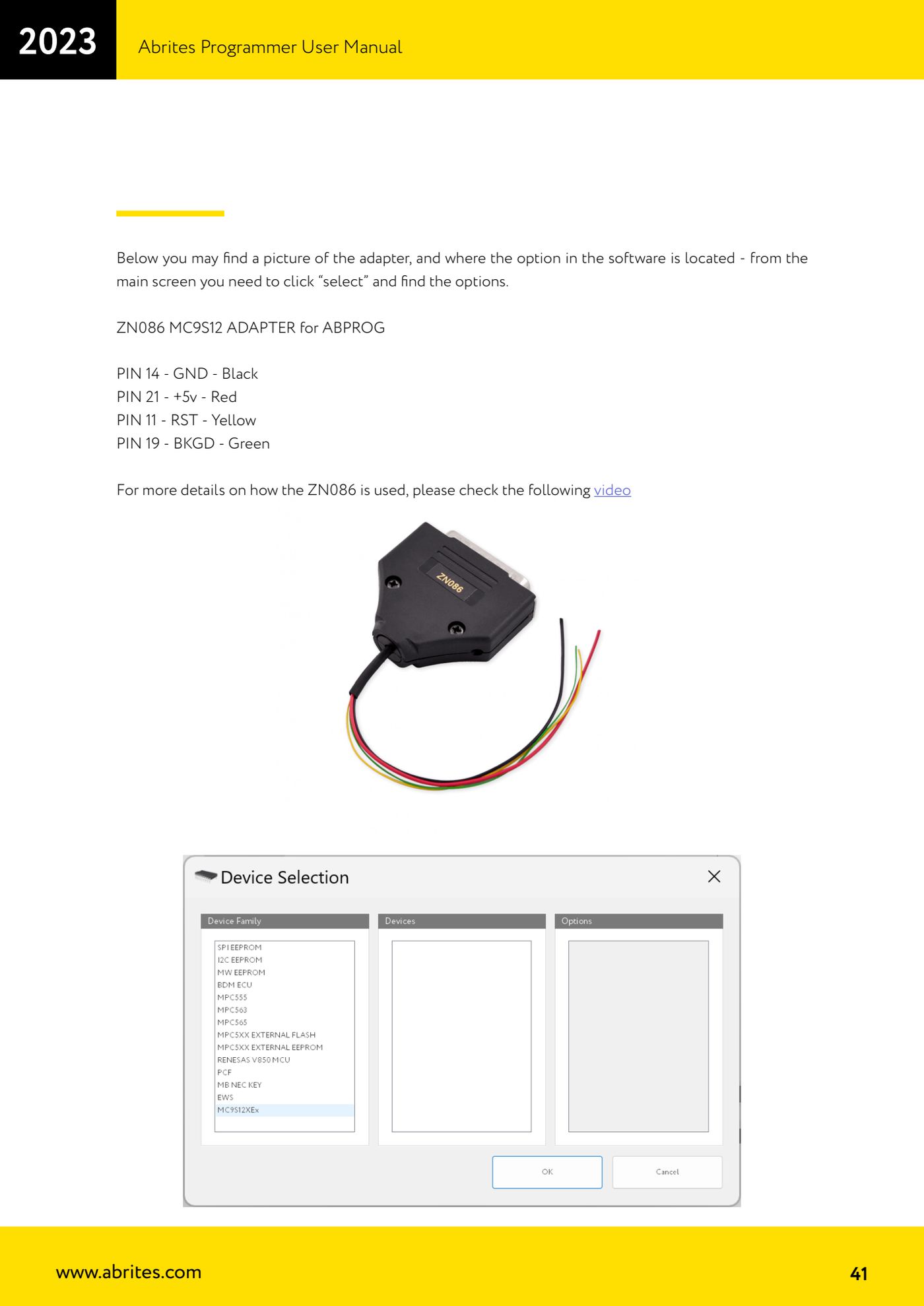
Source: Manuale Abrites Programmer, cap. 10 - ZN086 MC9S12 adapter (p.40-41) · ⏱ estimated time 30-60 min
← All Abrites guides Hardware catalogue
More guides Strumenti
- ABPROG ZN030: what's in the set, hooking it up to the AVDI and starting the Classic software
- Reading and writing SPI, I2C and Microwire EEPROMs with ABPROG and the ZN031/ZN035 adapter
- Erasing and reprogramming M35080VP / M35080V6 incremental EEPROMs with ABPROG
- Wiring an SPI EEPROM straight to the ABPROG DB25 without the ZN031 adapter
- Mercedes-Benz IR keys: reading the SSID, erasing and programming the NEC with ZN032 / ZN033
- Renewing used keys (HITAG/PCF) with the ZN046 adapter and ABPROG
- Solder points on key PCBs for the ZN046 and list of keys supported for renewal
- Reading the EWS3 dump on BMW E46/E39/E53 and others with the ZN055 adapter
- Reading the EEPROM on BMW F-Series FEM/BDC without desoldering, using the ZN057 extension
- Reading and writing NEC V850ES MCUs with the ZN078 adapter and ABPROG
- ABPROG DB25 pinout: building your own ZN046, ZN058, ZN078 and ZN086 adapters
- Reading the immobiliser from a Renault X95 BCM (and Audi BCM) with ABPROG and direct wiring