
Chip-Tools
BMW ZF 8HP: reading, copying and writing the ISN on the TCU with the Dump Tool
Strumenti
Interface Classic
Keys / Immo
Advanced
⏱ 30-60 min
7 steps
If you have the ISN from the original TCU you can write it into the donor unit: that way the ZF 8HP comes up already matched and you save yourself the ignition-cycle adaptation procedure.

⚠ WarningIf you write the correct ISN into the donor unit you do not need to run the IGN ON / IGN OFF adaptation procedure. A wrong ISN, on the other hand, leaves the gearbox unmatched: note down the ISN read from the original before you touch anything.
Procedure
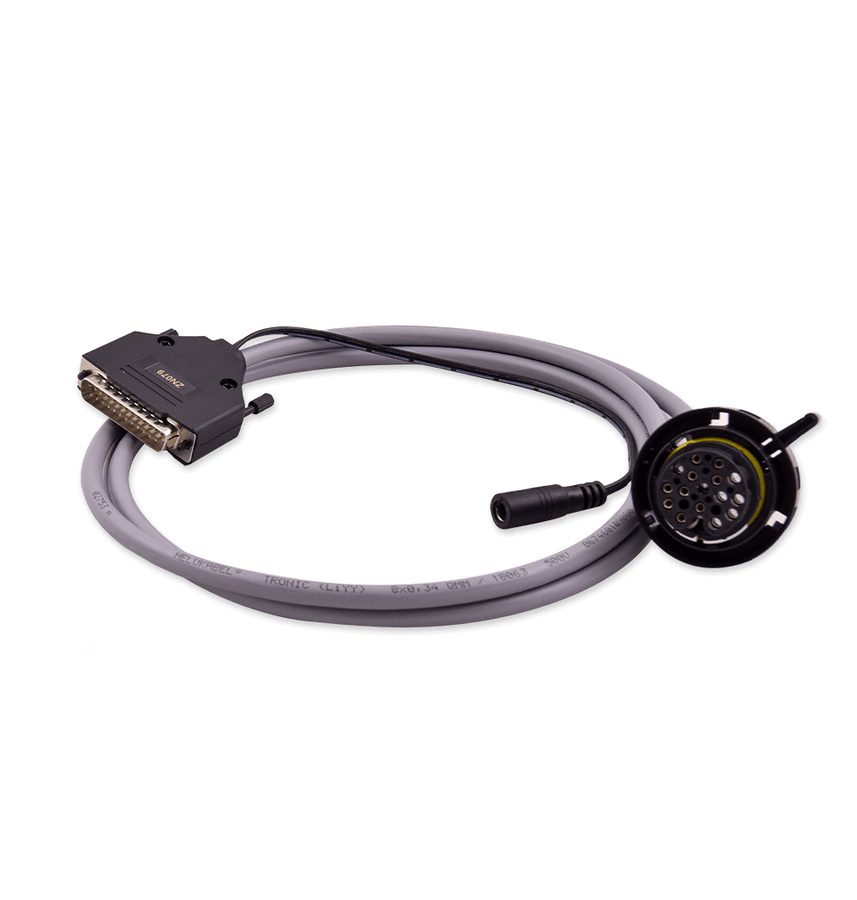
- With the EP003 licence active, connect the TCU on the bench using the ZN079 set and the AVDI and read the unit's Data Flash, saving the file.
- Open the file in the ECU Programming Tool's "Dump Tool".
- Press the dedicated "ISN" button: from here you can read, copy and update the TCU's ISN.
- If you are recovering the ISN from the original unit, read it and note it down before moving to the donor unit.
- On the donor unit, enter the ISN you need manually and press save: the software will ask you to save the newly generated dump file.
- Write the file you have just generated into the TCU.
- With the correct ISN written, the gearbox does not need the ignition-cycle adaptation procedure described for virgin units.
Reference screenshots
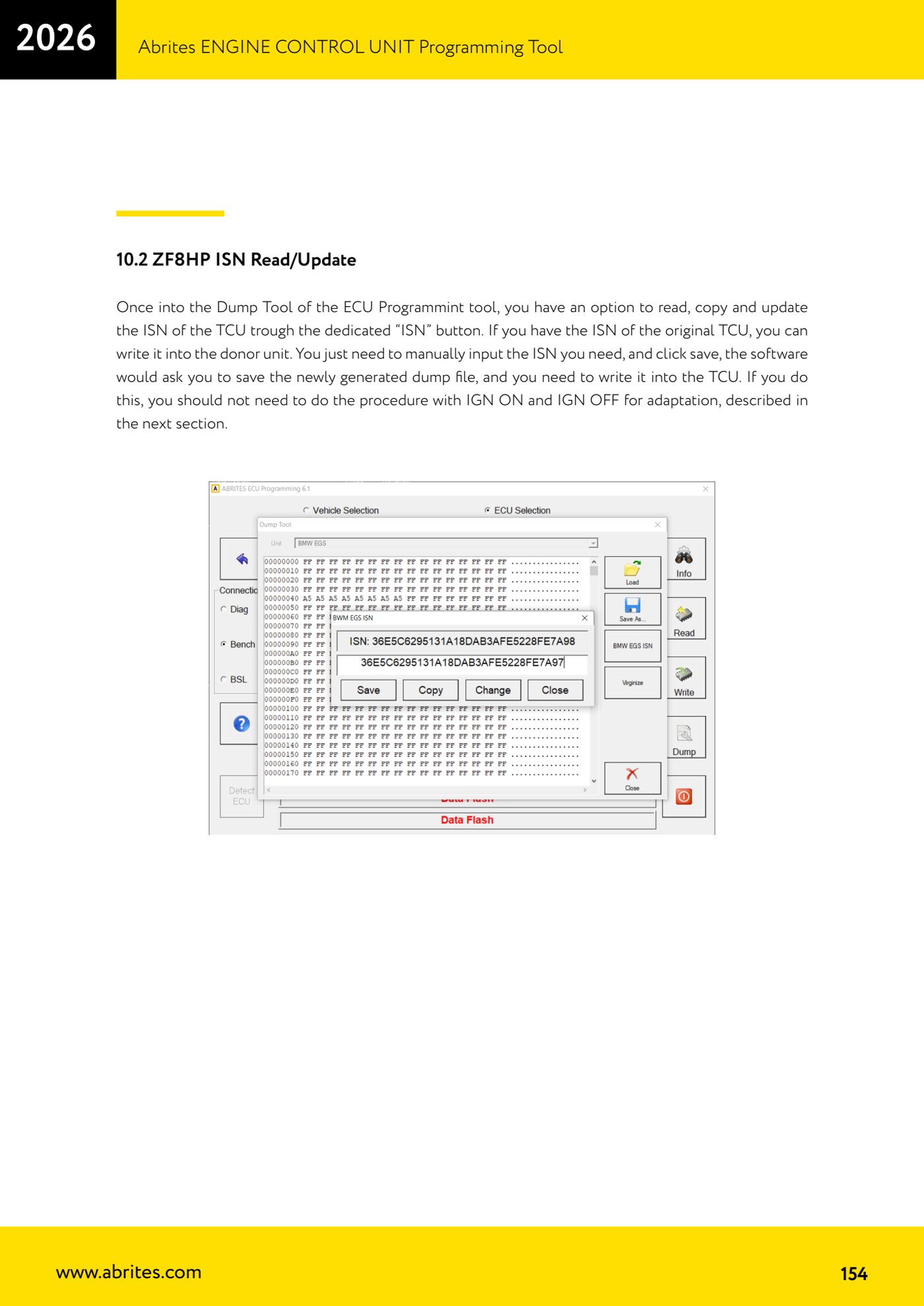
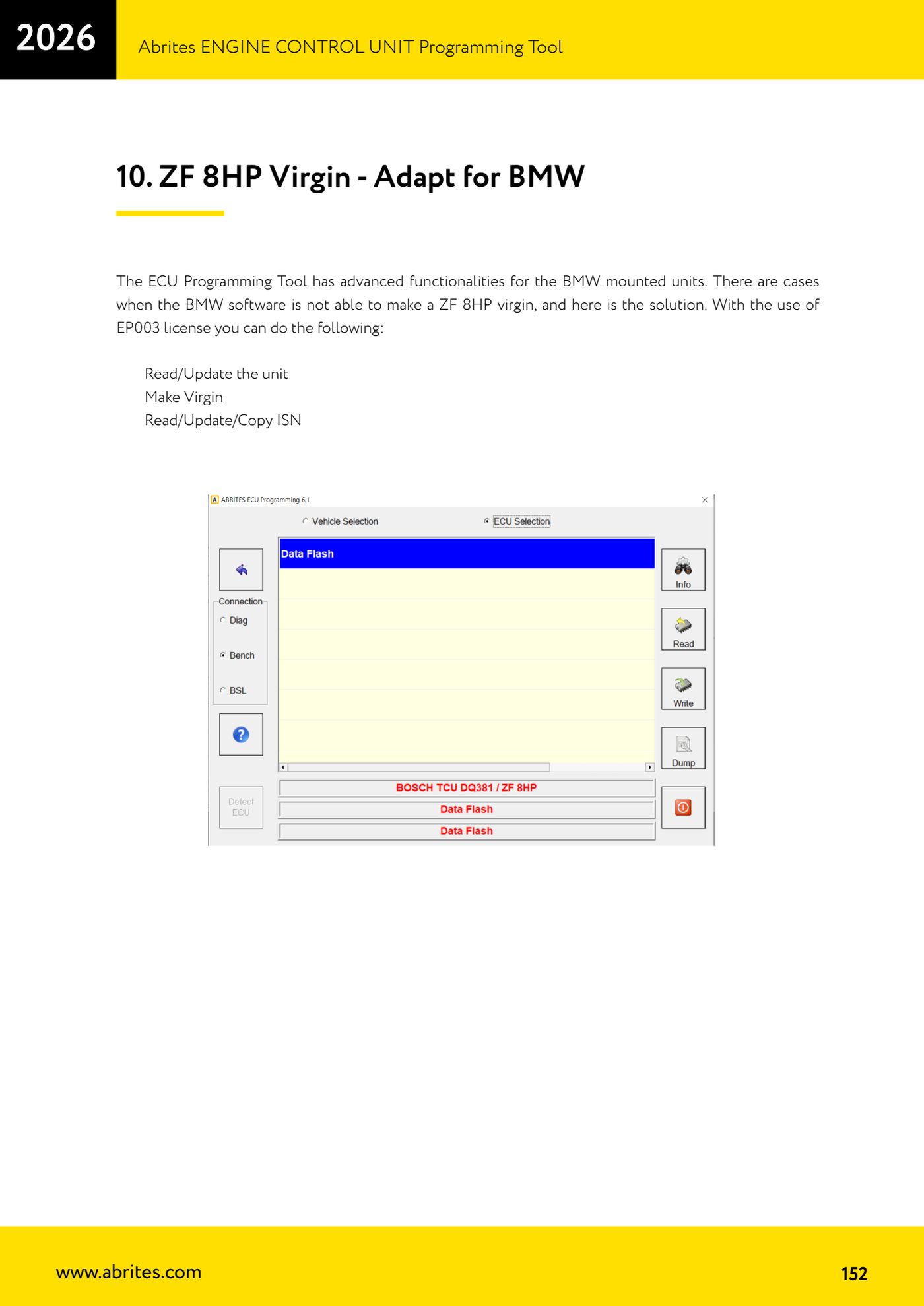
Source: Manuale ECU Programming Tool, parte 3 di 3, cap. 10.2 - ZF8HP ISN Read/Update (p.154) · ⏱ estimated time 30-60 min
← All Abrites guides Hardware catalogue
More guides Strumenti
- ABPROG ZN030: what's in the set, hooking it up to the AVDI and starting the Classic software
- Reading and writing SPI, I2C and Microwire EEPROMs with ABPROG and the ZN031/ZN035 adapter
- Erasing and reprogramming M35080VP / M35080V6 incremental EEPROMs with ABPROG
- Wiring an SPI EEPROM straight to the ABPROG DB25 without the ZN031 adapter
- Mercedes-Benz IR keys: reading the SSID, erasing and programming the NEC with ZN032 / ZN033
- Renewing used keys (HITAG/PCF) with the ZN046 adapter and ABPROG
- Solder points on key PCBs for the ZN046 and list of keys supported for renewal
- Reading the EWS3 dump on BMW E46/E39/E53 and others with the ZN055 adapter
- Reading the EEPROM on BMW F-Series FEM/BDC without desoldering, using the ZN057 extension
- Reading and writing NEC V850ES MCUs with the ZN078 adapter and ABPROG
- ABPROG DB25 pinout: building your own ZN046, ZN058, ZN078 and ZN086 adapters
- Reading the immobiliser from a Renault X95 BCM (and Audi BCM) with ABPROG and direct wiring