
Chip-Tools
Master 3 Ph2 (2019+) mileage: DAB module (Cluster Gateway) with ZN078, ABPROG and "Mileage by Dump"
Renault/Dacia
Interface New
Odometer
Advanced
⏱ 60-90 min
10 steps
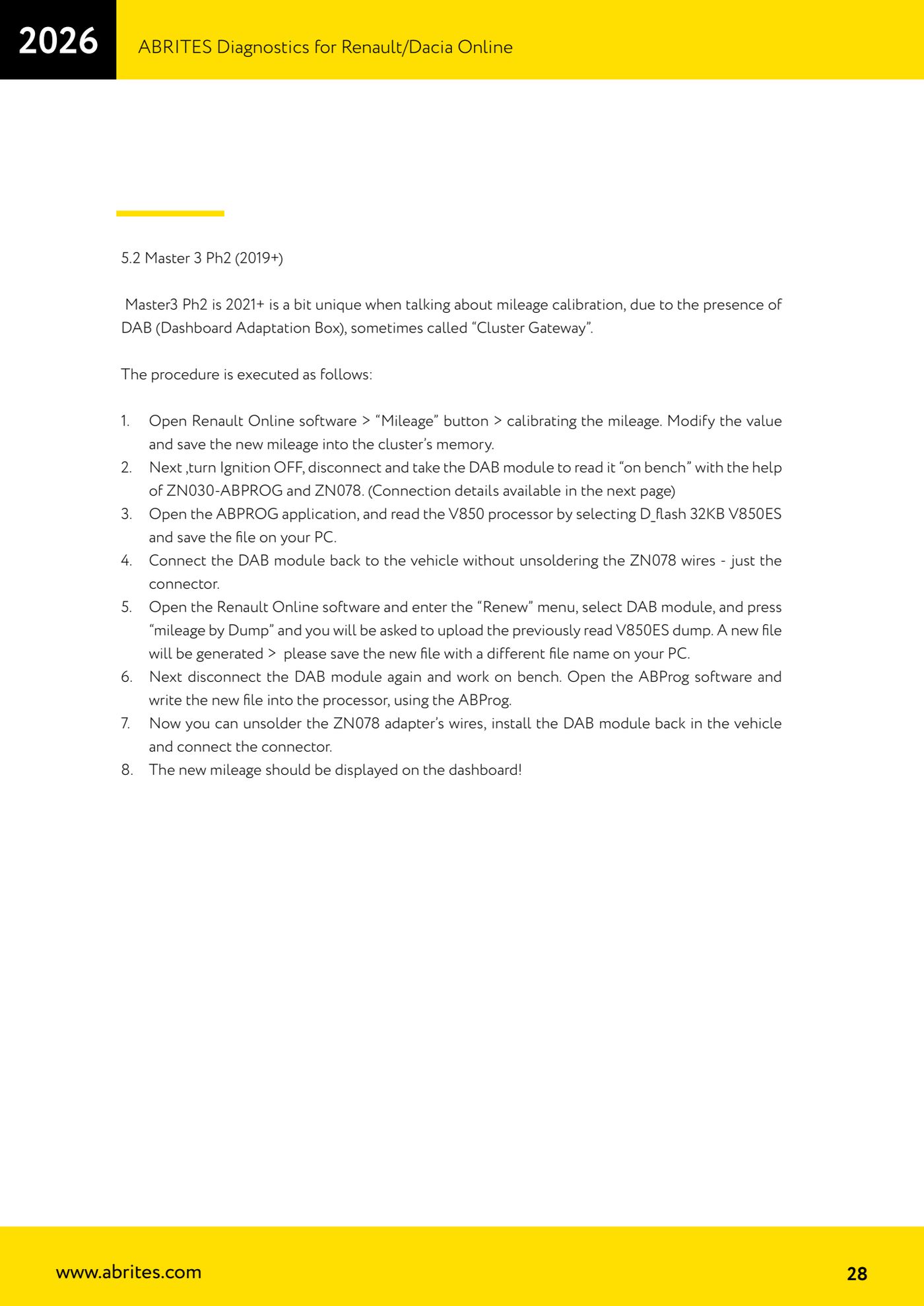
The Master 3 Ph2 carries the DAB module (Dashboard Adaptation Box, also known as the Cluster Gateway) which holds a copy of the mileage: after correcting the cluster over OBDII you have to read the DAB's V850 processor on the bench, regenerate the dump with the "Renew" function and write it back.
Required licences
- —
Hardware / cables


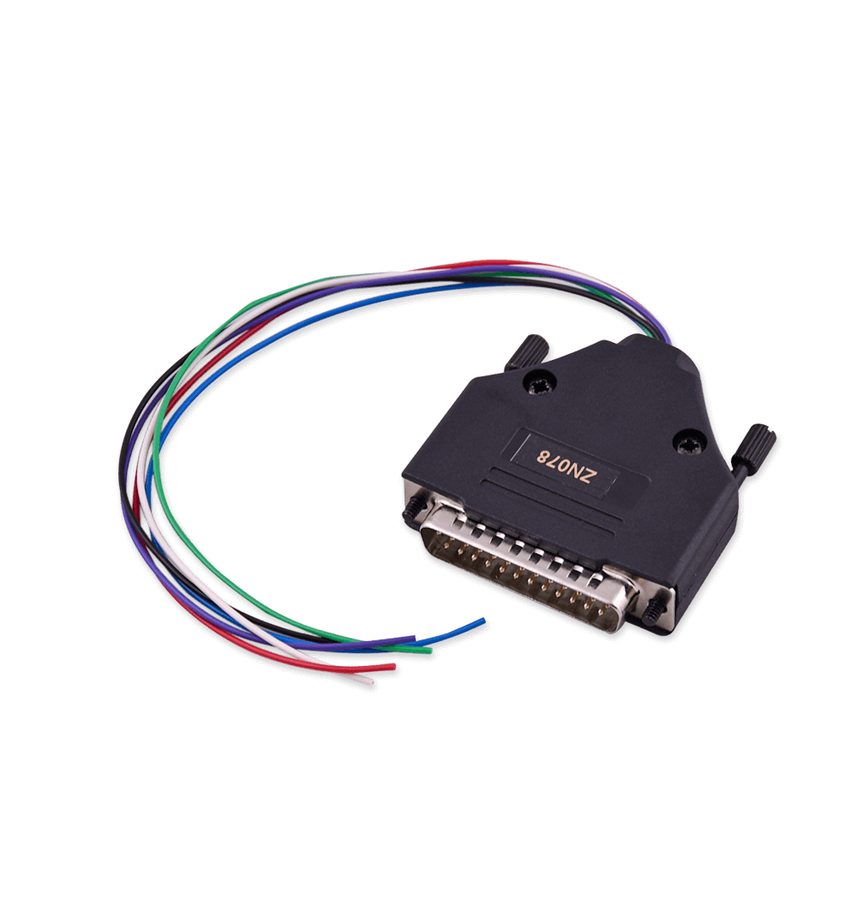
⚠ WarningWhen you refit the DAB to the vehicle to generate the new file, do not unsolder the ZN078 wires: just remove the connector. Unsolder them only at the very end, after the new file has been written into the processor.
Procedure
- Plug the AVDI into the OBDII, open the Renault Online software, go into the "Mileage" function, change the value and save the new mileage into the instrument cluster memory.
- Turn the ignition off, disconnect the DAB module and take it to the bench.
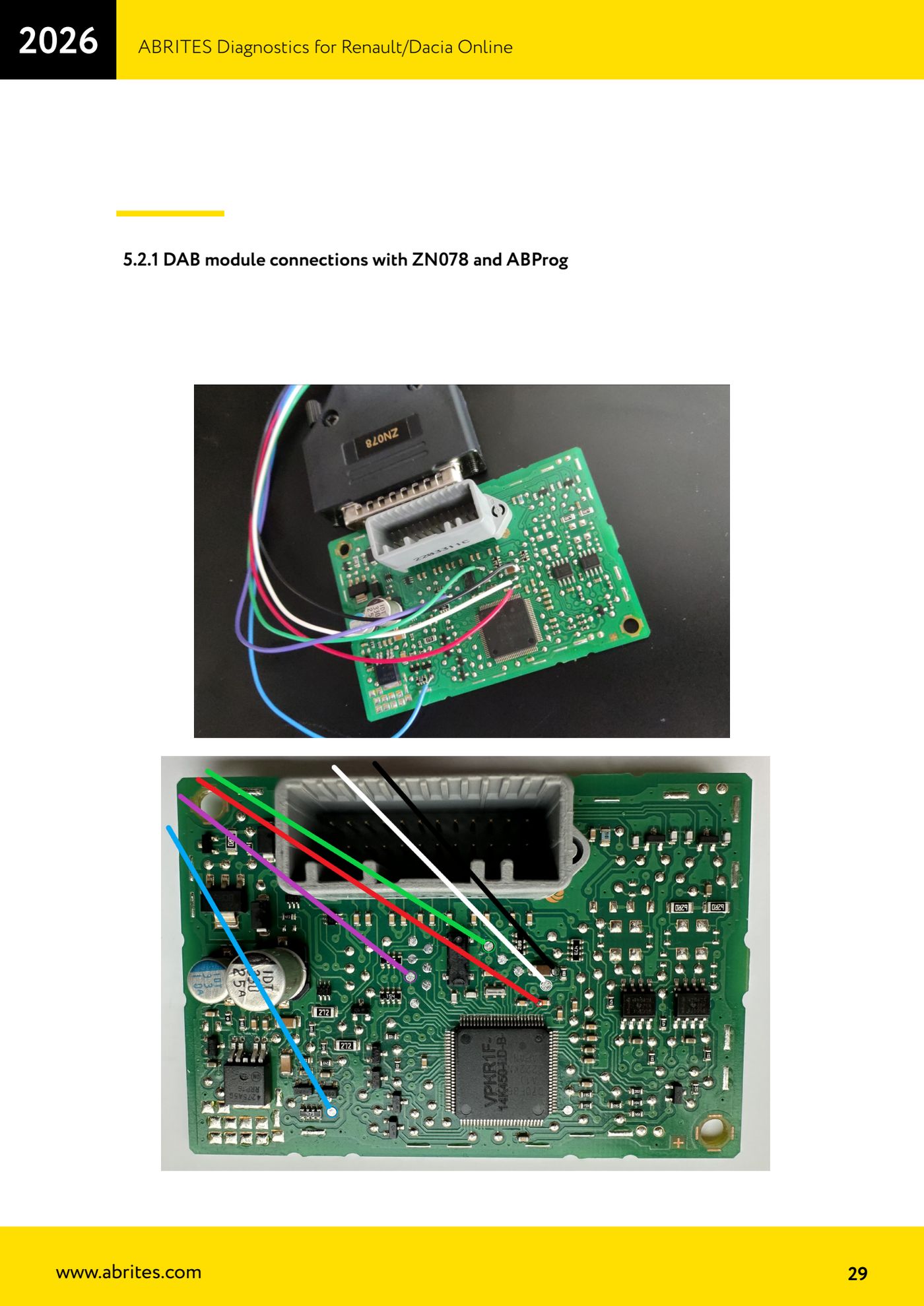
- Connect the DAB on the bench with ZN030-ABPROG and the ZN078 adapter, following the connection diagram in the manual.
- Open the ABPROG application, select "D_flash 32KB V850ES", read the V850 processor and save the file on the PC.
- Refit the DAB to the vehicle plugging the connector back in only, leaving the ZN078 wires soldered.
- Open the Renault Online software again, go into the "Renew" menu, select the DAB module and press "mileage by Dump".
- When the software asks, load the V850ES dump you read earlier: a new file is generated. Save it on the PC under a different name so you do not overwrite the original.
- Disconnect the DAB again and take it to the bench. Open the ABProg software and write the new file into the processor with the ABProg.
- Once the write is done unsolder the ZN078 adapter wires, refit the DAB to the vehicle and plug the connector back in.
- Switch the ignition on: the new mileage should show on the dash.
Reference screenshots
Source: Manuale Renault/Dacia Online, cap. 5.2-5.2.1 (p.28-29) · ⏱ estimated time 60-90 min
← All Abrites guides Hardware catalogue
More guides Renault/Dacia
- Renault/Dacia: module scan, ECU identification and DTC read/clear with AVDI
- Renault/Dacia: live data (list and graph) and actuator tests
- Renault/Dacia: PIN reading and key/card learning - common procedure
- Renault X95 (Megane III, Scenic III, Fluence): learning virgin cards and already-working cards
- Renault X95 from 2011 with updated immobiliser software: cards via ABPROG
- Renault Clio IV: programming ABRITES key cards with PROTAG
- Renault: immobiliser PIN calculation from the key code and Clio PIN from EEPROM dump
- Renault/Dacia: editing dumps with "Dump Tool" and writing the VIN with "Change ID"
- Renault/Dacia: cluster mileage calibration and disabling the ABS synchronisation
- Renault: reading/writing configuration data, flash and IMMO erase on the supported engine ECUs
- Bosch EDC15C3 and EDC15C13 Renault: DB9 Female pinout for bench work
- Renault SID301, SIRIUS 32 and SIM32: DB9 Female pinout and ECU data for bench work