
Chip-Tools
Renault/Dacia: module scan, ECU identification and DTC read/clear with AVDI
Renault/Dacia
Interface Classic
Diagnostics
Basic
⏱ 10-20 min
8 steps
The basic procedure for hooking up to a Renault or Dacia, identifying the vehicle, listing the modules fitted, reading a module's identification data and reading/clearing fault codes. It is the first step of any job: it covers straight diagnostics as well as gathering the data (part number, supplier, programming number, VIN) you need when a module has to be replaced.
Required licences
- —
Hardware / cables
 AVDI
AVDI- cavo OBDII
Procedure
- Plug the AVDI into the vehicle's OBDII port and into the PC. The ABRITES software needs the PC connected to the internet to work.
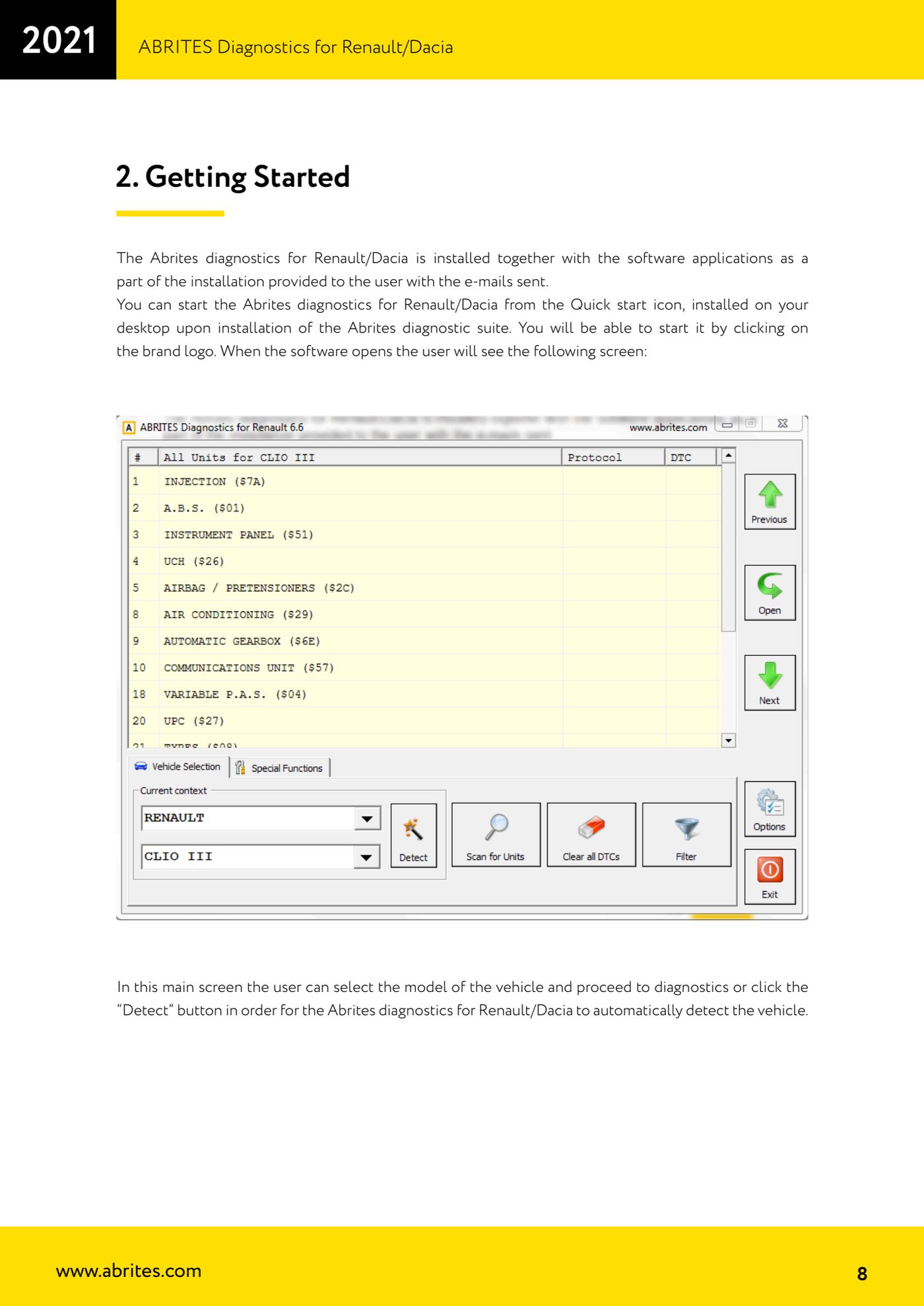
- Launch "Abrites Diagnostics for Renault/Dacia" from the Quick start icon on the desktop (brand logo) installed with the ABRITES diagnostic suite.
- On the main screen pick the model from the list, or press "Detect" to let the software identify the vehicle automatically.
- Once identified, the software shows the list of modules fitted to that vehicle. If you want the full fault picture, launch the scan from the main screen: DTCs appear in the list next to each electronic module.
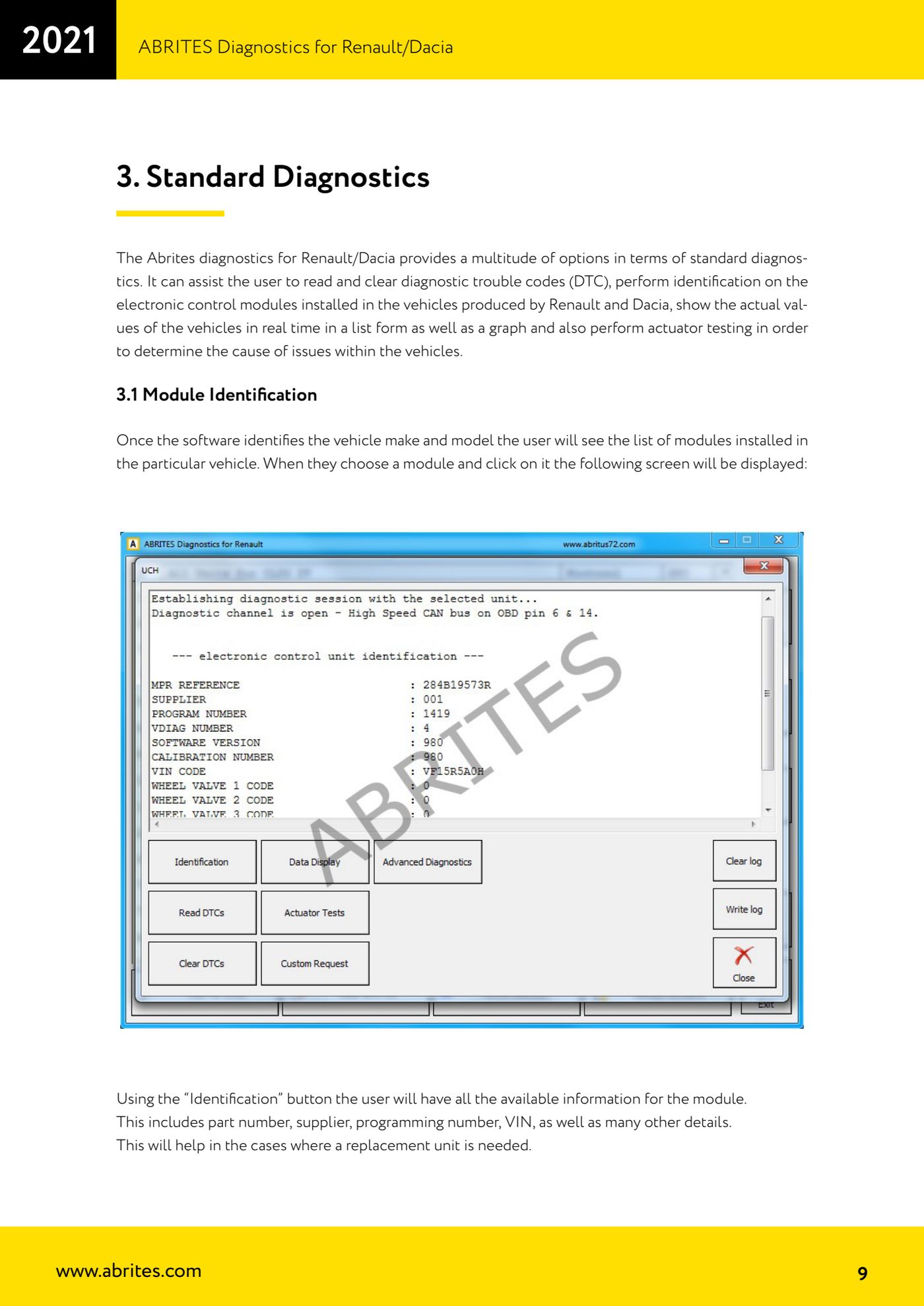
- Select the module you are interested in and press "Identification": you get part number, supplier, programming number, VIN and the rest of the identification data. Note or save this data if you are preparing to replace the ECU.
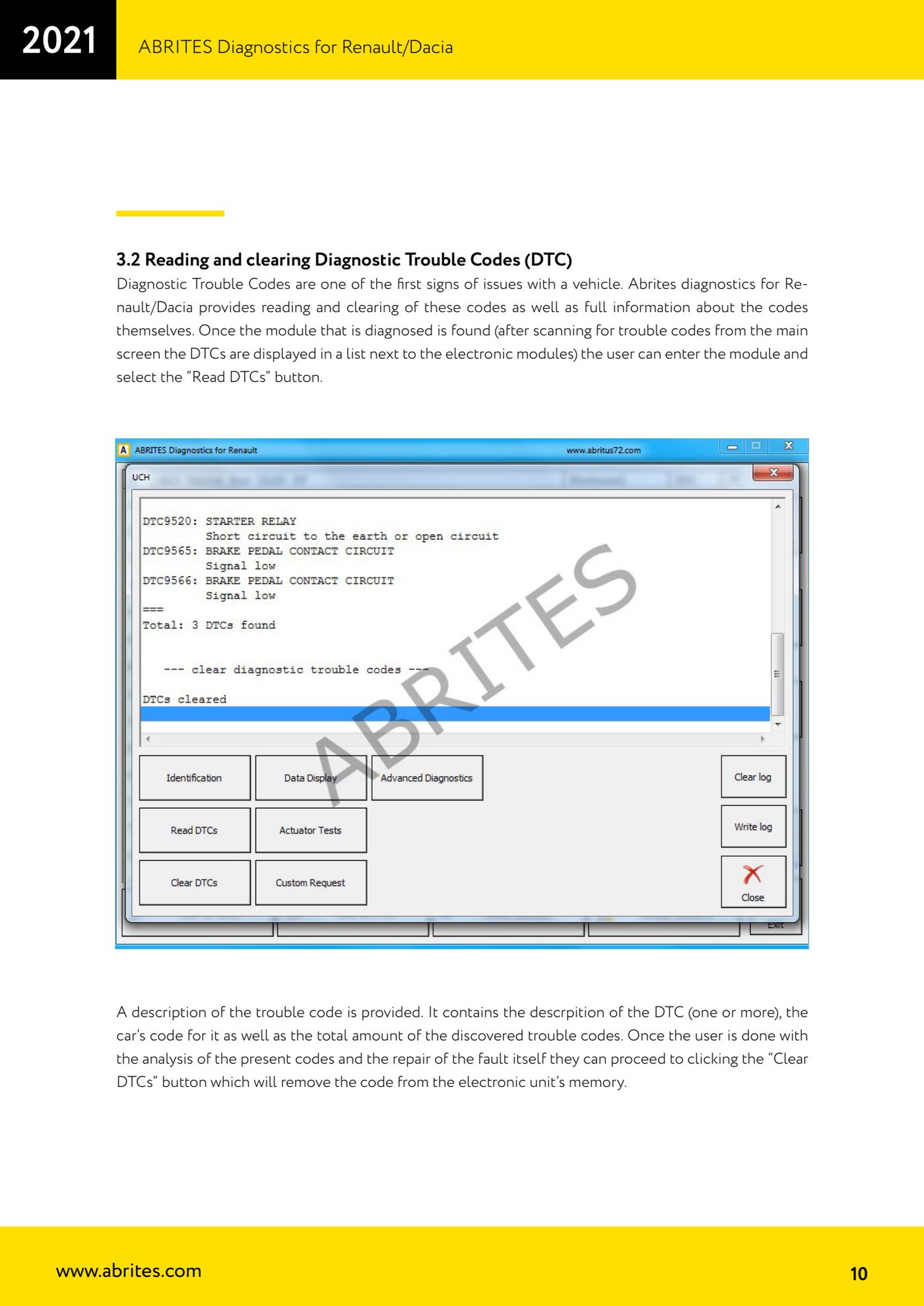
- For faults, enter the module and press "Read DTCs". The software shows the code description (one or more lines), the car's own code and the total number of faults found.
- Work through the codes and fix the physical fault. Only then press "Clear DTCs" to empty the module's fault memory.
- Re-read the DTCs after an ignition cycle to check the code does not come back: if it returns straight away, the fault is still there.
Reference screenshots
Source: Manuale Renault/Dacia, cap. 2 e 3.1-3.2 (p.7-10) · ⏱ estimated time 10-20 min
← All Abrites guides Hardware catalogue
More guides Renault/Dacia
- Renault/Dacia: live data (list and graph) and actuator tests
- Renault/Dacia: PIN reading and key/card learning - common procedure
- Renault X95 (Megane III, Scenic III, Fluence): learning virgin cards and already-working cards
- Renault X95 from 2011 with updated immobiliser software: cards via ABPROG
- Renault Clio IV: programming ABRITES key cards with PROTAG
- Renault: immobiliser PIN calculation from the key code and Clio PIN from EEPROM dump
- Renault/Dacia: editing dumps with "Dump Tool" and writing the VIN with "Change ID"
- Renault/Dacia: cluster mileage calibration and disabling the ABS synchronisation
- Renault: reading/writing configuration data, flash and IMMO erase on the supported engine ECUs
- Bosch EDC15C3 and EDC15C13 Renault: DB9 Female pinout for bench work
- Renault SID301, SIRIUS 32 and SIM32: DB9 Female pinout and ECU data for bench work
- Renault SAFIR/SAFIR2/SFR200 and IAW 6R.20/6R.30: IMMO erase and disconnecting the immobiliser line