
Chip-Tools
Renault: immobiliser PIN calculation from the key code and Clio PIN from EEPROM dump
Renault/Dacia
Interface Classic
Keys / Immo
Medium
⏱ 10-20 min
6 steps
Two offline calculators for working out the immobiliser security code: the "PIN Calculator" starts from the model and the code printed inside the key, while "Clio PIN by dump" pulls the PIN straight out of the immobiliser EEPROM dump. Handy when the PIN cannot be read by diagnostics.
Required licences
- —
Hardware / cables
 AVDI
AVDI- programmatore EEPROM
Procedure
- Open the Renault/Dacia software and go to "Special functions".
- For calculation from the key code, open "PIN Calculator": it works out the immobiliser security code from the car model and the code written on the key itself (visible once the key is opened).
- Select the car model, enter the code read inside the key and you get the PIN. Remember the calculator's limit: it covers cars with a 4-digit PIN up to model year 2001.
- For the Clio case, first read the immobiliser EEPROM with a programmer and save the dump to file.
- Open the "Clio PIN by dump" special function and select the EEPROM dump file: the software returns the security code (PIN).
- Note the PIN down: you need it for key learning and for module adaptation (UCH adaptation, for example).
Reference screenshots
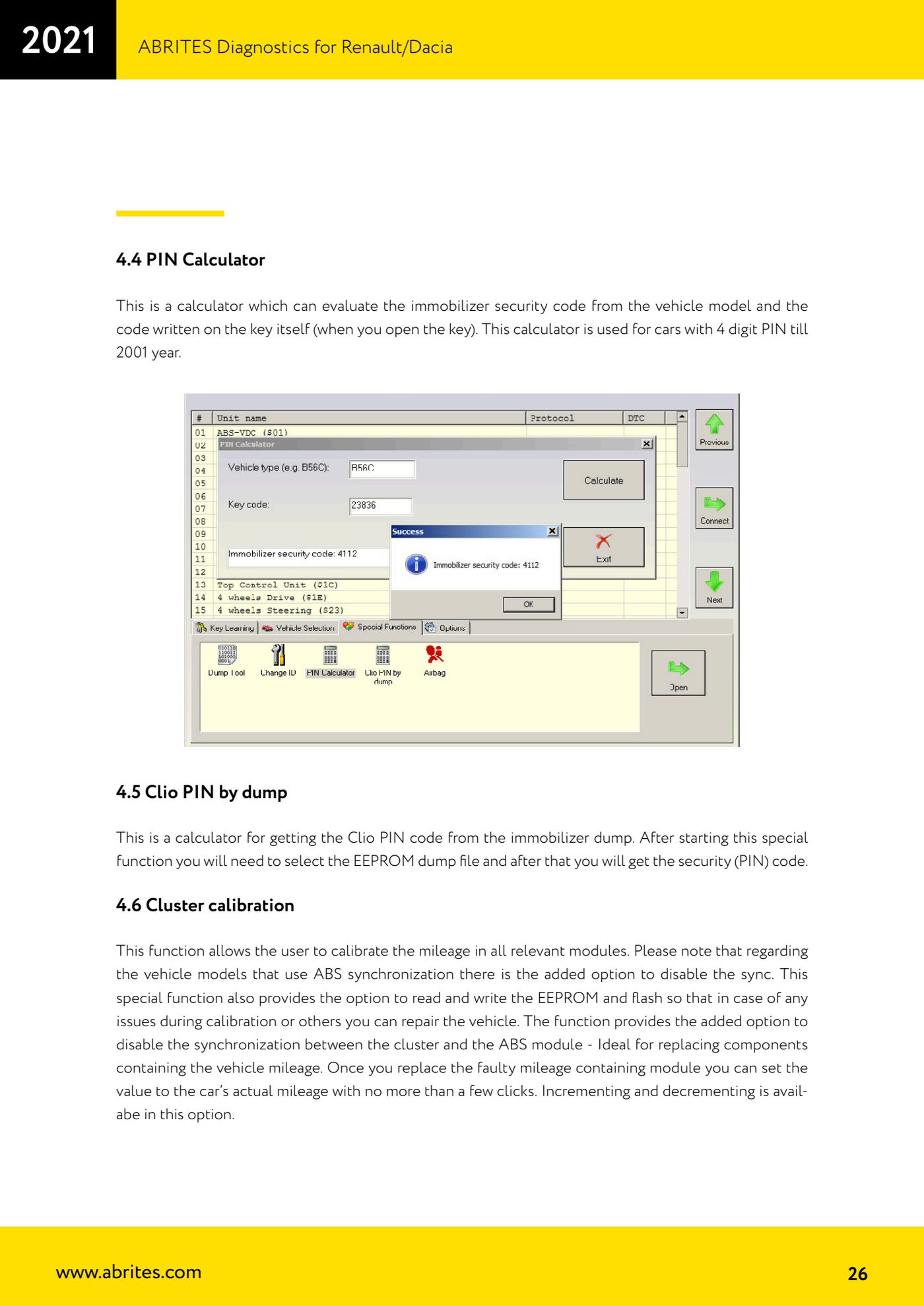
Source: Manuale Renault/Dacia, cap. 4.4-4.5 (p.25-26) · ⏱ estimated time 10-20 min
← All Abrites guides Hardware catalogue
More guides Renault/Dacia
- Renault/Dacia: module scan, ECU identification and DTC read/clear with AVDI
- Renault/Dacia: live data (list and graph) and actuator tests
- Renault/Dacia: PIN reading and key/card learning - common procedure
- Renault X95 (Megane III, Scenic III, Fluence): learning virgin cards and already-working cards
- Renault X95 from 2011 with updated immobiliser software: cards via ABPROG
- Renault Clio IV: programming ABRITES key cards with PROTAG
- Renault/Dacia: editing dumps with "Dump Tool" and writing the VIN with "Change ID"
- Renault/Dacia: cluster mileage calibration and disabling the ABS synchronisation
- Renault: reading/writing configuration data, flash and IMMO erase on the supported engine ECUs
- Bosch EDC15C3 and EDC15C13 Renault: DB9 Female pinout for bench work
- Renault SID301, SIRIUS 32 and SIM32: DB9 Female pinout and ECU data for bench work
- Renault SAFIR/SAFIR2/SFR200 and IAW 6R.20/6R.30: IMMO erase and disconnecting the immobiliser line