
Chip-Tools
Renault/Dacia: live data (list and graph) and actuator tests
Renault/Dacia
Interface Classic
Diagnostics
Basic
⏱ 15-30 min
8 steps
Use this to follow the car's operating parameters in real time and to drive individual components, so you can pin down which part of a system has failed. It is the next step after reading DTCs when the fault code alone is not enough to identify the faulty part.
Required licences
- —
Hardware / cables
 AVDI
AVDI- cavo OBDII
Procedure
- Connect to the vehicle with the AVDI and open the module you want to look at (engine, ABS, UCH, etc.) from the module list.
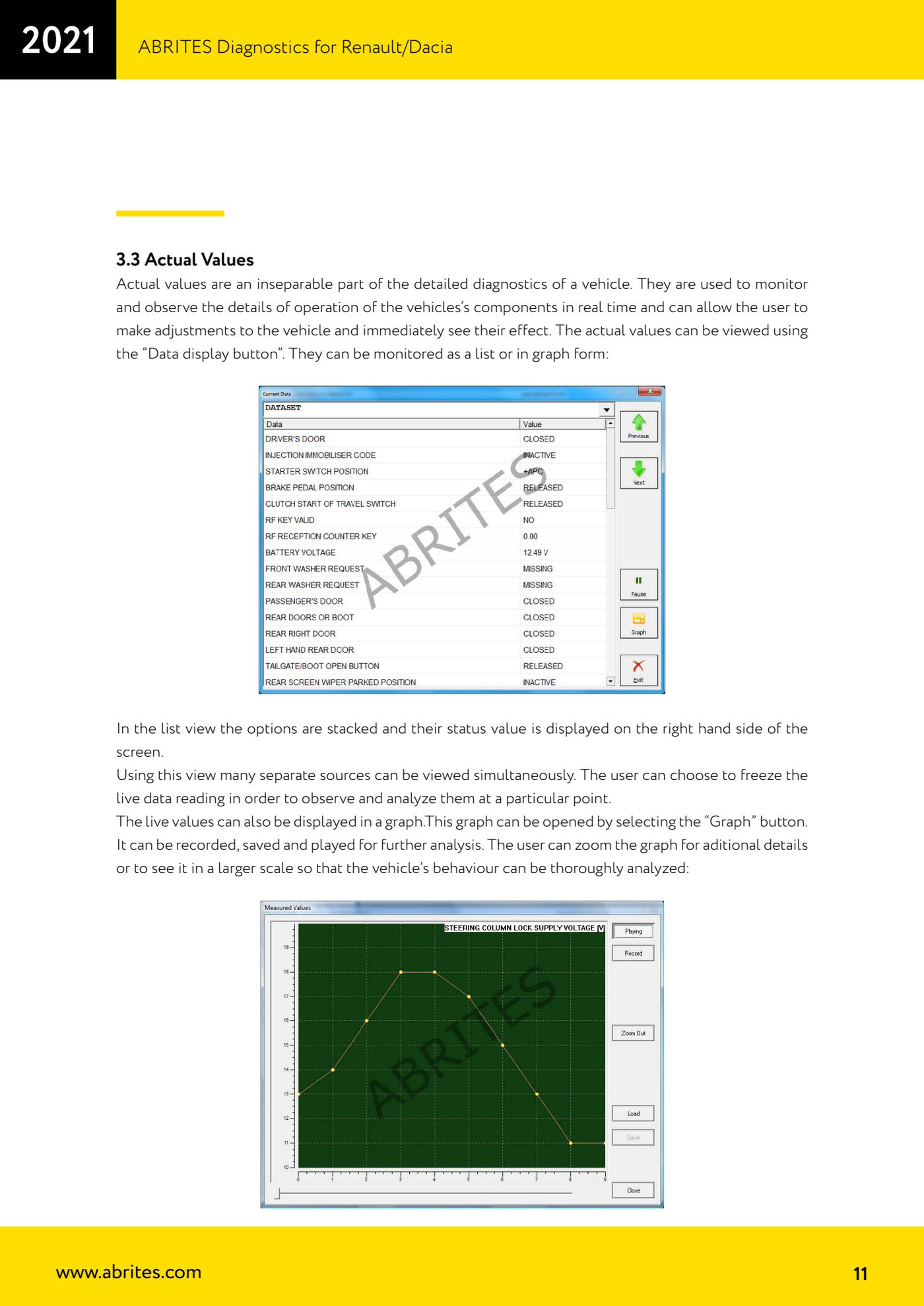
- Press the "Data display" button to open the module's live values.
- In list view the parameters are stacked with their value shown on the right-hand side of the screen: use it when you need to keep an eye on several different sources at once.
- If you need to freeze the picture at a precise moment, use the live reading freeze function and go through the values at your own pace.
- For dynamic analysis press "Graph": the live values are plotted. The graph can be recorded, saved and played back later, and you can zoom in for detail or widen the scale to judge how the vehicle behaves.
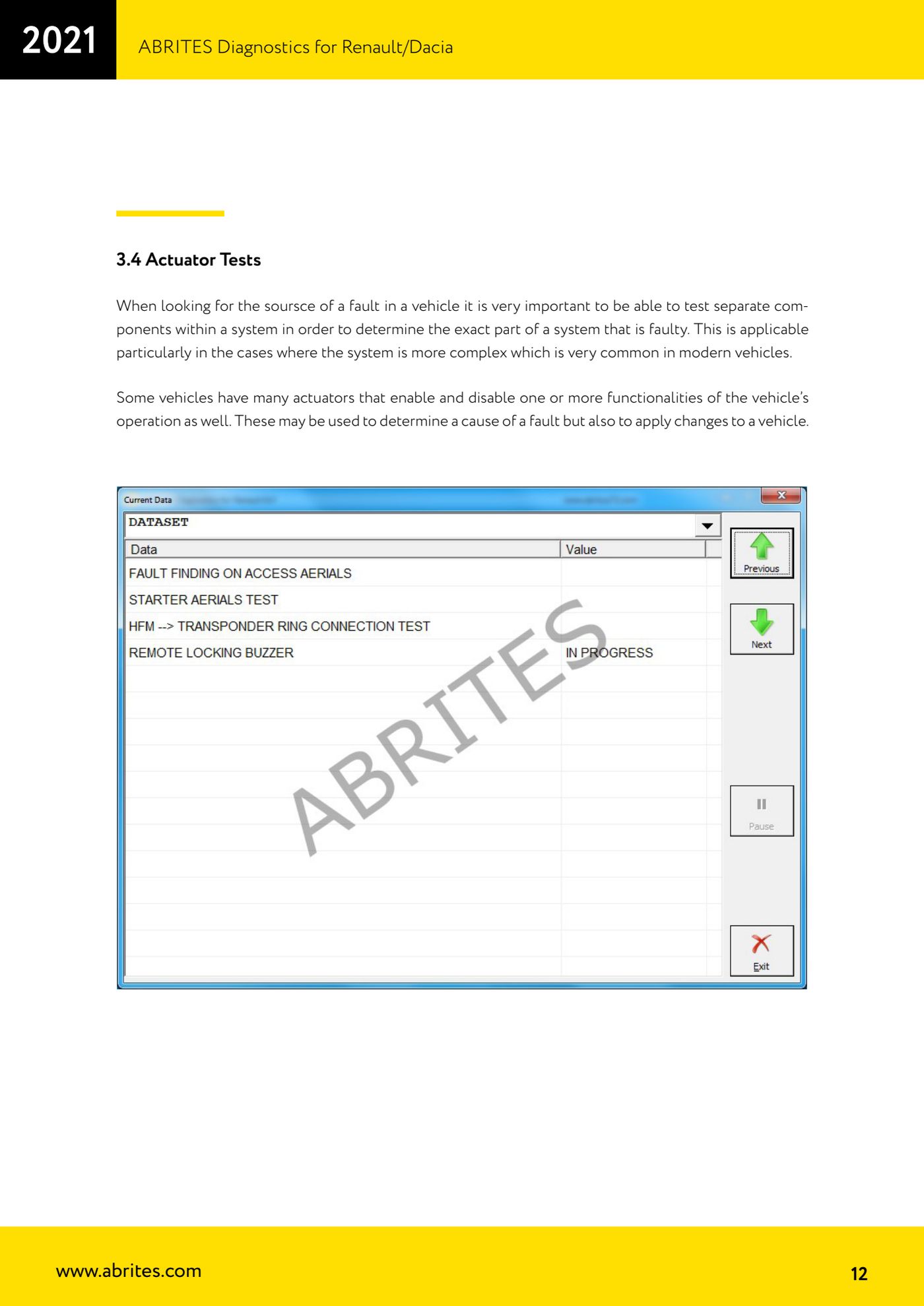
- For actuator tests go into the module's dedicated function and drive the individual component: switching the actuator on and off tells you whether the component responds and narrows the fault down to the part or the wiring.
- Bear in mind that on some vehicles actuators are also used to enable or disable vehicle features, not just for diagnostics: know what you are activating before you send a command.
- Chock the wheels before running any test with the engine running or any command that can move mechanical parts.
Reference screenshots
Source: Manuale Renault/Dacia, cap. 3.3-3.4 (p.11-12) · ⏱ estimated time 15-30 min
← All Abrites guides Hardware catalogue
More guides Renault/Dacia
- Renault/Dacia: module scan, ECU identification and DTC read/clear with AVDI
- Renault/Dacia: PIN reading and key/card learning - common procedure
- Renault X95 (Megane III, Scenic III, Fluence): learning virgin cards and already-working cards
- Renault X95 from 2011 with updated immobiliser software: cards via ABPROG
- Renault Clio IV: programming ABRITES key cards with PROTAG
- Renault: immobiliser PIN calculation from the key code and Clio PIN from EEPROM dump
- Renault/Dacia: editing dumps with "Dump Tool" and writing the VIN with "Change ID"
- Renault/Dacia: cluster mileage calibration and disabling the ABS synchronisation
- Renault: reading/writing configuration data, flash and IMMO erase on the supported engine ECUs
- Bosch EDC15C3 and EDC15C13 Renault: DB9 Female pinout for bench work
- Renault SID301, SIRIUS 32 and SIM32: DB9 Female pinout and ECU data for bench work
- Renault SAFIR/SAFIR2/SFR200 and IAW 6R.20/6R.30: IMMO erase and disconnecting the immobiliser line