
Chip-Tools
Standard Peugeot/Citroën diagnostics: unit scan, DTCs, identification and live data
PSA
Interface Classic
Diagnostics
Basic
⏱ 10-20 min
10 steps
This is the basic diagnostic side of the Abrites software for Peugeot/Citroën: it finds the control units actually fitted to the car, reads and clears fault codes, shows module identification data and displays live parameters. Run it as the first step before any special function, because it confirms that diagnostic communication with the vehicle is working.
Required licences
- —
Hardware / cables

Procedure
- Connect the AVDI to the vehicle's OBD-II socket, switch the ignition on, then launch "Abrites Diagnostics for Peugeot/Citroën". Diagnostics run through the OBD-II connector and the interface supports K-Line, CAN-BUS and UDS.
- The main window lists all supported modules, with tabs underneath for unit scanning, DTC clearing, vehicle selection and "Special Functions".
- To filter down to the modules typical of a given vehicle, select the make (Peugeot or Citroën) and the model: you will see every ECU that COULD be fitted. That does not mean they are actually there — it depends on trim level and the options the customer ordered.
- To see only the modules actually present on the car, press "Scan for Units". After a few moments the list fills with only the ECU units found, each with its DTCs already read; the vehicle context drop-down switches to < Scan Result >.
- To go back to the full view select < All Units >, or pick the model directly to filter down to that car's specific units.
- To search for a module by name press "Filter" and type part of the name: the list shows only modules containing that word and the context switches to < Filtered >.
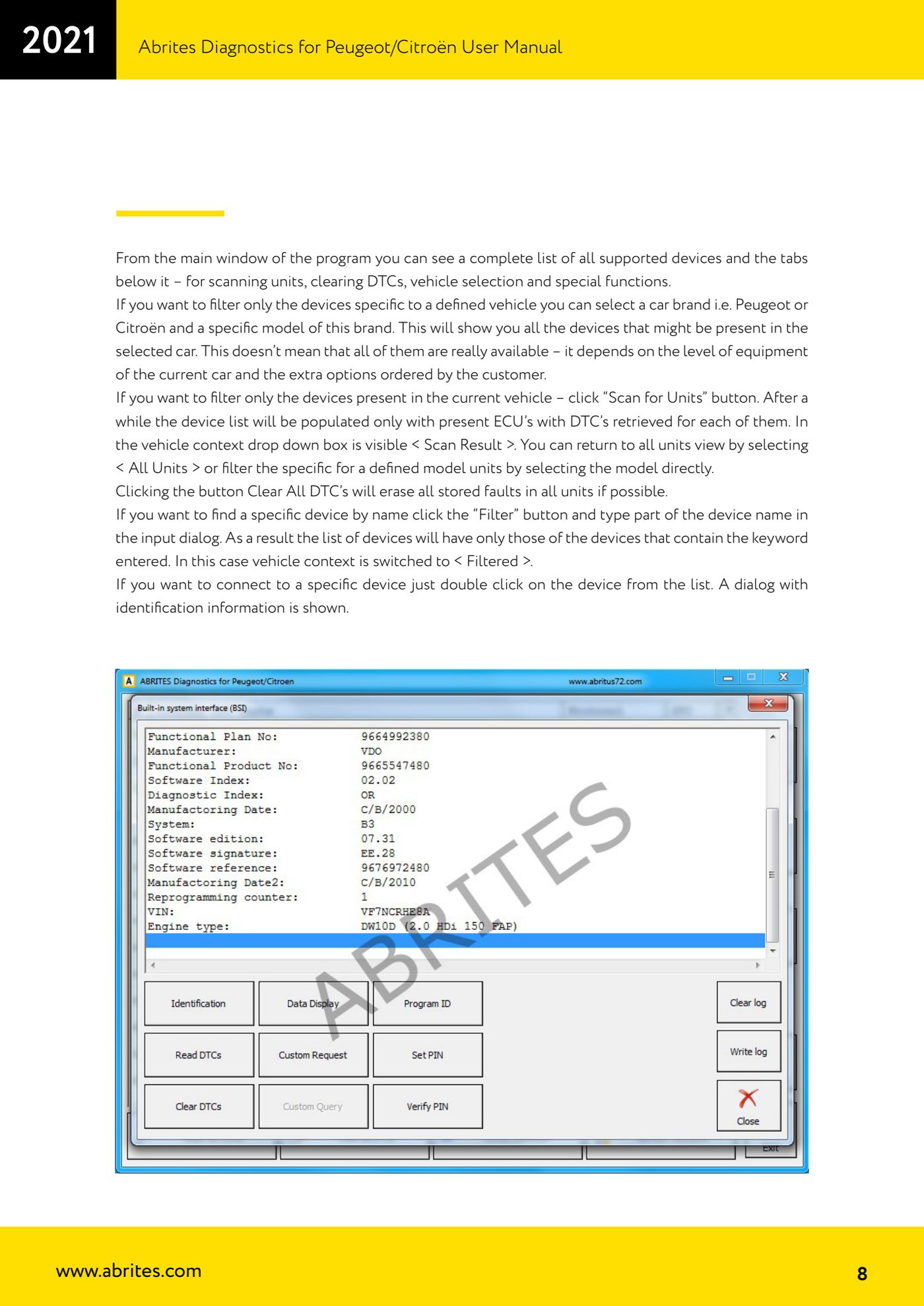
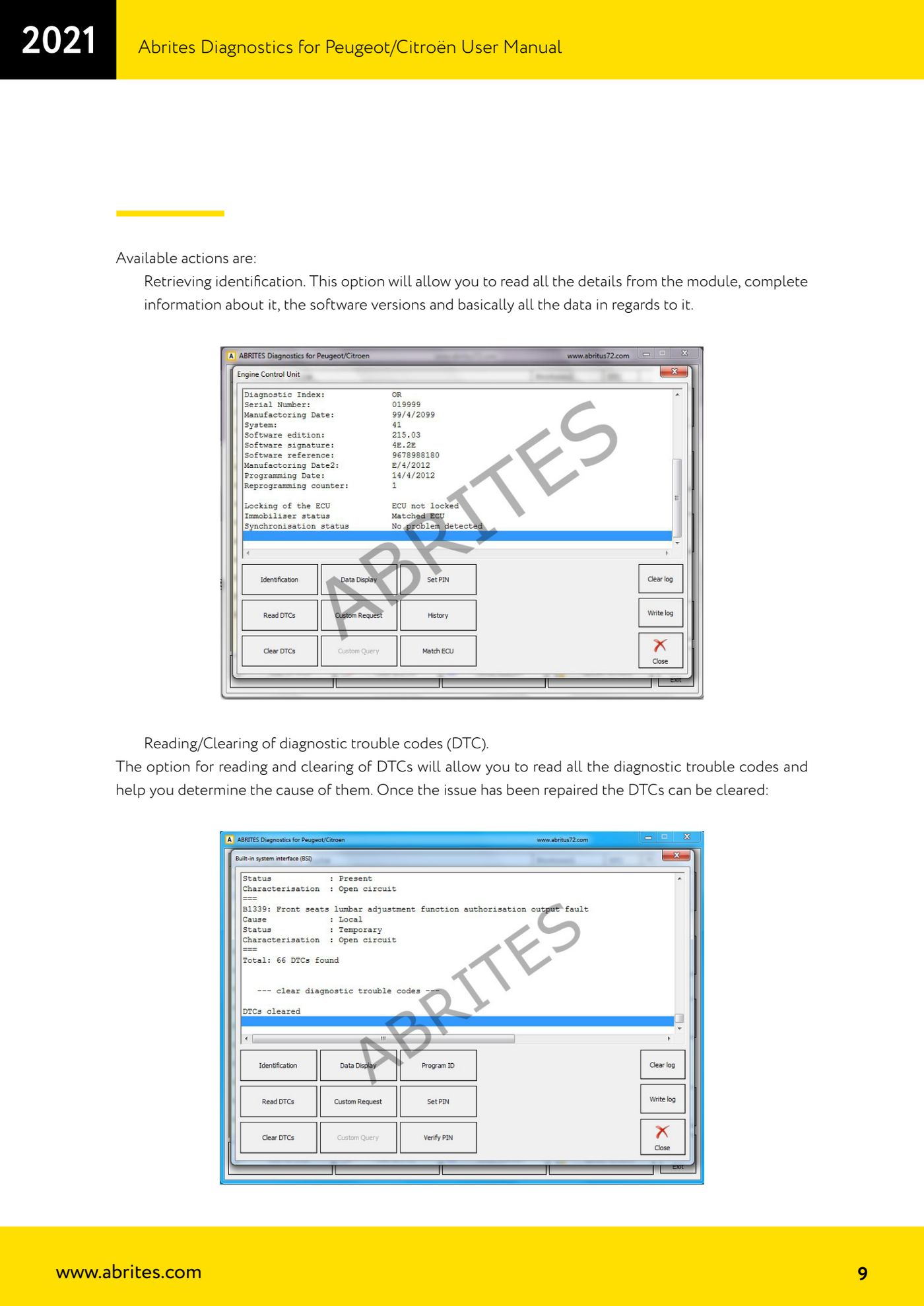
- Double-click a module to connect to it: the identification information window opens. From here you can read the full identification (module details, software versions and all related data) and read/clear DTCs.
- Read the fault codes to pin down the cause of the fault. Once the problem is repaired, clear the DTCs on the individual module or use the "Clear All DTC's" button to wipe, where possible, all stored faults across every unit.
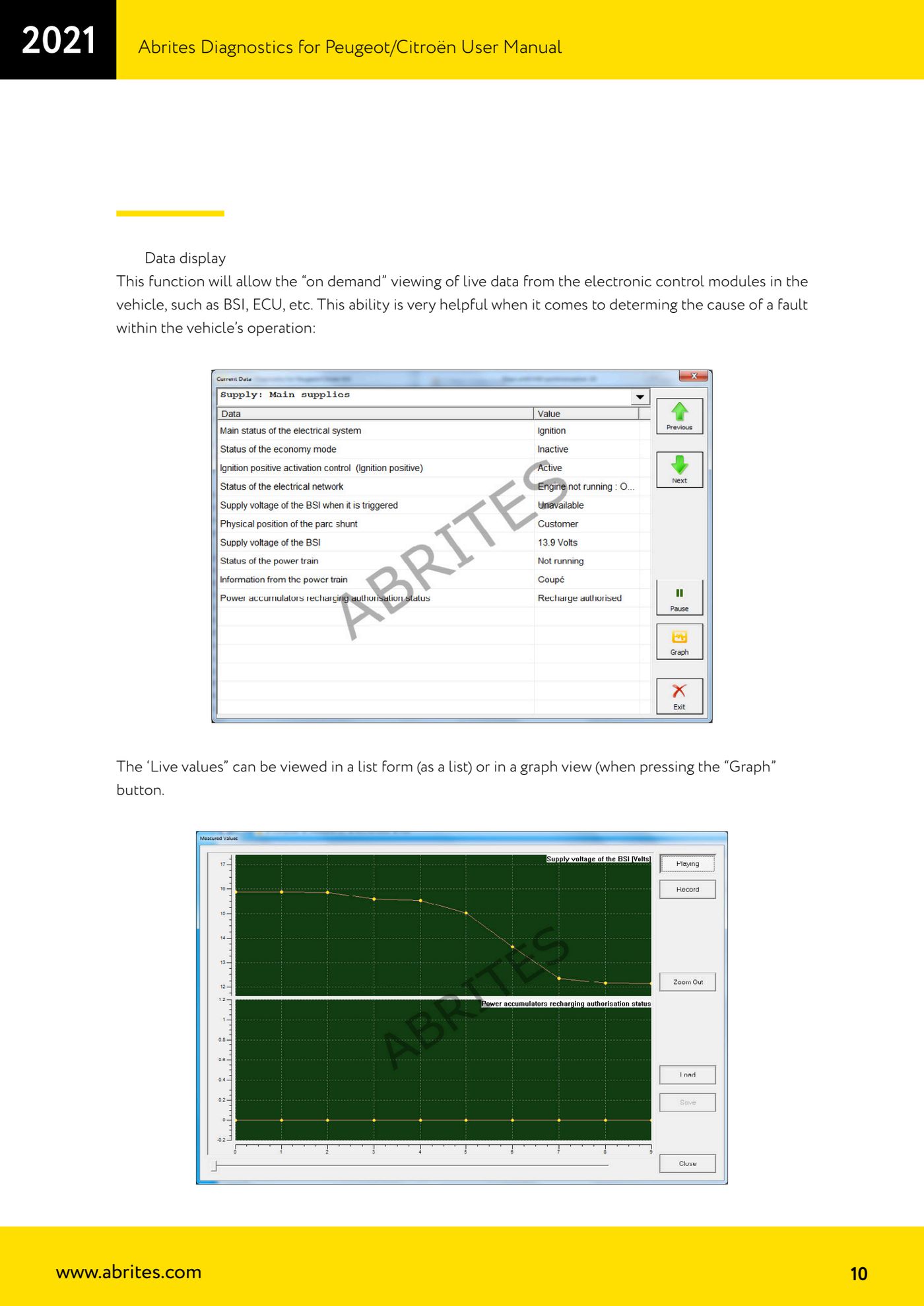
- For live figures use the "Data display" function: it shows live data on demand from the electronic modules (BSI, ECU, etc.). "Live values" can be viewed as a list or as a graph by pressing the "Graph" button.
- Viewing and clearing the error history of the BSI and ECU is done from the main diagnostic menu.
Reference screenshots
Source: Manuale Peugeot/Citroën (interfaccia classica), cap. 2-2.1 (p.7-10) · ⏱ estimated time 10-20 min
← All Abrites guides Hardware catalogue
More guides PSA
- Reading the PIN (Read security code) and key programming on Peugeot/Citroën
- Engine Control Unit: reading/writing Configuration Data and ECU flash, IMMO OFF and after sales preparation (EDC, SID)
- Read/Update ConfData: backing up and restoring the configuration data of the BSI and instrument cluster
- BSI exchange: replacing the BSI with a used unit (JCI and Valeo CAN) and identifying the hardware version
- Continental BSI 2015+: reading the PIN, EEPROM read/write, BSI exchange and Set PIN
- Mileage correction on Continental BSI 2015+ using the "CAN" Calibration function
- Cluster Calibration: mileage calibration on the BSI and instrument cluster (with Disable dashboard synchronisation)
- Service Zero Reset: resetting the service/oil change indicator on Peugeot/Citroën
- Dump Tool: reading, saving and clearing crash data from airbag control units
- Vehicle identification, module scan and DTC handling (Peugeot / Citroën / DS)
- Reading live parameters and running actuator tests on PSA control units
- Reading keys and programming PSA keys with PIN reading from the BSI (guided wizard)