
Chip-Tools
Dump Tool: reading, saving and clearing crash data from airbag control units
PSA
Interface Classic
Airbag
Medium
⏱ 15-30 min
7 steps
The Dump Tool in the Abrites software for Peugeot/Citroën lets you read, save and update airbag control unit data and crash data. It is used to remove crash data from the vehicle after an accident — a very useful function in accident repair workshops.
Required licences
- —
Hardware / cables

⚠ WarningBefore changing anything, read and save the original airbag module dump to file: it is the only way back if the write does not go through.
Procedure
- Complete the mechanical repairs and the replacement of the safety components before touching the airbag module data.
- Connect the AVDI to the vehicle's OBD-II socket and hook up an external power supply for stable voltage during reading and writing.
- Open the "Special functions" tab and select the Dump Tool.
- Read the airbag module dump and save it to file: this is the mandatory backup before any change.
- Locate the crash data inside the dump and remove it using the function, then update the data on the module.
- The function applies both to vehicles using the K-Line protocol and to CAN vehicles.
- When finished, read the airbag module DTCs, clear them and check that the airbag warning light on the cluster is out with the engine running.
Reference screenshots
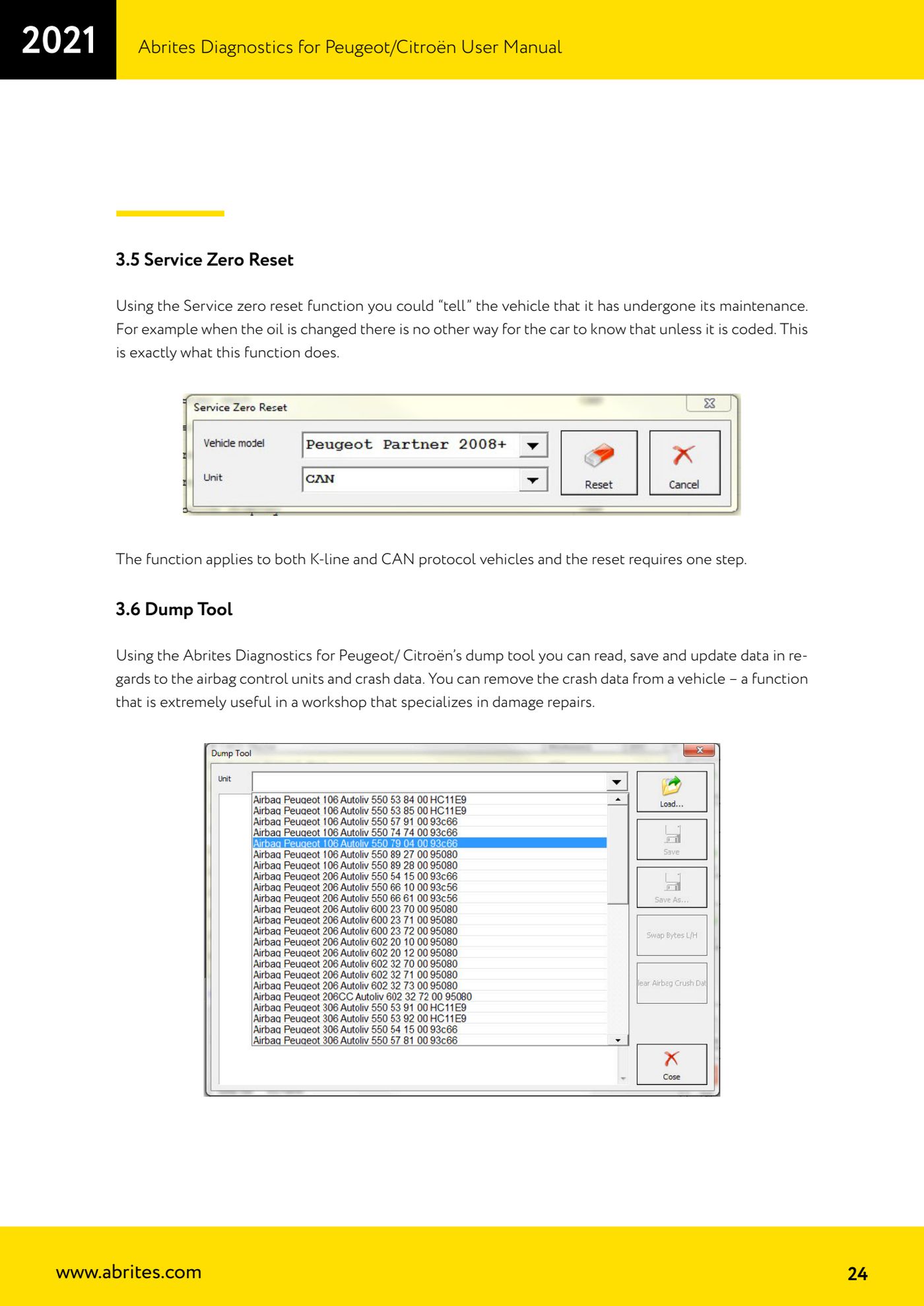
Source: Manuale Peugeot/Citroën (interfaccia classica), cap. 3.6 (p.24) · ⏱ estimated time 15-30 min
← All Abrites guides Hardware catalogue
More guides PSA
- Standard Peugeot/Citroën diagnostics: unit scan, DTCs, identification and live data
- Reading the PIN (Read security code) and key programming on Peugeot/Citroën
- Engine Control Unit: reading/writing Configuration Data and ECU flash, IMMO OFF and after sales preparation (EDC, SID)
- Read/Update ConfData: backing up and restoring the configuration data of the BSI and instrument cluster
- BSI exchange: replacing the BSI with a used unit (JCI and Valeo CAN) and identifying the hardware version
- Continental BSI 2015+: reading the PIN, EEPROM read/write, BSI exchange and Set PIN
- Mileage correction on Continental BSI 2015+ using the "CAN" Calibration function
- Cluster Calibration: mileage calibration on the BSI and instrument cluster (with Disable dashboard synchronisation)
- Service Zero Reset: resetting the service/oil change indicator on Peugeot/Citroën
- Vehicle identification, module scan and DTC handling (Peugeot / Citroën / DS)
- Reading live parameters and running actuator tests on PSA control units
- Reading keys and programming PSA keys with PIN reading from the BSI (guided wizard)