
Chip-Tools
Reading keys and programming PSA keys with PIN reading from the BSI (guided wizard)
PSA
Interface New
Keys / Immo
Advanced
⏱ 30-60 min
14 steps
This is the standard key programming procedure on Peugeot, Citroën and DS: it reads the keys already stored, extracts the vehicle PIN (preferably from the BSI) and walks you step by step through learning the new keys. It covers both adding keys and the all-keys-lost case.
Required licences
- —
Hardware / cables
 AVDI
AVDI- BSU001
⚠ WarningWhile reading the PIN from the BSI the software carries out a reprogramming that can take up to 10 minutes and is extremely power-hungry: the BSI switches on lights, wipers, heating and A/C, flattening the battery in minutes. You must connect an external power supply to the battery in programming mode (the Abrites BSU001 is recommended) and ensure a stable Internet connection: a voltage drop and a network dropout are the two main reasons this procedure fails.
Procedure
- Connect the AVDI to the OBDII socket and the external power supply (BSU001) to the battery, set to programming mode.
- Check the Internet connection: avoid phone hotspots that can take incoming calls, as these break the session.
- Launch PSA Online, select the model and complete the vehicle identification.
- Press the "Key Programming" button to enter the key menu.
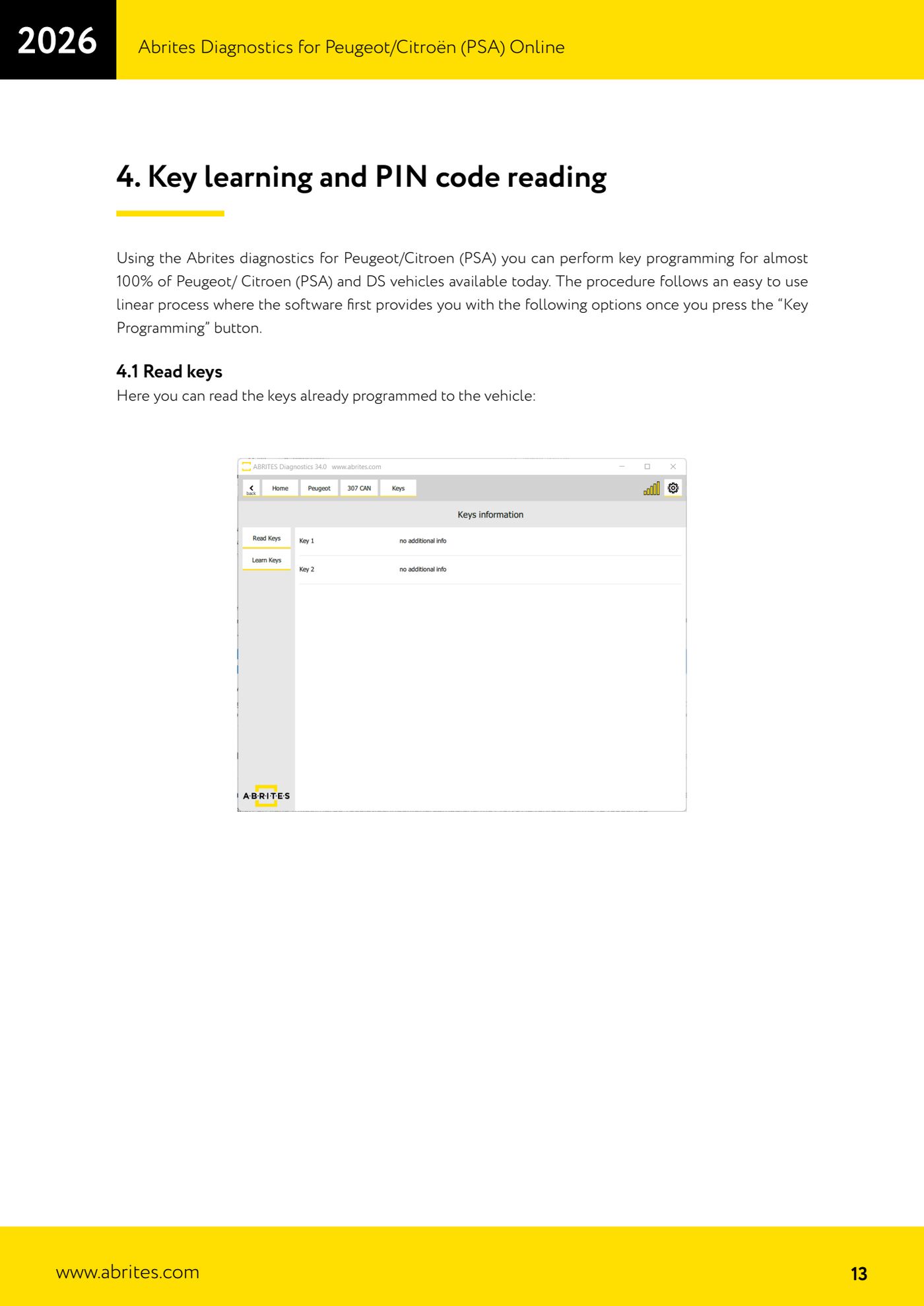
- Select "Read keys" to read the keys already programmed to the vehicle and record the starting situation.
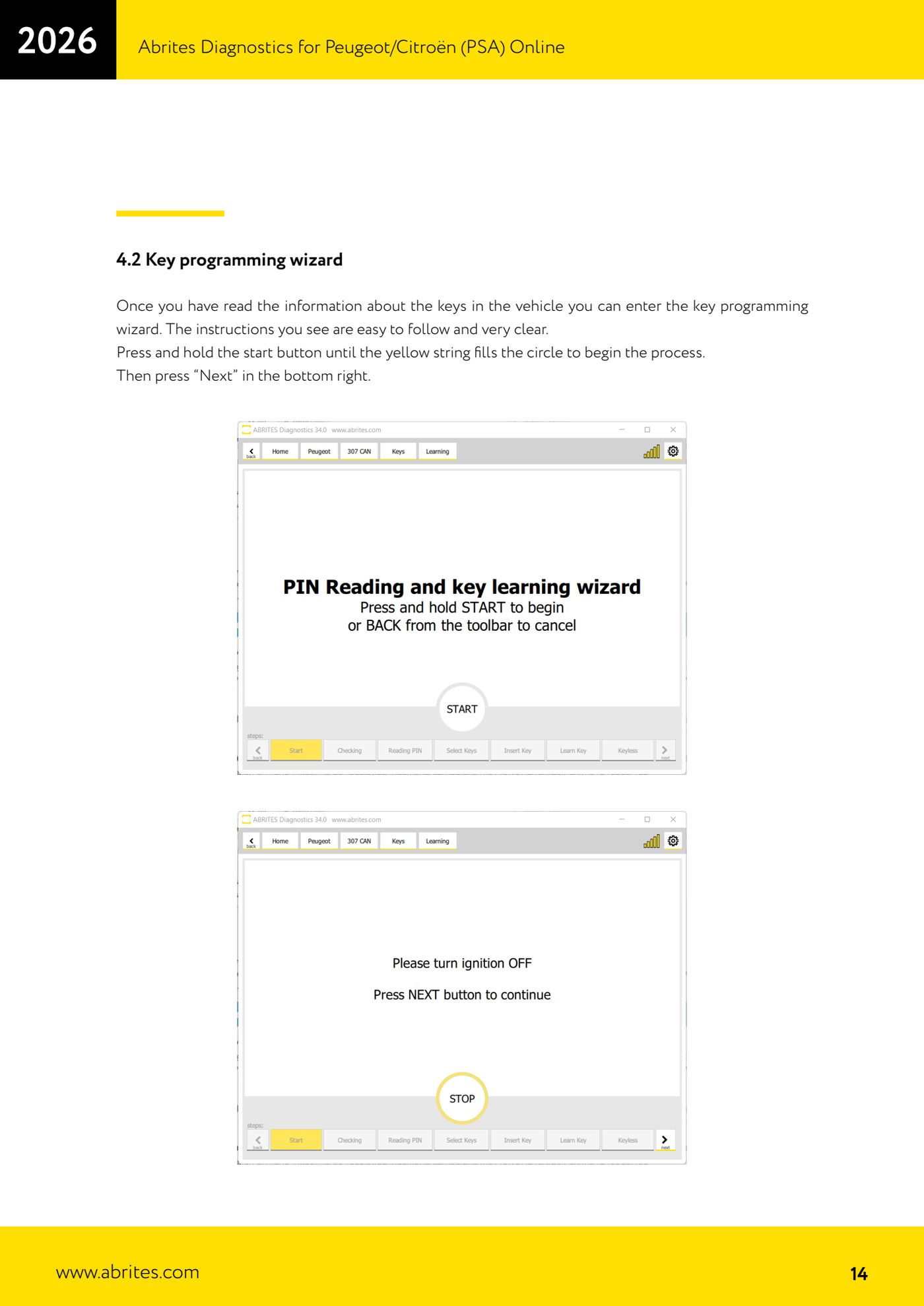
- Enter the key programming wizard and follow the on-screen instructions.
- When prompted, hold the Start button until the yellow bar completely fills the circle, then press "Next" at the bottom right.
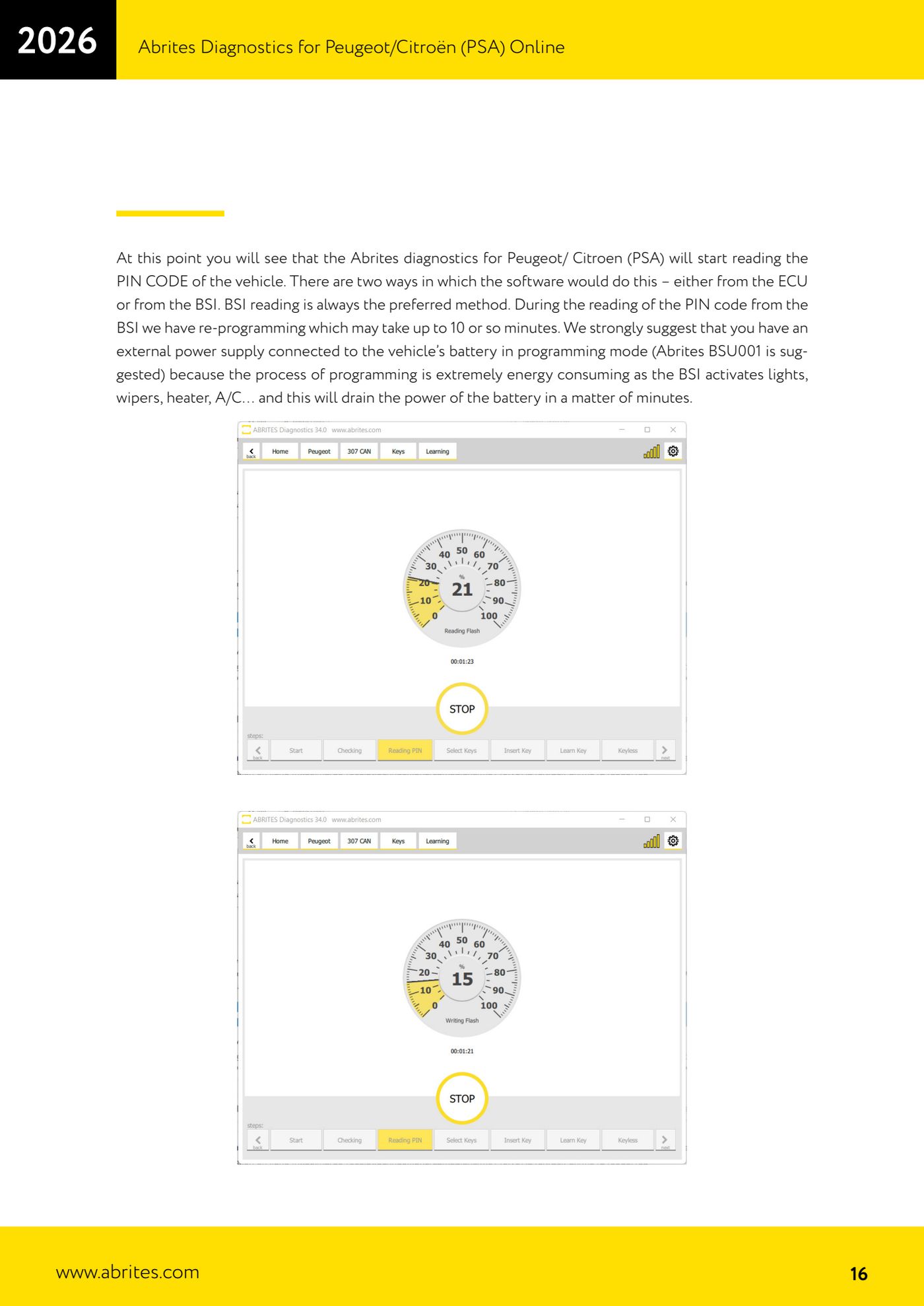
- The software starts reading the PIN CODE: it can take it from the ECU or from the BSI. Reading from the BSI is always the preferred method. Do not interrupt anything for the whole reprogramming (up to about 10 minutes).
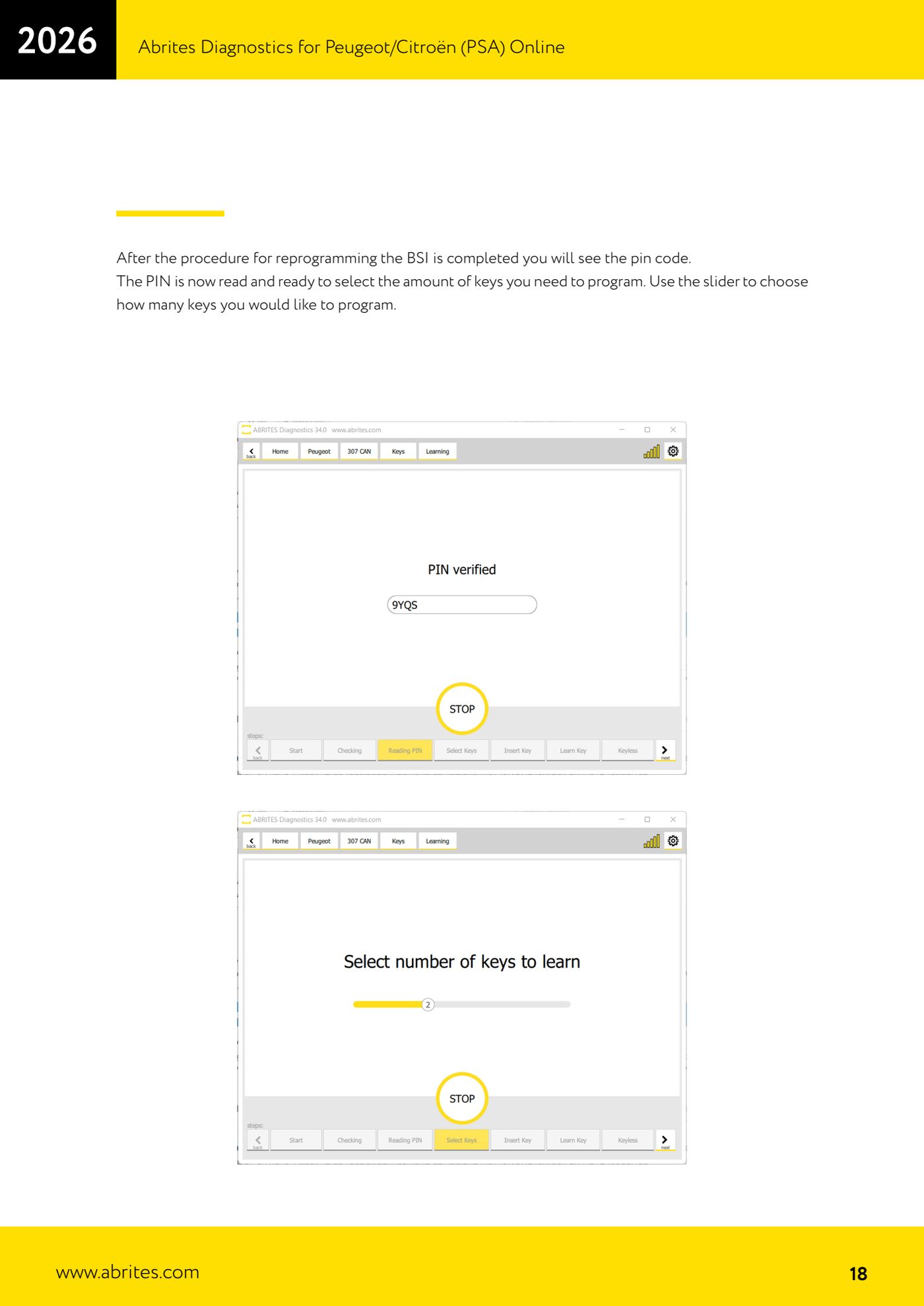
- When it finishes, the software shows the PIN CODE it has read: note it down and keep it.
- Use the slider to set the number of keys you want to program.
- The software allows a preparation time: have the key to be programmed in your hand, ready to use.
- When prompted, switch the ignition ON with the prepared key. If the car is keyless, the software will ask you to hold the key against the Start/Stop button.
- Repeat the operation for each key: every step is timed, so carry out the required action immediately after the on-screen message.
- When finished, test every programmed key by actually starting the vehicle.
Reference screenshots
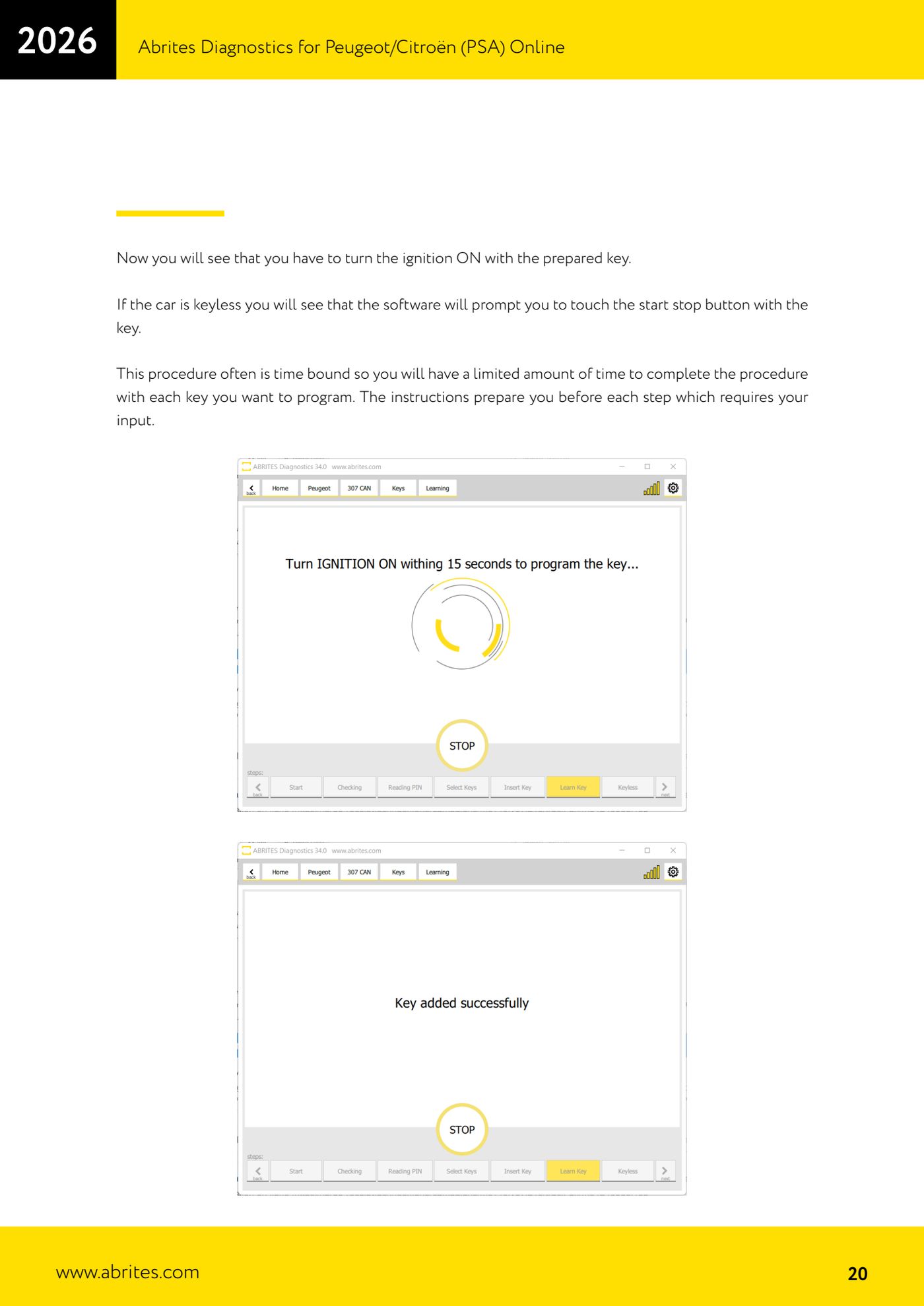
Source: Manuale PSA Online, cap. 4 - 4.1 e 4.2 (p.13-21) · ⏱ estimated time 30-60 min
← All Abrites guides Hardware catalogue
More guides PSA
- Standard Peugeot/Citroën diagnostics: unit scan, DTCs, identification and live data
- Reading the PIN (Read security code) and key programming on Peugeot/Citroën
- Engine Control Unit: reading/writing Configuration Data and ECU flash, IMMO OFF and after sales preparation (EDC, SID)
- Read/Update ConfData: backing up and restoring the configuration data of the BSI and instrument cluster
- BSI exchange: replacing the BSI with a used unit (JCI and Valeo CAN) and identifying the hardware version
- Continental BSI 2015+: reading the PIN, EEPROM read/write, BSI exchange and Set PIN
- Mileage correction on Continental BSI 2015+ using the "CAN" Calibration function
- Cluster Calibration: mileage calibration on the BSI and instrument cluster (with Disable dashboard synchronisation)
- Service Zero Reset: resetting the service/oil change indicator on Peugeot/Citroën
- Dump Tool: reading, saving and clearing crash data from airbag control units
- Vehicle identification, module scan and DTC handling (Peugeot / Citroën / DS)
- Reading live parameters and running actuator tests on PSA control units