
Chip-Tools
Read/Update ConfData: backing up and restoring the configuration data of the BSI and instrument cluster
PSA
Interface Classic
Coding / Adaptations
Medium
⏱ 15-30 min
8 steps
A special function used to back up and restore the configuration data of the supported control units: you can read the conf data of several units and write it back. It is your insurance against a sudden loss of power during an on-car procedure.
Required licences
- —
Hardware / cables

⚠ WarningALWAYS read and save the configuration data to file before starting any job: if the voltage drops mid-procedure, that saved file is the only way to put the module right again.
Procedure
- Connect the AVDI to the OBD-II socket and feed the vehicle from an external power supply.
- Open the "Special functions" tab and select "Read/Update ConfData".
- From the special function's drop-down menu choose the module to work on: supported modules include the BSI units and instrument clusters, most of which can be picked straight from that list.
- Read the module's configuration data and save it to file, using a name that identifies vehicle, module and date.
- Repeat the read-and-save for every unit you intend to touch during the job: the function lets you read the conf data of multiple modules.
- When a restore is needed, load the previously saved file from the same screen and write it to the unit.
- The same "Read/Update ConfData" menu is also used to read and update the flash of the Built-in System (BSI) module.
- Once restored, check that the module works and read/clear any DTCs generated during the operation.
Reference screenshots
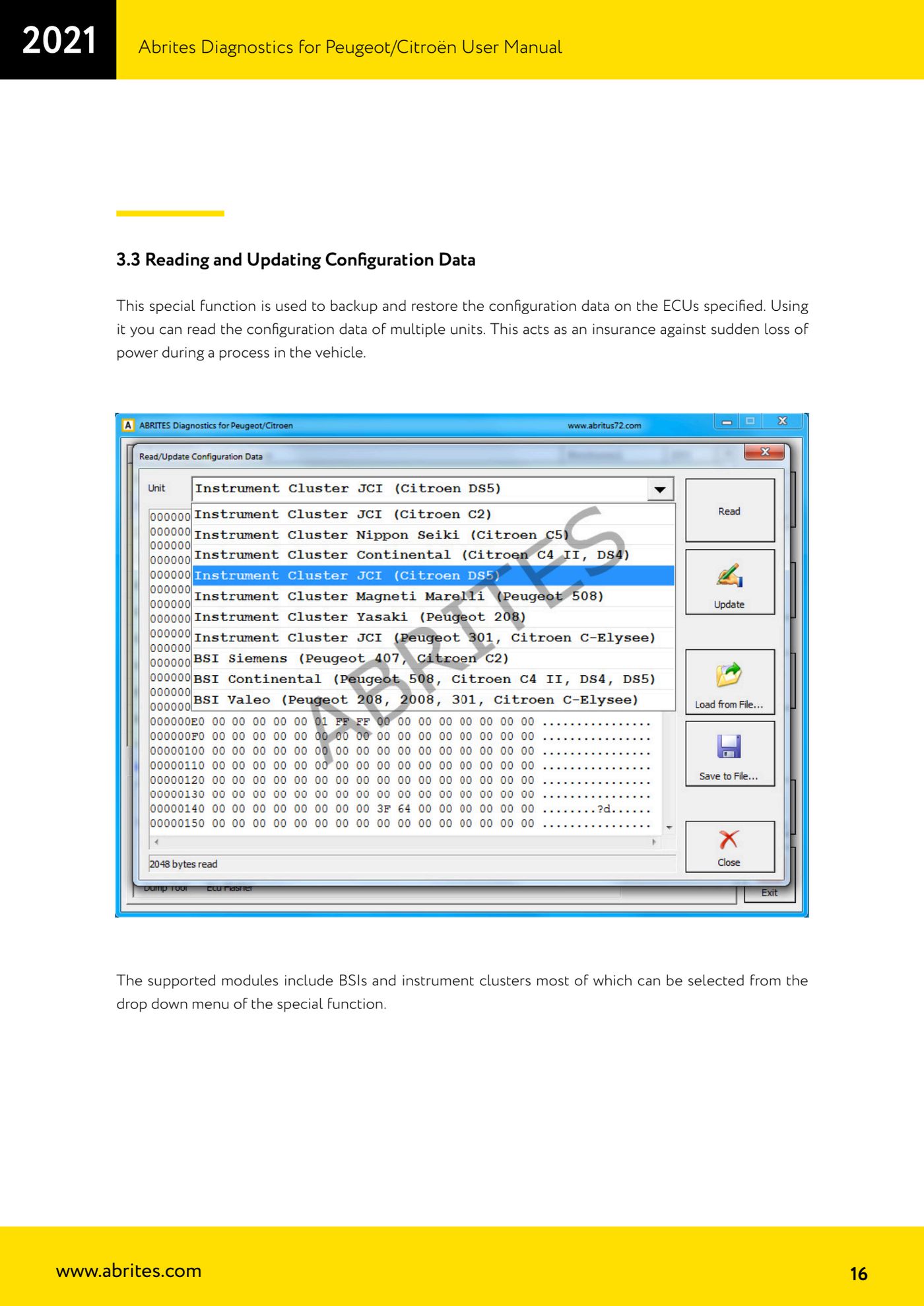
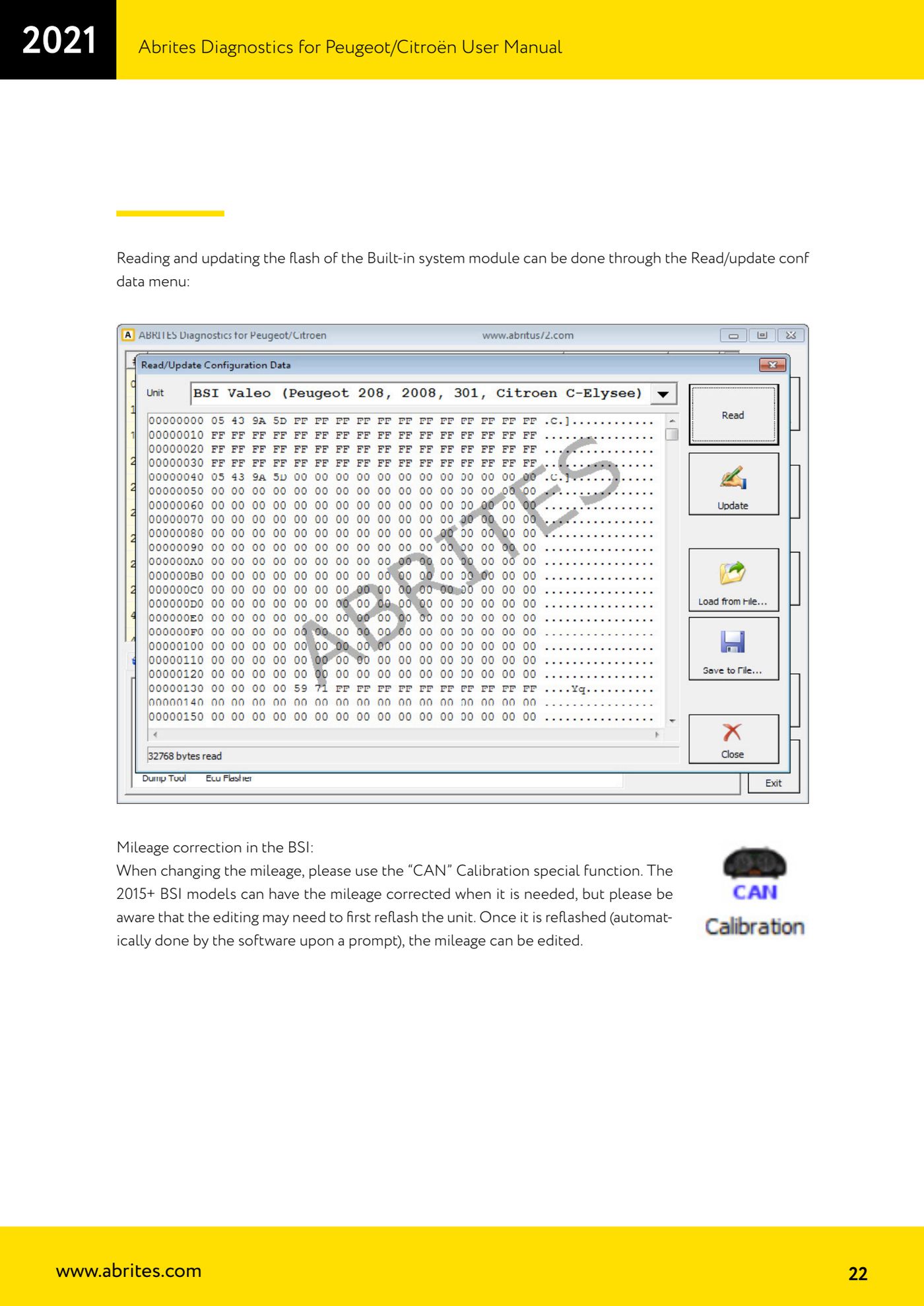
Source: Manuale Peugeot/Citroën (interfaccia classica), cap. 3.3 (p.16) e cap. 3.4.1 (p.22) · ⏱ estimated time 15-30 min
← All Abrites guides Hardware catalogue
More guides PSA
- Standard Peugeot/Citroën diagnostics: unit scan, DTCs, identification and live data
- Reading the PIN (Read security code) and key programming on Peugeot/Citroën
- Engine Control Unit: reading/writing Configuration Data and ECU flash, IMMO OFF and after sales preparation (EDC, SID)
- BSI exchange: replacing the BSI with a used unit (JCI and Valeo CAN) and identifying the hardware version
- Continental BSI 2015+: reading the PIN, EEPROM read/write, BSI exchange and Set PIN
- Mileage correction on Continental BSI 2015+ using the "CAN" Calibration function
- Cluster Calibration: mileage calibration on the BSI and instrument cluster (with Disable dashboard synchronisation)
- Service Zero Reset: resetting the service/oil change indicator on Peugeot/Citroën
- Dump Tool: reading, saving and clearing crash data from airbag control units
- Vehicle identification, module scan and DTC handling (Peugeot / Citroën / DS)
- Reading live parameters and running actuator tests on PSA control units
- Reading keys and programming PSA keys with PIN reading from the BSI (guided wizard)