
Chip-Tools
Vehicle identification, module scan and DTC handling (Peugeot / Citroën / DS)
PSA
Interface New
Diagnostics
Basic
⏱ 15-30 min
10 steps
This is the starting procedure for every job with Abrites Diagnostics for PSA Online: it identifies the vehicle, lists all the control units present with the number of stored faults, and lets you read, drill into, save and clear the fault codes. Use it both as initial diagnostics and as a final check after coding or key programming work.
Required licences
- —
Hardware / cables

⚠ WarningThe PSA Online software needs a live Internet connection to work properly. Before starting, connect the vehicle to an external power supply so voltage cannot drop while you are working on the car.
Procedure
- Connect the AVDI to the vehicle's OBDII socket and the vehicle to a workshop power supply; switch the ignition on.
- Make sure you have a stable Internet connection: without a network the online software will not work. If you are using a phone hotspot, bear in mind that an incoming call can drop the connection.
- Launch "Abrites Diagnostics for PSA Online" (in the Abrites menu it is the entry with the Internet connectivity symbol).
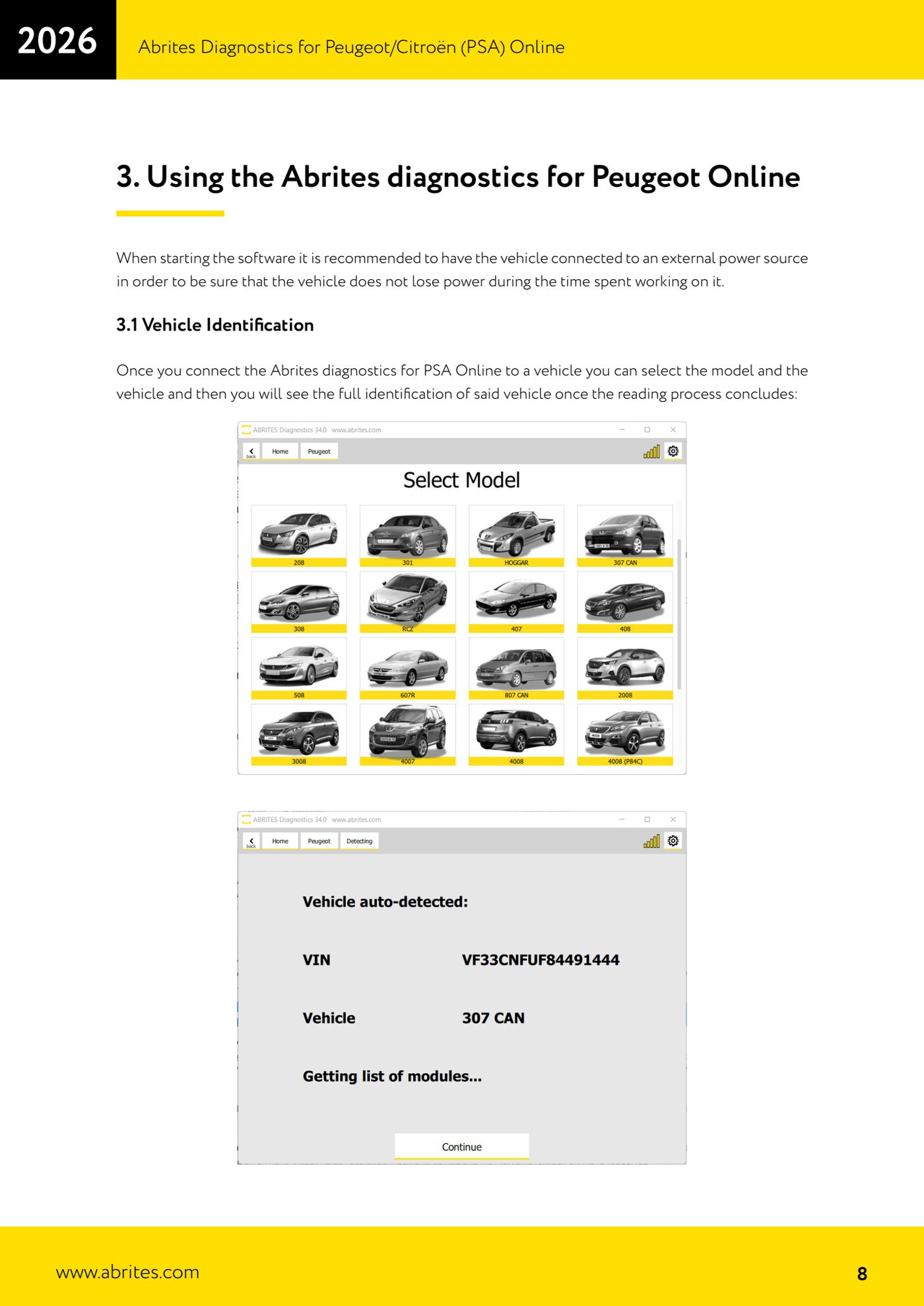
- Select the model and the vehicle: when the reading process is finished you will see the full vehicle identification.
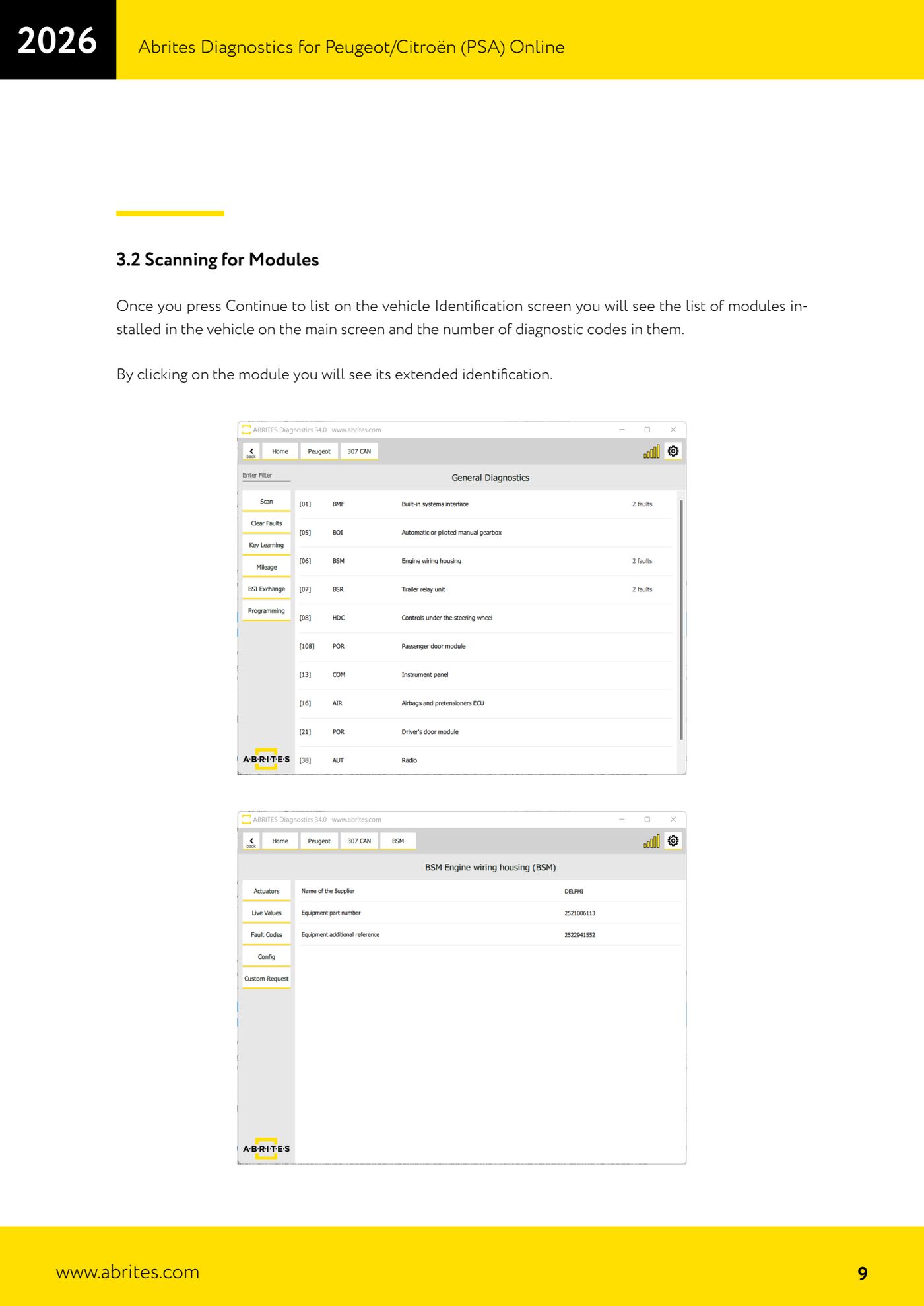
- Press "Continue to list": the list of control units fitted to the vehicle appears, each with the number of fault codes present alongside it.
- Click a control unit to see its extended identification (codes, versions, part references).
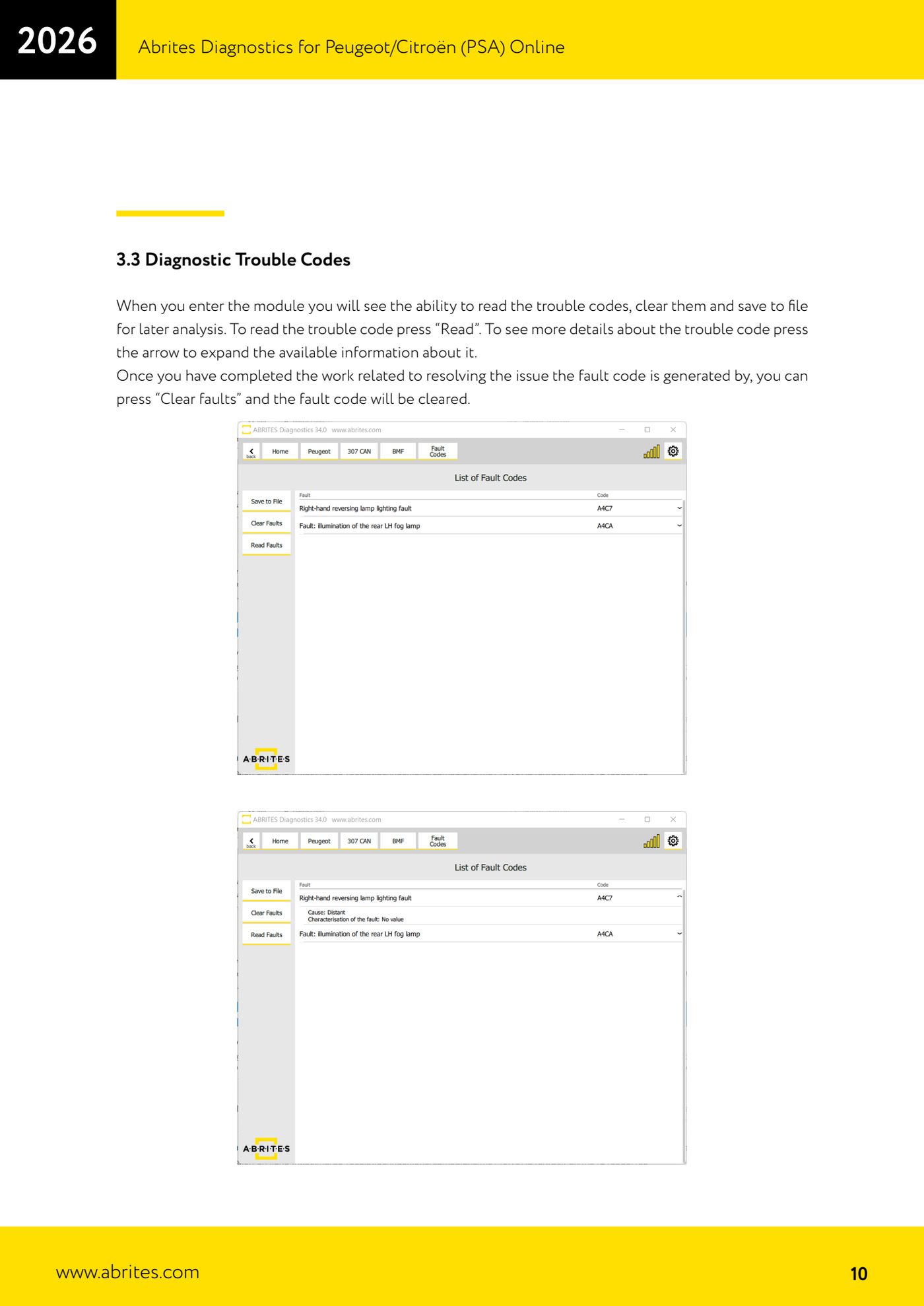
- Enter the control unit you are interested in and press "Read" to read the fault codes.
- Press the arrow next to a code to expand the extended DTC information, where available.
- If you need a record of the job, save the code list to file for later analysis.
- Once you have fixed the fault that generated the code, press "Clear faults" to erase it, then run a "Read" again to confirm it does not come back.
Reference screenshots
Source: Manuale PSA Online, cap. 3 - 3.1/3.2/3.3 (p.8-10) · ⏱ estimated time 15-30 min
← All Abrites guides Hardware catalogue
More guides PSA
- Standard Peugeot/Citroën diagnostics: unit scan, DTCs, identification and live data
- Reading the PIN (Read security code) and key programming on Peugeot/Citroën
- Engine Control Unit: reading/writing Configuration Data and ECU flash, IMMO OFF and after sales preparation (EDC, SID)
- Read/Update ConfData: backing up and restoring the configuration data of the BSI and instrument cluster
- BSI exchange: replacing the BSI with a used unit (JCI and Valeo CAN) and identifying the hardware version
- Continental BSI 2015+: reading the PIN, EEPROM read/write, BSI exchange and Set PIN
- Mileage correction on Continental BSI 2015+ using the "CAN" Calibration function
- Cluster Calibration: mileage calibration on the BSI and instrument cluster (with Disable dashboard synchronisation)
- Service Zero Reset: resetting the service/oil change indicator on Peugeot/Citroën
- Dump Tool: reading, saving and clearing crash data from airbag control units
- Reading live parameters and running actuator tests on PSA control units
- Reading keys and programming PSA keys with PIN reading from the BSI (guided wizard)