
Chip-Tools
Reading the PIN (Read security code) and key programming on Peugeot/Citroën
PSA
Interface Classic
Keys / Immo
Medium
⏱ 20-40 min
11 steps
This lets you read the security code (PIN) out of the car and use it straight away in the key programming special function. It is the procedure to follow when adding keys or rebuilding the key set on Peugeot/Citroën.
Required licences
- —
Hardware / cables

⚠ WarningBefore you start, hook up an external power supply to the vehicle and make sure the diagnostic connection is genuinely live — check it by running a fault code scan. Reading the PIN is a long procedure and a voltage drop during the process is the main risk.
Procedure
- Connect an external power supply to the vehicle battery: the procedure needs stable voltage from start to finish.
- Connect the AVDI to the OBD-II socket and confirm you have diagnostic communication by running a fault code scan on the vehicle.
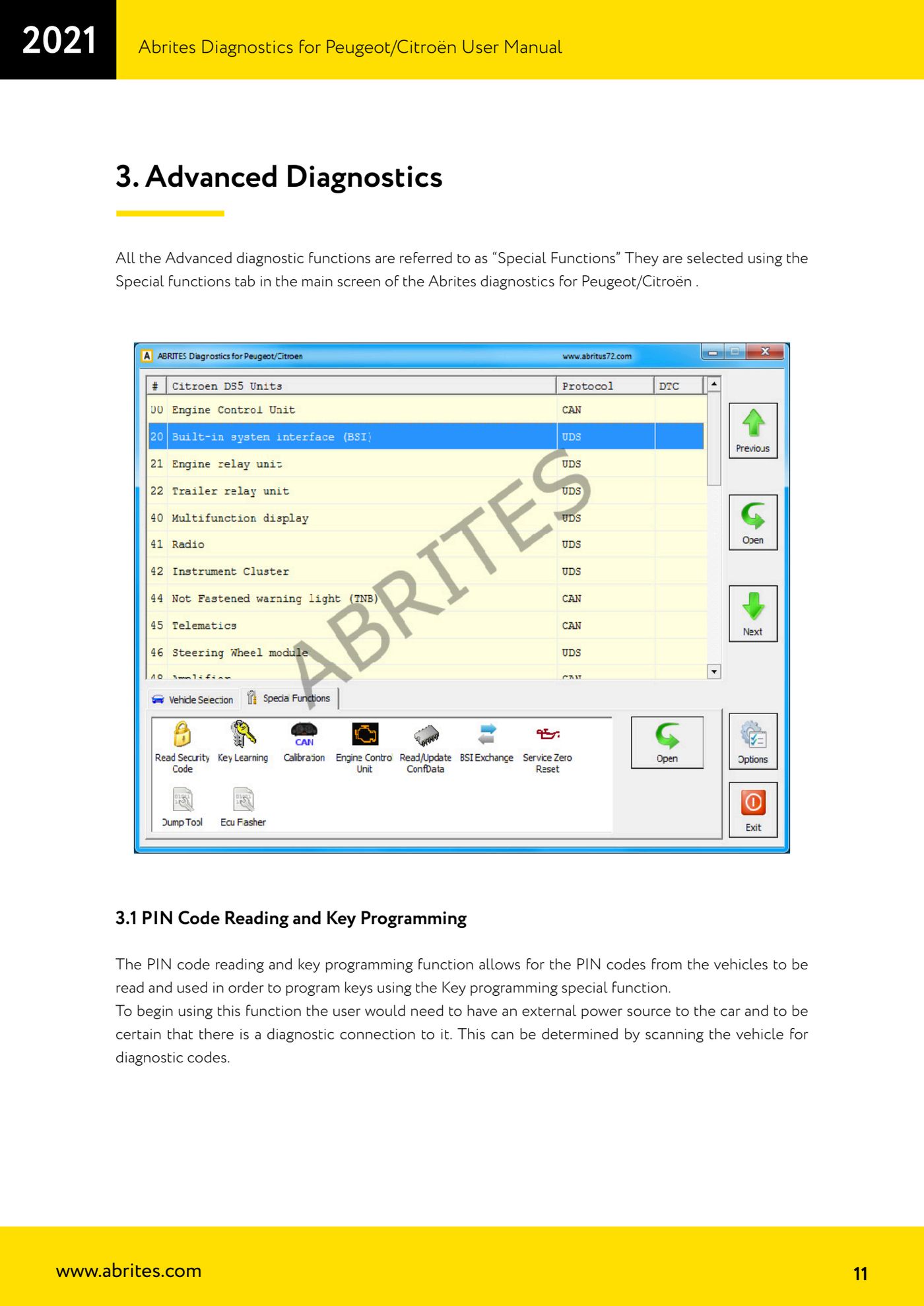
- Open the "Special functions" tab on the software's main screen: all the advanced functions live there.
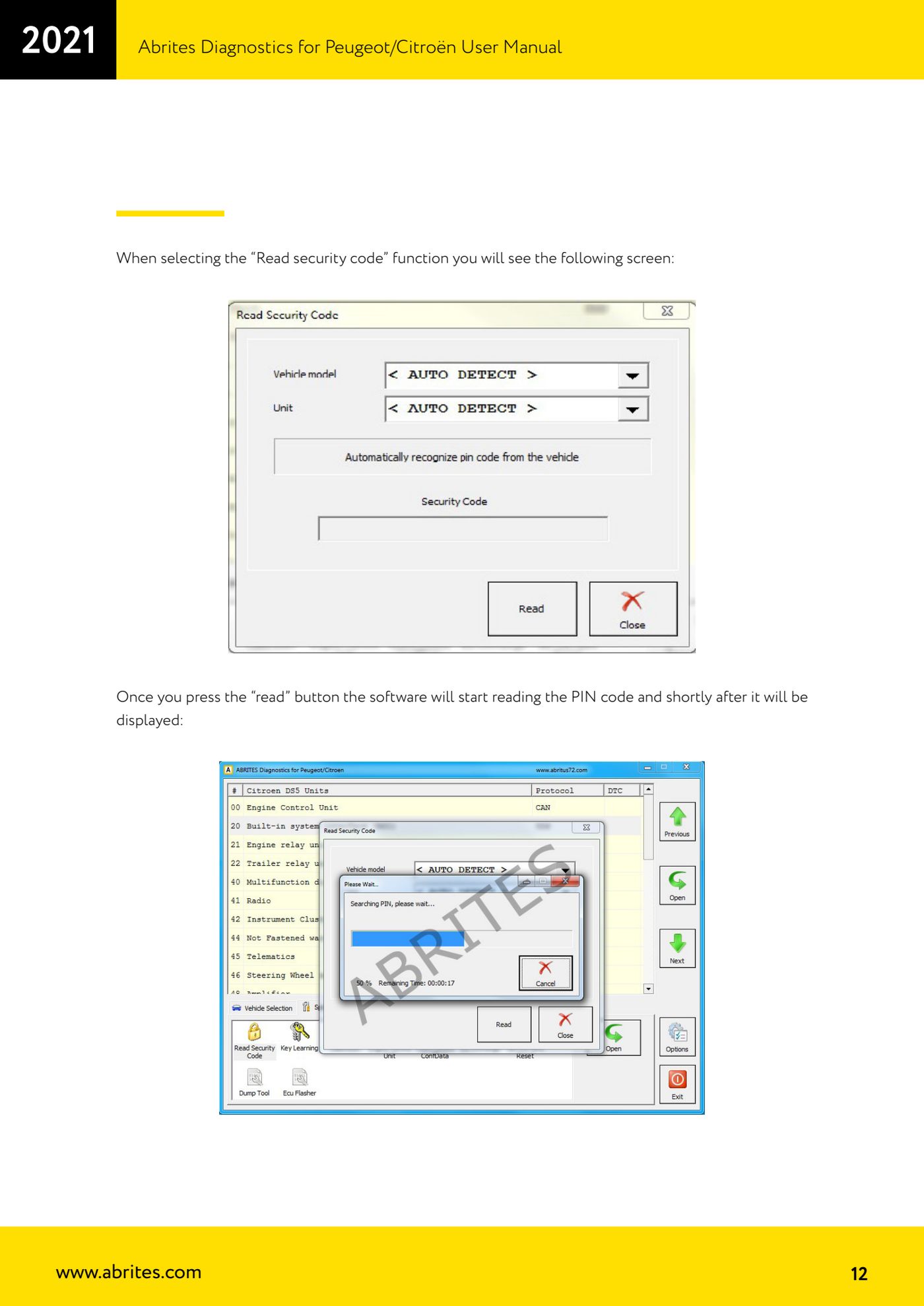
- Select the "Read security code" function: the security code reading screen opens.
- Press the "Read" button. The software starts searching for the PIN and shortly afterwards displays it on screen.
- When the PIN appears, write it down or save it: you need it immediately afterwards for key programming.
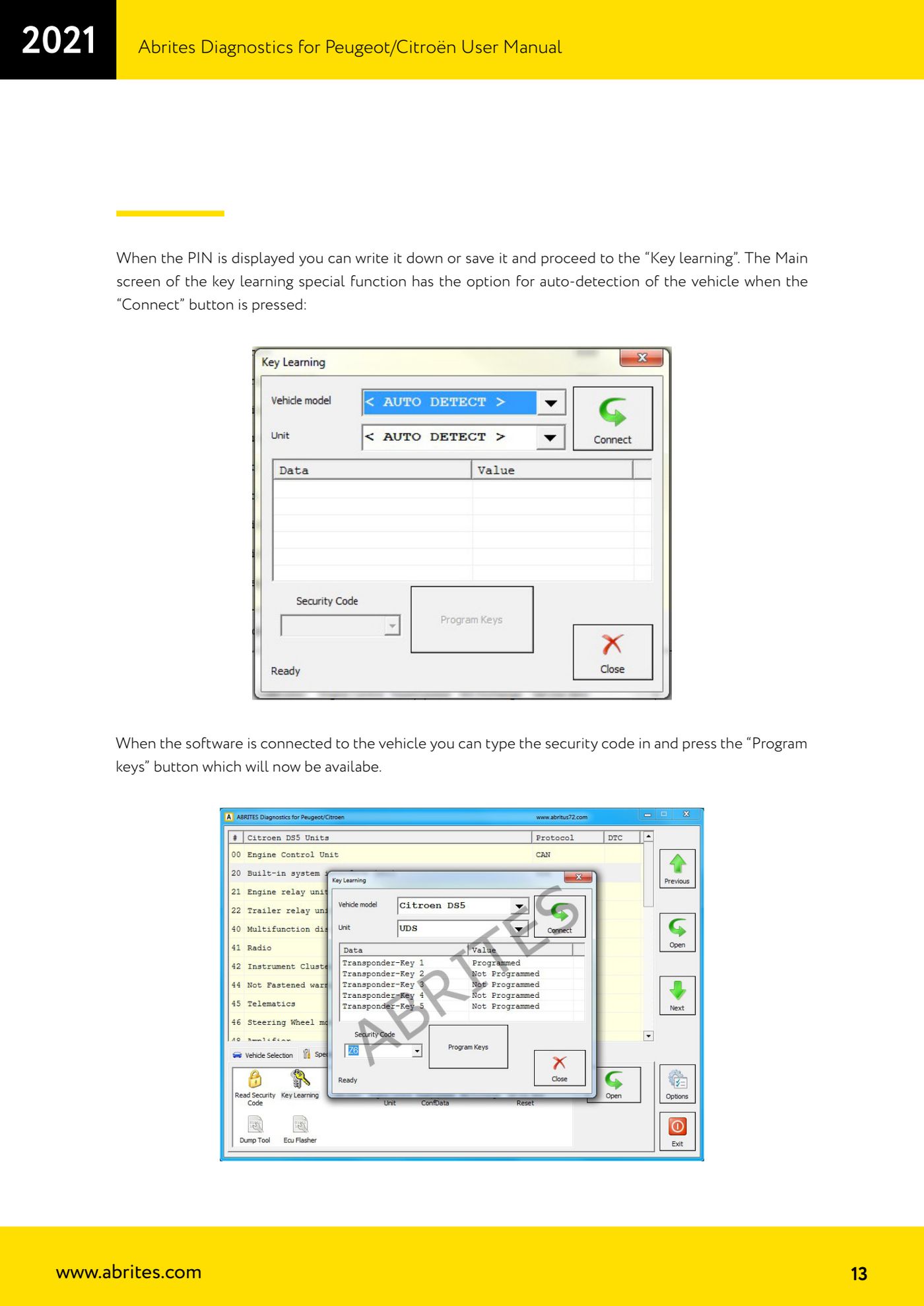
- Move on to the "Key Learning" special function. On the main screen press "Connect": the software automatically identifies the vehicle.
- Once connected, enter the security code you have just read: only then does the "Program Keys" button become active. Press it.
- Enter the number of keys to be programmed: you must count every key that has to keep working, not just the new one.
- Follow the software's step-by-step on-screen instructions to the letter to complete key learning.
- When it is done, test every key: engine start and remote operation.
Reference screenshots
Source: Manuale Peugeot/Citroën (interfaccia classica), cap. 3.1 (p.11-14) · ⏱ estimated time 20-40 min
← All Abrites guides Hardware catalogue
More guides PSA
- Standard Peugeot/Citroën diagnostics: unit scan, DTCs, identification and live data
- Engine Control Unit: reading/writing Configuration Data and ECU flash, IMMO OFF and after sales preparation (EDC, SID)
- Read/Update ConfData: backing up and restoring the configuration data of the BSI and instrument cluster
- BSI exchange: replacing the BSI with a used unit (JCI and Valeo CAN) and identifying the hardware version
- Continental BSI 2015+: reading the PIN, EEPROM read/write, BSI exchange and Set PIN
- Mileage correction on Continental BSI 2015+ using the "CAN" Calibration function
- Cluster Calibration: mileage calibration on the BSI and instrument cluster (with Disable dashboard synchronisation)
- Service Zero Reset: resetting the service/oil change indicator on Peugeot/Citroën
- Dump Tool: reading, saving and clearing crash data from airbag control units
- Vehicle identification, module scan and DTC handling (Peugeot / Citroën / DS)
- Reading live parameters and running actuator tests on PSA control units
- Reading keys and programming PSA keys with PIN reading from the BSI (guided wizard)