
Chip-Tools
ECU Flasher: reading and writing ConfData and Flash on EDC15C2 and EDC16+ CP31 (ECU cloning)
Fiat/FCA
Interface Classic
Flashing / Programming
Advanced
⏱ 30-60 min
8 steps
The "ECU Flasher" Special Function reads the ConfData and Flash files of EDC15C2 and EDC16+ CP31 units and saves them to file; the same file can be written into another unit. This is the function used for cloning the engine ECU.
Required licences
- —
Hardware / cables
 AVDI
AVDI- cavo OBD-II
⚠ WarningDuring reading and above all during the Flash write, the power supply must stay stable and the connection must never be broken: an interruption bricks the ECU. Always save both the original ConfData and the original Flash before writing.
Procedure
- Connect the AVDI to the vehicle's OBD-II socket, ignition ON, and provide a stable power supply for the whole duration of the job.
- Go into the Special Functions menu and double-click "ECU Flasher".
- Check that the ECU is an EDC15C2 or an EDC16+ CP31 — the only ones this function handles.
- Read the unit's ConfData and save them to file.
- Read the unit's Flash file and save it to file. Keep both files as the backup of the original.
- For cloning, connect the target ECU and load the files read from the original unit into the software.
- Start the write to the unit without interrupting the connection or the power supply until the procedure has finished.
- When the job is done, read the data back to verify it, then check starting and the absence of new DTCs with a full scan.
Reference screenshots
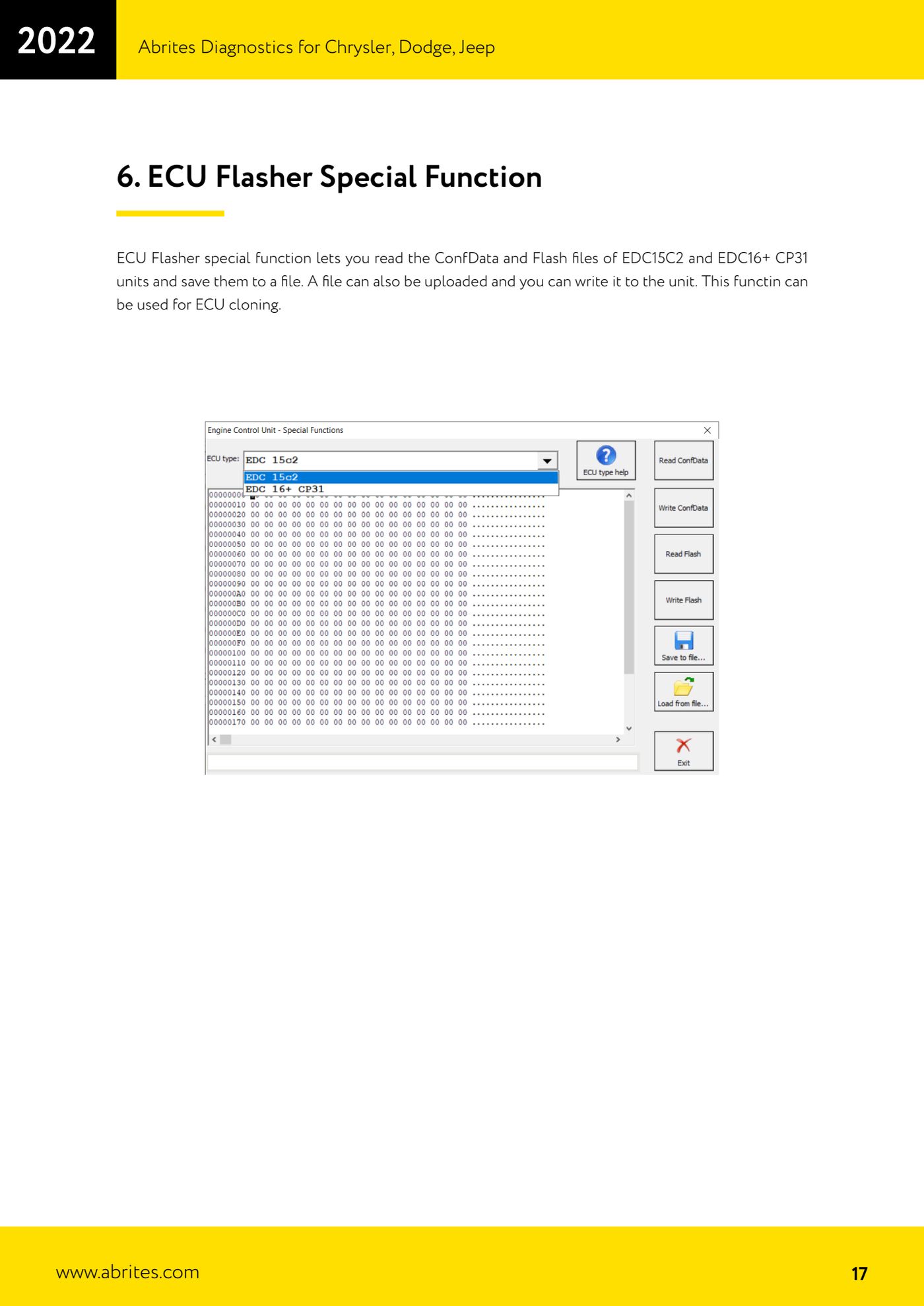
Source: Manuale Chrysler / Dodge / Jeep, cap. 6 (p.17) · ⏱ estimated time 30-60 min
← All Abrites guides Hardware catalogue
More guides Fiat/FCA
- Vehicle scan, module identification and reading/clearing DTC (Fiat, Alfa Romeo, Lancia, FCA)
- Reading live data (Data Display) and ECU identification on FCA vehicles
- Actuator tests on FCA control units (engine, BCM and other modules)
- BCM, RFH and Key Manager: reading the PIN, Component Protection data and Transponder Maker
- Key programming via OBD on FCA vehicles (with PIN from the RFH and Security Gateway bypass)
- Key programming on FCA keyless models from 2020 onwards in All Keys Lost (CB017 set + ZN051)
- Key programming on Fiat Ducato, Fiat 500L and Iveco Daily 2020+ (PIN from the BCM EEPROM with ABProg and ZN057)
- FCA instrument cluster calibration via OBDII ("Cluster Calibration" and "Cluster Calibration 2")
- ECU Flash Manager: reading and writing flash memory on Marelli and Bosch ECUs (IAW, MJD 6JF, ME7 boot mode)
- ECU Configuration Manager: reading/writing configuration and VIRGIN reset (EDC15, MJD 6JF/8F2, Marelli IAW, ME7)
- Proxi Alignment: BCM configuration and module alignment on FCA vehicles (bench work included)
- Module scan and DTC read/clear with FCA Online (Fiat, Alfa Romeo, Jeep, Lancia)