
Chip-Tools
ZN151 CB401 / DB15 cable: new colour legend (v2.3+) and old one (v2.2 and below)
Strumenti
Interface Classic
Hardware / Connections
Basic
⏱ 10 min
6 steps
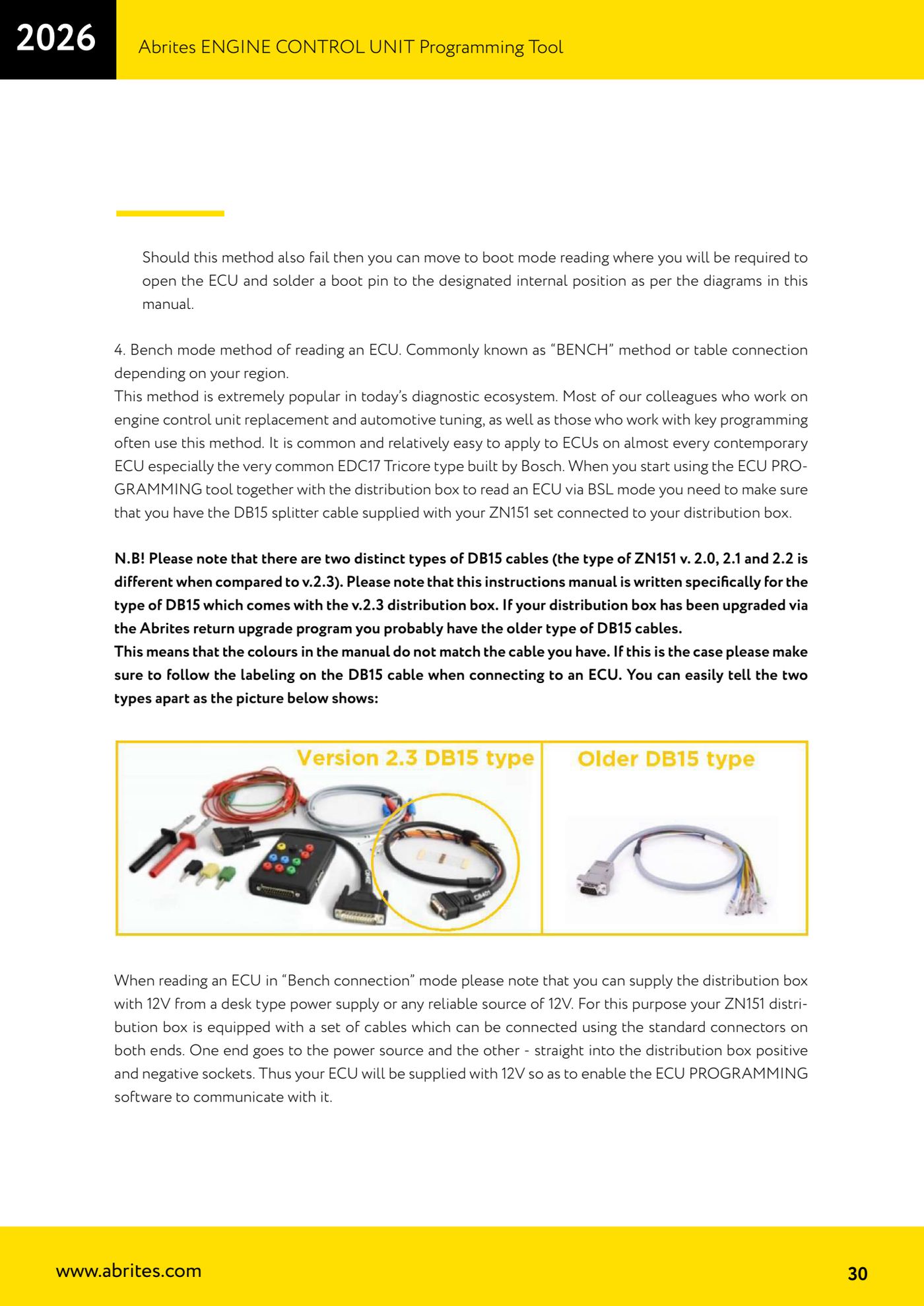
The DB15 cable in the ZN151 set exists in two versions with different colours. Misreading the colours means miswiring the ECU, so before you connect any pin check which version of Distribution Box you have in your hands.
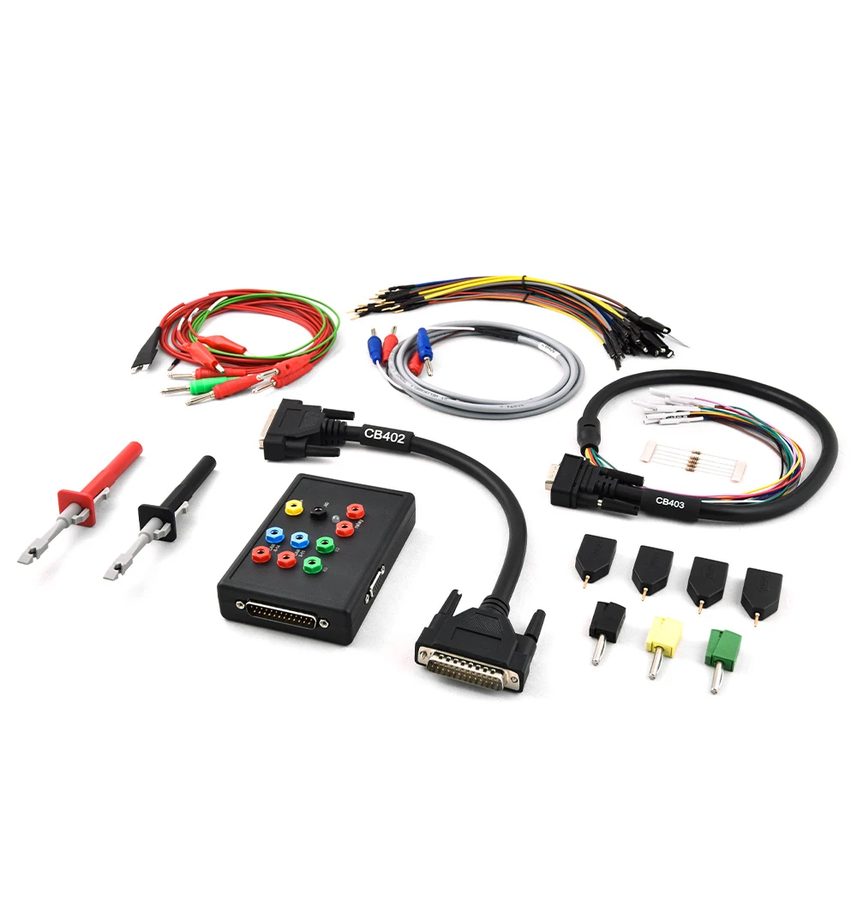

⚠ WarningZN151 Distribution Boxes version 2.2 or below use a DB15 cable with different colours from v2.3 or above, and boxes updated through the Abrites return upgrade programme almost always carry the old-type cable. If the manual colours don't match your cable, ALWAYS follow the labelling printed on the DB15 cable and not the colour.
Procedure
- Check the version of your ZN151: the two DB15 cable types (v2.0/2.1/2.2 versus v2.3) can be told apart on sight as shown in the manual's picture.
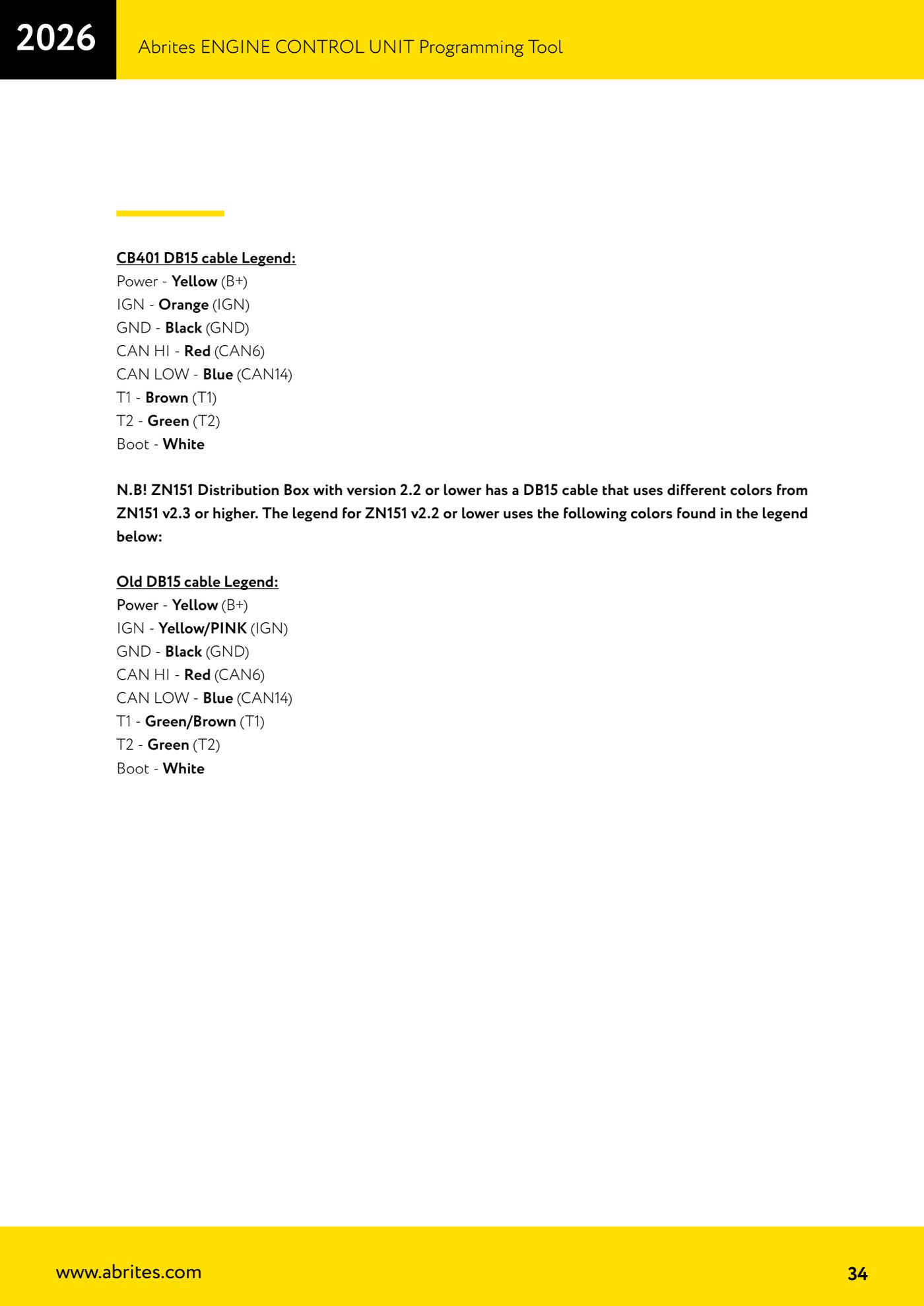
- If you have a ZN151 v2.3 or above, use the new CB401 legend: Power = yellow (B+), IGN = orange (IGN), GND = black (GND), CAN HI = red (CAN6), CAN LOW = blue (CAN14), T1 = brown (T1), T2 = green (T2), Boot = white.
- If you have a ZN151 v2.2 or below, use the old legend: Power = yellow (B+), IGN = yellow/pink (IGN), GND = black (GND), CAN HI = red (CAN6), CAN LOW = blue (CAN14), T1 = green/brown (T1), T2 = green (T2), Boot = white.
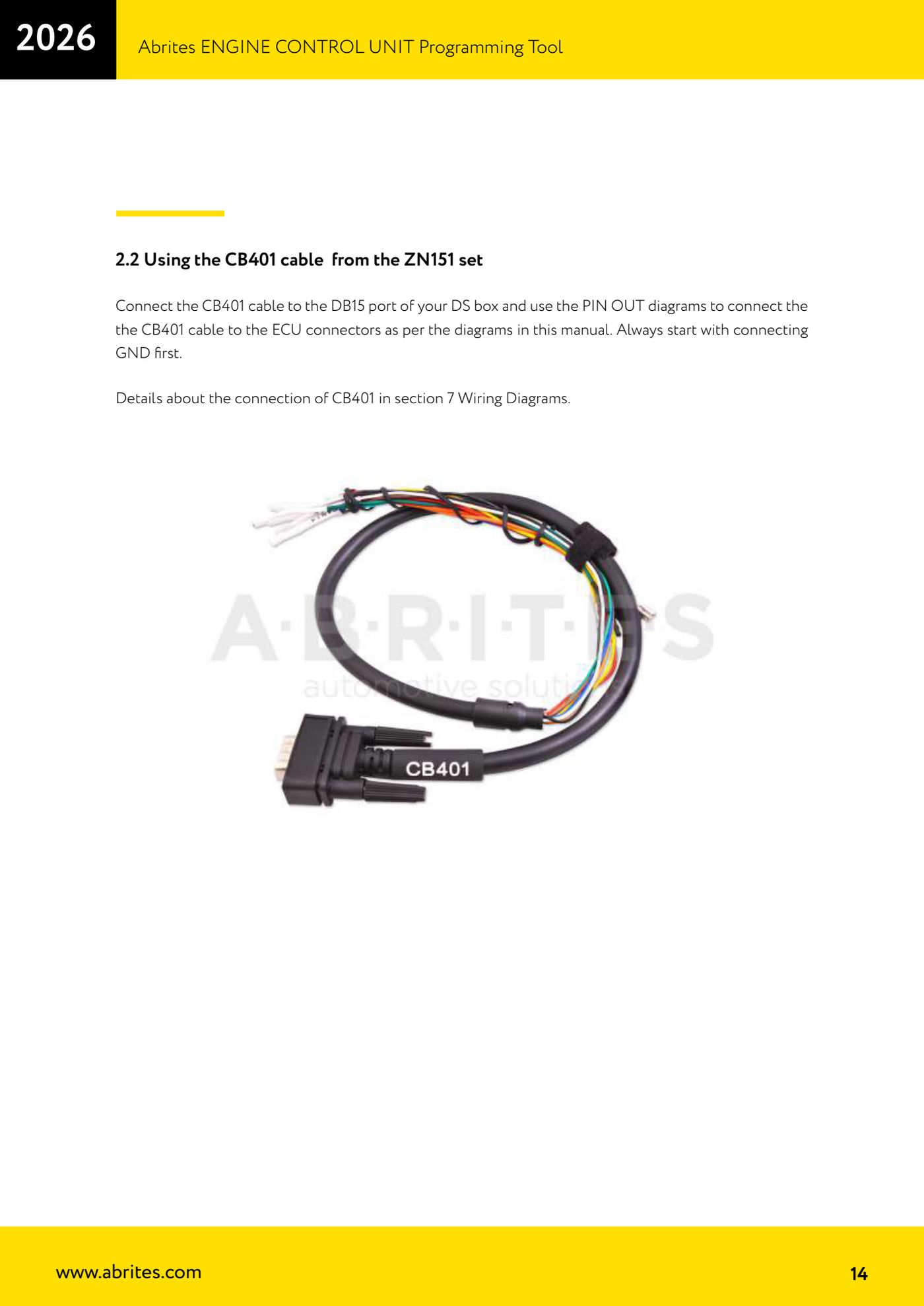
- Connect the CB401 to the DS Box DB15 port and wire the ECU following the PIN OUT diagrams in the Wiring Diagrams chapter, always starting from GND.
- If the connector on the ECU you're working on isn't covered by the CB401 (modern units and connectors), move to the extended CB403 set.
- If you have the slightest doubt about which colour does what, trust the label on the wire: it's the only valid reference on old-type cables.
Reference screenshots
Source: Manuale ECU Programming Tool, parte 1 di 3, cap. 6 e 7 (p.30, 34) · ⏱ estimated time 10 min
← All Abrites guides Hardware catalogue
More guides Strumenti
- ABPROG ZN030: what's in the set, hooking it up to the AVDI and starting the Classic software
- Reading and writing SPI, I2C and Microwire EEPROMs with ABPROG and the ZN031/ZN035 adapter
- Erasing and reprogramming M35080VP / M35080V6 incremental EEPROMs with ABPROG
- Wiring an SPI EEPROM straight to the ABPROG DB25 without the ZN031 adapter
- Mercedes-Benz IR keys: reading the SSID, erasing and programming the NEC with ZN032 / ZN033
- Renewing used keys (HITAG/PCF) with the ZN046 adapter and ABPROG
- Solder points on key PCBs for the ZN046 and list of keys supported for renewal
- Reading the EWS3 dump on BMW E46/E39/E53 and others with the ZN055 adapter
- Reading the EEPROM on BMW F-Series FEM/BDC without desoldering, using the ZN057 extension
- Reading and writing NEC V850ES MCUs with the ZN078 adapter and ABPROG
- ABPROG DB25 pinout: building your own ZN046, ZN058, ZN078 and ZN086 adapters
- Reading the immobiliser from a Renault X95 BCM (and Audi BCM) with ABPROG and direct wiring