
Chip-Tools
Using the AVDI with ODIS (VW, Audi, Seat, Skoda, Bentley, Lamborghini)
Strumenti
Interface Classic
Diagnostics
Medium
⏱ 15 min
8 steps
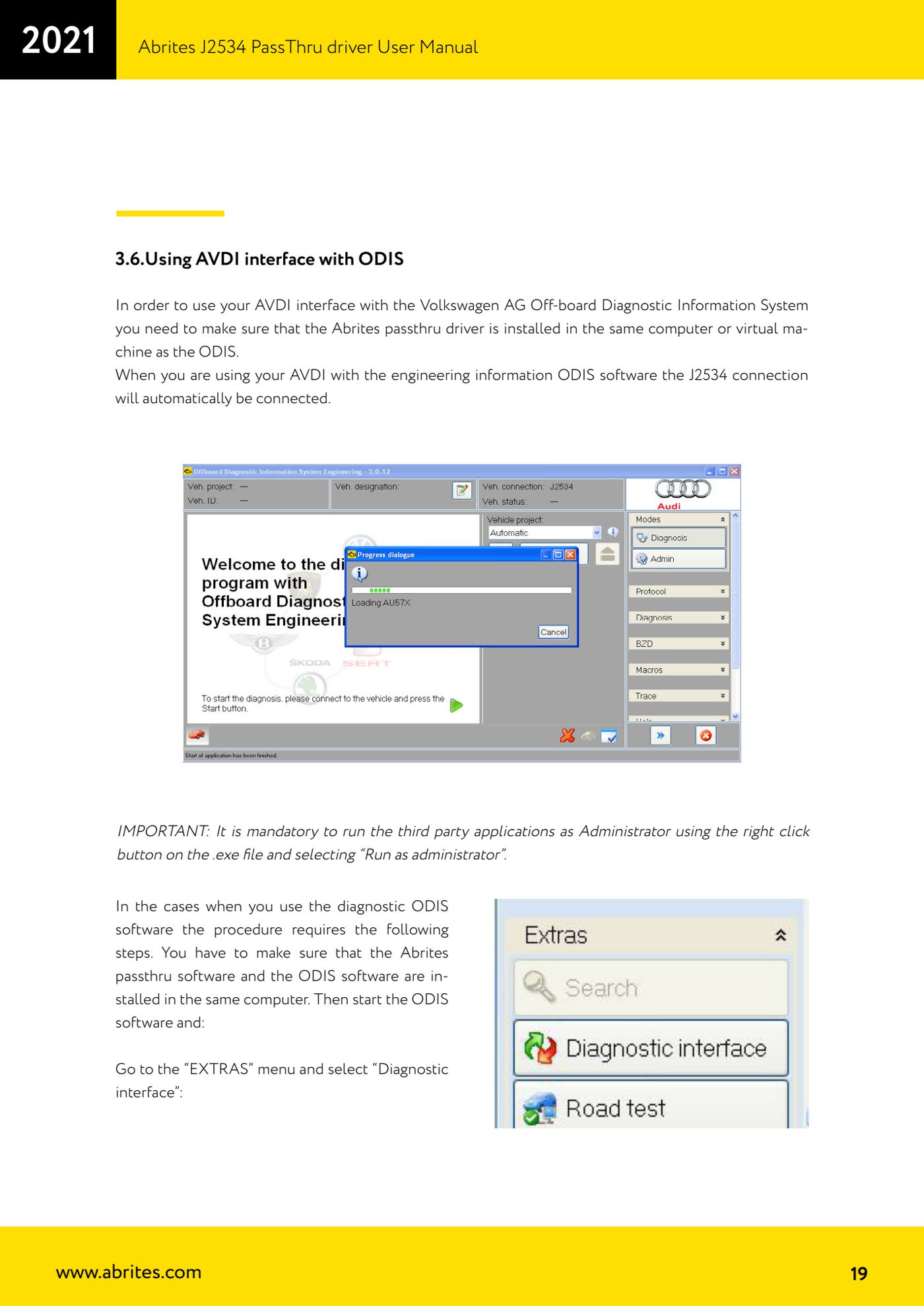
The AVDI can replace the original VAS/VCI with ODIS thanks to the J2534 driver. With the Engineering version the connection is established automatically; with the Diagnostic version you have to select the passthru interface manually.
Required licences
- —
Hardware / cables
 AVDI
AVDI- cavo USB
⚠ WarningThe Abrites passthru driver and ODIS must be installed on the same computer or the same virtual machine; ODIS must always be started as administrator (right-click the .exe -> "Run as administrator").
Procedure
- Install the Abrites passthru driver on the same computer or virtual machine where ODIS is installed and connect the AVDI there.
- If you are using ODIS Engineering, the J2534 connection is established automatically: no further configuration is needed.
- If you are using ODIS Diagnostic (Service), start the software as administrator.
- Go to the "EXTRAS" menu and select "Diagnostic interface".
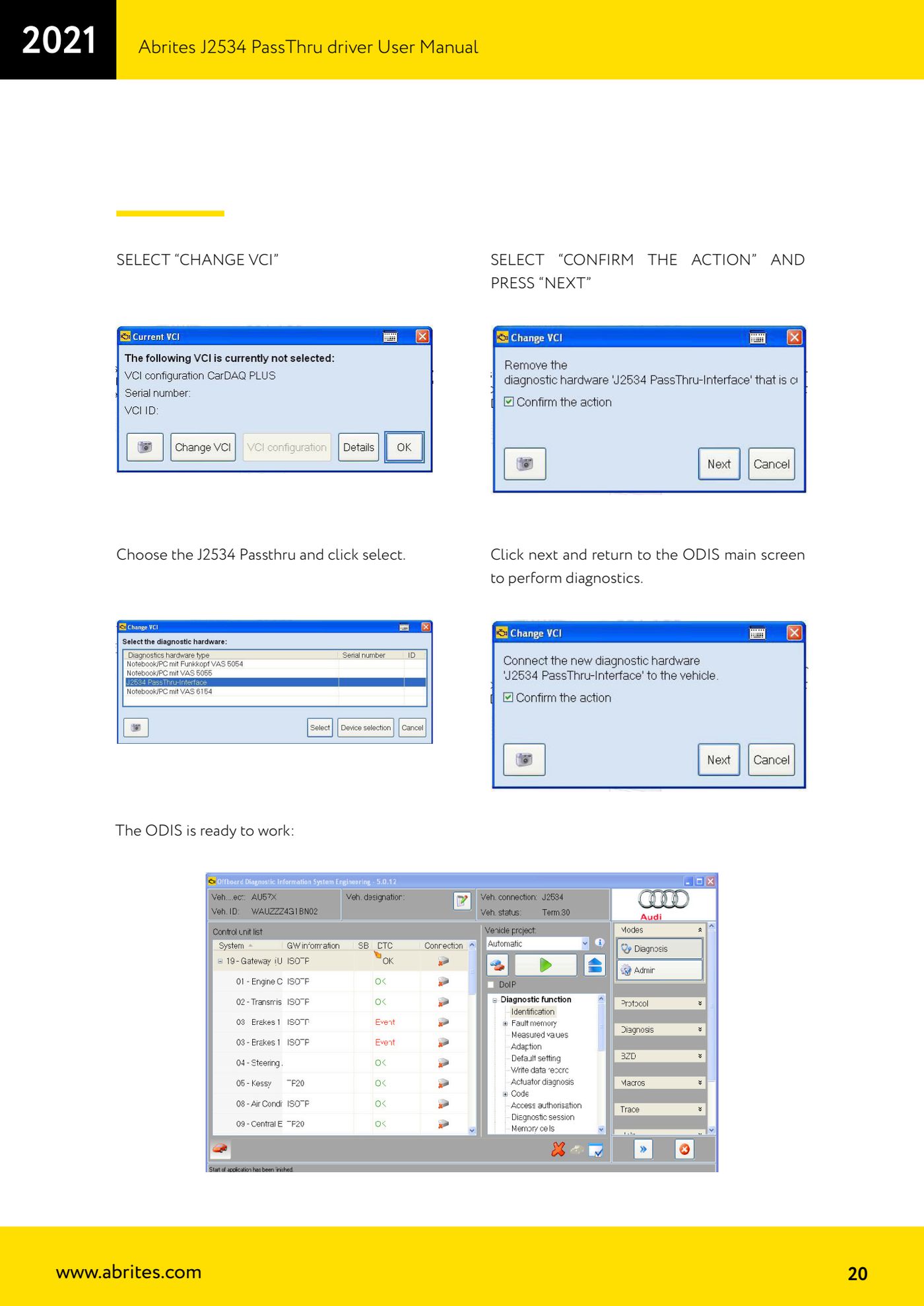
- Select "CHANGE VCI".
- From the list choose "J2534 Passthru" and confirm with "select".
- Select "CONFIRM THE ACTION" and press "NEXT".
- Press next again and go back to the ODIS main screen: the system is ready to diagnose the vehicle.
Reference screenshots
Source: Manuale Driver J2534 PassThru Abrites, cap. 3.6 (p.19-20) · ⏱ estimated time 15 min
← All Abrites guides Hardware catalogue
More guides Strumenti
- ABPROG ZN030: what's in the set, hooking it up to the AVDI and starting the Classic software
- Reading and writing SPI, I2C and Microwire EEPROMs with ABPROG and the ZN031/ZN035 adapter
- Erasing and reprogramming M35080VP / M35080V6 incremental EEPROMs with ABPROG
- Wiring an SPI EEPROM straight to the ABPROG DB25 without the ZN031 adapter
- Mercedes-Benz IR keys: reading the SSID, erasing and programming the NEC with ZN032 / ZN033
- Renewing used keys (HITAG/PCF) with the ZN046 adapter and ABPROG
- Solder points on key PCBs for the ZN046 and list of keys supported for renewal
- Reading the EWS3 dump on BMW E46/E39/E53 and others with the ZN055 adapter
- Reading the EEPROM on BMW F-Series FEM/BDC without desoldering, using the ZN057 extension
- Reading and writing NEC V850ES MCUs with the ZN078 adapter and ABPROG
- ABPROG DB25 pinout: building your own ZN046, ZN058, ZN078 and ZN086 adapters
- Reading the immobiliser from a Renault X95 BCM (and Audi BCM) with ABPROG and direct wiring