
Chip-Tools
Using the AVDI with Nissan Consult III+ (VI/MI selection)
Strumenti
Interface Classic
Diagnostics
Medium
⏱ 10-15 min
8 steps
With the passthru driver installed, the AVDI is recognised by Nissan Consult III+ as a VI interface. It is what you need to do diagnostics on Nissans without the original VI.
Required licences
- —
Hardware / cables
 AVDI
AVDI- cavo USB
⚠ WarningIn the interface selection window do NOT press "Connect": simply close the window, otherwise the connection is not established correctly.
Procedure
- Install the Abrites passthru driver on the same computer where Consult III+ is installed.
- Connect the AVDI to that computer via USB and check that it is recognised.
- Start Consult III+ with right-click on the .exe file -> "Run as administrator".
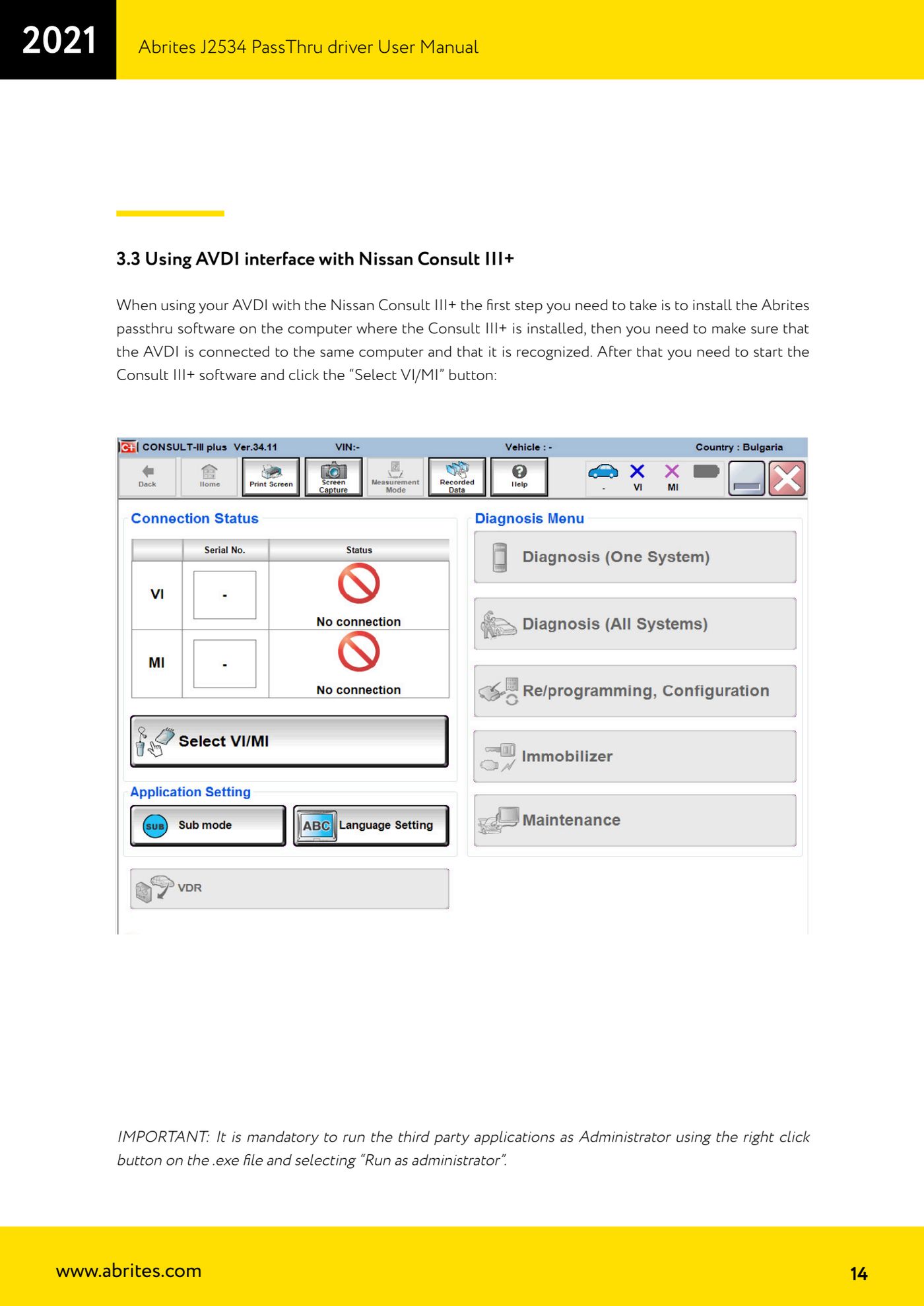
- In the software press the "Select VI/MI" button.
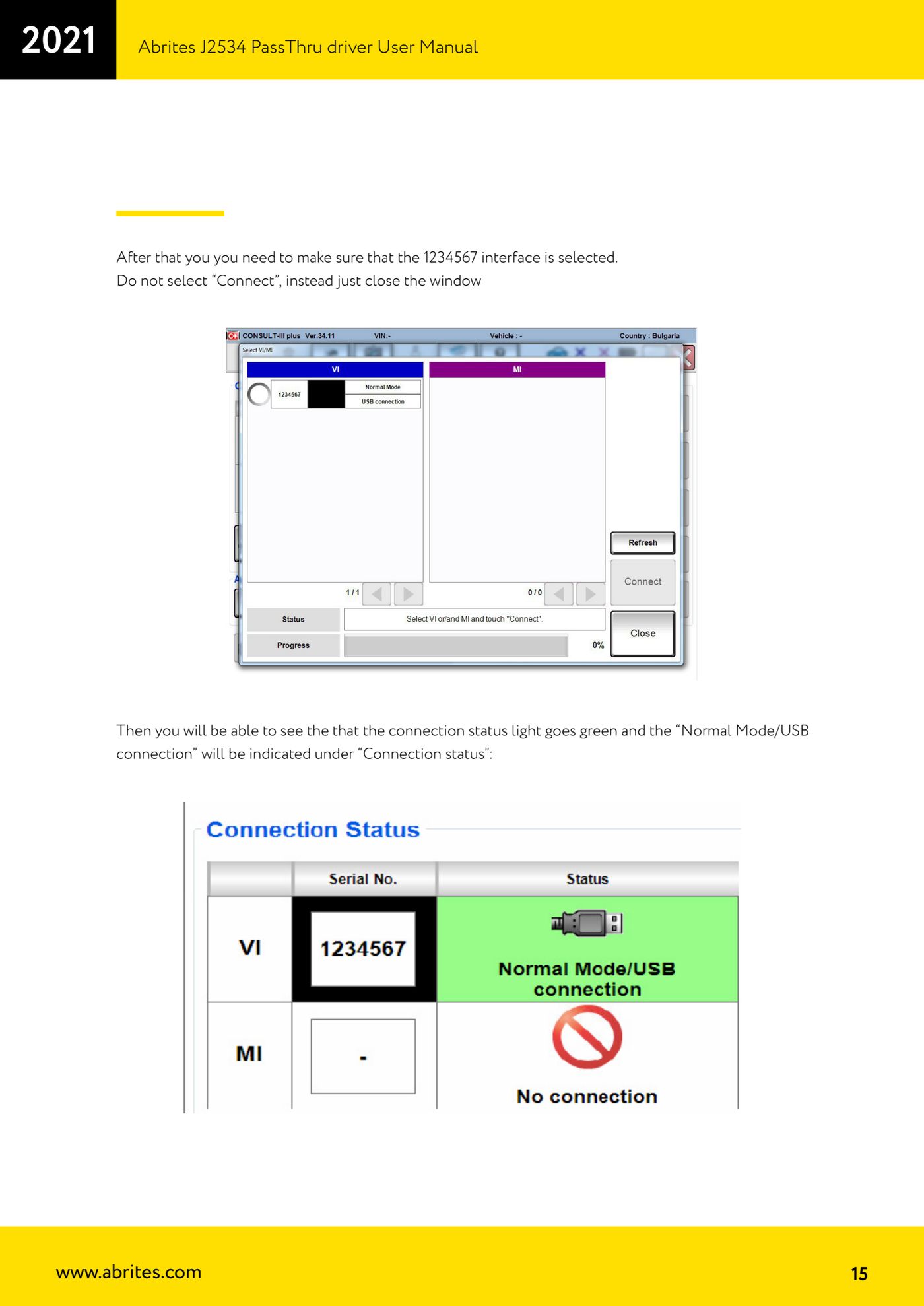
- In the list make sure that interface 1234567 is selected.
- Do not press "Connect": simply close the selection window.
- Check that the connection status indicator turns green and that "Normal Mode/USB connection" appears under "Connection status".
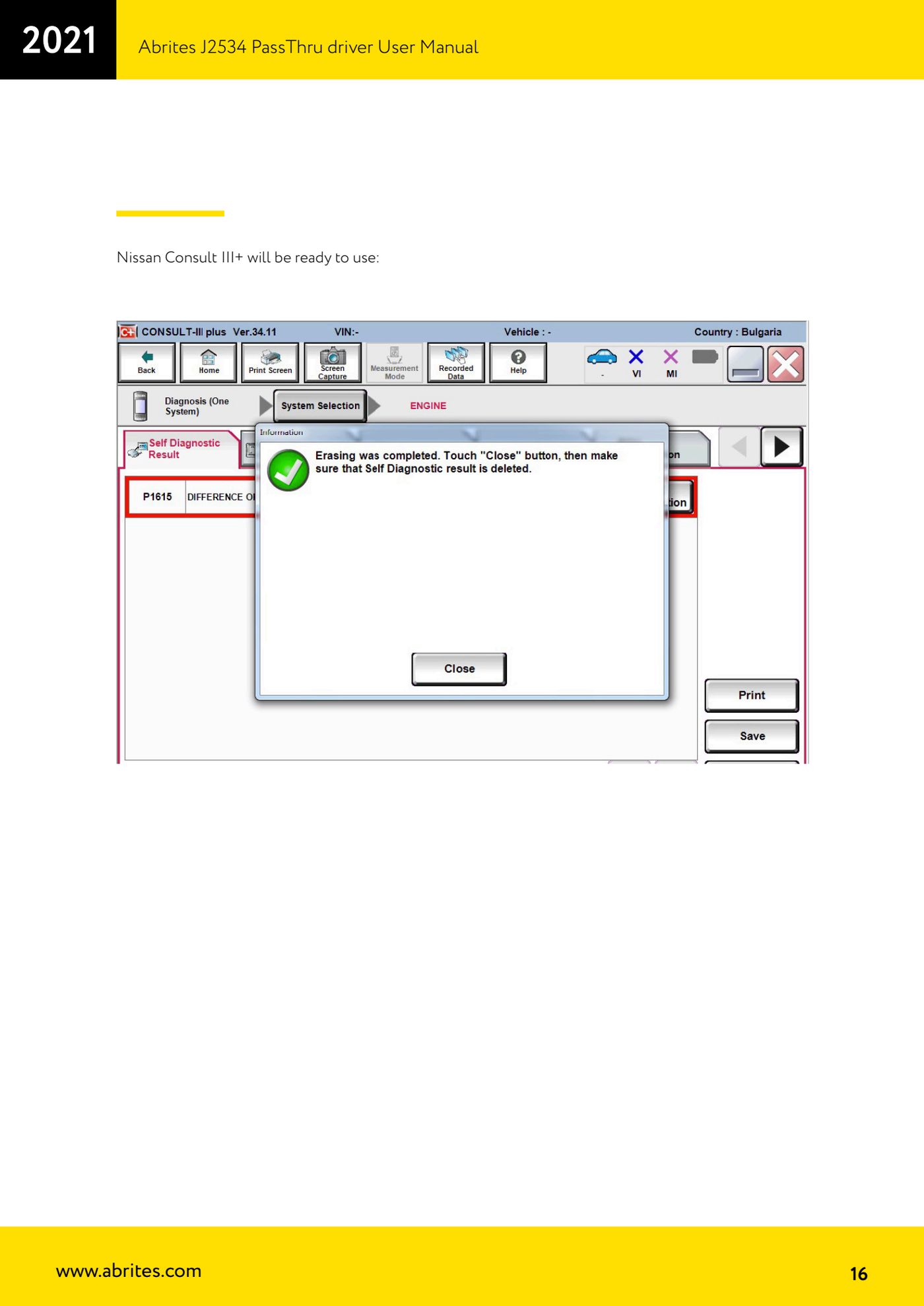
- At this point Consult III+ is ready and you can start diagnosing the vehicle.
Reference screenshots
Source: Manuale Driver J2534 PassThru Abrites, cap. 3.3 (p.14-16) · ⏱ estimated time 10-15 min
← All Abrites guides Hardware catalogue
More guides Strumenti
- ABPROG ZN030: what's in the set, hooking it up to the AVDI and starting the Classic software
- Reading and writing SPI, I2C and Microwire EEPROMs with ABPROG and the ZN031/ZN035 adapter
- Erasing and reprogramming M35080VP / M35080V6 incremental EEPROMs with ABPROG
- Wiring an SPI EEPROM straight to the ABPROG DB25 without the ZN031 adapter
- Mercedes-Benz IR keys: reading the SSID, erasing and programming the NEC with ZN032 / ZN033
- Renewing used keys (HITAG/PCF) with the ZN046 adapter and ABPROG
- Solder points on key PCBs for the ZN046 and list of keys supported for renewal
- Reading the EWS3 dump on BMW E46/E39/E53 and others with the ZN055 adapter
- Reading the EEPROM on BMW F-Series FEM/BDC without desoldering, using the ZN057 extension
- Reading and writing NEC V850ES MCUs with the ZN078 adapter and ABPROG
- ABPROG DB25 pinout: building your own ZN046, ZN058, ZN078 and ZN086 adapters
- Reading the immobiliser from a Renault X95 BCM (and Audi BCM) with ABPROG and direct wiring