
Chip-Tools
Reading and cloning modules with MC9S12 xExxx using the ZN086 adapter
Strumenti
Interface Classic
Flashing / Programming
Advanced
⏱ varies
9 steps
With the ZN086 you can read PFlash, DFlash and EEPROM data from unlocked MC9S12 xExxx-series processors, save them and write them into another module: in practice you clone the donor module onto a new or used one and adapt it to the vehicle. The MC9S12 is found on modules such as the DSM and ISM in Mercedes-Benz FBS4 vehicles.


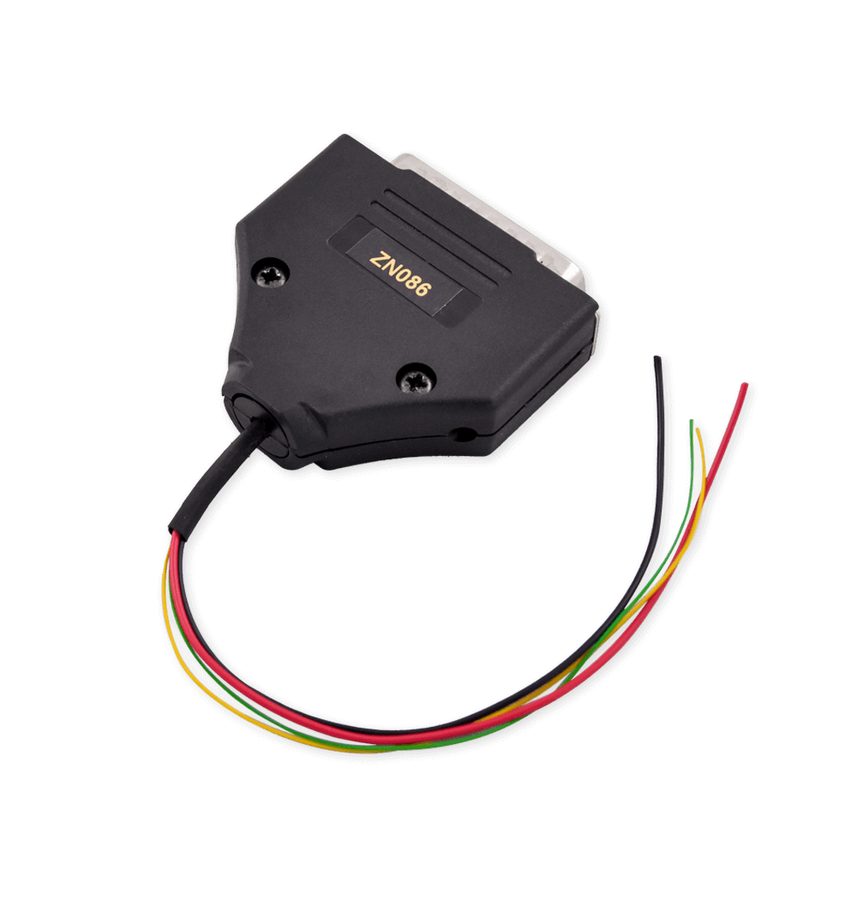
⚠ WarningThe pin to lift is the "RST" (reset) leg and it is specific to each processor: before you touch anything you have to find the datasheet for the exact processor in front of you, because there are many variants and lifting the wrong pin will damage the board.
Procedure
- Identify the MC9S12 processor on the module and confirm it is xExxx series and not locked.
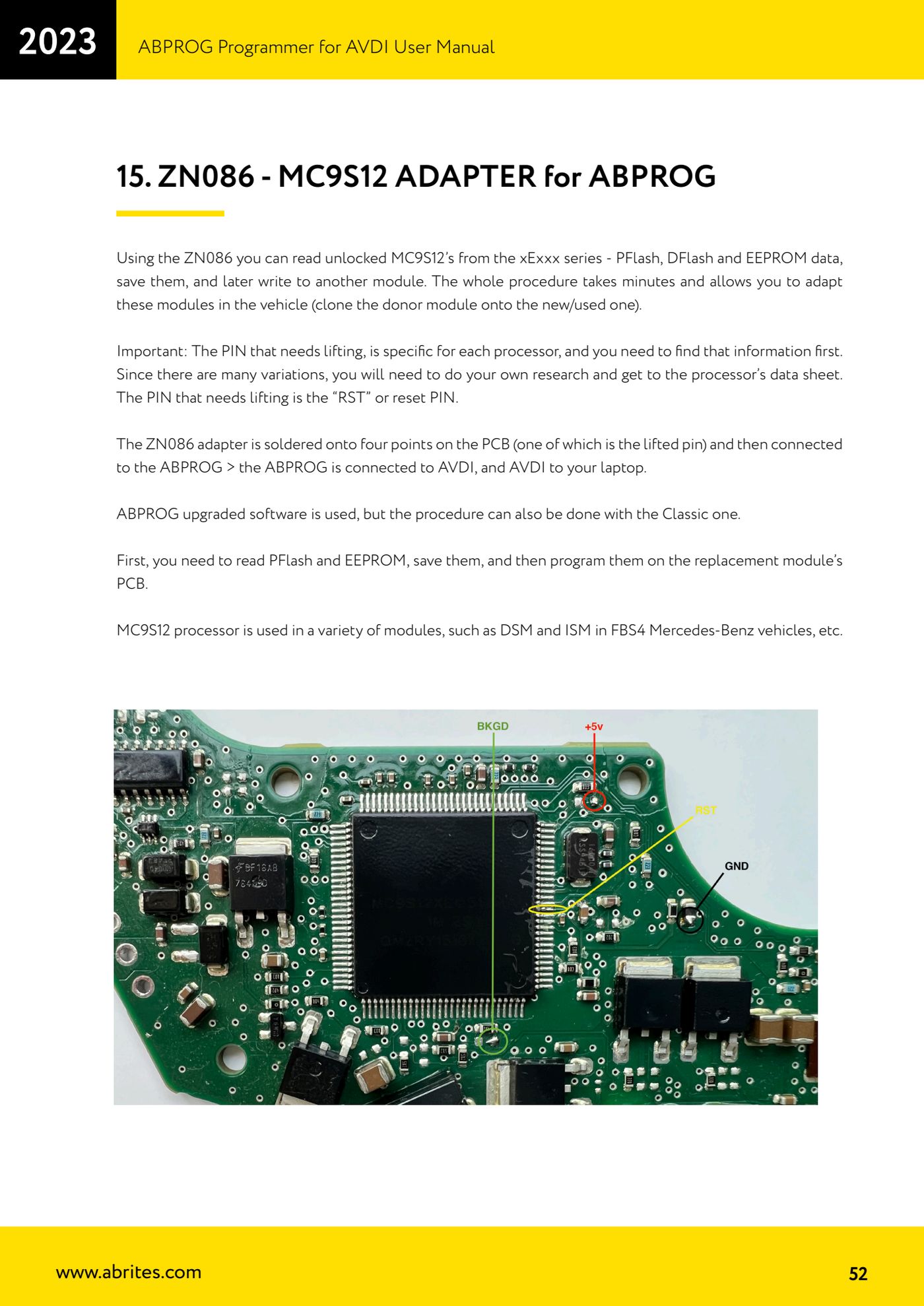
- Find the datasheet for that specific processor and locate the RST (reset) leg.
- Lift the RST leg off the board pad with the utmost care.
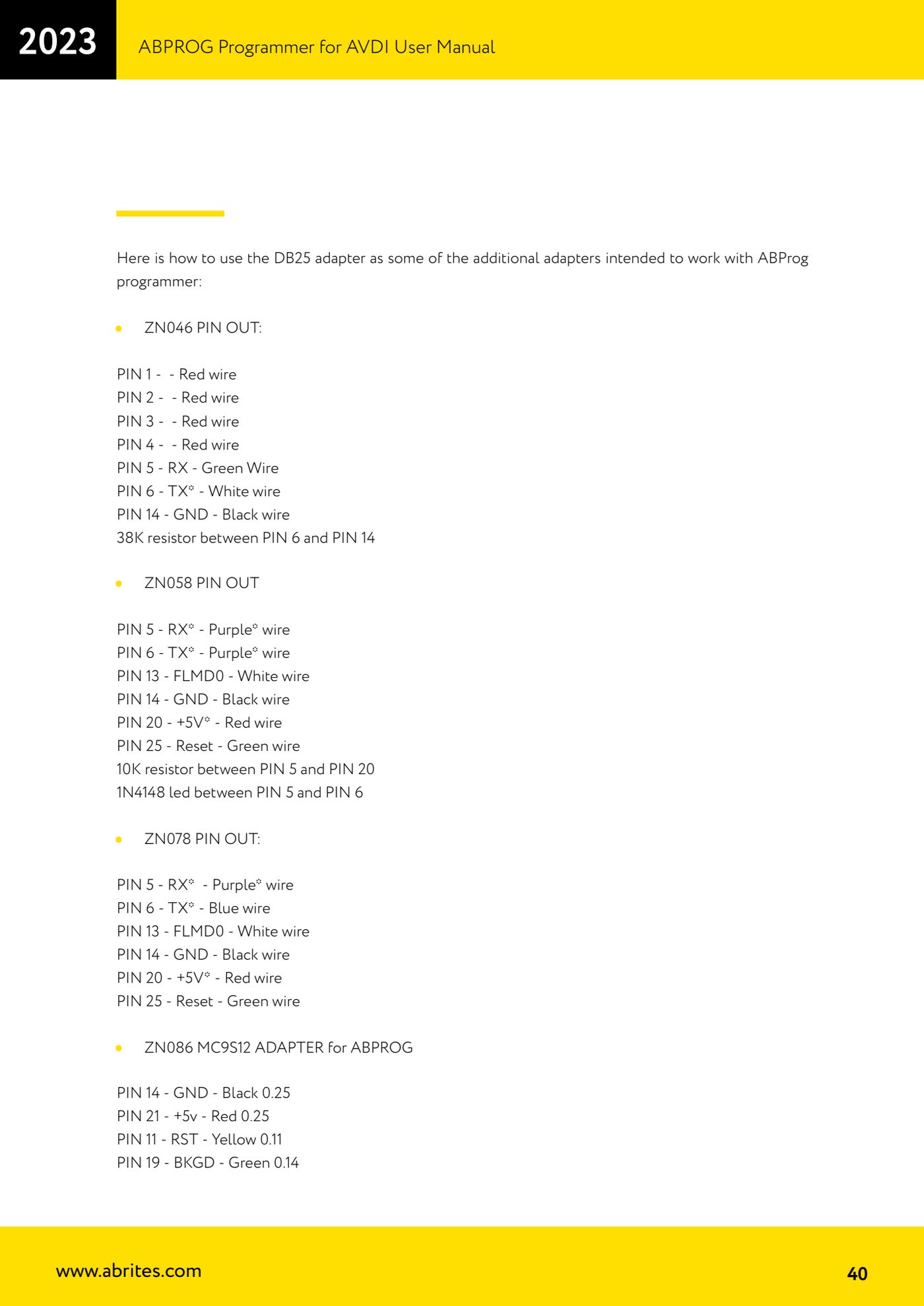
- Solder the ZN086 adapter to the four points provided on the board, one of which is the lifted RST pin itself, respecting the DB25 pinout: PIN 14 GND black wire 0.25, PIN 21 +5V red wire 0.25, PIN 11 RST yellow wire 0.11, PIN 19 BKGD green wire 0.14.
- Connect the ZN086 to the ABPROG, the ABPROG to the AVDI and the AVDI to the laptop.
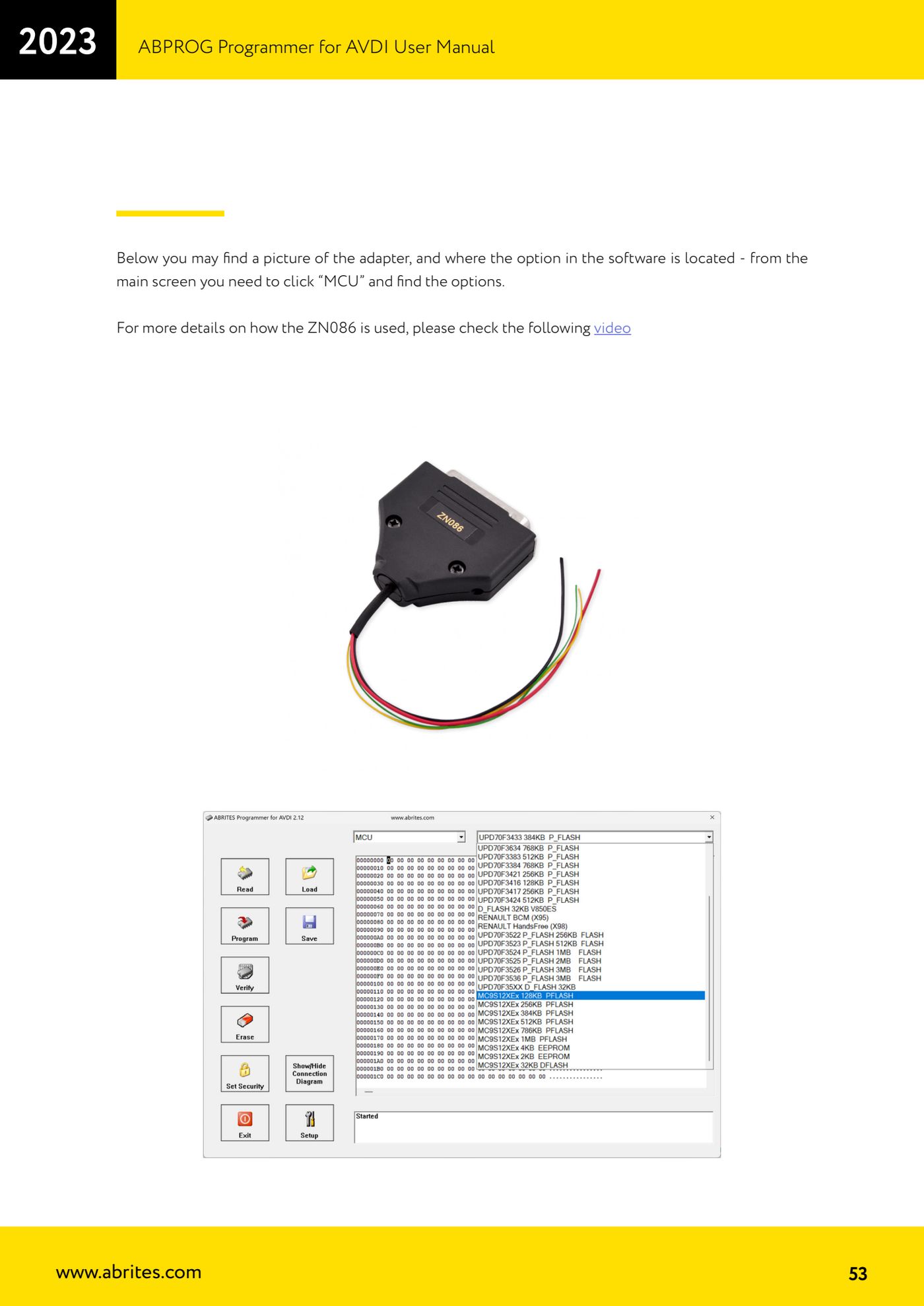
- Start the software (the Upgraded version of ABProg is normally used, but the job can also be done with Classic), click "MCU" on the main screen and find the MC9S12 options.
- Read PFlash and EEPROM from the donor module and save the files to the PC.
- Prepare the replacement module the same way (RST pin lifted and ZN086 soldered) and write the files read from the donor into it.
- Refit the cloned module to the vehicle and check that it works.
Reference screenshots
Source: Manuale ABPROG (programmatore), cap. 15 "ZN086 - MC9S12 ADAPTER" (p.52-53) · ⏱ estimated time varies
← All Abrites guides Hardware catalogue
More guides Strumenti
- ABPROG ZN030: what's in the set, hooking it up to the AVDI and starting the Classic software
- Reading and writing SPI, I2C and Microwire EEPROMs with ABPROG and the ZN031/ZN035 adapter
- Erasing and reprogramming M35080VP / M35080V6 incremental EEPROMs with ABPROG
- Wiring an SPI EEPROM straight to the ABPROG DB25 without the ZN031 adapter
- Mercedes-Benz IR keys: reading the SSID, erasing and programming the NEC with ZN032 / ZN033
- Renewing used keys (HITAG/PCF) with the ZN046 adapter and ABPROG
- Solder points on key PCBs for the ZN046 and list of keys supported for renewal
- Reading the EWS3 dump on BMW E46/E39/E53 and others with the ZN055 adapter
- Reading the EEPROM on BMW F-Series FEM/BDC without desoldering, using the ZN057 extension
- Reading and writing NEC V850ES MCUs with the ZN078 adapter and ABPROG
- ABPROG DB25 pinout: building your own ZN046, ZN058, ZN078 and ZN086 adapters
- Reading the immobiliser from a Renault X95 BCM (and Audi BCM) with ABPROG and direct wiring