
Chip-Tools
ProTag V2 (ZN003): first start-up, Set ID and pairing with the Key Inspector app
Strumenti
Interface Classic
Keys / Immo
Basic
⏱ 15-20 min
9 steps
First commissioning of the Vehicle Inspection Kit ProTag V2: installing the Key Inspector app, activating it with the Set ID and pairing over Bluetooth. It only has to be done once for each phone you will use in the workshop.
Required licences
- —
Hardware / cables
 ProTag V2 (ZN003)
- cavo USB-C
- smartphone/tablet iOS o Android
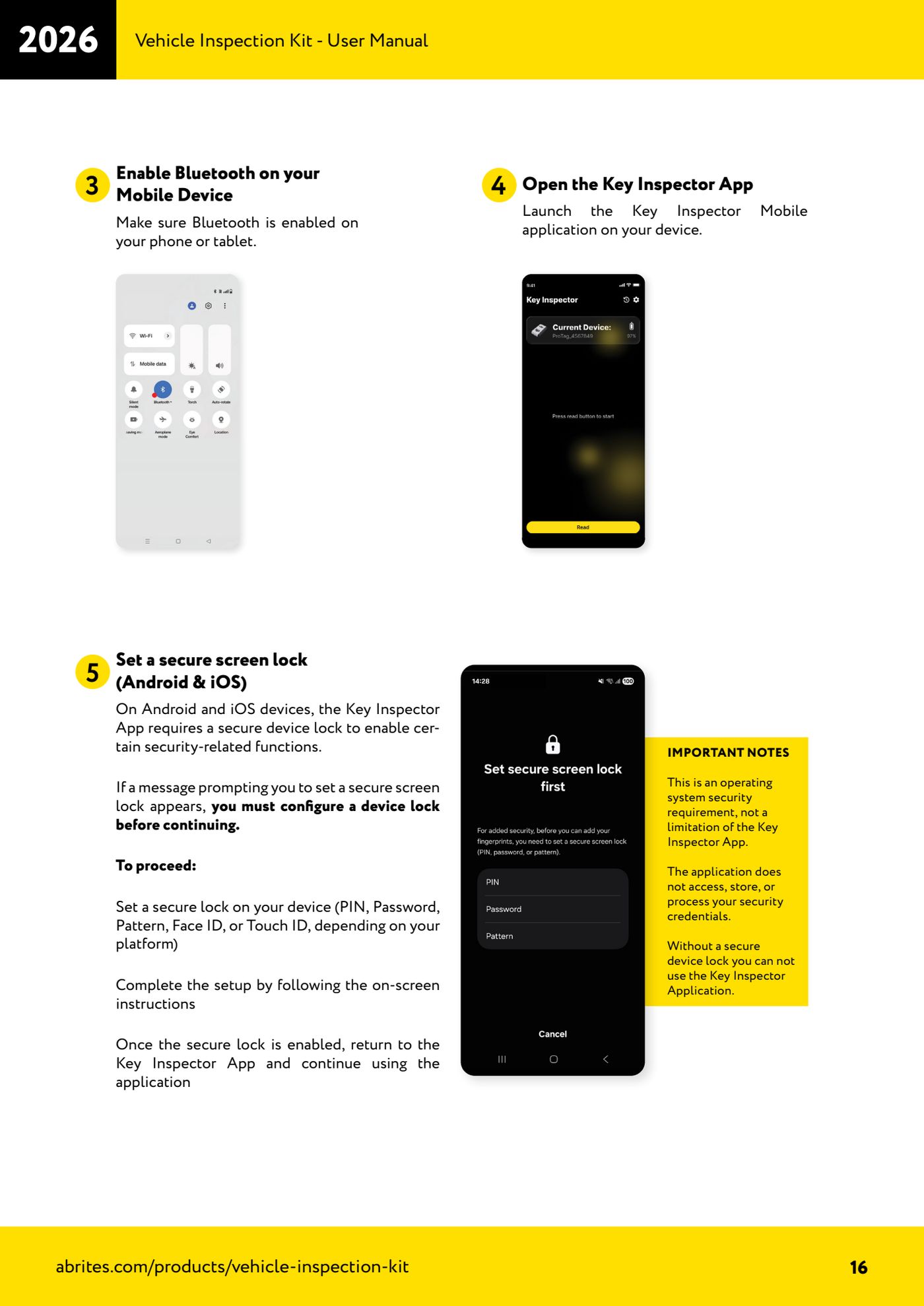
⚠ WarningThe Key Inspector app requires a secure screen lock on the phone (PIN, password, pattern, Face ID or Touch ID): without a screen lock the application cannot be used. Also mind the licence limit: the same Set ID can be used on a maximum of five different phones.
Procedure
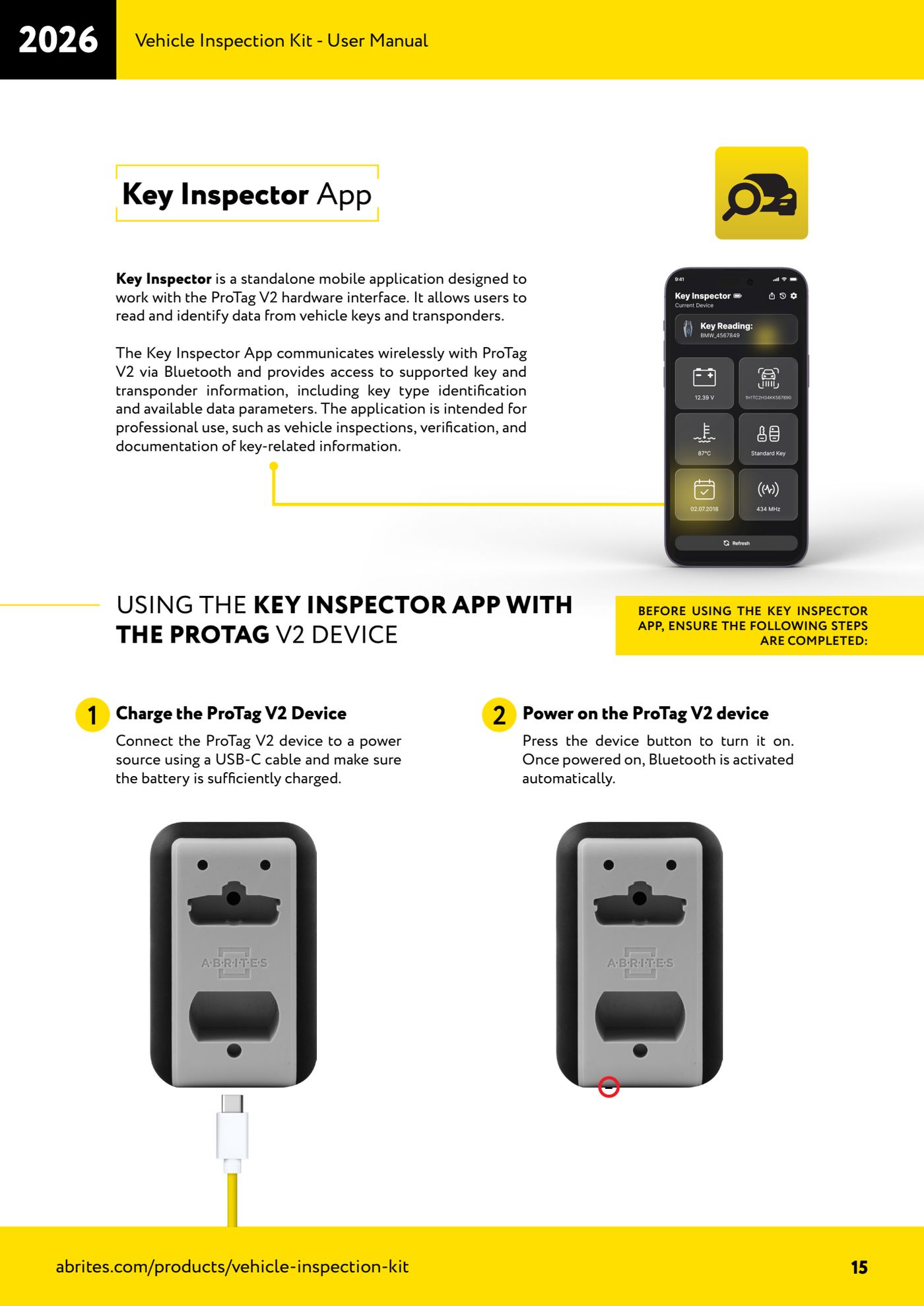
- Connect the ProTag V2 to a power source with a USB-C cable and make sure the battery is sufficiently charged (5V DC supply, USB-C IN 5 VDC / 300mA, built-in 1100 mAh Li-ion battery).
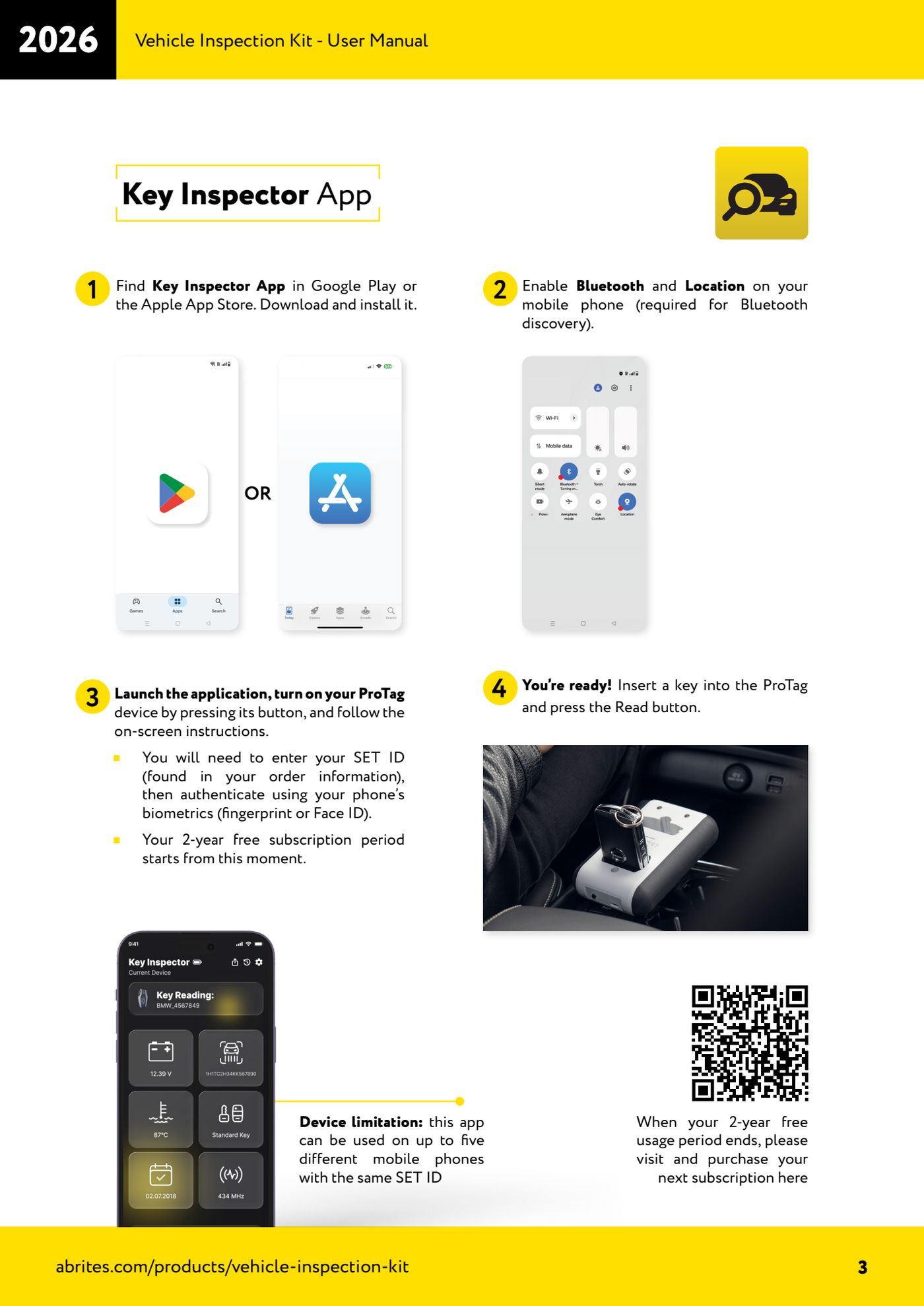
- Download the "Key Inspector App" from Google Play or the Apple App Store and install it on your phone or tablet. Requirements: iOS 15.6 or higher, Android 5.0 or higher, stable internet connection.
- Turn on Bluetooth and Location on the phone: the operating system needs location access to search for Bluetooth devices.
- If the phone does not yet have a secure screen lock, set one up now (PIN, password, pattern, Face ID or Touch ID) following the on-screen instructions, then go back to the app.
- Switch the ProTag V2 on by pressing the device button: Bluetooth is enabled automatically at power-on.
- Open the Key Inspector app and follow the on-screen instructions for the authentication procedure using the phone's biometrics (fingerprint or Face ID). The app does not access, store or process your security credentials.
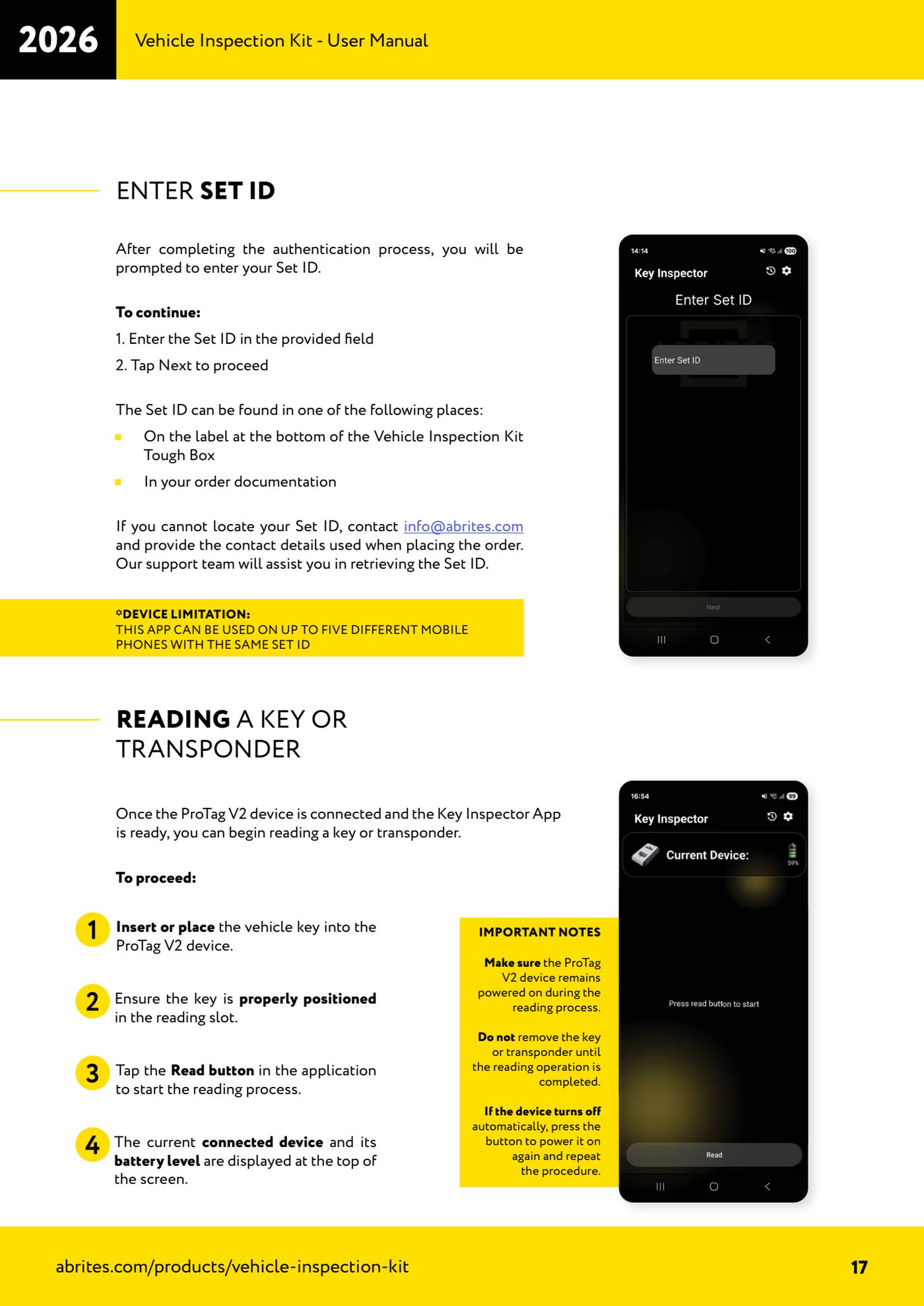
- Enter the Set ID in the relevant field and press "Next". The Set ID is on the label on the bottom of the Vehicle Inspection Kit Tough Box or in your order documentation. If you cannot find it, email info@abrites.com quoting the contact details used for the order.
- From this moment the 2-year free usage period included with the kit starts. When it expires you will have to buy the next subscription from the page indicated in the app.
- Check at the top of the main screen that the connected device and the battery level are shown: if they are, pairing was successful and the ProTag is ready to read.
Reference screenshots
Source: Manuale Vehicle Inspection Kit, Key Inspector Quick Start Guide e Key Inspector App (p.3, 15-17) · ⏱ estimated time 15-20 min
← All Abrites guides Hardware catalogue
More guides Strumenti
- ABPROG ZN030: what's in the set, hooking it up to the AVDI and starting the Classic software
- Reading and writing SPI, I2C and Microwire EEPROMs with ABPROG and the ZN031/ZN035 adapter
- Erasing and reprogramming M35080VP / M35080V6 incremental EEPROMs with ABPROG
- Wiring an SPI EEPROM straight to the ABPROG DB25 without the ZN031 adapter
- Mercedes-Benz IR keys: reading the SSID, erasing and programming the NEC with ZN032 / ZN033
- Renewing used keys (HITAG/PCF) with the ZN046 adapter and ABPROG
- Solder points on key PCBs for the ZN046 and list of keys supported for renewal
- Reading the EWS3 dump on BMW E46/E39/E53 and others with the ZN055 adapter
- Reading the EEPROM on BMW F-Series FEM/BDC without desoldering, using the ZN057 extension
- Reading and writing NEC V850ES MCUs with the ZN078 adapter and ABPROG
- ABPROG DB25 pinout: building your own ZN046, ZN058, ZN078 and ZN086 adapters
- Reading the immobiliser from a Renault X95 BCM (and Audi BCM) with ABPROG and direct wiring