
Chip-Tools
"Production" utility: preparing a transponder ready for programming by diagnostics
Strumenti
Interface Classic
Keys / Immo
Basic
⏱ 10 min
7 steps
The "Production" utility prepares transponders so they can then be programmed with diagnostic equipment on the vehicle. Use it when the key will be learned via OBDII and all you need is a correctly pre-configured transponder of the right type.
Required licences
- —
Hardware / cables
 AVDI
AVDI PROTAG (ZN002)
- transponder/chiave da preparare
Procedure
- Connect the PROTAG and start the Tag Key Tool.
- From the drop-down menu on the main screen select the "Production" utility.
- In the "Production" screen choose the transponder/key type you want to prepare. The software displays the information about the required transponder: check that you have exactly that one.
- Place the transponder or key in the correct slot of the PROTAG, away from metal objects.
- Press "Program" and wait for programming to finish without moving the transponder.
- If prompted at the end, enter the file name for saving the modified dump.
- Move on to programming the key on the vehicle with your diagnostic equipment.
Reference screenshots
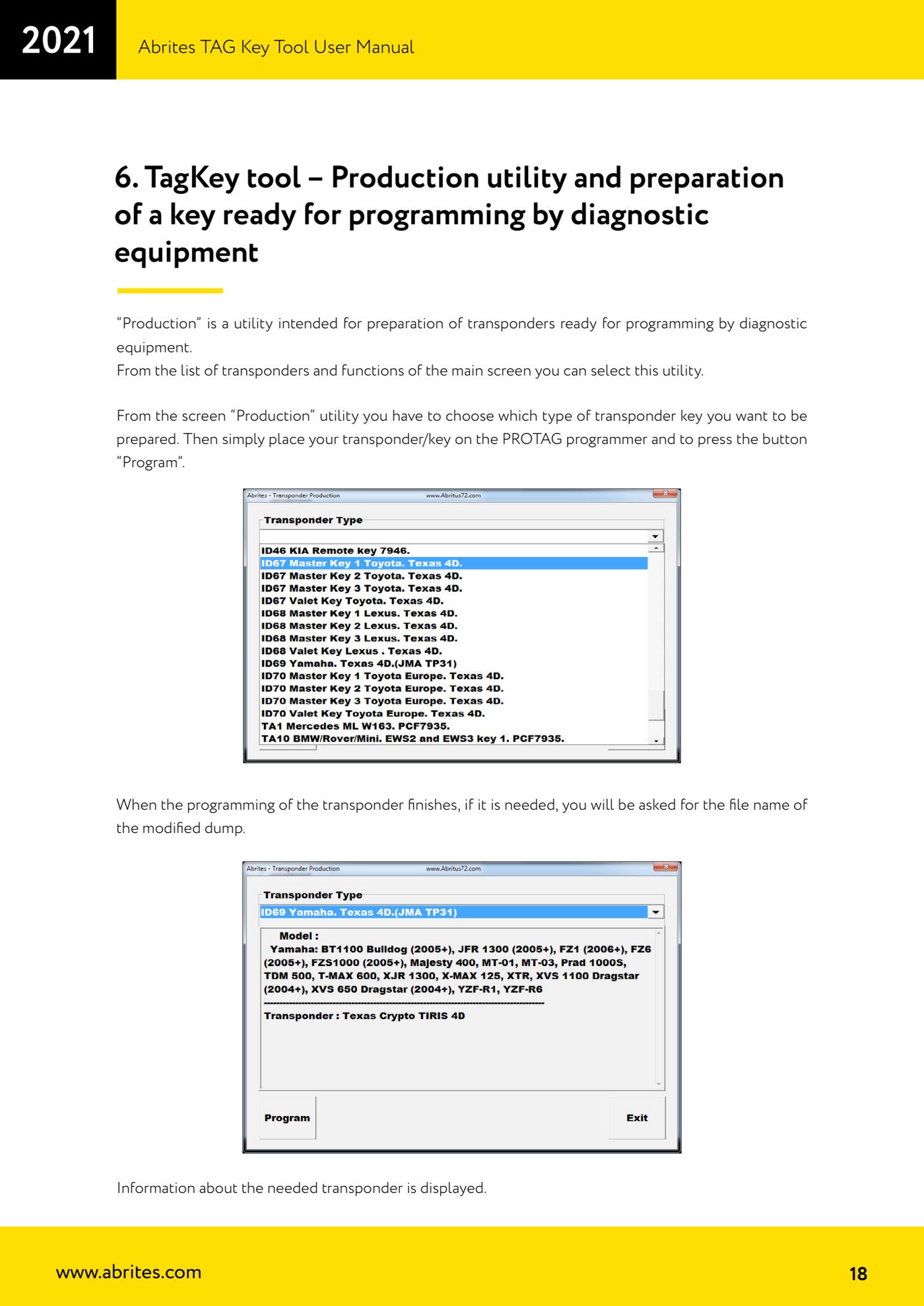
Source: Manuale Tag Key Tool, cap. 6 (p.18) · ⏱ estimated time 10 min
← All Abrites guides Hardware catalogue
More guides Strumenti
- ABPROG ZN030: what's in the set, hooking it up to the AVDI and starting the Classic software
- Reading and writing SPI, I2C and Microwire EEPROMs with ABPROG and the ZN031/ZN035 adapter
- Erasing and reprogramming M35080VP / M35080V6 incremental EEPROMs with ABPROG
- Wiring an SPI EEPROM straight to the ABPROG DB25 without the ZN031 adapter
- Mercedes-Benz IR keys: reading the SSID, erasing and programming the NEC with ZN032 / ZN033
- Renewing used keys (HITAG/PCF) with the ZN046 adapter and ABPROG
- Solder points on key PCBs for the ZN046 and list of keys supported for renewal
- Reading the EWS3 dump on BMW E46/E39/E53 and others with the ZN055 adapter
- Reading the EEPROM on BMW F-Series FEM/BDC without desoldering, using the ZN057 extension
- Reading and writing NEC V850ES MCUs with the ZN078 adapter and ABPROG
- ABPROG DB25 pinout: building your own ZN046, ZN058, ZN078 and ZN086 adapters
- Reading the immobiliser from a Renault X95 BCM (and Audi BCM) with ABPROG and direct wiring