
Chip-Tools
MODI Restore Coding: restoring default coding and rolling back from the coding history
Strumenti
Interface Classic
Coding / Adaptations
Advanced
⏱ 20-40 min
8 steps
Restore Coding is the safety net for Fast Coding: it puts the module back to its default coding state, or lets you go through the coding history and undo the changes you made. Use it when a personalisation does not convince or when a coding procedure was interrupted.
Required licences
- —
Hardware / cables
⚠ WarningIf during coding the phone switches off, the app is closed, the ignition is switched off or the MODI is unplugged from the OBD port, the electronic module can be left damaged: in that case recovery is attempted with default coding or from the coding history. Run the restore with stable Bluetooth and internet connection, without interrupting the procedure.
Procedure
- Plug the MODI into the OBDII port, pair it over Bluetooth and select the vehicle make; keep the phone in the cabin for the whole operation.
- Go into "Advanced Diagnostics" and select the module you did the coding on.
- Open the module's coding section and choose "Restore coding".
- To put the module back to factory state, run the default coding restore.
- Alternatively open the module's coding history: it lists the changes made and lets you roll back the ones you want to undo.
- Start the restore and do not touch anything until it finishes: phone on, app open, ignition on, MODI plugged into the OBD port.
- When it is done, read the module's DTCs and check on the vehicle that the expected behaviour has returned.
- If the module was left stuck by an interrupted coding, repeat the default coding restore before attempting any further personalisation.
Reference screenshots
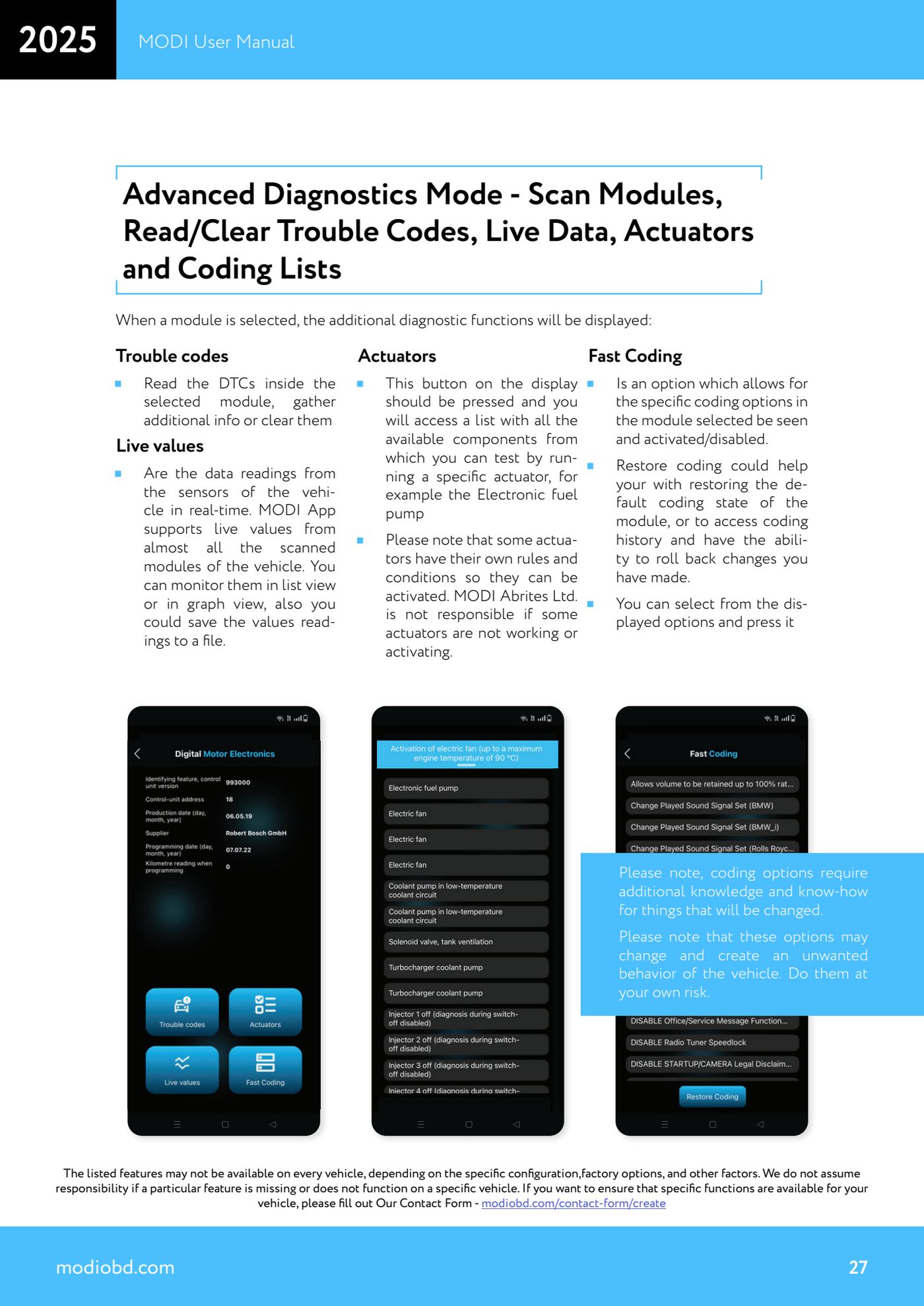
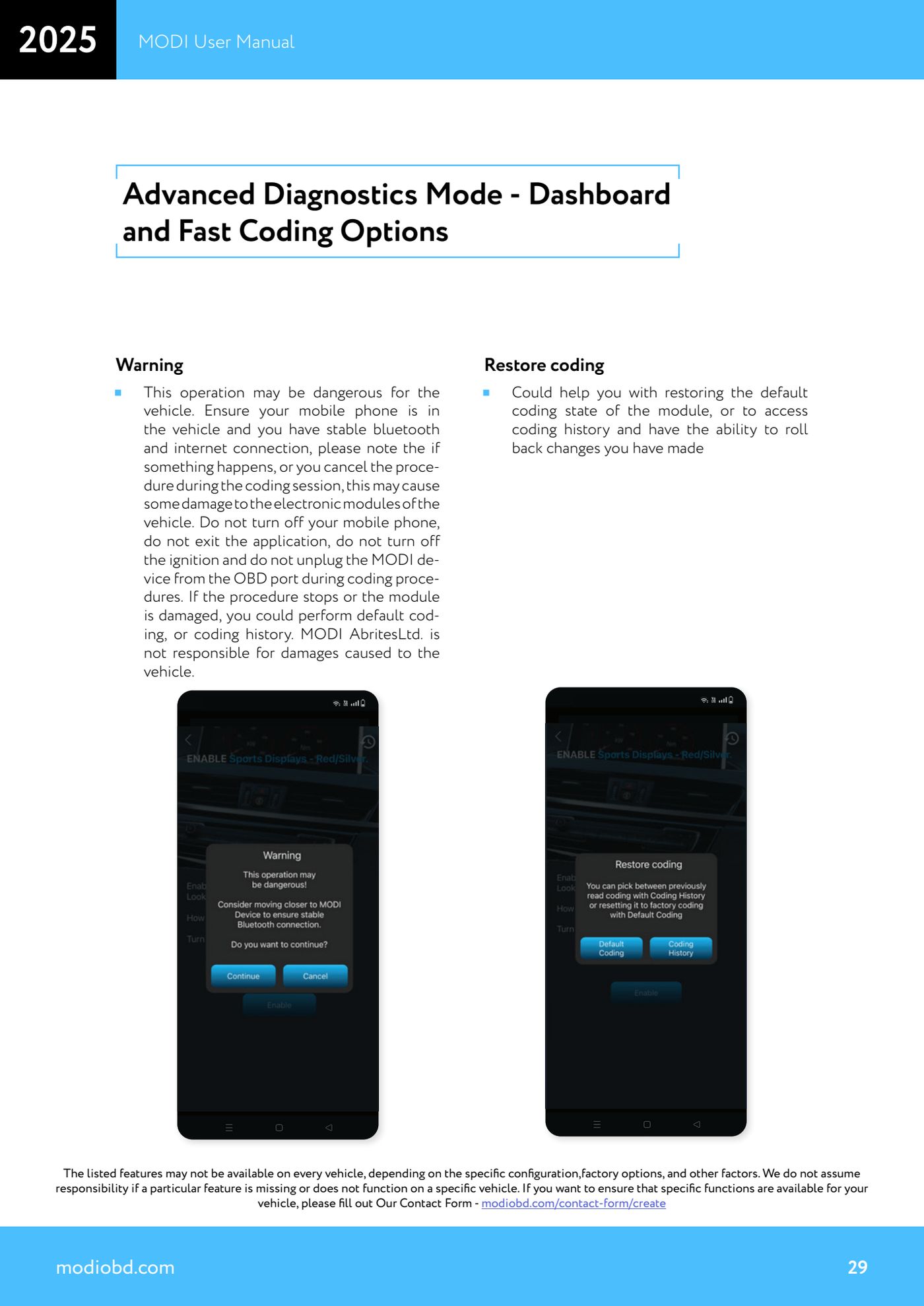
Source: Manuale MODI, "Advanced Diagnostics Mode - Dashboard and Fast Coding Options / Restore coding" (p.27, 29) · ⏱ estimated time 20-40 min
← All Abrites guides Hardware catalogue
More guides Strumenti
- ABPROG ZN030: what's in the set, hooking it up to the AVDI and starting the Classic software
- Reading and writing SPI, I2C and Microwire EEPROMs with ABPROG and the ZN031/ZN035 adapter
- Erasing and reprogramming M35080VP / M35080V6 incremental EEPROMs with ABPROG
- Wiring an SPI EEPROM straight to the ABPROG DB25 without the ZN031 adapter
- Mercedes-Benz IR keys: reading the SSID, erasing and programming the NEC with ZN032 / ZN033
- Renewing used keys (HITAG/PCF) with the ZN046 adapter and ABPROG
- Solder points on key PCBs for the ZN046 and list of keys supported for renewal
- Reading the EWS3 dump on BMW E46/E39/E53 and others with the ZN055 adapter
- Reading the EEPROM on BMW F-Series FEM/BDC without desoldering, using the ZN057 extension
- Reading and writing NEC V850ES MCUs with the ZN078 adapter and ABPROG
- ABPROG DB25 pinout: building your own ZN046, ZN058, ZN078 and ZN086 adapters
- Reading the immobiliser from a Renault X95 BCM (and Audi BCM) with ABPROG and direct wiring