
Chip-Tools
MODI: activating a subscription and choosing between Basic Diagnostics Mode and Advanced Diagnostics Mode
Strumenti
Interface Classic
Configuration / MMI
Basic
⏱ 10 min
8 steps
The MODI app is subscription-based with two operating modes: Basic, safe and limited to diagnostics and reading, and Advanced, which adds coding, actuators and service interval management. This guide explains how you choose and what changes.
Required licences
- —
Hardware / cables
⚠ WarningAdvanced mode functions can cause unwanted vehicle behaviour: they are for people with above-average knowledge of vehicle electronics only. Subscriptions are handled entirely by Apple and Google, not by MODI Abrites, and virtual subscriptions are non-refundable.
Procedure
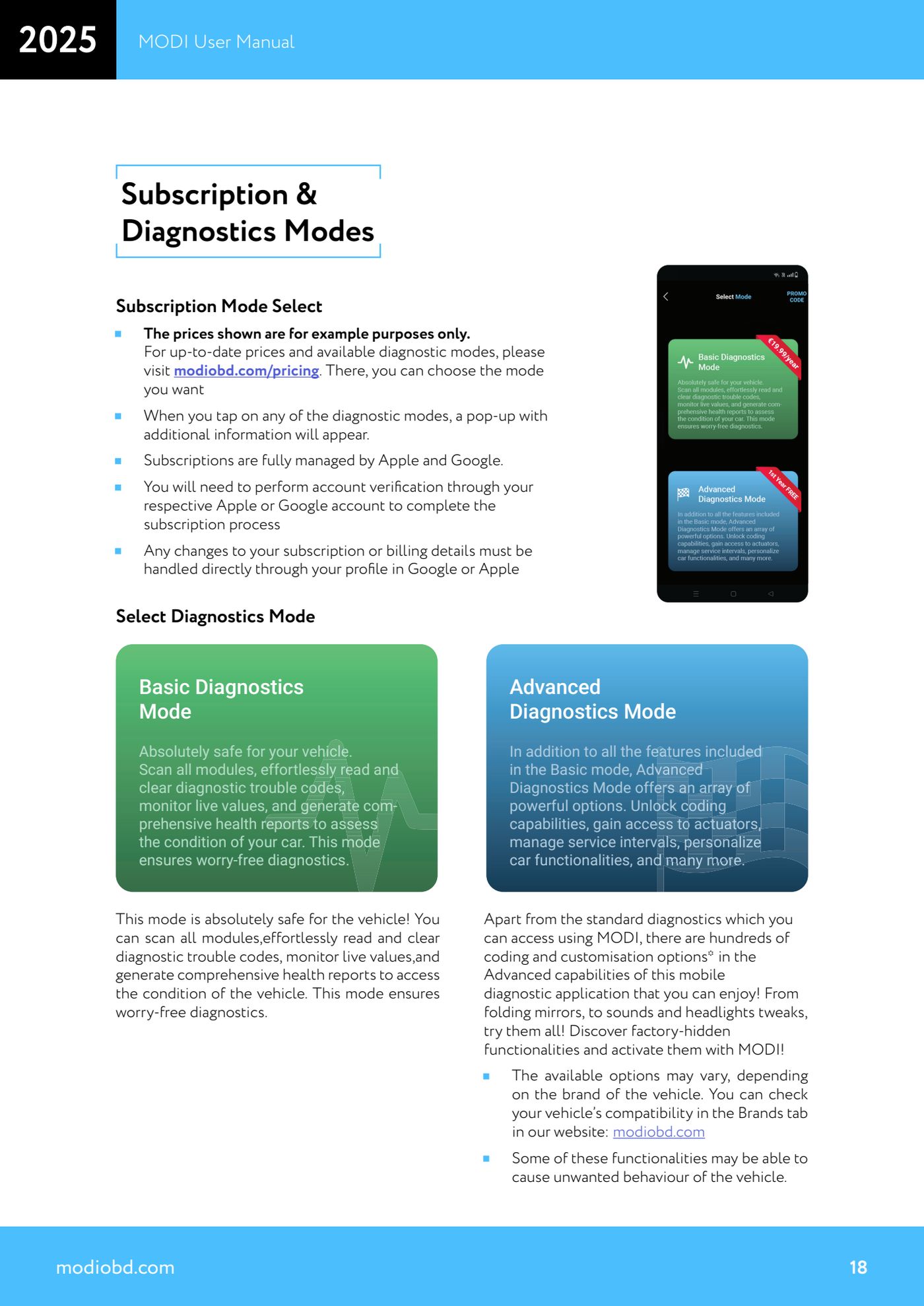
- Open the MODI app and go to the mode selection screen ("Select Diagnostics Mode").
- Check current prices and the modes actually available at modiobd.com/pricing: the ones shown in the app are illustrative and may be out of date.
- Tap the mode you are interested in: a pop-up appears with extra information on what it includes.
- Choose "Basic Diagnostics Mode" if all you need is non-invasive diagnostics: scanning of all modules, reading and clearing DTCs, monitoring live values and generating health reports. This mode is declared safe for the vehicle.
- Choose "Advanced Diagnostics Mode" if you also need coding: it includes everything in Basic plus coding lists, actuator access, service interval management and hidden factory personalisations (folding mirrors, sounds, headlight settings, etc.).
- Before subscribing, check your vehicle's compatibility in the Brands section of modiobd.com: the available options vary by make, model and factory configuration.
- Complete the subscription: account verification through your Apple or Google profile is required.
- For any change to the subscription or the billing details, go directly to your Google or Apple profile: they cannot be managed from the MODI app.
Reference screenshots
Source: Manuale MODI, "Subscription & Diagnostics Modes" (p.18) · ⏱ estimated time 10 min
← All Abrites guides Hardware catalogue
More guides Strumenti
- ABPROG ZN030: what's in the set, hooking it up to the AVDI and starting the Classic software
- Reading and writing SPI, I2C and Microwire EEPROMs with ABPROG and the ZN031/ZN035 adapter
- Erasing and reprogramming M35080VP / M35080V6 incremental EEPROMs with ABPROG
- Wiring an SPI EEPROM straight to the ABPROG DB25 without the ZN031 adapter
- Mercedes-Benz IR keys: reading the SSID, erasing and programming the NEC with ZN032 / ZN033
- Renewing used keys (HITAG/PCF) with the ZN046 adapter and ABPROG
- Solder points on key PCBs for the ZN046 and list of keys supported for renewal
- Reading the EWS3 dump on BMW E46/E39/E53 and others with the ZN055 adapter
- Reading the EEPROM on BMW F-Series FEM/BDC without desoldering, using the ZN057 extension
- Reading and writing NEC V850ES MCUs with the ZN078 adapter and ABPROG
- ABPROG DB25 pinout: building your own ZN046, ZN058, ZN078 and ZN086 adapters
- Reading the immobiliser from a Renault X95 BCM (and Audi BCM) with ABPROG and direct wiring