
Chip-Tools
BMW CAS4: preparing a key from an XEP100 dump with PCF7939 (working key or DME/DDE ISN)
Strumenti
Interface Classic
Keys / Immo
Advanced
⏱ 45-90 min
8 steps
Procedure for preparing a CAS4 key starting from the EEPROM dump of the XEP100 MCU. The software asks for either the read of a working key or the DME/DDE ISN.
Required licences
- —
Hardware / cables
 AVDI
AVDI PROTAG (ZN002)
- programmatore per MCU XEP100
- transponder PCF7939
- chiave remota nuova
⚠ WarningYou must tick the correct box according to the real case, "Working key" or "DME/DDE ISN": that choice determines the data used to prepare the key.
Procedure
- Read the EEPROM of the CAS4 XEP100 MCU with a programmer and save it to a file.
- Start the Tag Key Tool with the PROTAG connected and load the file into the software.
- Select the correct key position where you want to write the new key.
- Prepare the blank: use a PCF7939 transponder or a new remote key.
- Place the transponder or key in the correct slot of the PROTAG and start the key preparation.
- When the software asks, use the corresponding box to choose whether to supply a working key to be read or to enter the DME/DDE ISN, depending on what you have available.
- Once you have made the choice, press "Prepare Key" to prepare the key ready for programming.
- Then complete the key programming on the vehicle and check starting and remote functions.
Reference screenshots
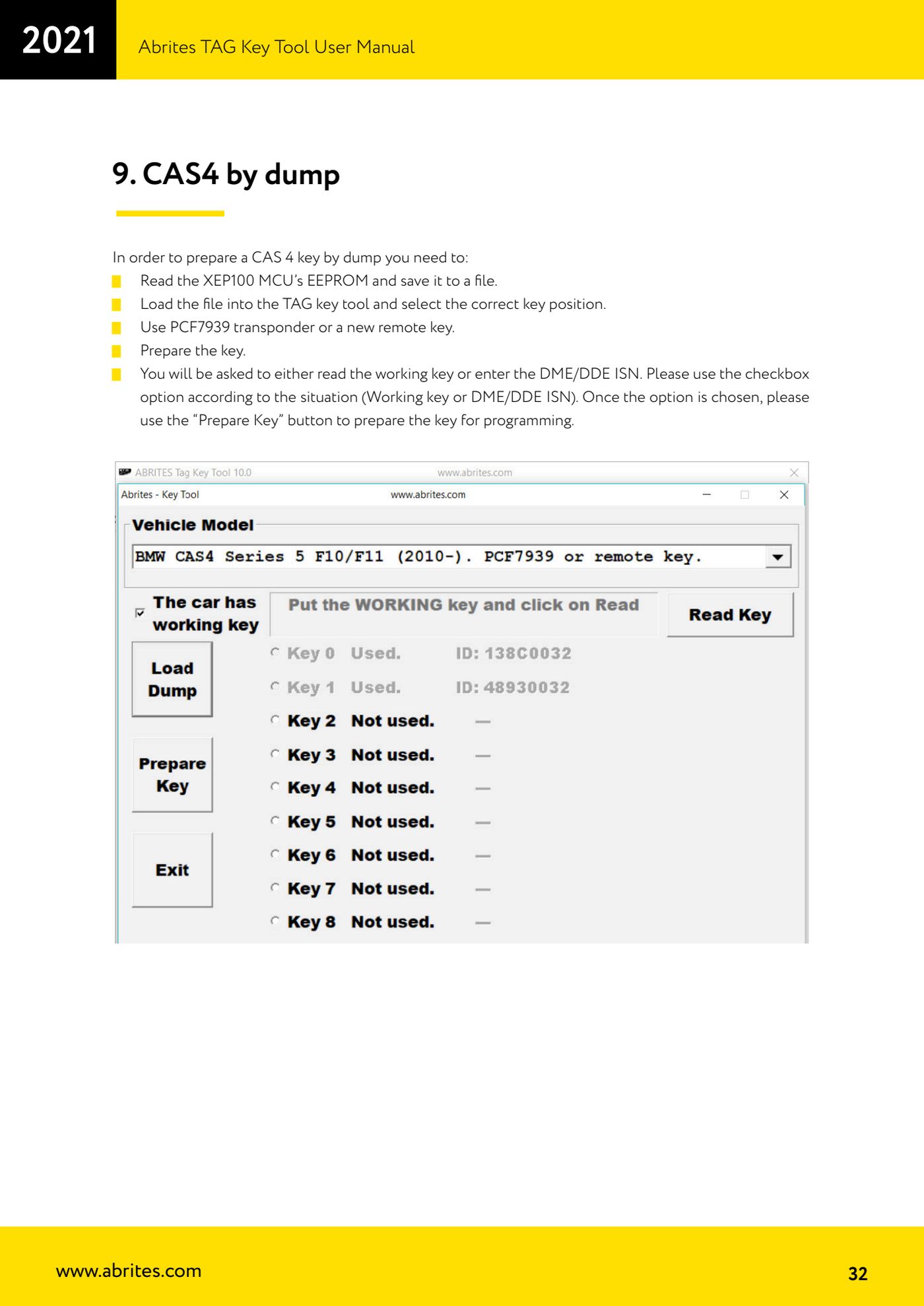
Source: Manuale Tag Key Tool, cap. 9 (p.32) · ⏱ estimated time 45-90 min
← All Abrites guides Hardware catalogue
More guides Strumenti
- ABPROG ZN030: what's in the set, hooking it up to the AVDI and starting the Classic software
- Reading and writing SPI, I2C and Microwire EEPROMs with ABPROG and the ZN031/ZN035 adapter
- Erasing and reprogramming M35080VP / M35080V6 incremental EEPROMs with ABPROG
- Wiring an SPI EEPROM straight to the ABPROG DB25 without the ZN031 adapter
- Mercedes-Benz IR keys: reading the SSID, erasing and programming the NEC with ZN032 / ZN033
- Renewing used keys (HITAG/PCF) with the ZN046 adapter and ABPROG
- Solder points on key PCBs for the ZN046 and list of keys supported for renewal
- Reading the EWS3 dump on BMW E46/E39/E53 and others with the ZN055 adapter
- Reading the EEPROM on BMW F-Series FEM/BDC without desoldering, using the ZN057 extension
- Reading and writing NEC V850ES MCUs with the ZN078 adapter and ABPROG
- ABPROG DB25 pinout: building your own ZN046, ZN058, ZN078 and ZN086 adapters
- Reading the immobiliser from a Renault X95 BCM (and Audi BCM) with ABPROG and direct wiring