
Chip-Tools
AVDI Internet synchronization (mandatory hardware update every 30 days)
Strumenti
Interface Classic
Configuration / MMI
Basic
⏱ 5-15 min
9 steps
The AVDI needs a mandatory hardware update over the Internet, to be carried out at least once a month. If you skip it, the PC still sees the interface but it can no longer connect to any vehicle.
Required licences
- —
Hardware / cables

⚠ WarningIf the Internet update is not carried out: the AVDI hardware is recognized but no vehicle connection is possible, and some diagnostic software may crash when you try to connect to the car. The update MUST be repeated every 30 days.
Procedure
- Make sure the PC has a stable Internet connection and that the PC date and time are correct (a wrong date makes the activation fail).
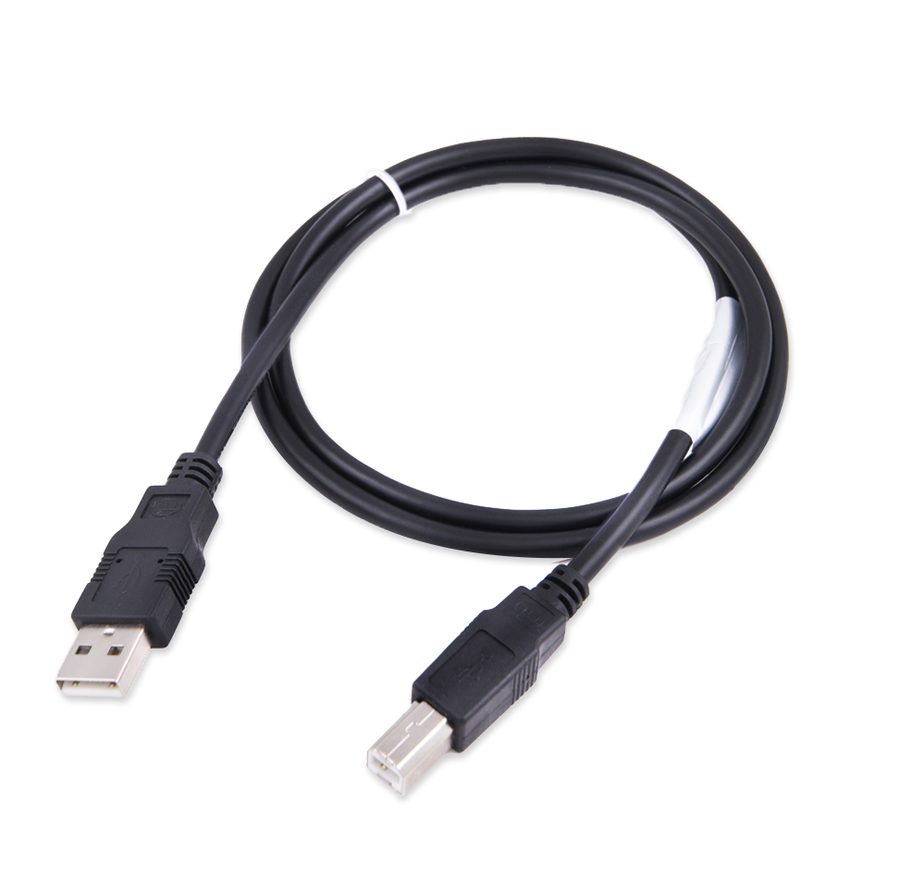
- Download and install the latest AVDI Diagnostics update, then start the Abrites diagnostic software (for example Abrites Diagnostics for Audi) with the AVDI connected to the PC.
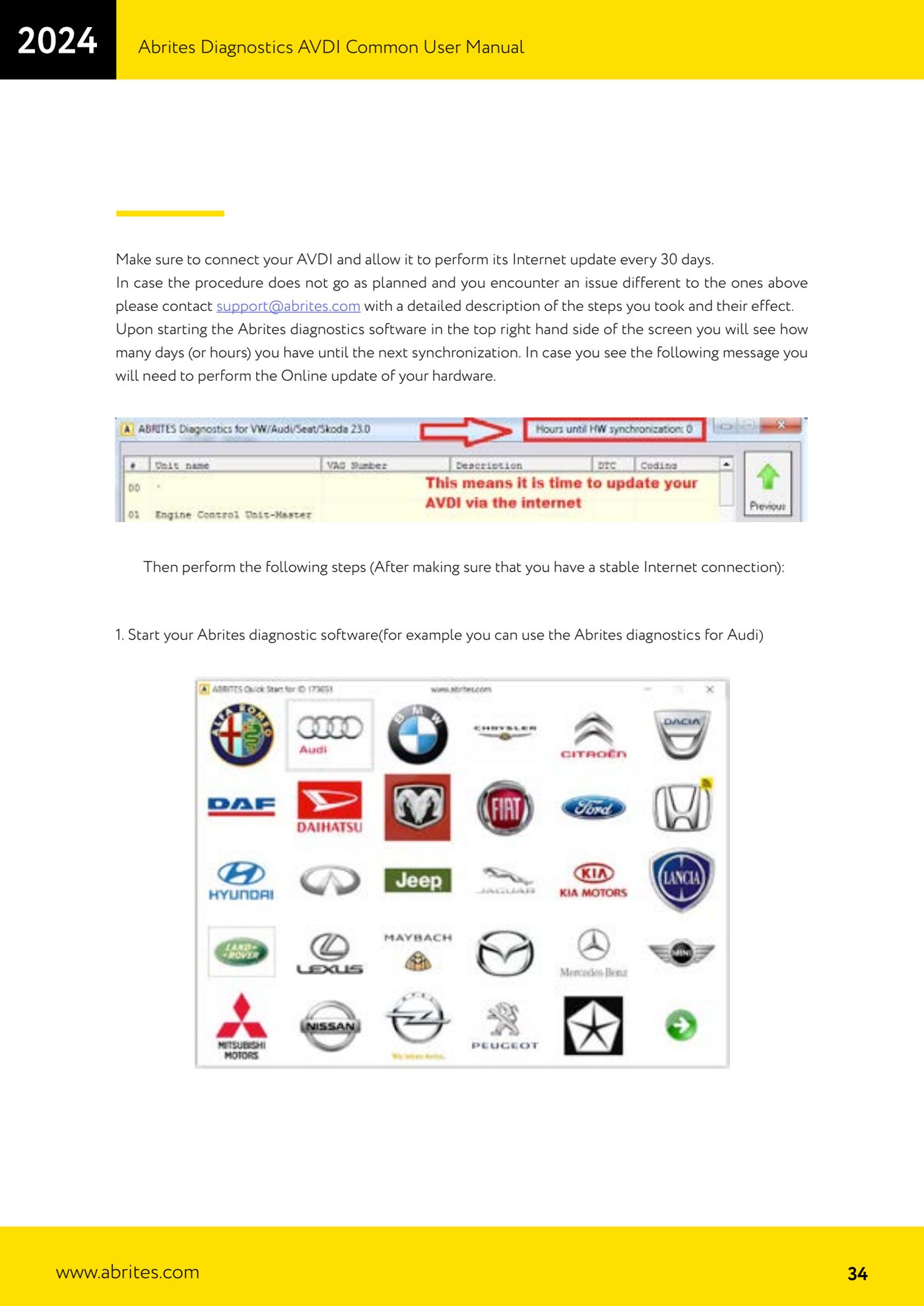
- The update starts on its own when the software launches: you can tell by the "Performing Internet activation..." message, which means the AVDI is talking to the secure Abrites server.
- Wait for the synchronization to finish without unplugging the interface and without closing the software.
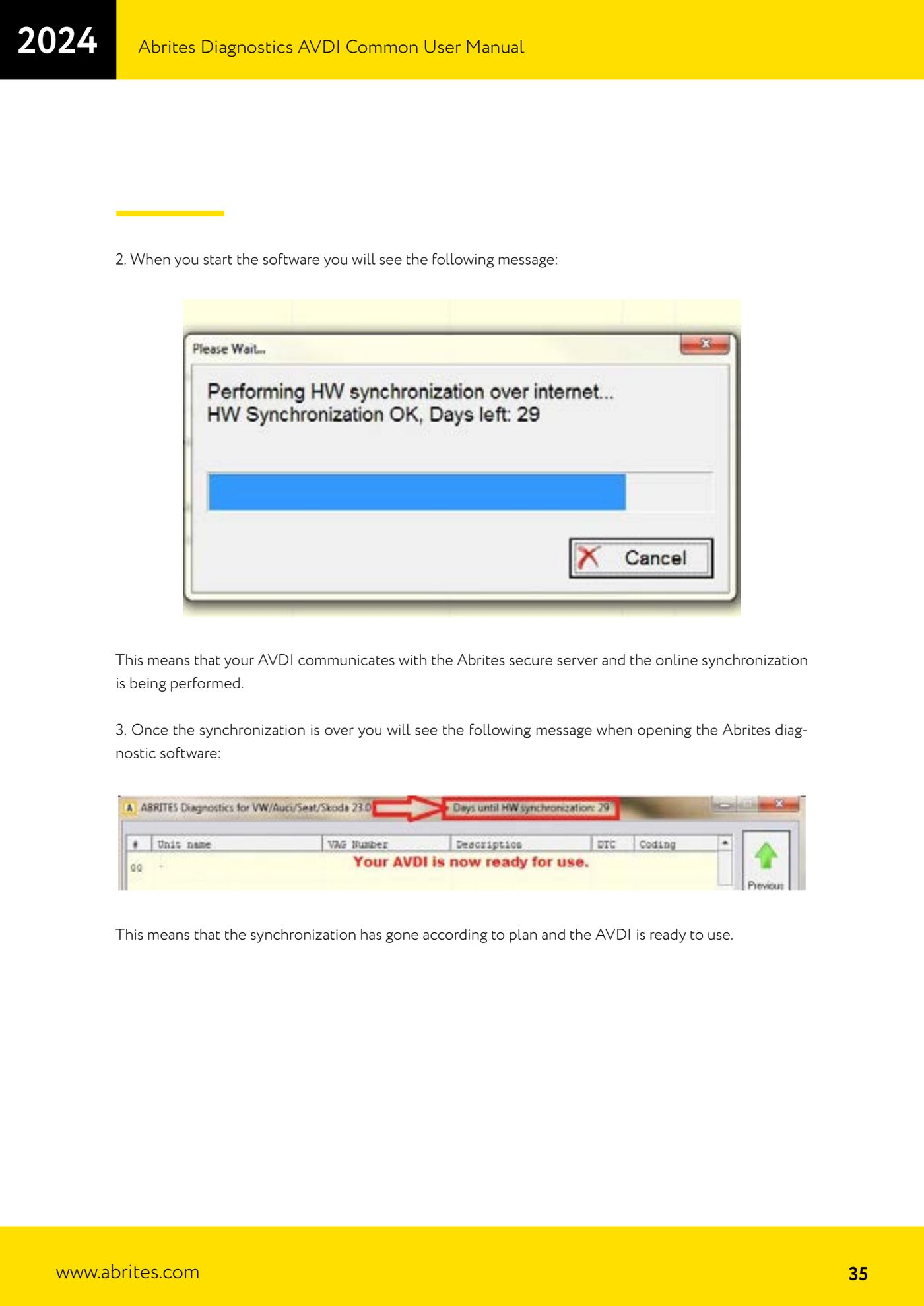
- Check the result: restart the diagnostic software. If the "Performing Internet activation..." message NO LONGER appears, the hardware is activated and ready to use.
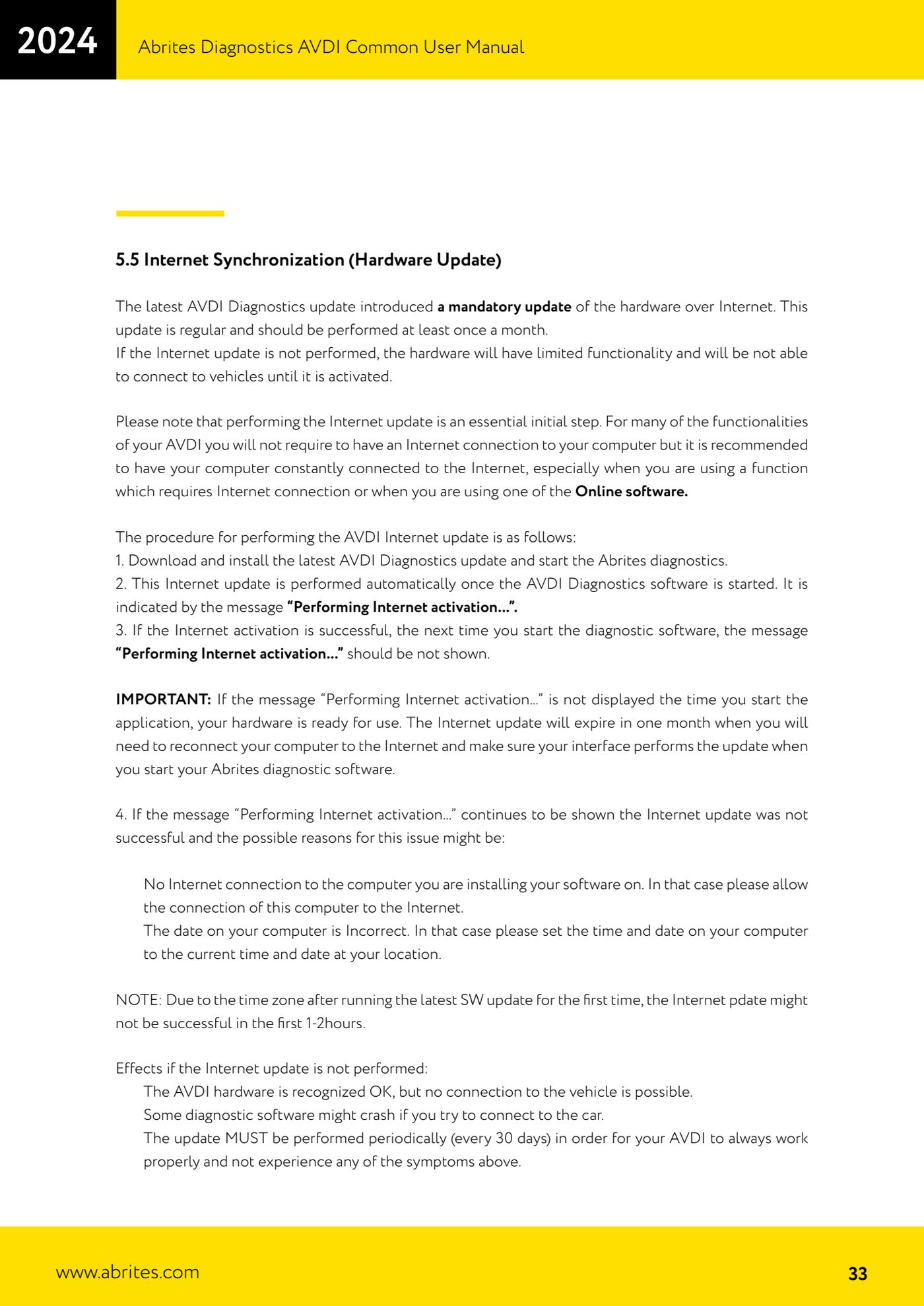
- Look at the top right of the Abrites software screen for the counter showing the days (or hours) left until the next synchronization: when the warning appears, repeat the procedure.
- If the "Performing Internet activation..." message keeps appearing at every start-up, there are two typical causes: the PC has no real Internet access, or the PC date/time is wrong. Correct it and try again.
- Note on time zones: after installing the latest software update for the first time, Internet activation may fail for the first 1-2 hours. Wait and try again.
- If the problem persists with symptoms other than the ones above, write to support@abrites.com describing in detail the steps you took and the result you got.
Reference screenshots
Source: Manuale AVDI - manuale comune, parte 1 di 2, cap. 5.5 (p.33-35) · ⏱ estimated time 5-15 min
← All Abrites guides Hardware catalogue
More guides Strumenti
- ABPROG ZN030: what's in the set, hooking it up to the AVDI and starting the Classic software
- Reading and writing SPI, I2C and Microwire EEPROMs with ABPROG and the ZN031/ZN035 adapter
- Erasing and reprogramming M35080VP / M35080V6 incremental EEPROMs with ABPROG
- Wiring an SPI EEPROM straight to the ABPROG DB25 without the ZN031 adapter
- Mercedes-Benz IR keys: reading the SSID, erasing and programming the NEC with ZN032 / ZN033
- Renewing used keys (HITAG/PCF) with the ZN046 adapter and ABPROG
- Solder points on key PCBs for the ZN046 and list of keys supported for renewal
- Reading the EWS3 dump on BMW E46/E39/E53 and others with the ZN055 adapter
- Reading the EEPROM on BMW F-Series FEM/BDC without desoldering, using the ZN057 extension
- Reading and writing NEC V850ES MCUs with the ZN078 adapter and ABPROG
- ABPROG DB25 pinout: building your own ZN046, ZN058, ZN078 and ZN086 adapters
- Reading the immobiliser from a Renault X95 BCM (and Audi BCM) with ABPROG and direct wiring