
Chip-Tools
Renault/Dacia Online special functions: Key Learning, Mileage, Program IDs, Renew, Programming
Renault/Dacia
Interface New
Special Functions
Basic
⏱ 5 min
8 steps
A working overview of the special functions menu in the Renault/Dacia Online software: it tells you at a glance which entry to open for the job in hand (keys, mileage, VIN, virginising a module, flash read/write).
Required licences
- —
Hardware / cables

Procedure
- Connect the AVDI, open the Renault/Dacia Online software and get to the main screen after vehicle identification.
- Look at the left-hand column of the main screen: the available special functions are listed there in the menu bar. A function opens simply by clicking on it.
- Choose "Key Learning" when you have to program a spare key or work an all-keys-lost job.
- Choose "Mileage" to correct the mileage in the instrument cluster and the ABS module, typically after replacing either one.
- Choose "Program IDs" when you have to write or change the VIN in a module.
- Choose "Renew" to return a unit to virgin state and adapt it to the vehicle (UCH, engine ECUs, ESL) and for airbag crash data erase.
- Choose "Programming" to read and update the flash and ConfData files of the units (ABS, instrument cluster, Hands Free, UCH).
- Bear in mind that the advanced dealer-level diagnostic functions (coding) are already included in the base software package at no extra cost.
Reference screenshots
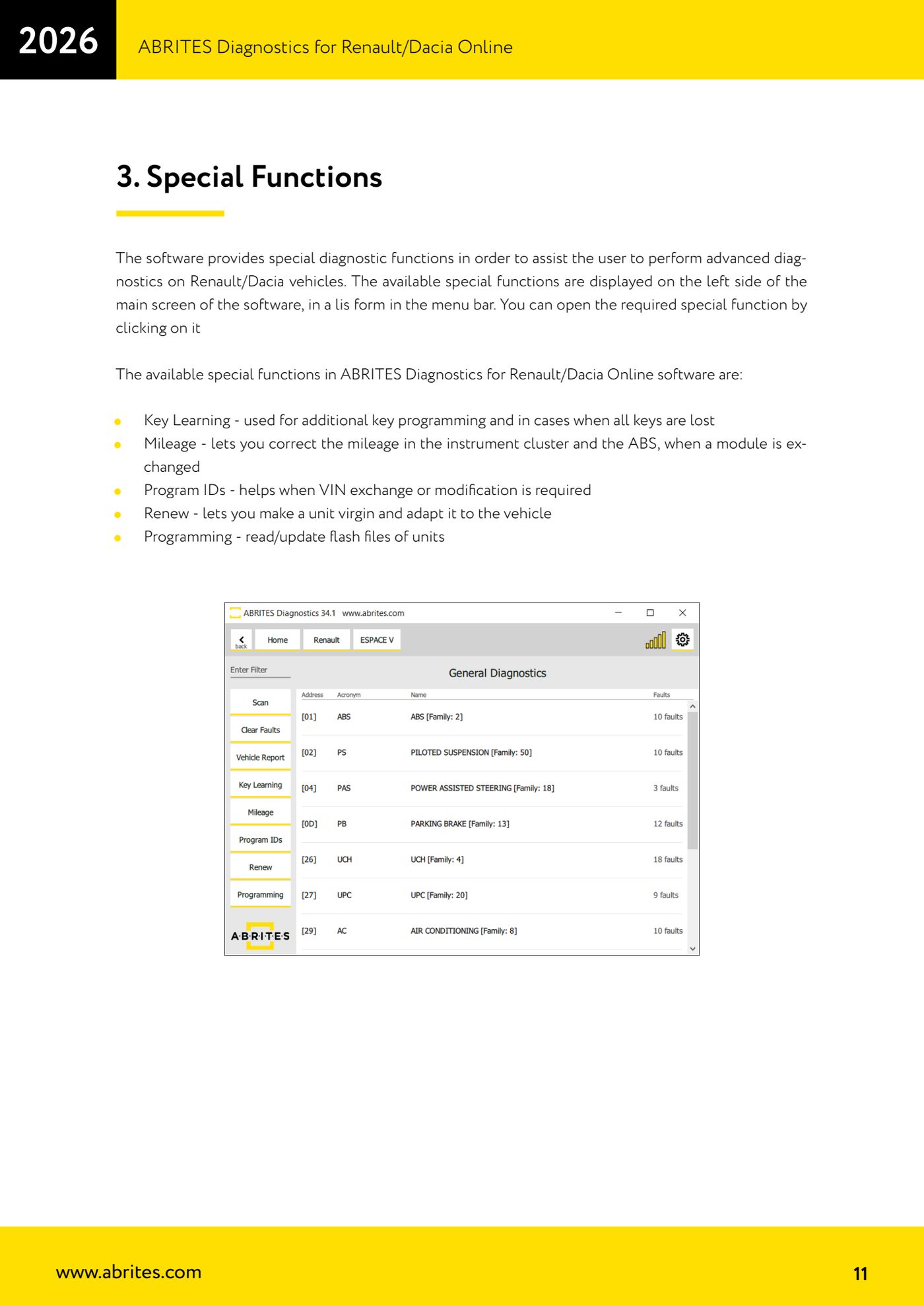
Source: Manuale Renault/Dacia Online, cap. 3 (p.11) · ⏱ estimated time 5 min
← All Abrites guides Hardware catalogue
More guides Renault/Dacia
- Renault/Dacia: module scan, ECU identification and DTC read/clear with AVDI
- Renault/Dacia: live data (list and graph) and actuator tests
- Renault/Dacia: PIN reading and key/card learning - common procedure
- Renault X95 (Megane III, Scenic III, Fluence): learning virgin cards and already-working cards
- Renault X95 from 2011 with updated immobiliser software: cards via ABPROG
- Renault Clio IV: programming ABRITES key cards with PROTAG
- Renault: immobiliser PIN calculation from the key code and Clio PIN from EEPROM dump
- Renault/Dacia: editing dumps with "Dump Tool" and writing the VIN with "Change ID"
- Renault/Dacia: cluster mileage calibration and disabling the ABS synchronisation
- Renault: reading/writing configuration data, flash and IMMO erase on the supported engine ECUs
- Bosch EDC15C3 and EDC15C13 Renault: DB9 Female pinout for bench work
- Renault SID301, SIRIUS 32 and SIM32: DB9 Female pinout and ECU data for bench work