
Chip-Tools
Renault/Dacia key programming: reading the PIN CODE and preparing the key/card with PROTAG
Renault/Dacia
Interface New
Keys / Immo
Medium
⏱ 20-40 min
9 steps
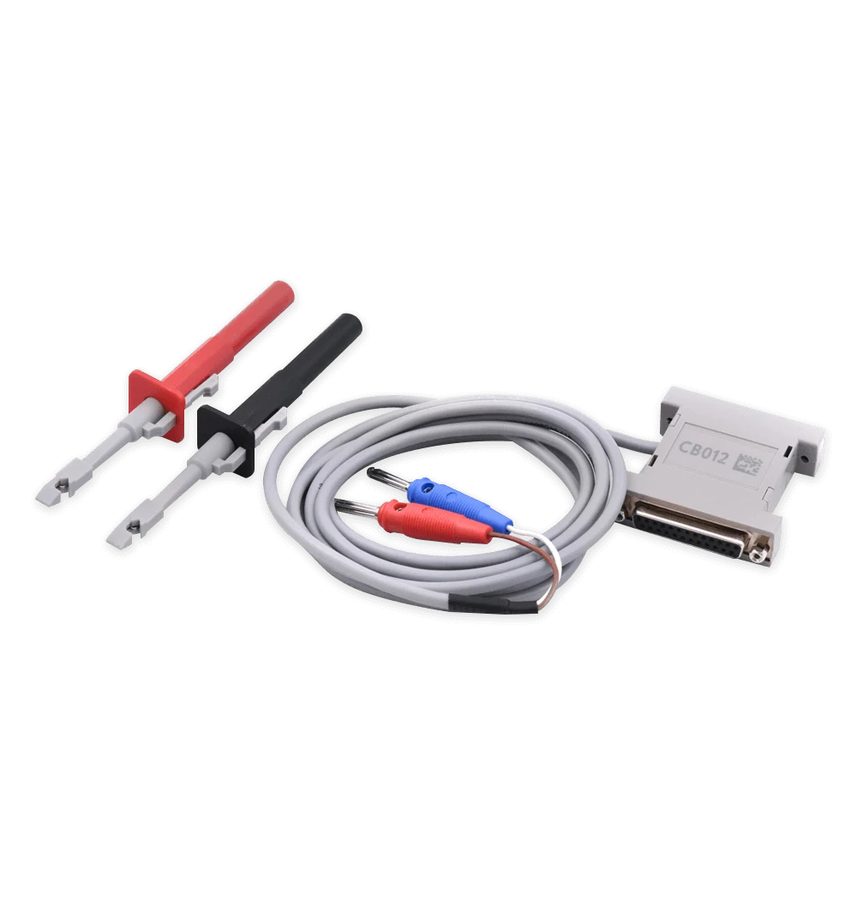
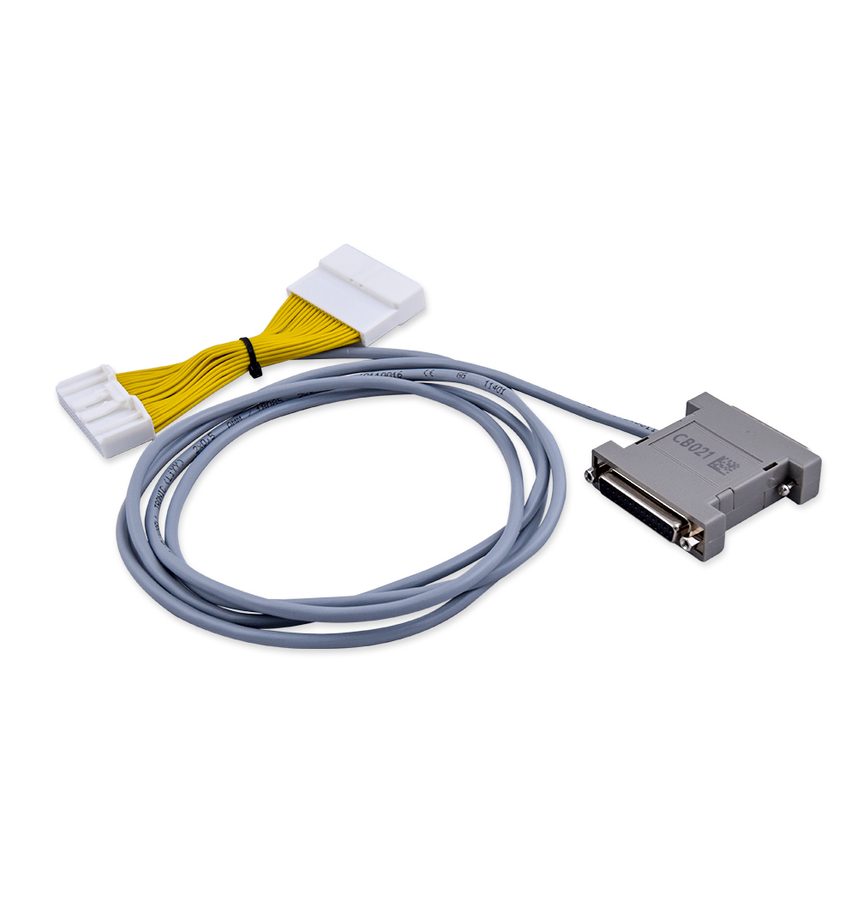
The basic key programming procedure on Renault/Dacia: first you read the PIN CODE from the car, then you prepare the new key or key card with the PROTAG programmer. In some cases a direct CAN connection with CB012 or CB021 is also needed.


⚠ WarningAlways save the PIN as soon as you have read it (right-click > "COPY"): without the PIN you cannot complete the adaptation and you may have to redo the whole read.
Procedure
- Plug the AVDI into the OBDII and open the Abrites Renault/Dacia Online software with the vehicle identified.
- Check whether the job needs a direct CAN connection: on some cars you need the CB012 cable set or the CB021 jumper cable in addition to OBDII.
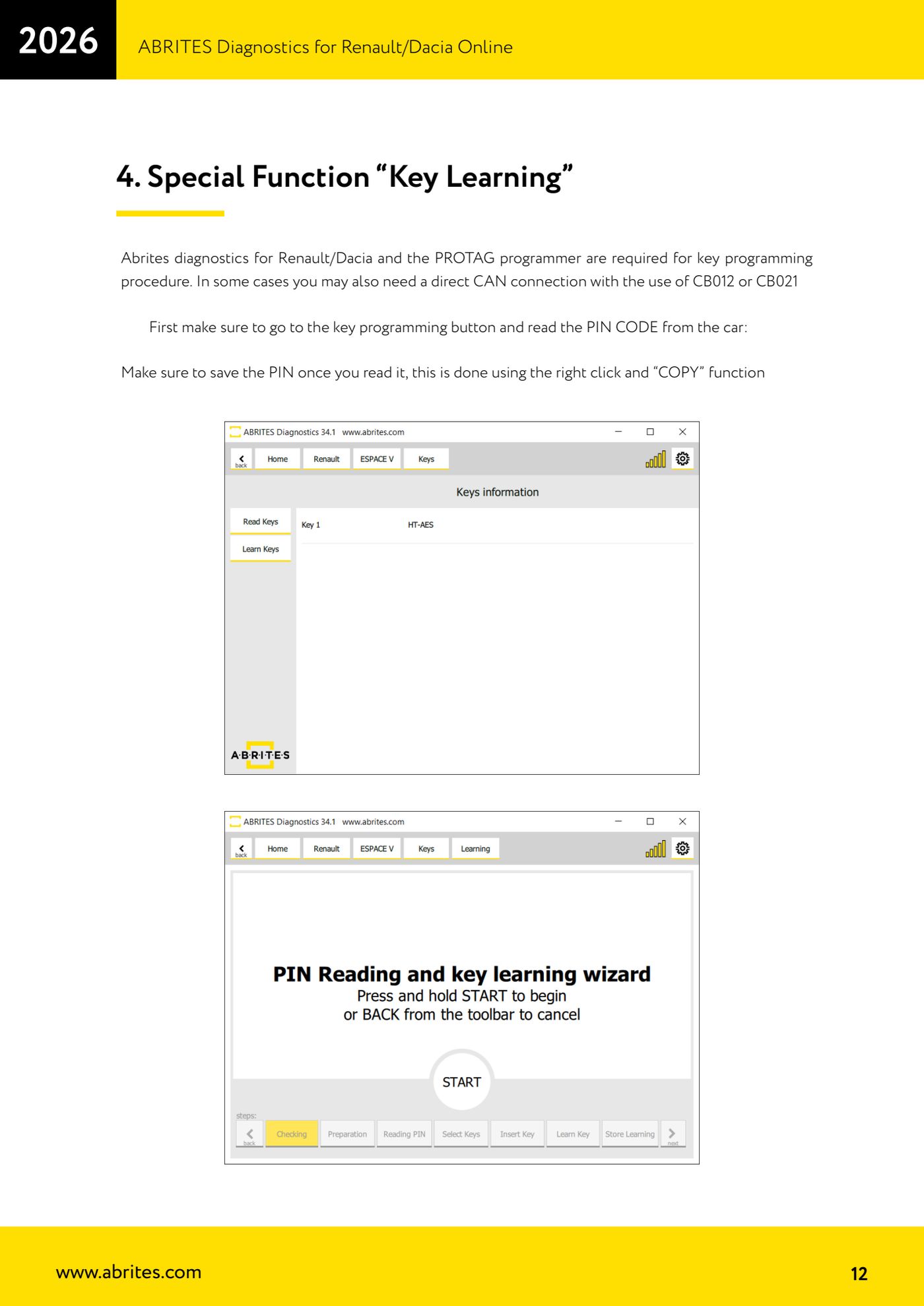
- Go into the "Key Learning" special function and press the key programming button to read the PIN CODE from the car.
- As soon as the PIN appears on screen, save it: right-click on the value and use "COPY", then paste it into a file or write it down. You will need it in the following steps and in any Renew procedures.
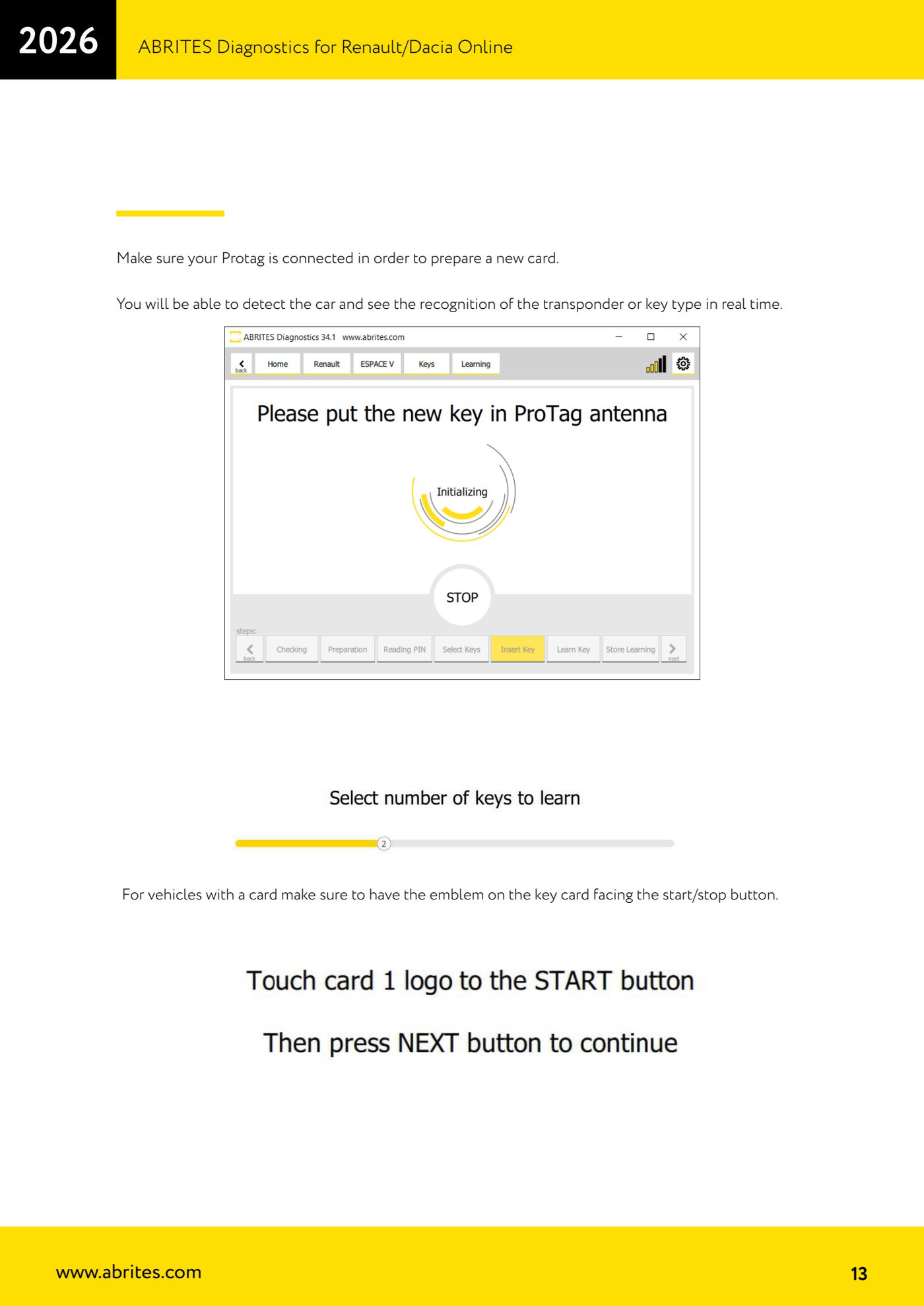
- Connect the PROTAG programmer to the PC and check the software sees it: without the PROTAG connected you cannot prepare the new key or card.
- Lay the key or card in the PROTAG: the software detects and shows in real time the type of transponder or key recognised.
- Prepare the new card/key following the software's on-screen instructions.
- On key card vehicles, when the software asks you to place the card in the car, lay it with the emblem facing the start/stop button, otherwise it will not be read.
- Complete the learning procedure and test the new key: engine start and central locking commands.
Reference screenshots
Source: Manuale Renault/Dacia Online, cap. 4 (p.12-13) · ⏱ estimated time 20-40 min
← All Abrites guides Hardware catalogue
More guides Renault/Dacia
- Renault/Dacia: module scan, ECU identification and DTC read/clear with AVDI
- Renault/Dacia: live data (list and graph) and actuator tests
- Renault/Dacia: PIN reading and key/card learning - common procedure
- Renault X95 (Megane III, Scenic III, Fluence): learning virgin cards and already-working cards
- Renault X95 from 2011 with updated immobiliser software: cards via ABPROG
- Renault Clio IV: programming ABRITES key cards with PROTAG
- Renault: immobiliser PIN calculation from the key code and Clio PIN from EEPROM dump
- Renault/Dacia: editing dumps with "Dump Tool" and writing the VIN with "Change ID"
- Renault/Dacia: cluster mileage calibration and disabling the ABS synchronisation
- Renault: reading/writing configuration data, flash and IMMO erase on the supported engine ECUs
- Bosch EDC15C3 and EDC15C13 Renault: DB9 Female pinout for bench work
- Renault SID301, SIRIUS 32 and SIM32: DB9 Female pinout and ECU data for bench work