
Chip-Tools
Renault/Dacia front radar (ADAS/Distronic) crash reset with "Renew" and CAN connection at the Gateway connector
Renault/Dacia
Interface New
Special Functions
Medium
⏱ 15-20 min
6 steps
After an impact the front radar (ADAS/Distronic) stays locked with the crash event stored. The "Radar" function inside "Renew" clears it: the connection is not made through the OBDII socket but on the CAN H and CAN L lines at the Gateway module connector.
Required licences
- —
Hardware / cables

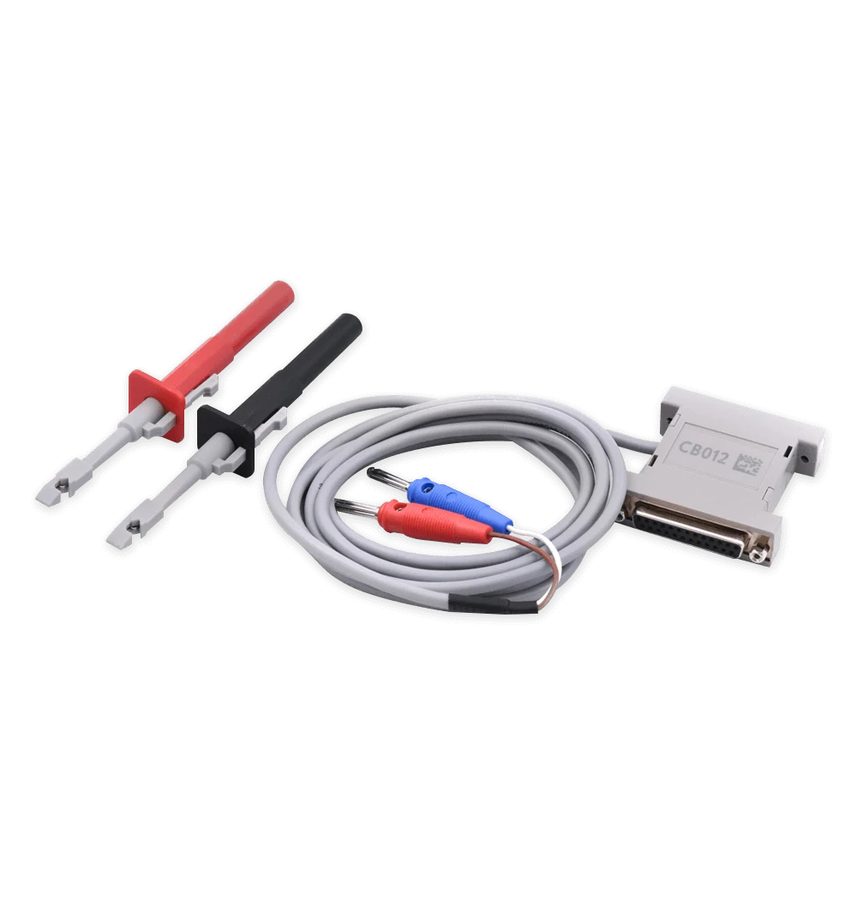
⚠ WarningThe connection is made on the CAN lines of the Gateway connector (pin 23 = CAN H, pin 24 = CAN L, as in the diagram in the manual): check the wire colours and pins on the vehicle before connecting the CB012, as swapping H/L prevents communication. Keep a stable power supply throughout the procedure.
Procedure
- Locate the Gateway module and its 32-pin connector: the CAN lines are on pin 23 (CAN H) and pin 24 (CAN L) of the 17-32 row.
- Connect the CB012 to the two CAN lines (CAN H to pin 23, CAN L to pin 24) and the AVDI to the PC.
- Start Abrites Diagnostics for Renault/Dacia Online and open the "Renew" special function.
- Select "Radar" in the left-hand menu.
- Press "Reset" and wait for confirmation: the crash event is cleared from the radar.
- Disconnect the CB012, refit the Gateway connector, switch the ignition OFF and back ON and check the ADAS warnings have gone; clear any remaining DTC.
Reference screenshots
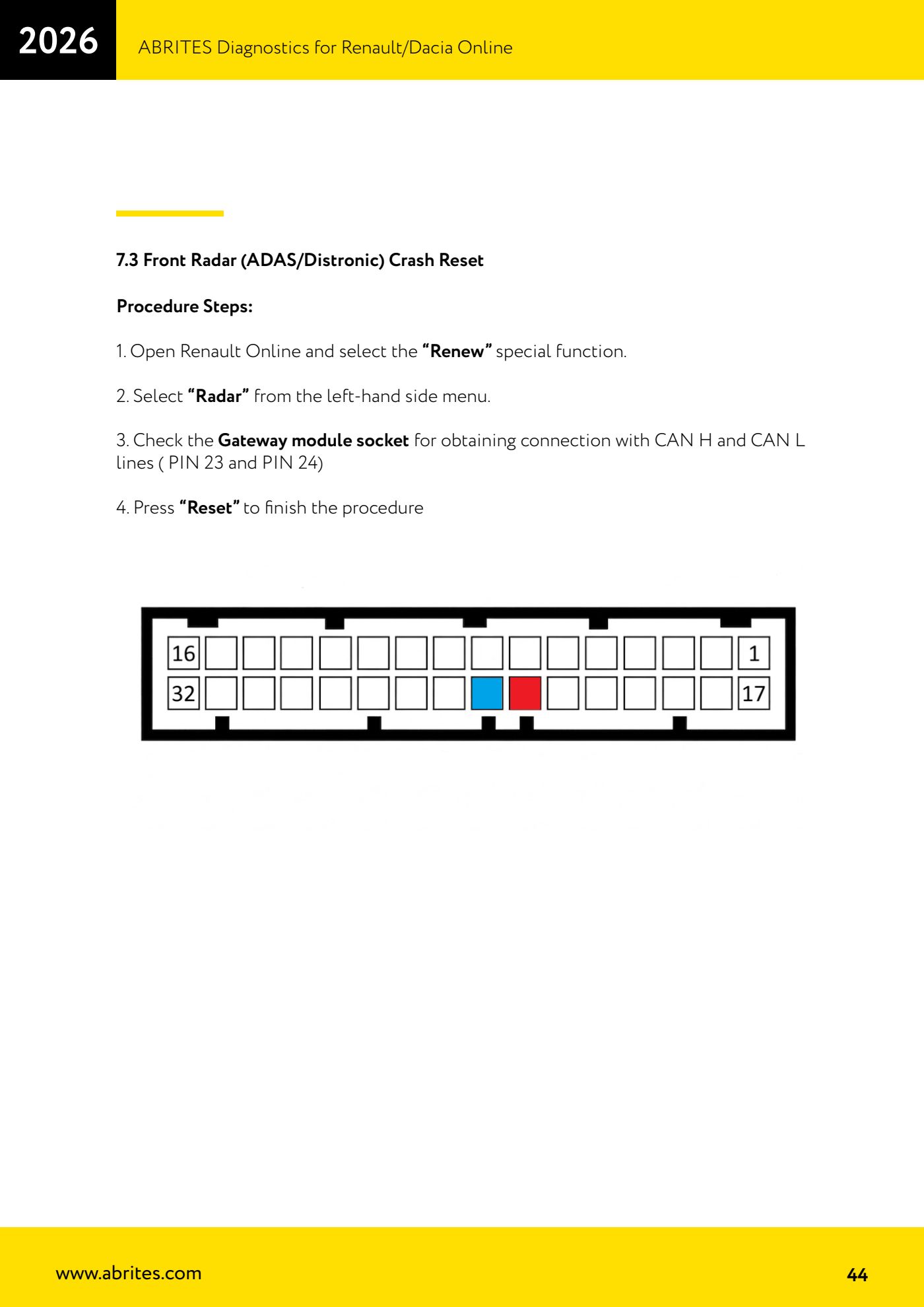
Source: Manuale Renault/Dacia Online v1.59, cap. 7.3 (p.44) · ⏱ estimated time 15-20 min
← All Abrites guides Hardware catalogue
More guides Renault/Dacia
- Renault/Dacia: module scan, ECU identification and DTC read/clear with AVDI
- Renault/Dacia: live data (list and graph) and actuator tests
- Renault/Dacia: PIN reading and key/card learning - common procedure
- Renault X95 (Megane III, Scenic III, Fluence): learning virgin cards and already-working cards
- Renault X95 from 2011 with updated immobiliser software: cards via ABPROG
- Renault Clio IV: programming ABRITES key cards with PROTAG
- Renault: immobiliser PIN calculation from the key code and Clio PIN from EEPROM dump
- Renault/Dacia: editing dumps with "Dump Tool" and writing the VIN with "Change ID"
- Renault/Dacia: cluster mileage calibration and disabling the ABS synchronisation
- Renault: reading/writing configuration data, flash and IMMO erase on the supported engine ECUs
- Bosch EDC15C3 and EDC15C13 Renault: DB9 Female pinout for bench work
- Renault SID301, SIRIUS 32 and SIM32: DB9 Female pinout and ECU data for bench work