
Chip-Tools
Cluster calibration on Dacia Jogger, Sandero III, Logan III, Trafic III Ph2, Kangoo III and Express II (MCU S6J3) with ZN093
Renault/Dacia
Interface New
Odometer
Advanced
⏱ 60-120 min
11 steps
The procedure for replacing a failed instrument cluster and setting the correct mileage on the replacement cluster with an S6J3 MCU. You start on the car over OBDII, move to the bench with ABPROG and the ZN093 adapter, then go back to the car for the ConfData.


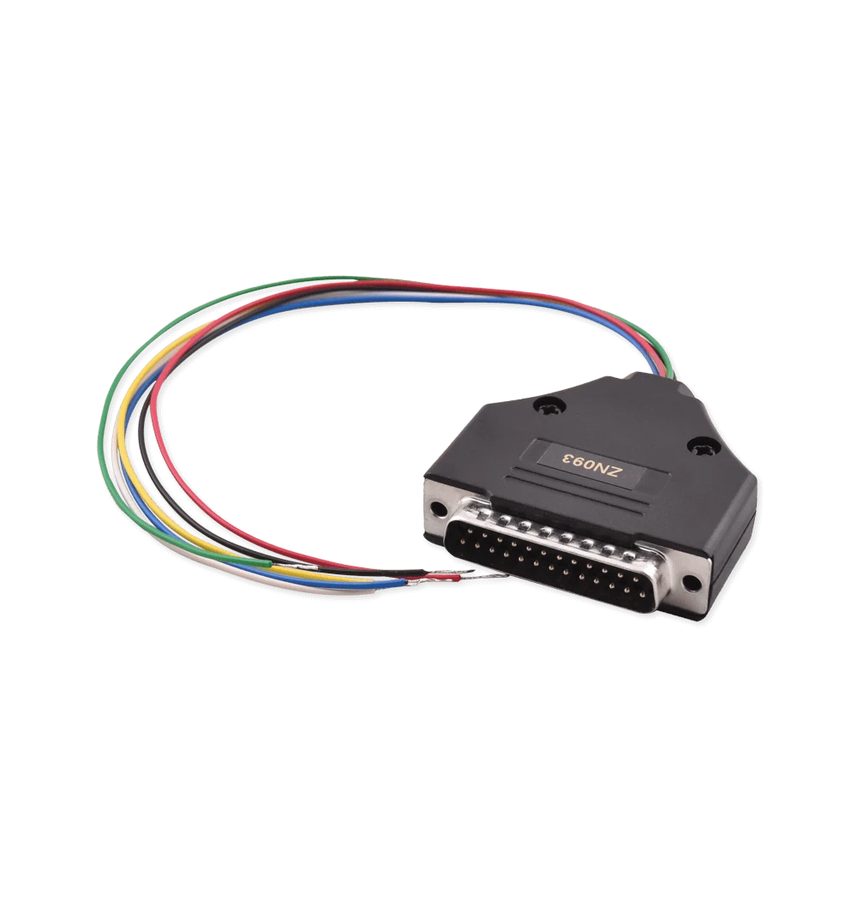
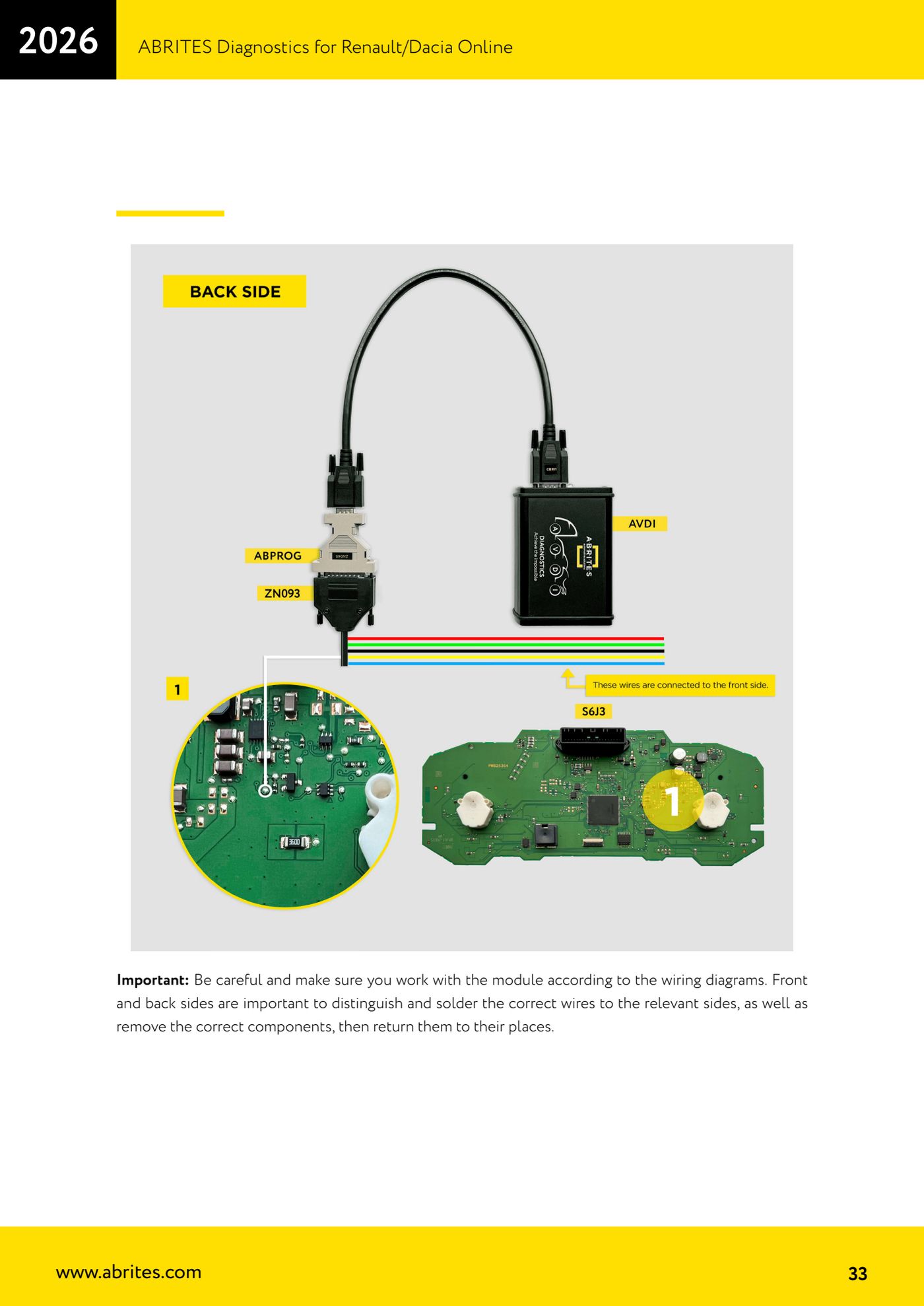
⚠ WarningTake care when working on the module to follow the software's wiring diagrams: front and rear sides must be told apart precisely, the wires have to be soldered on the correct sides, and any components you remove have to be put back where they belong. The two files generated (flash and config) are saved automatically into the Renault log folder: do not delete them, you need both in the following steps.
Procedure
- Check the model: the procedure covers Dacia Jogger, Dacia Sandero III, Dacia Logan III, Renault Trafic III phase 2, Renault Kangoo III and Renault Express II.
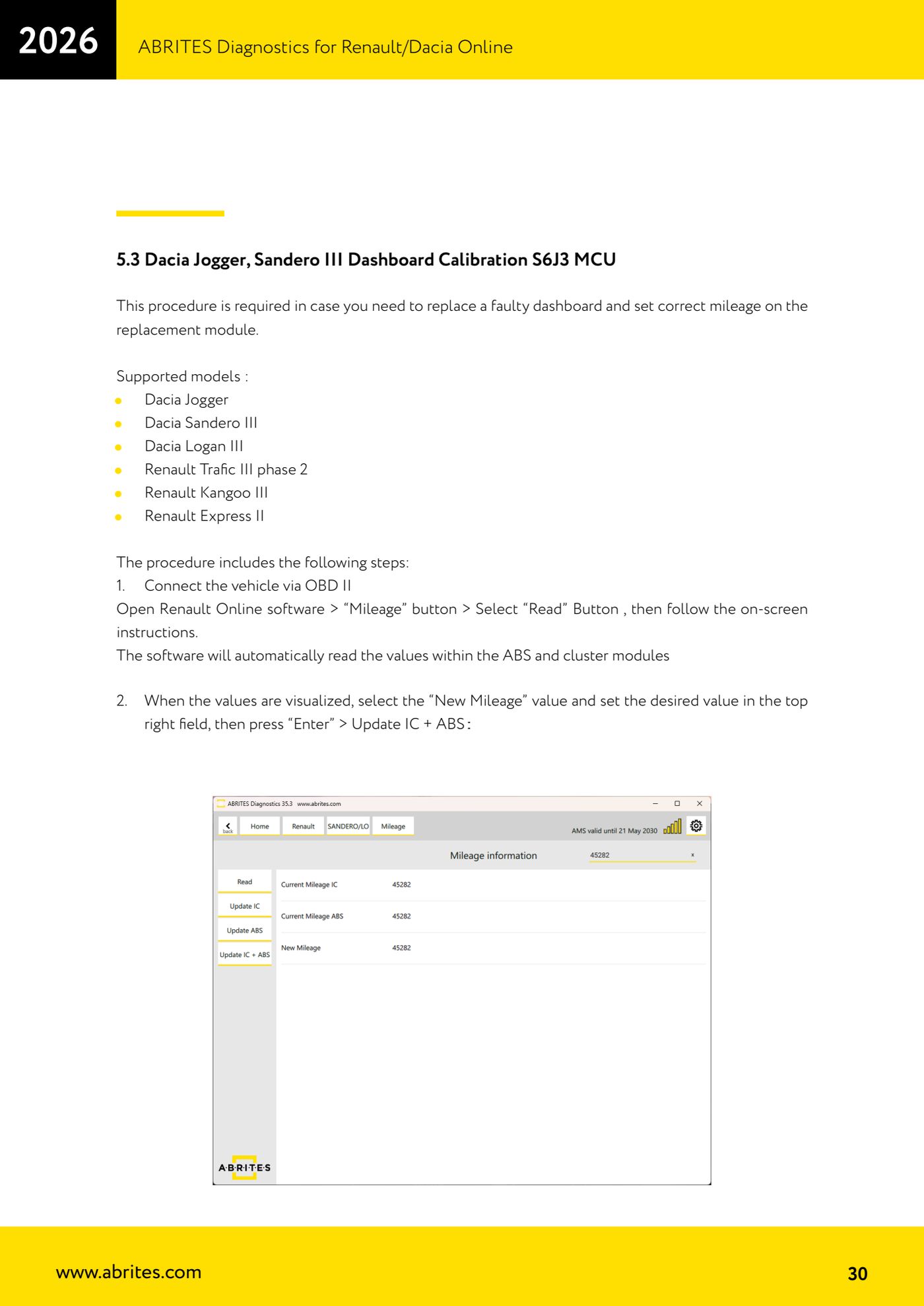
- Connect the vehicle over OBDII, open the Renault Online software, press the "Mileage" button and then "Read", following the on-screen instructions: the software automatically reads the ABS and cluster values.
- Once the values are on screen, select "New Mileage", type the value you want into the field at the top right, press "Enter" and then "Update IC + ABS".
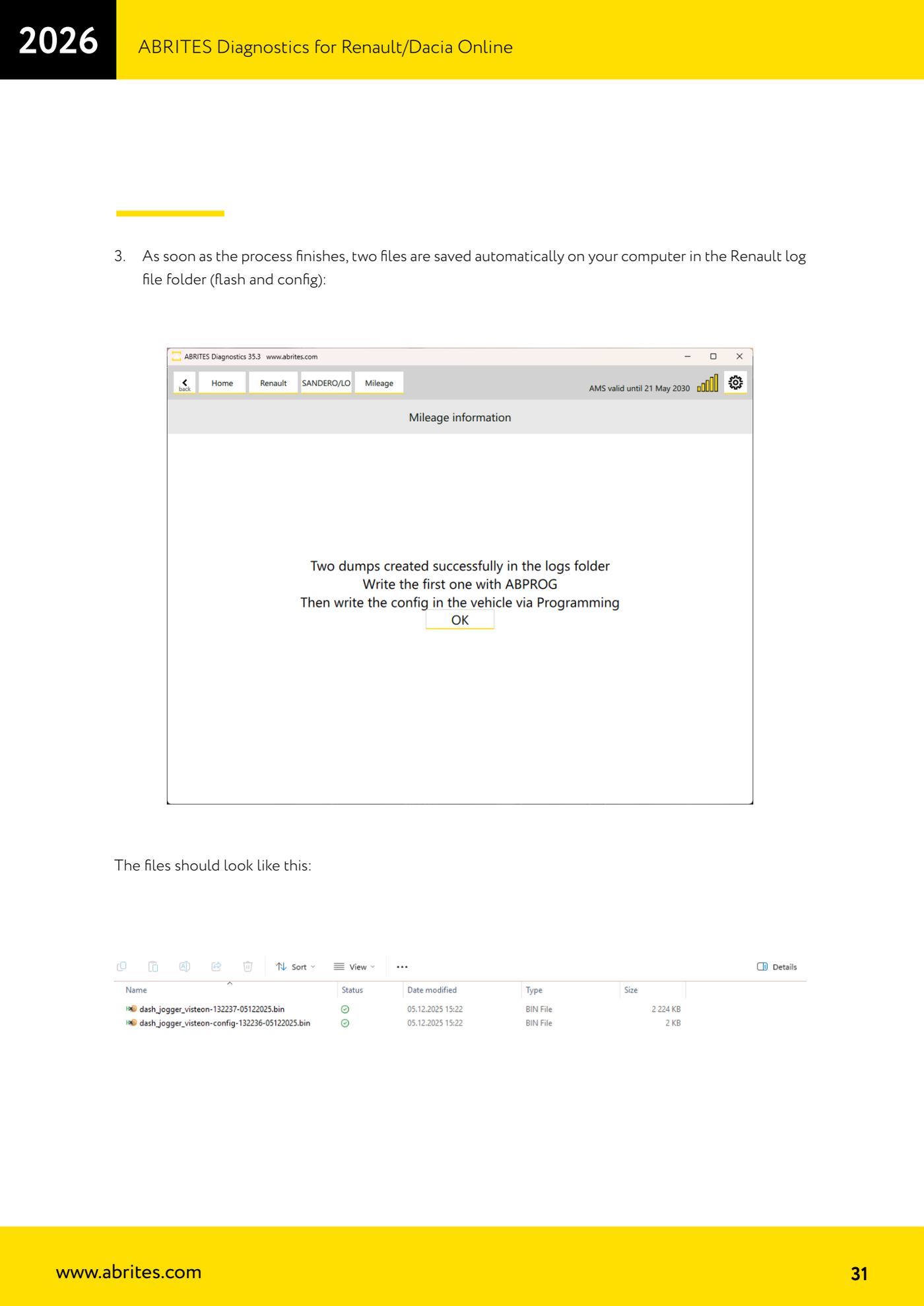
- When the process is done check the Renault log folder on the PC: two files are saved automatically, one flash and one configuration (dash_jogger_visteon-xxxx....bin and dash_jogger_visteon-config-xxxxxx-xxxxxxx.bin).
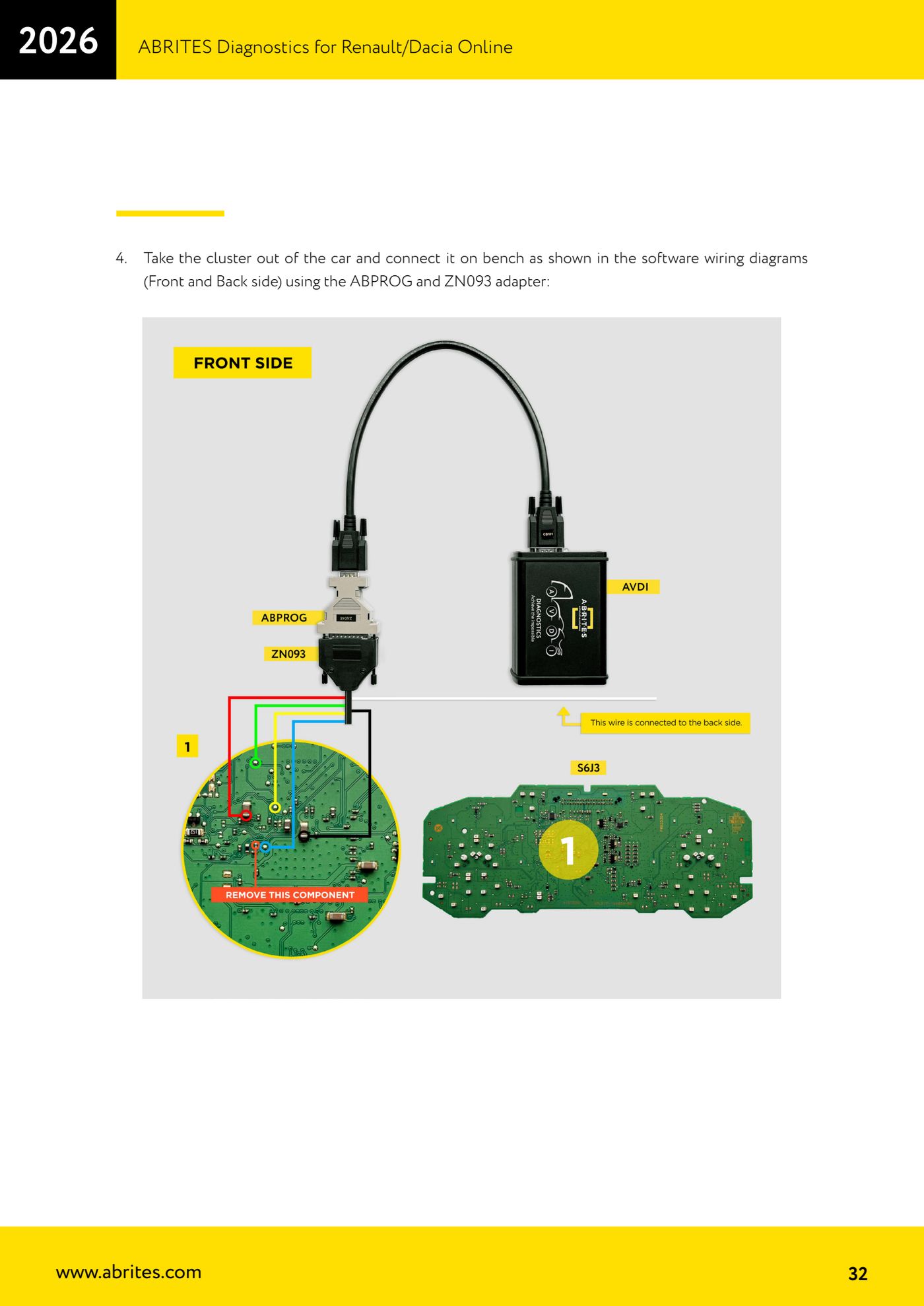
- Remove the cluster from the car and connect it on the bench using ABPROG and the ZN093 adapter, following exactly the wiring diagrams the software shows for the front side and the rear side.
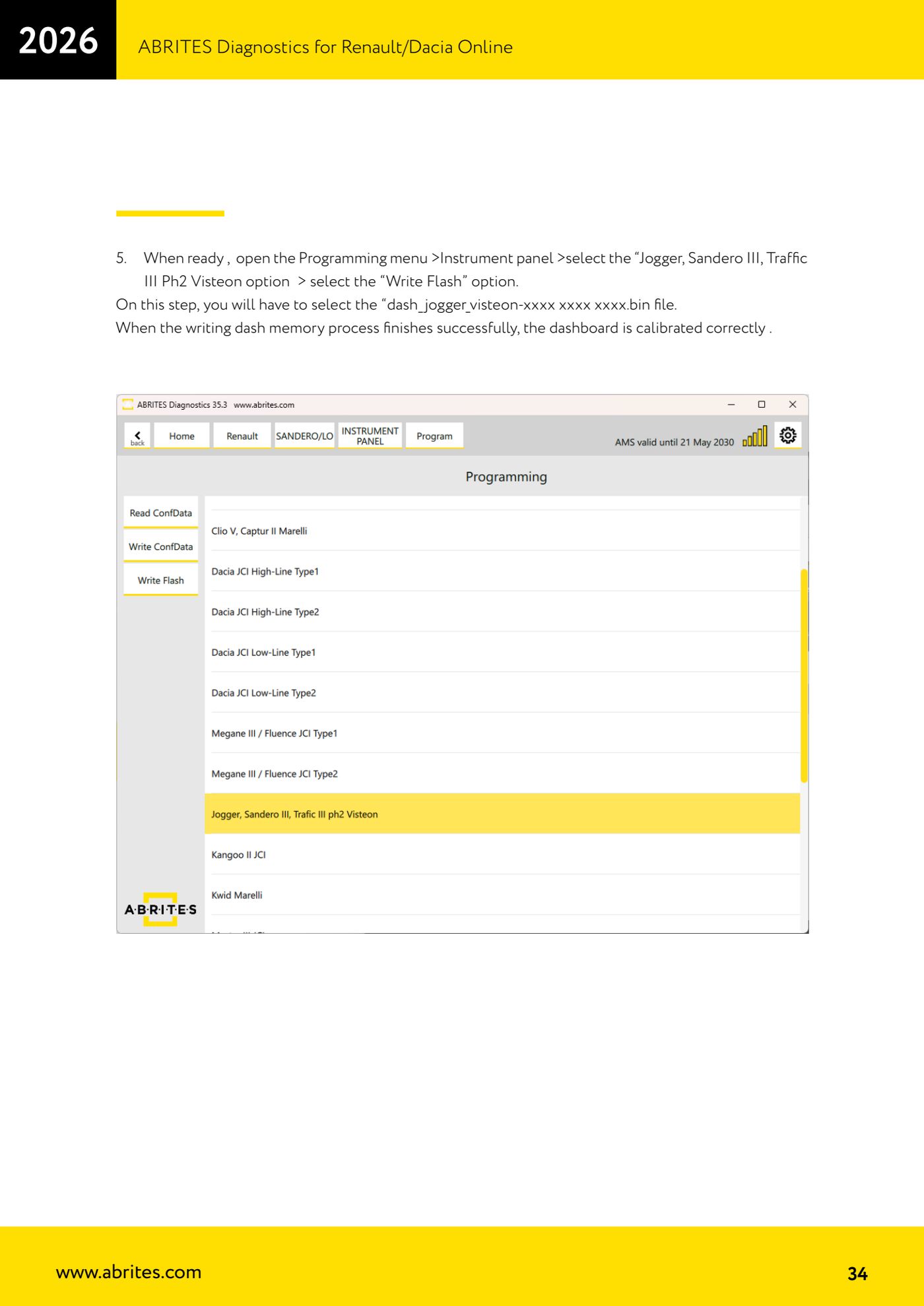
- Open the menu "Programming" > "Instrument panel" > option "Jogger, Sandero III, Traffic III Ph2 Visteon" and select "Write Flash".
- Load the file dash_jogger_visteon-xxxx xxxx xxxx.bin and start the write. When the cluster memory write finishes successfully, the cluster is calibrated.
- Put back the components you removed, reassemble the cluster and refit it to the vehicle.
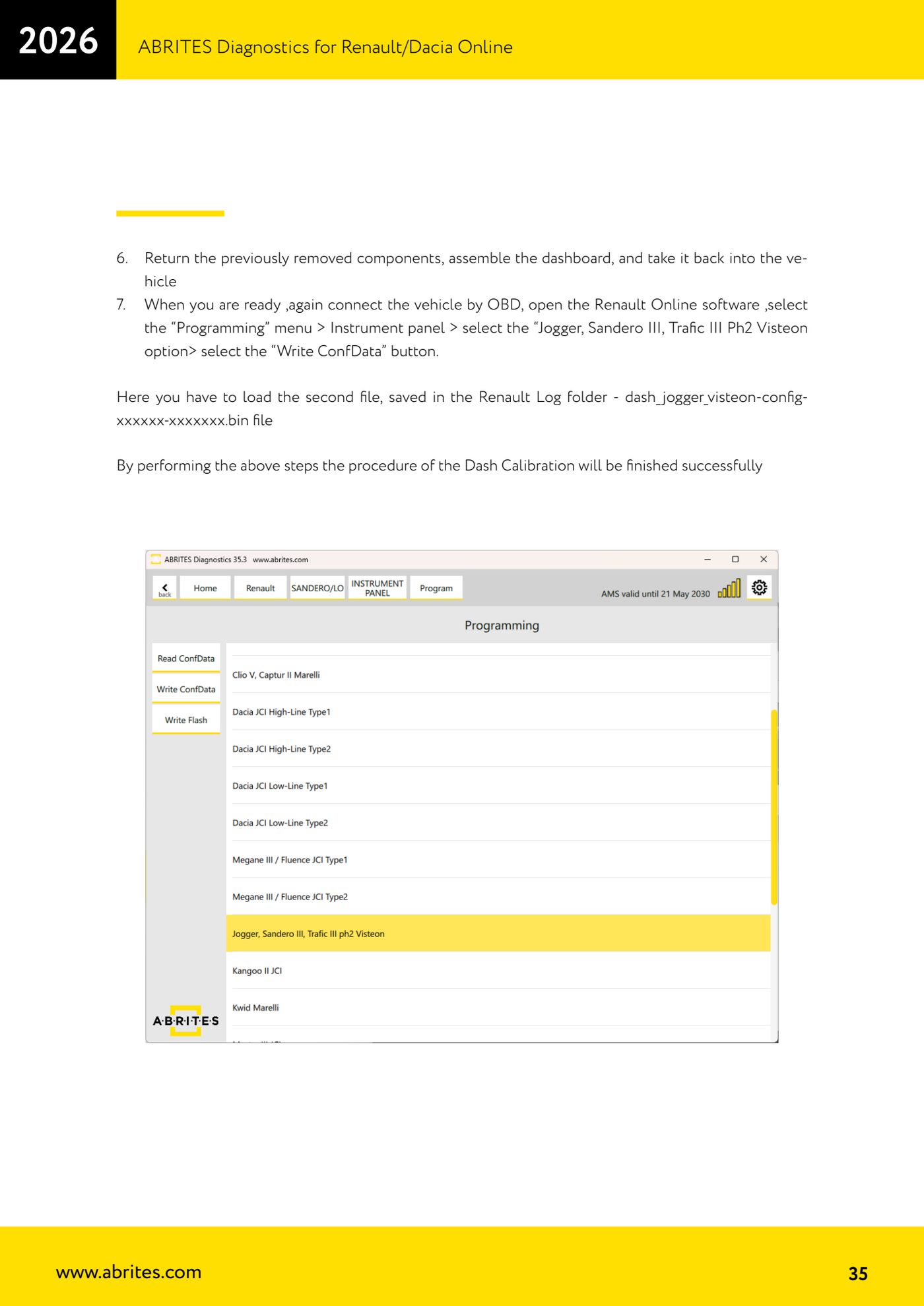
- Reconnect the vehicle over OBDII, open the Renault Online software and go to "Programming" > "Instrument panel" > "Jogger, Sandero III, Trafic III Ph2 Visteon" > "Write ConfData".
- Load the second file saved in the Renault log folder, dash_jogger_visteon-config-xxxxxx-xxxxxxx.bin, and complete the write: at this point the cluster calibration is finished.
- Switch the ignition on and check mileage, warning lights and communication with the other modules.
Reference screenshots
Source: Manuale Renault/Dacia Online, cap. 5.3 (p.30-35) · ⏱ estimated time 60-120 min
← All Abrites guides Hardware catalogue
More guides Renault/Dacia
- Renault/Dacia: module scan, ECU identification and DTC read/clear with AVDI
- Renault/Dacia: live data (list and graph) and actuator tests
- Renault/Dacia: PIN reading and key/card learning - common procedure
- Renault X95 (Megane III, Scenic III, Fluence): learning virgin cards and already-working cards
- Renault X95 from 2011 with updated immobiliser software: cards via ABPROG
- Renault Clio IV: programming ABRITES key cards with PROTAG
- Renault: immobiliser PIN calculation from the key code and Clio PIN from EEPROM dump
- Renault/Dacia: editing dumps with "Dump Tool" and writing the VIN with "Change ID"
- Renault/Dacia: cluster mileage calibration and disabling the ABS synchronisation
- Renault: reading/writing configuration data, flash and IMMO erase on the supported engine ECUs
- Bosch EDC15C3 and EDC15C13 Renault: DB9 Female pinout for bench work
- Renault SID301, SIRIUS 32 and SIM32: DB9 Female pinout and ECU data for bench work