
Chip-Tools
Mileage calibration (Cluster Calibration) over OBD on PSA vehicles
PSA
Interface New
Odometer
Medium
⏱ 15-30 min
8 steps
This is used to realign the mileage shown by the vehicle when it does not match the other modules, typically after a cluster or control unit replacement. The change is made over OBD from the "Mileage" menu.
Required licences
- —
Hardware / cables

⚠ WarningOn vehicles fitted with VSM (Peugeot 308 III, Citroën C5 III, Opel Astra L) this OBD procedure is not enough: the value is stored both in the VSM and in the navigation unit and has to be corrected on the bench on both (see the dedicated guide).
Procedure
- Connect the AVDI to the OBDII socket and feed the vehicle from an external power supply; switch the ignition on.
- Launch PSA Online, select the model and complete the identification and module scan.
- Press the "Mileage" button: the mileage screen opens showing the value currently stored.
- Switch to the "New Mileage" tab.
- Click the value and enter it amended to the correct figure you need to set.
- Confirm the value update.
- Check on the vehicle's dashboard that the new value is actually displayed.
- If the value does not match, re-check which modules store the mileage on that vehicle before repeating the operation.
Reference screenshots
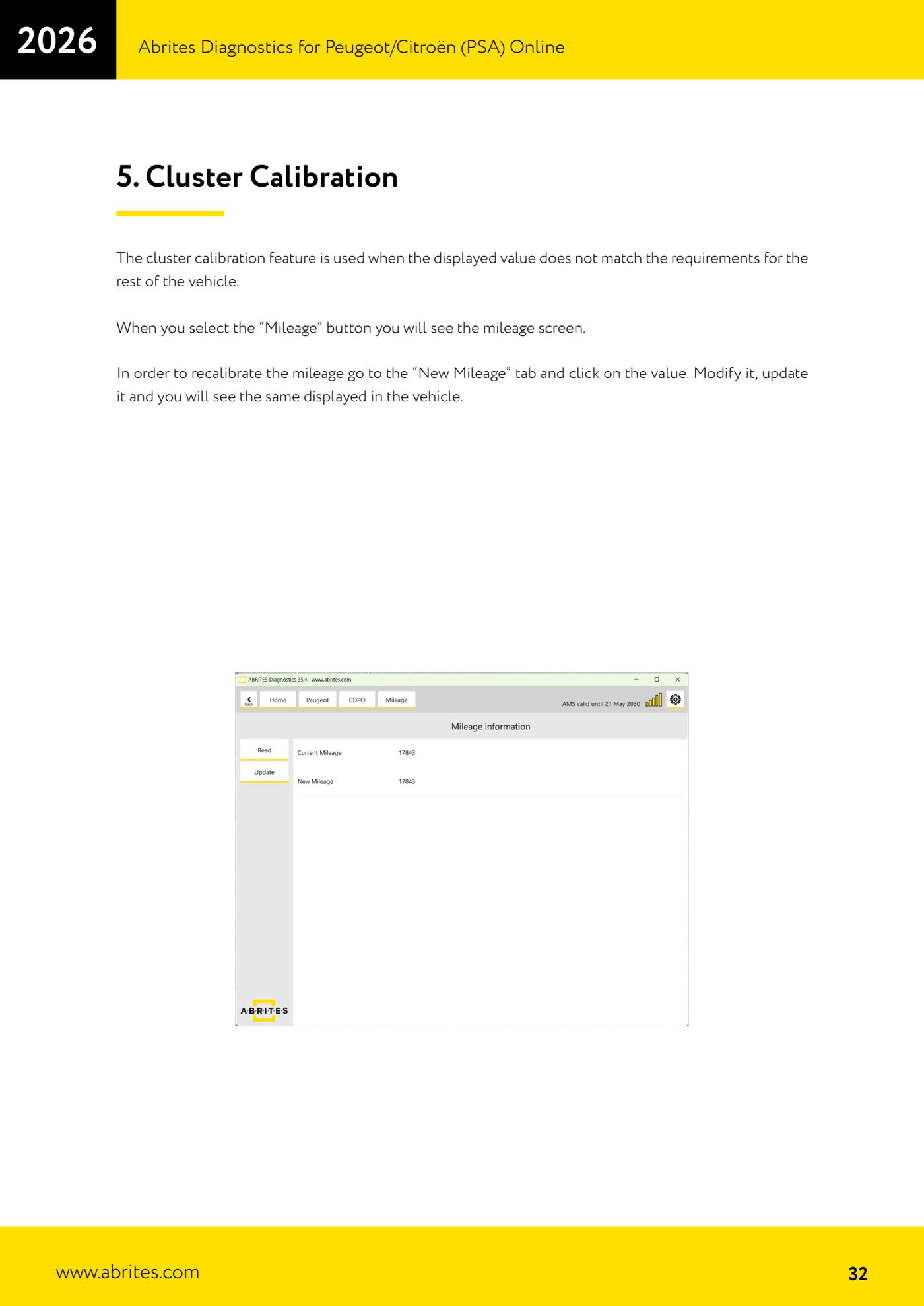
Source: Manuale PSA Online, cap. 5 - Cluster Calibration (p.32) · ⏱ estimated time 15-30 min
← All Abrites guides Hardware catalogue
More guides PSA
- Standard Peugeot/Citroën diagnostics: unit scan, DTCs, identification and live data
- Reading the PIN (Read security code) and key programming on Peugeot/Citroën
- Engine Control Unit: reading/writing Configuration Data and ECU flash, IMMO OFF and after sales preparation (EDC, SID)
- Read/Update ConfData: backing up and restoring the configuration data of the BSI and instrument cluster
- BSI exchange: replacing the BSI with a used unit (JCI and Valeo CAN) and identifying the hardware version
- Continental BSI 2015+: reading the PIN, EEPROM read/write, BSI exchange and Set PIN
- Mileage correction on Continental BSI 2015+ using the "CAN" Calibration function
- Cluster Calibration: mileage calibration on the BSI and instrument cluster (with Disable dashboard synchronisation)
- Service Zero Reset: resetting the service/oil change indicator on Peugeot/Citroën
- Dump Tool: reading, saving and clearing crash data from airbag control units
- Vehicle identification, module scan and DTC handling (Peugeot / Citroën / DS)
- Reading live parameters and running actuator tests on PSA control units