
Chip-Tools
Legacy procedure for Delphi BSI 2021+: loading a BSI dump read on the bench with ABProg (ZN030)
PSA
Interface New
Keys / Immo
Advanced
⏱ 60-120 min
10 steps
This is the alternative route for Delphi BSI 2021+ units when you do not have the latest Abrites licences (ZN094/PN020): the wizard stops and offers to load a BSI dump or to read the PIN from the engine ECU. This guide covers the bench-read dump route.


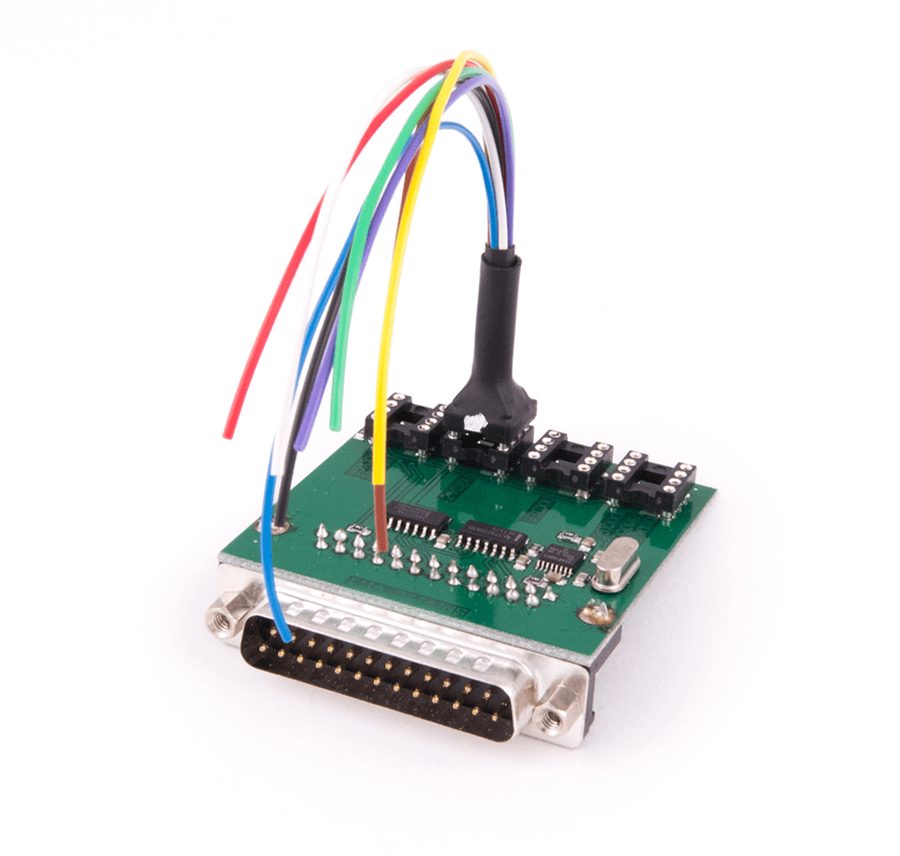
⚠ WarningReading the dump requires soldering to specific points on the BSI: work on the unit off the car, with the vehicle disconnected, and check the connection diagram before applying power. A wiring mistake on the soldering points can damage the BSI beyond repair.
Procedure
- Start the key learning procedure as usual (see the key wizard guide): you will reach the point where the software cannot continue and shows a message with two options, "Dump" and "Engine".
- If you go the dump route, close/pause the procedure and remove the BSI from the vehicle.
- Prepare the ZN030 ABProg programmer and the ZN057 wire extender for ABProg.
- Solder to the points indicated on the BSI unit following the connection diagrams in the manual and assemble the set as shown in the illustrations.
- Read the BSI memory on the bench with ABProg and save the dump file to the PC.
- Refit the BSI to the vehicle and restart the key learning procedure in the PSA Online software.
- At the point where the choice appears, press the "Dump" button and load the file read on the bench.
- The software extracts the PIN from the dump: note it down and keep the file.
- Carry on with the normal key learning wizard, following the on-screen instructions.
- As an alternative to the dump, if you would rather not solder, choose the "Engine" option to read the PIN from the engine ECU (see the dedicated guides on reading the PIN from the ECU over OBD or on the bench).
Reference screenshots
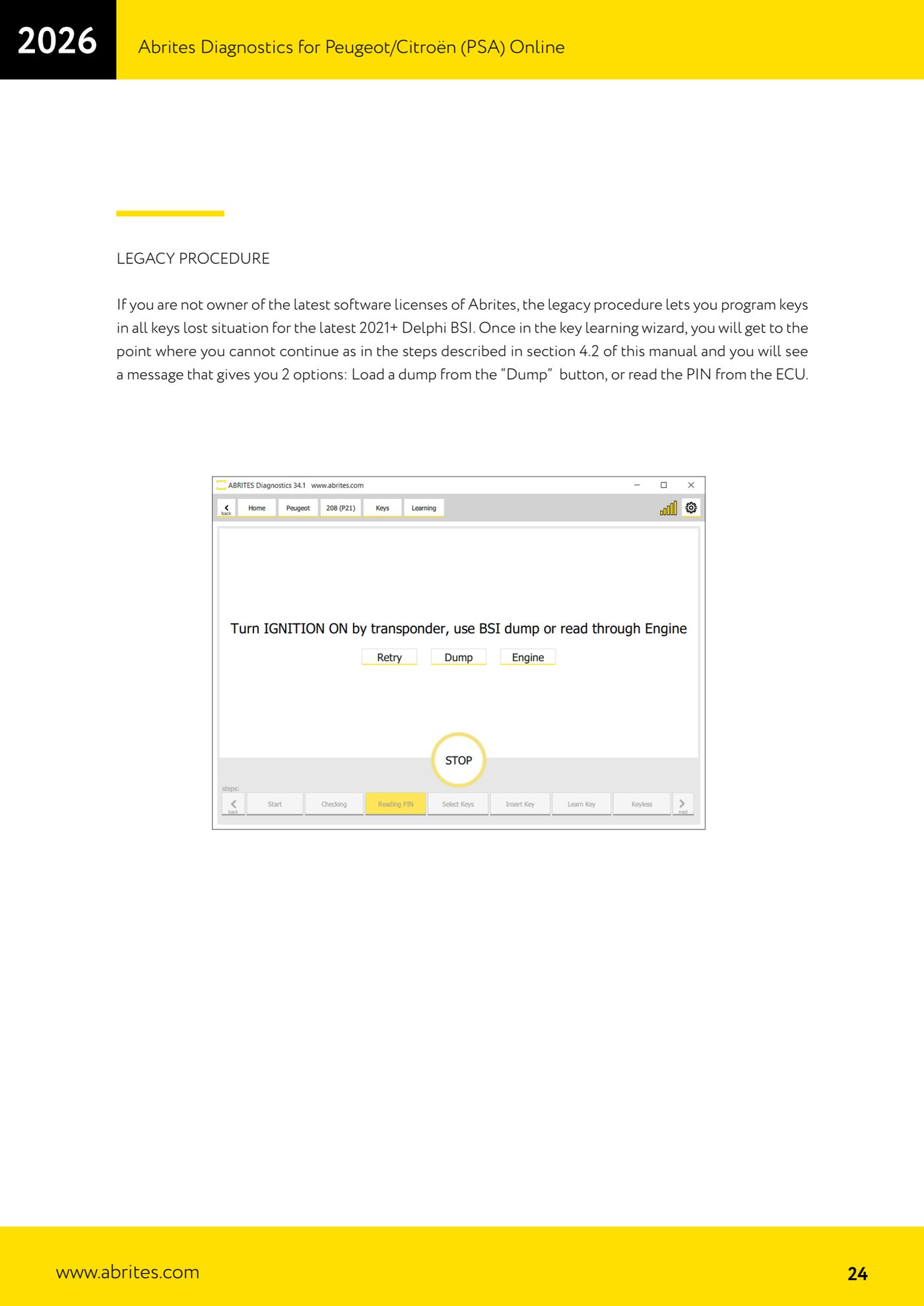
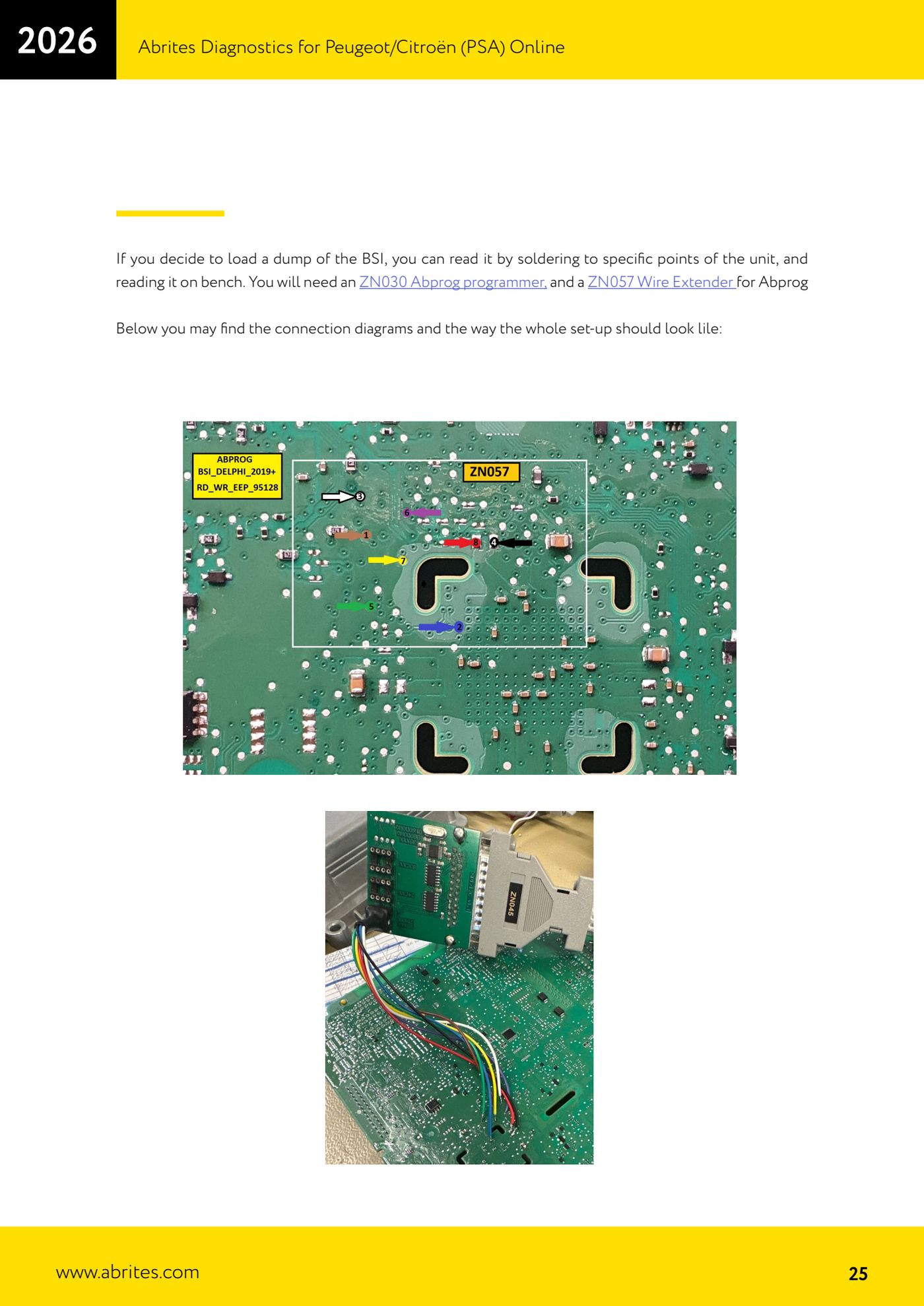
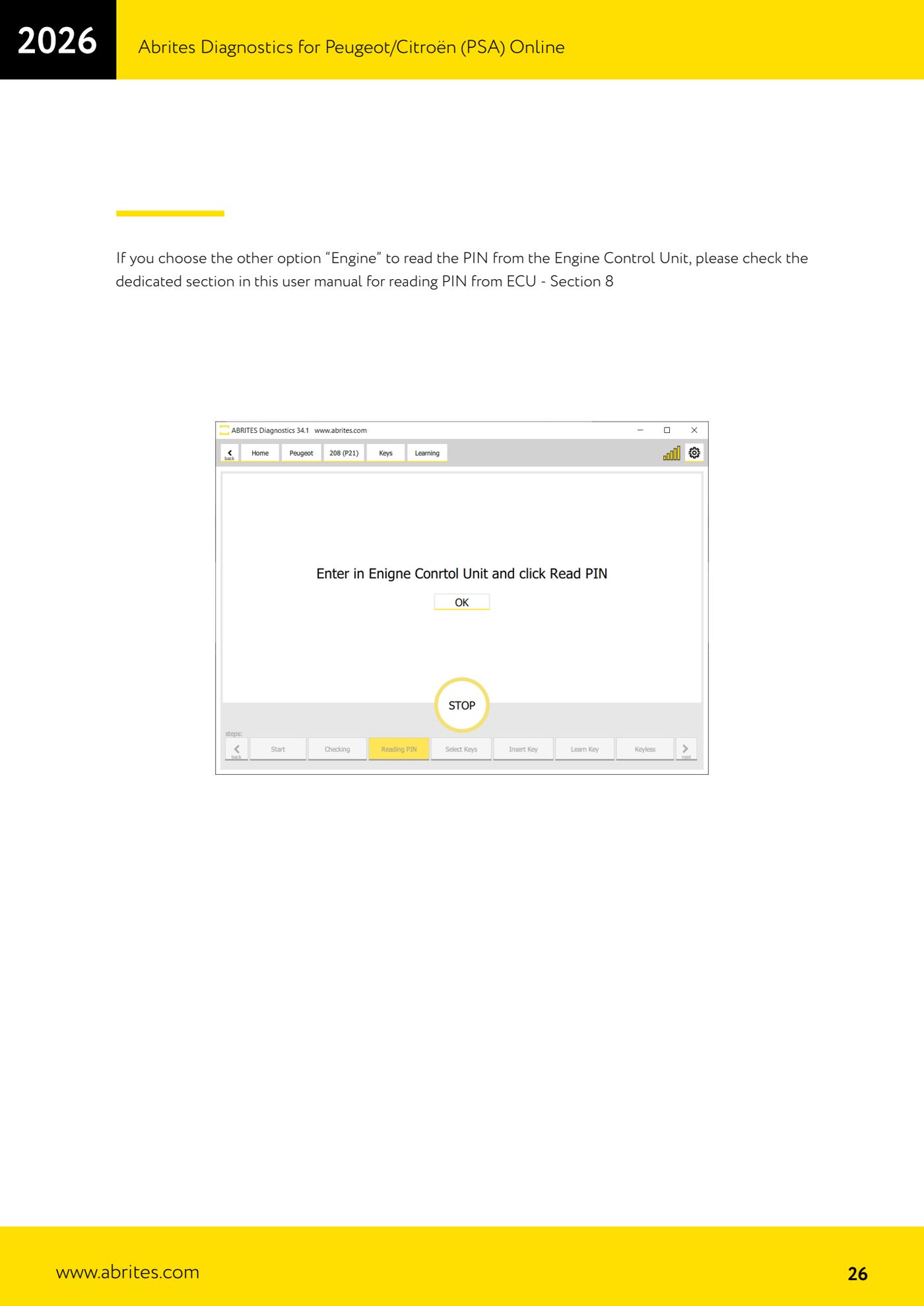
Source: Manuale PSA Online, cap. 4.3 - Legacy procedure (p.24-26) · ⏱ estimated time 60-120 min
← All Abrites guides Hardware catalogue
More guides PSA
- Standard Peugeot/Citroën diagnostics: unit scan, DTCs, identification and live data
- Reading the PIN (Read security code) and key programming on Peugeot/Citroën
- Engine Control Unit: reading/writing Configuration Data and ECU flash, IMMO OFF and after sales preparation (EDC, SID)
- Read/Update ConfData: backing up and restoring the configuration data of the BSI and instrument cluster
- BSI exchange: replacing the BSI with a used unit (JCI and Valeo CAN) and identifying the hardware version
- Continental BSI 2015+: reading the PIN, EEPROM read/write, BSI exchange and Set PIN
- Mileage correction on Continental BSI 2015+ using the "CAN" Calibration function
- Cluster Calibration: mileage calibration on the BSI and instrument cluster (with Disable dashboard synchronisation)
- Service Zero Reset: resetting the service/oil change indicator on Peugeot/Citroën
- Dump Tool: reading, saving and clearing crash data from airbag control units
- Vehicle identification, module scan and DTC handling (Peugeot / Citroën / DS)
- Reading live parameters and running actuator tests on PSA control units